PDF report export
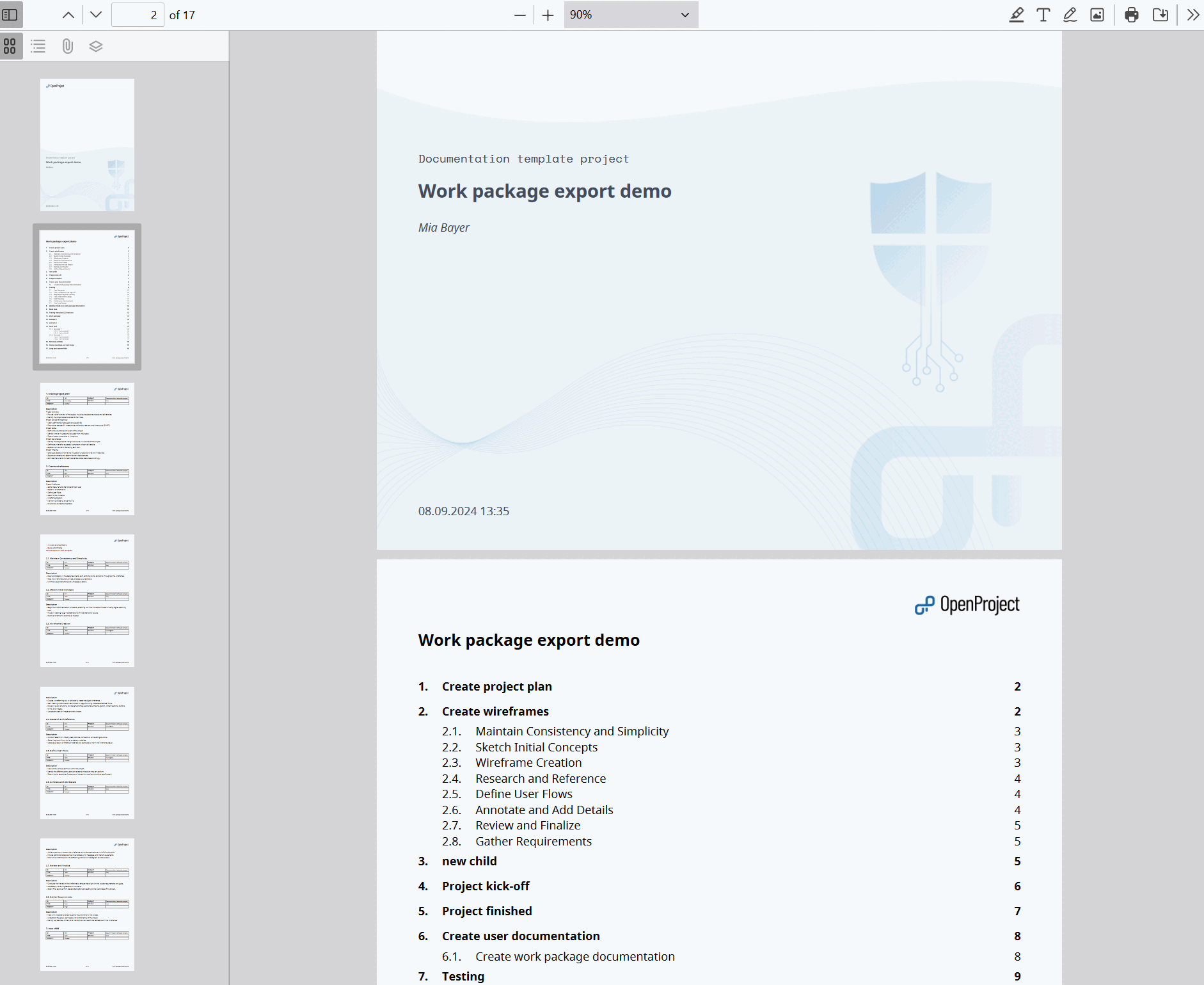
Com os relatórios PDF, pode exportar planos de trabalho detalhados e atualizados para o seu projeto num formato simples e prático. Inclui uma página de título, um índice (que enumera todos os pacotes de trabalho), seguido da descrição de cada pacote de trabalho em forma de bloco. O índice é clicável e está ligado às respetivas páginas do relatório, o que facilita muito a navegação.
Report content
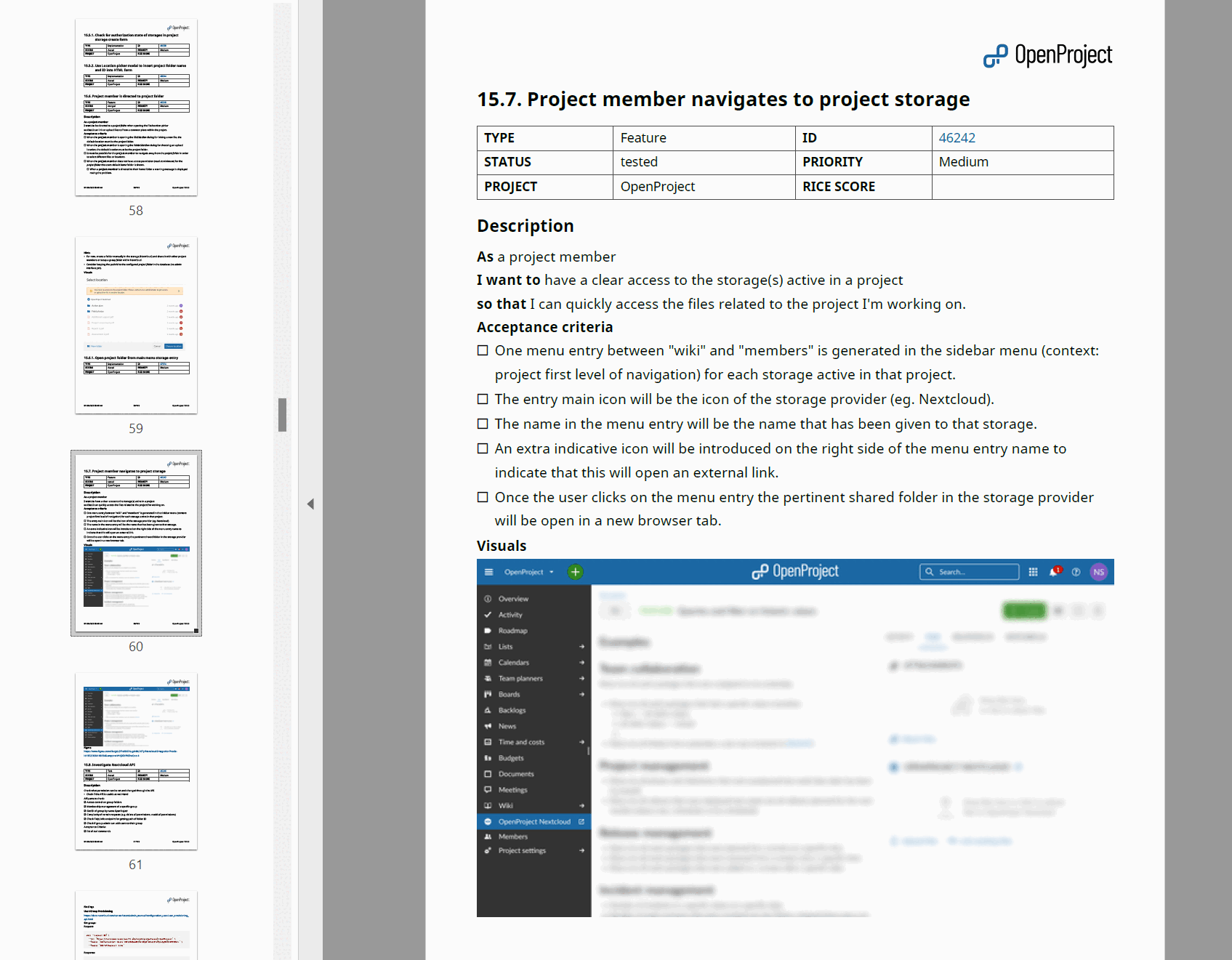
Para cada pacote de trabalho, é incluída uma tabela de atributos, onde os atributos correspondem às colunas que especificou para a exportação. It is followed by the long text fields you selected, which support embedded work package and project attributes.
Options
The following options are available for the PDF report:
Columns
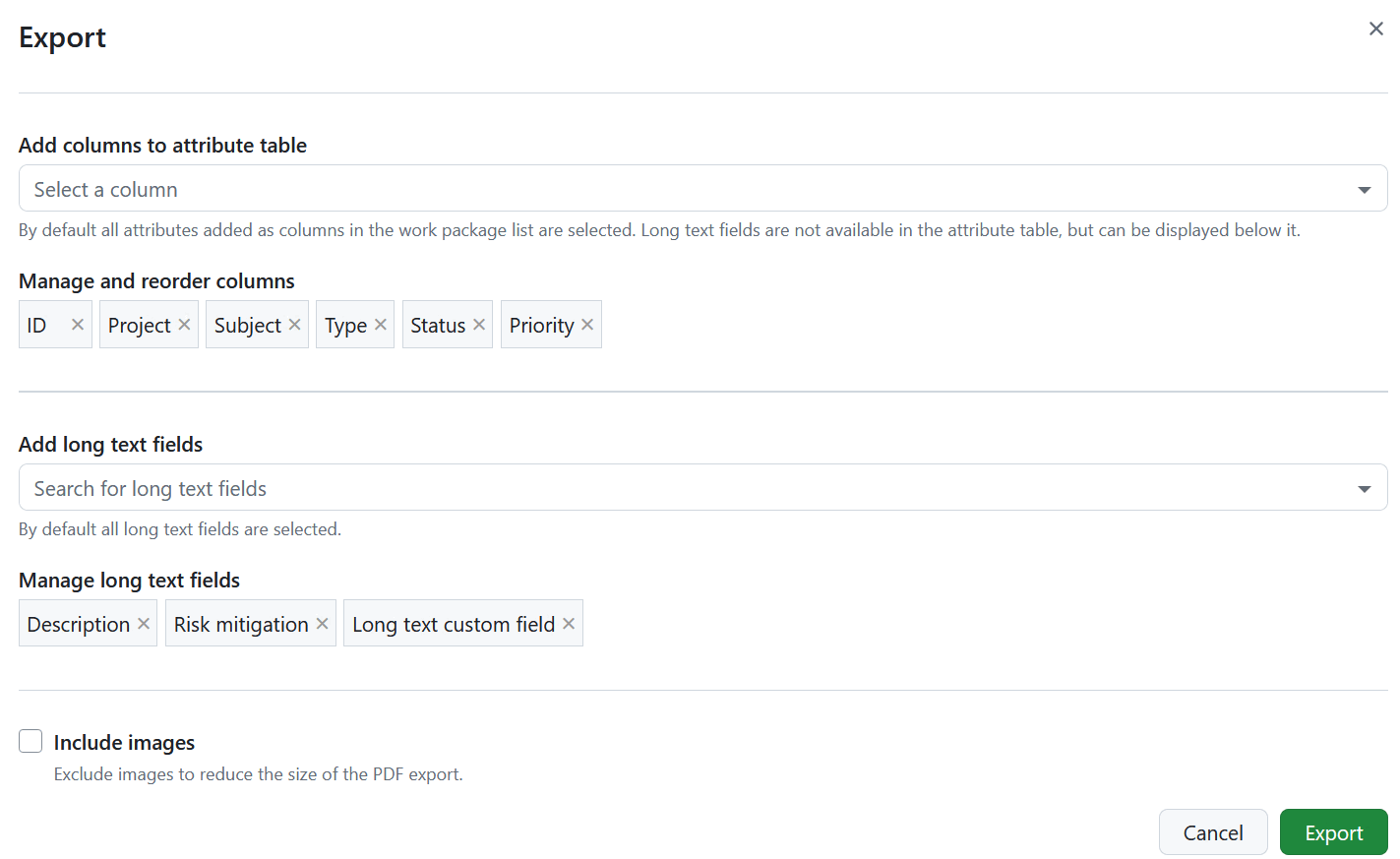
Use the Add columns to attribute table option to select which attributes are listed in the attribute table of every work package and to change their order. As colunas pré-selecionadas são as que constam da consulta da tabela de pacotes de trabalho. Learn how to save the work package view.
The subject is not available as a column, since every work package block is already headed by its subject. Long text fields are not part of the attribute table either, but can be displayed below it.
Unlike the other export formats, the report also accepts relation columns, such as children or blocked by. Adding them creates the relation blocks described below.
Long text fields
Below the attribute table, the report can display the work package description and all long text custom fields. Use the Add long text fields option to select which of them are included and drag them to change the order in which they appear in the report.
All long text fields are selected by default. Remove a field from the selection to leave it out of the report.
Include images
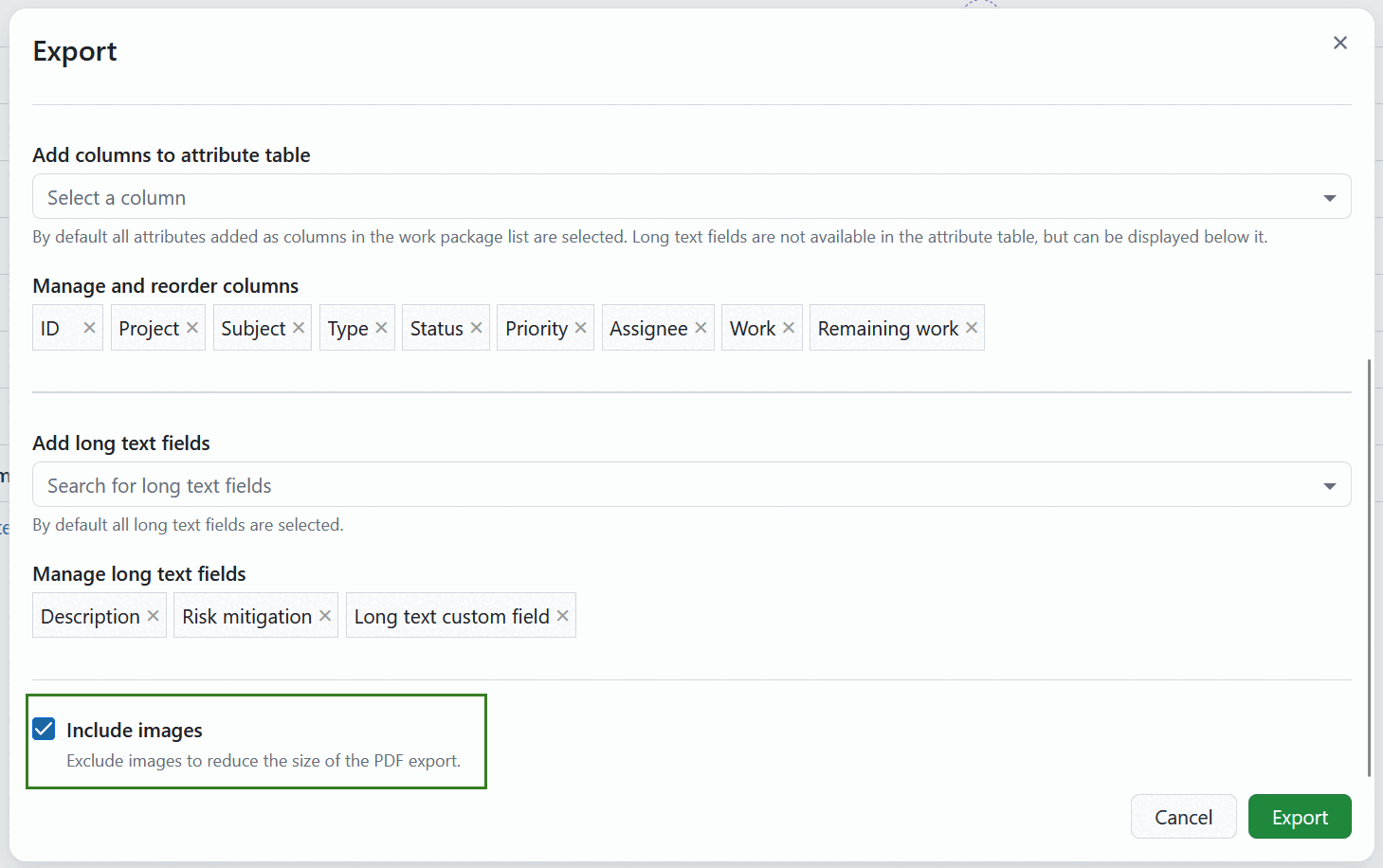
The Include images option is activated by default, so your PDF Report includes the images from the work package description. Deactivate it to reduce the size of the PDF export. Supported formats include PNG, JPG, GIF and WebP. Se for utilizado um WebP animado ou um GIF, o primeiro fotograma será incluído no relatório.
Nota
As imagens anexadas ou ligadas na secção Ficheiros do pacote de trabalho ou nos comentários da atividade não são incluídas no relatório PDF com as imagens.
Mostrar somas
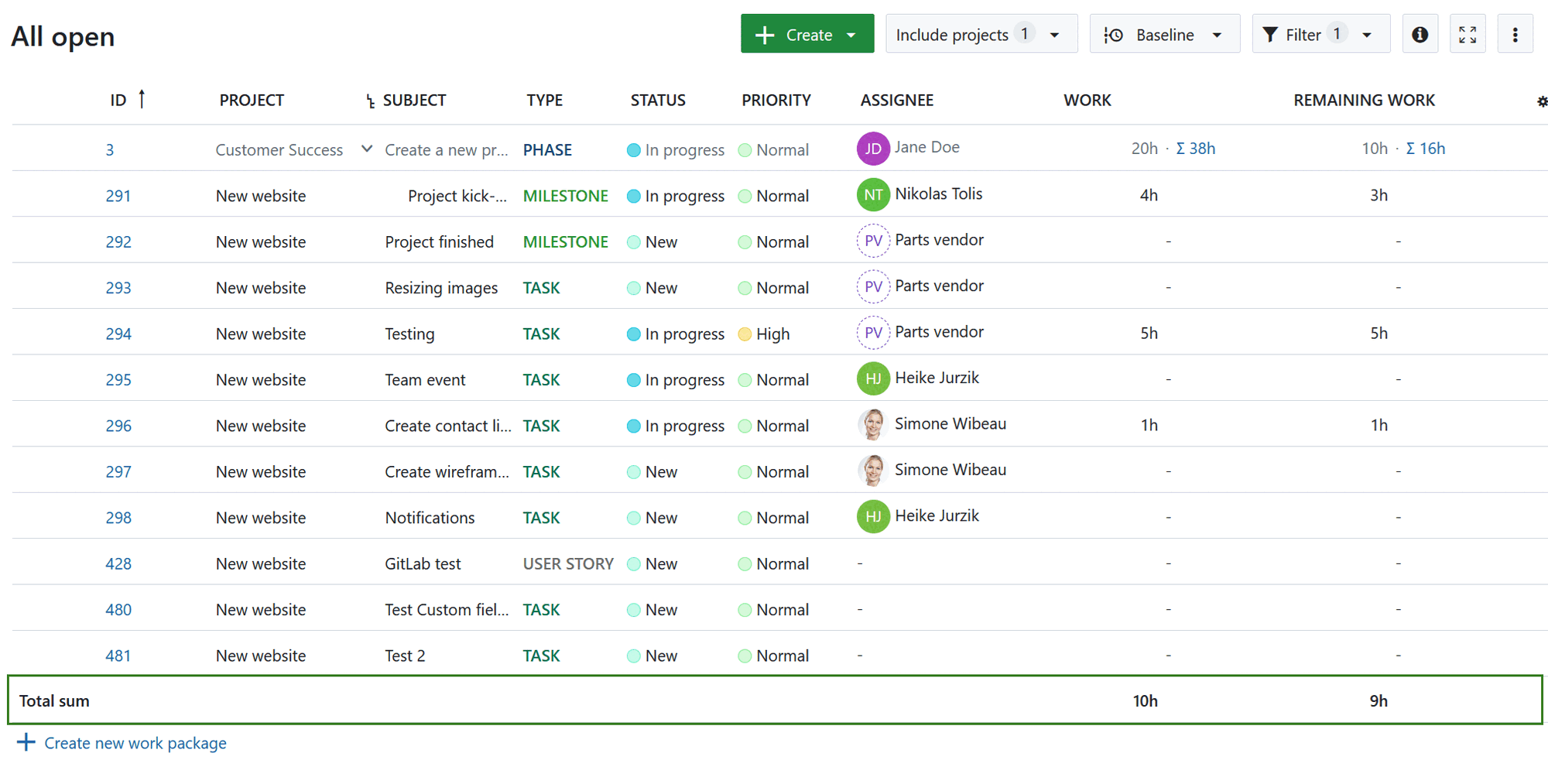
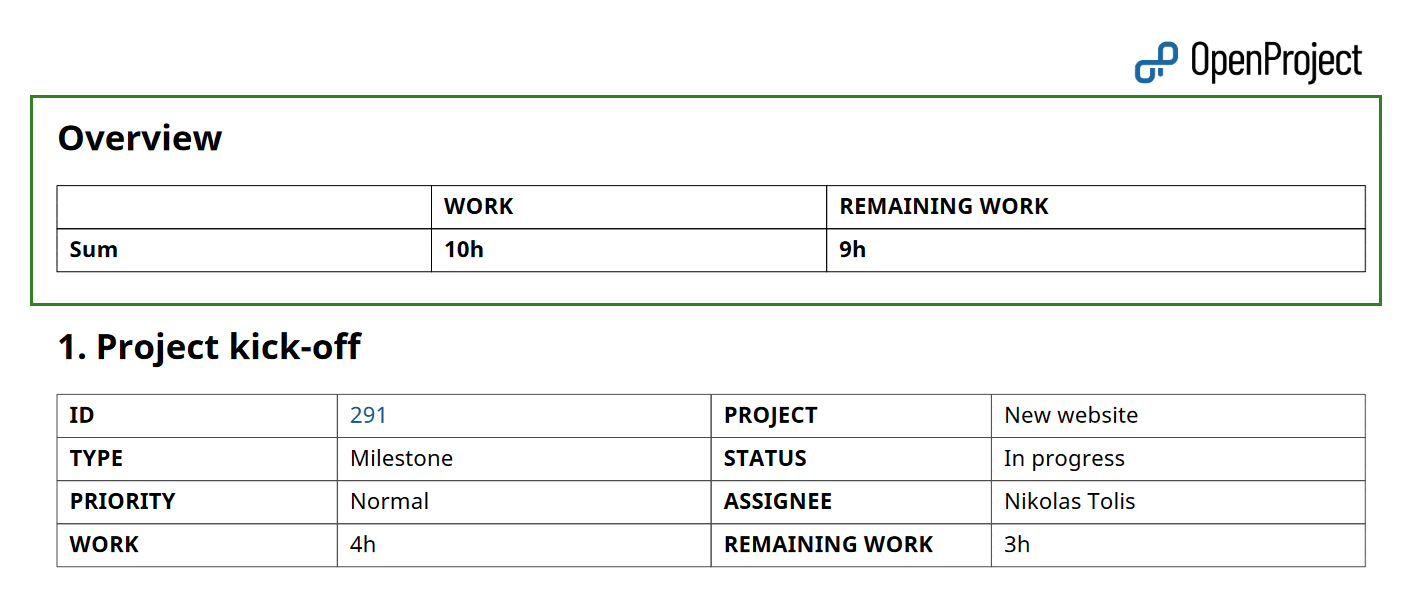
If “display sums” is activated in the work package table, then the sum table is included between the table of contents and work packages description in an Overview section.
Mostrar relações
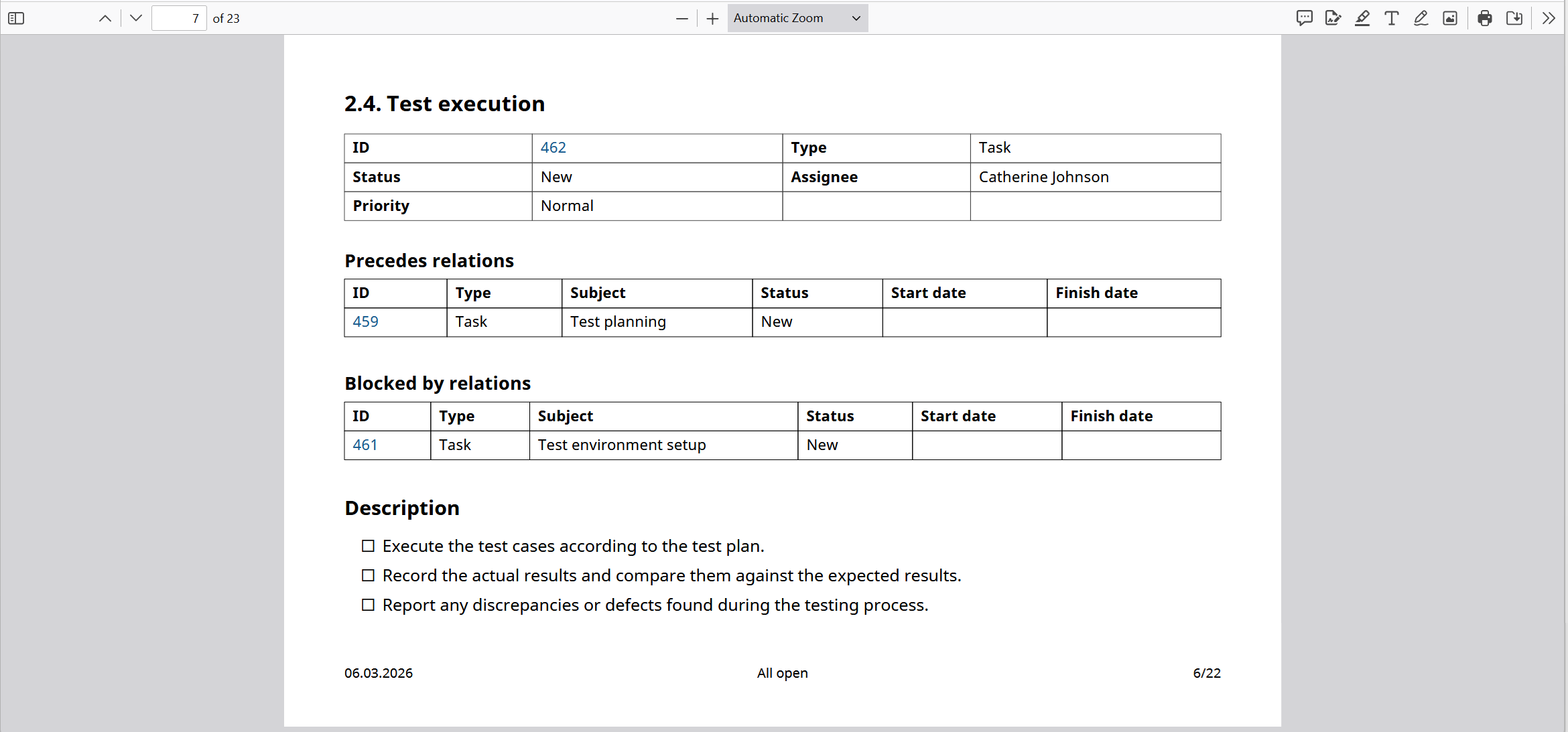
Se as relações, tais como filhos, bloqueados por, seguidos por, etc., estiverem incluídas no relatório como colunas, serão incluídas em blocos dedicados.
Each block lists the related work packages in a table with the columns ID, Type, Subject, Status, Start date and Finish date.
See Export work packages for how to trigger an export and adjust the general export options.