PDF report export
Avec les rapports PDF, vous pouvez exporter des plans de travail détaillés et actualisés pour votre projet dans un format propre et pratique. Il comprend une page de titre, une table des matières (énumérant tous les lots de travaux), suivie de la description des lots de travaux individuels sous forme de blocs. La table des matières est cliquable et renvoie aux pages correspondantes du rapport, ce qui facilite grandement la navigation.
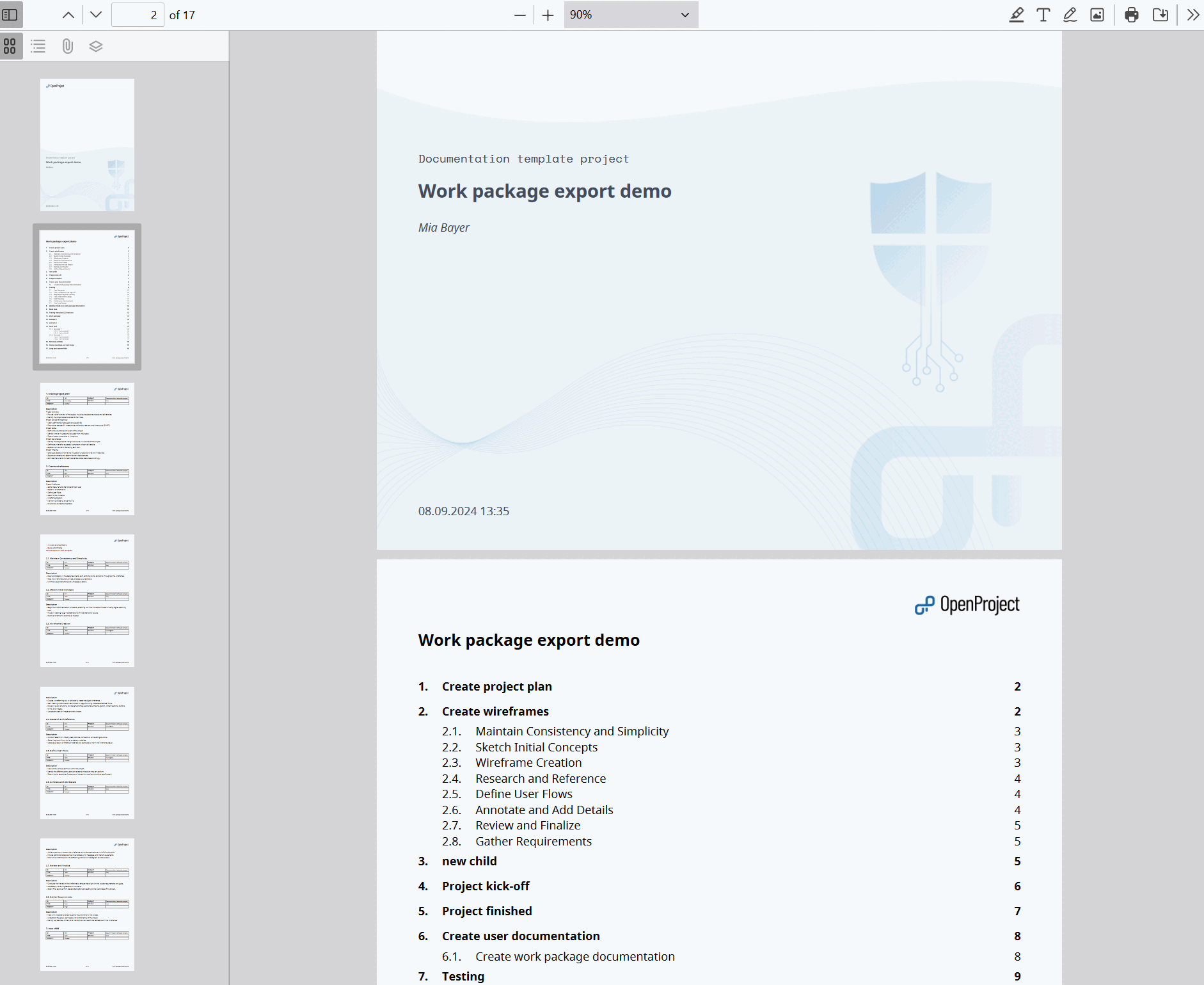
Report content
Pour chaque lot de travaux, un tableau des attributs est inclus ; les attributs correspondent aux colonnes que vous avez spécifiées pour l’exportation. It is followed by the long text fields you selected, which support embedded work package and project attributes.
Options
The following options are available for the PDF report:
Columns
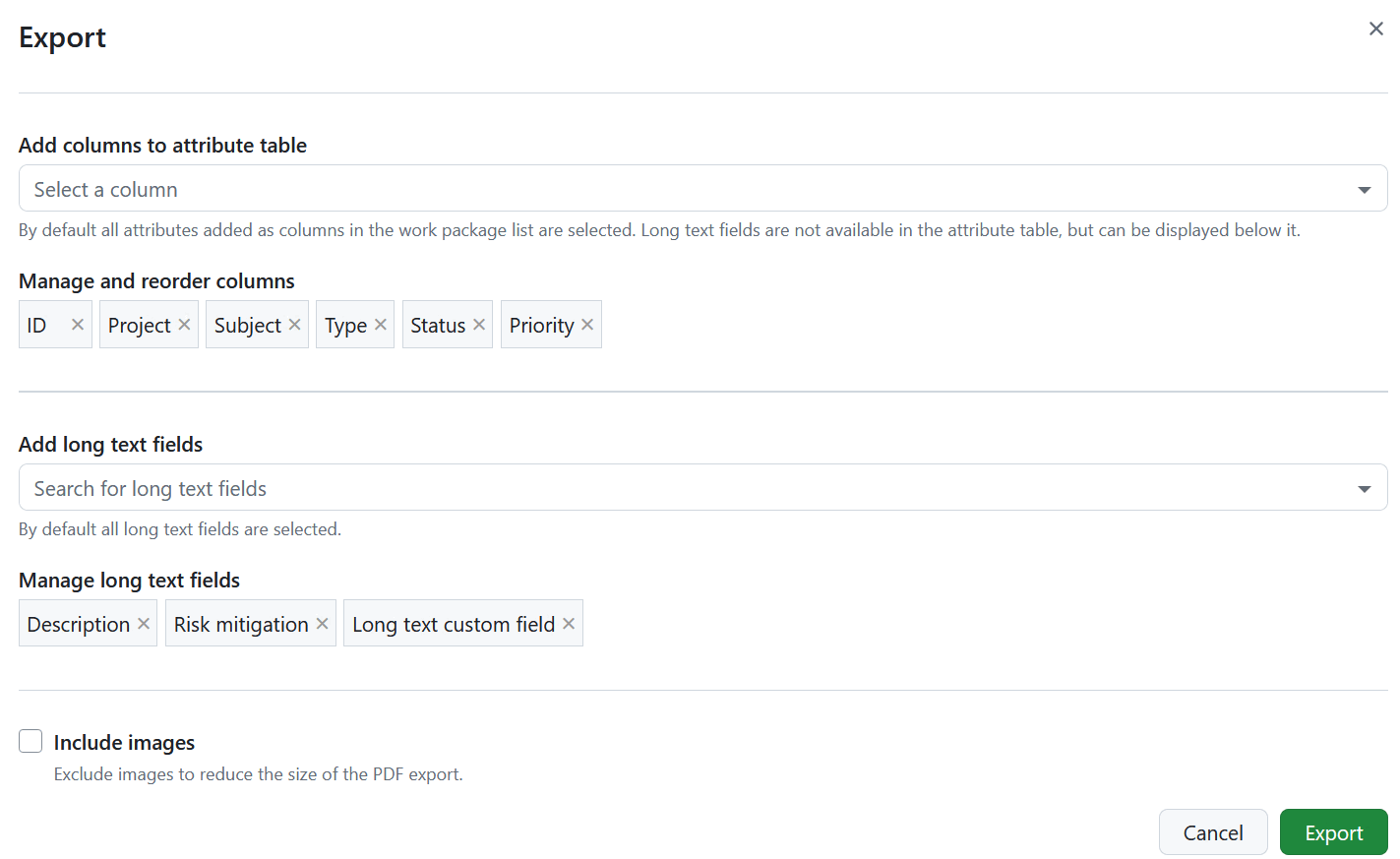
Use the Add columns to attribute table option to select which attributes are listed in the attribute table of every work package and to change their order. Les colonnes présélectionnées sont celles qui figurent dans la requête du tableau des lots de travaux. Learn how to save the work package view.
The subject is not available as a column, since every work package block is already headed by its subject. Long text fields are not part of the attribute table either, but can be displayed below it.
Unlike the other export formats, the report also accepts relation columns, such as children or blocked by. Adding them creates the relation blocks described below.
Long text fields
Below the attribute table, the report can display the work package description and all long text custom fields. Use the Add long text fields option to select which of them are included and drag them to change the order in which they appear in the report.
All long text fields are selected by default. Remove a field from the selection to leave it out of the report.
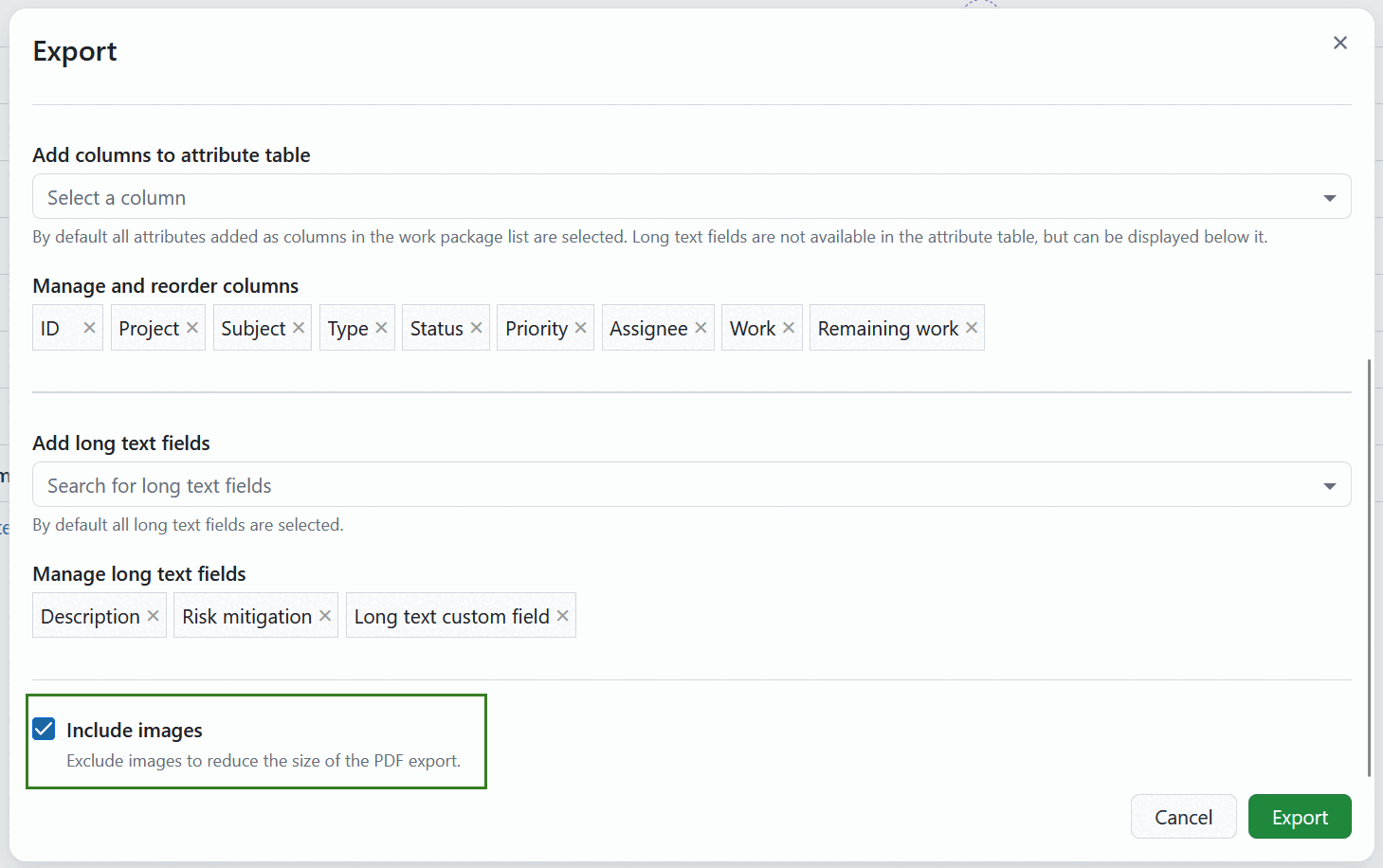
Include images
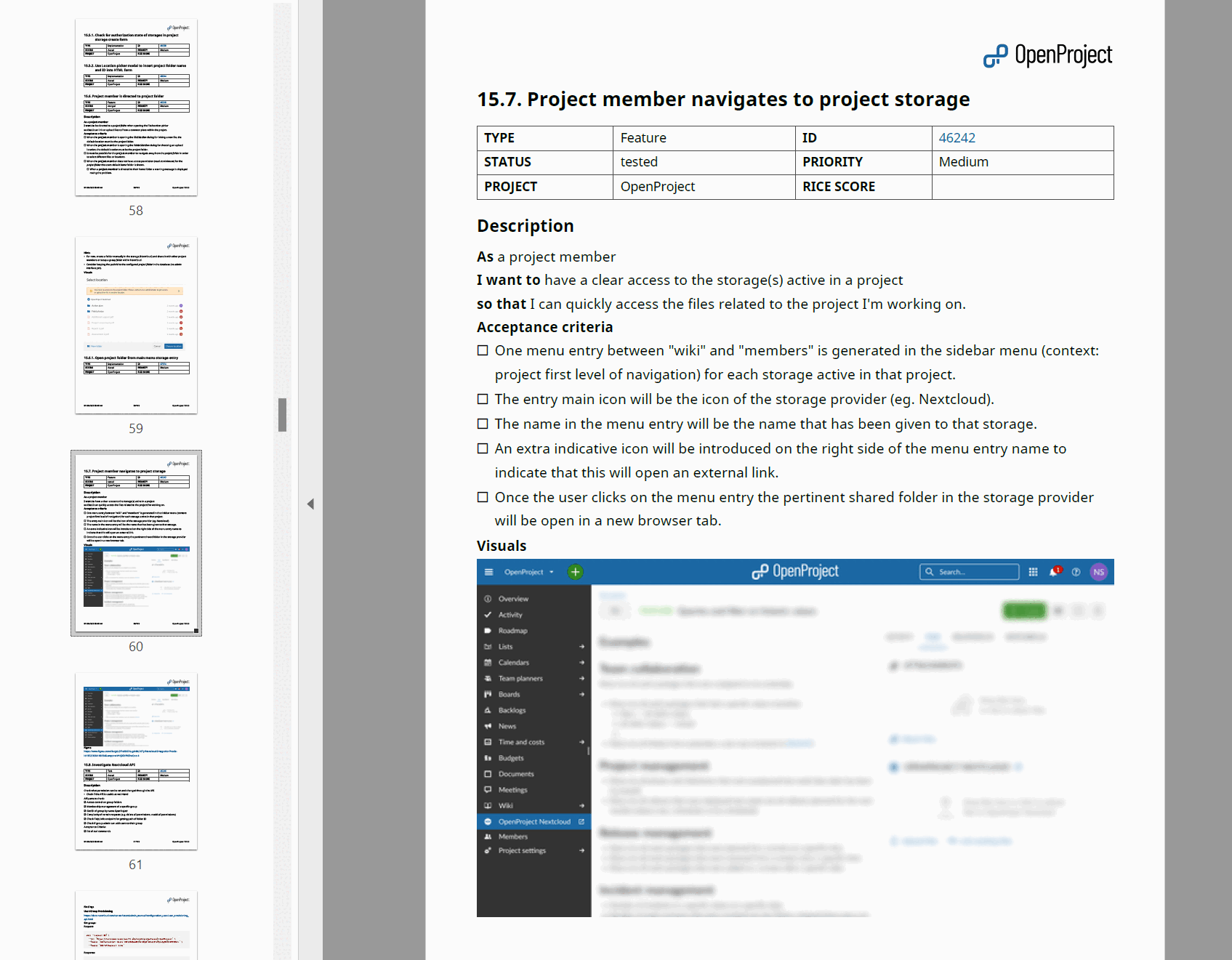
The Include images option is activated by default, so your PDF Report includes the images from the work package description. Deactivate it to reduce the size of the PDF export. Supported formats include PNG, JPG, GIF and WebP. Si un WebP animé ou un GIF est utilisé, la première image sera incluse dans le rapport.
Remarque
Les images jointes ou liées dans la section Fichiers du lot de travaux ou dans les commentaires de l’activité ne sont pas incluses dans le rapport PDF avec les images.
Afficher les sommes
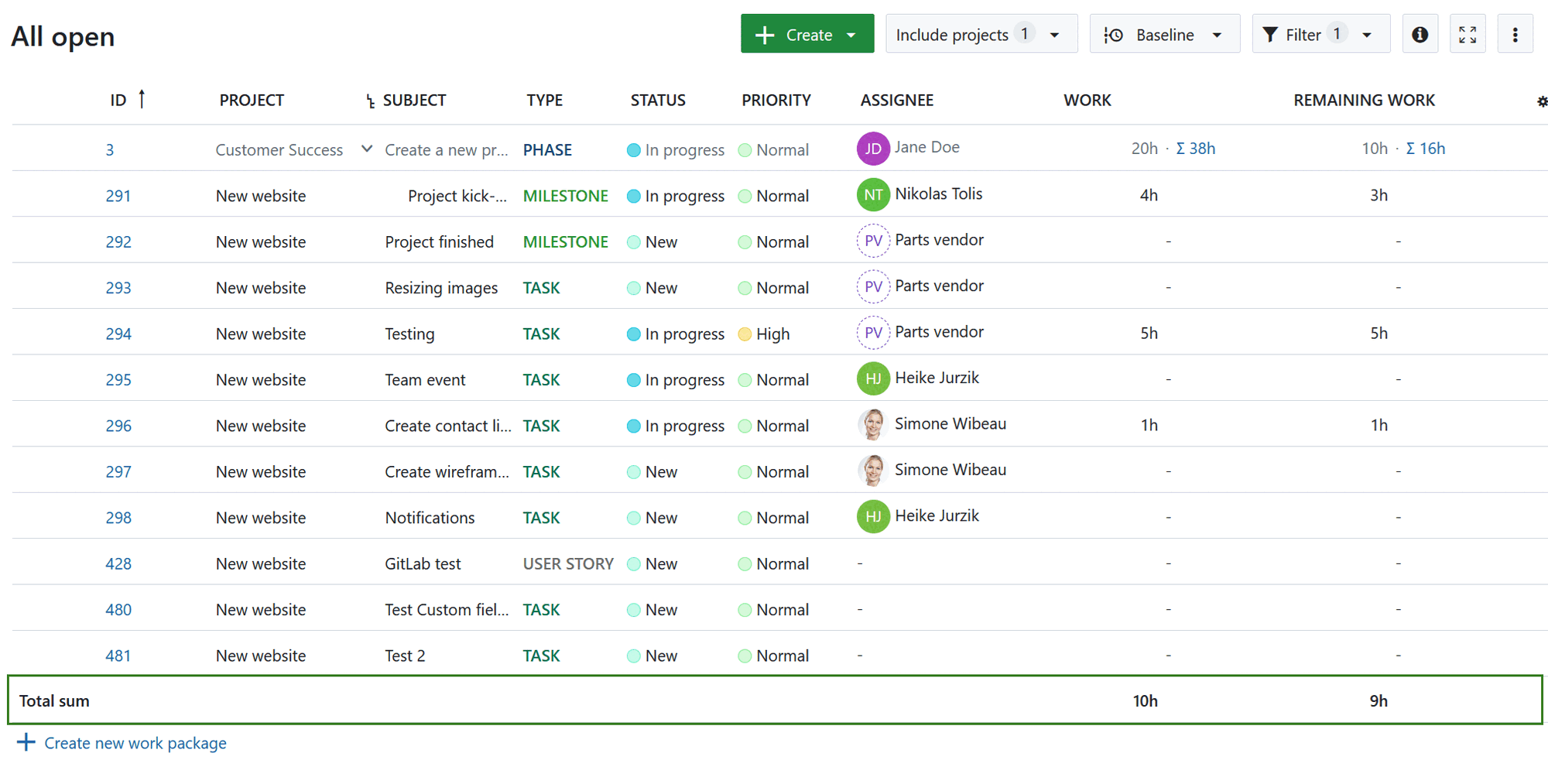
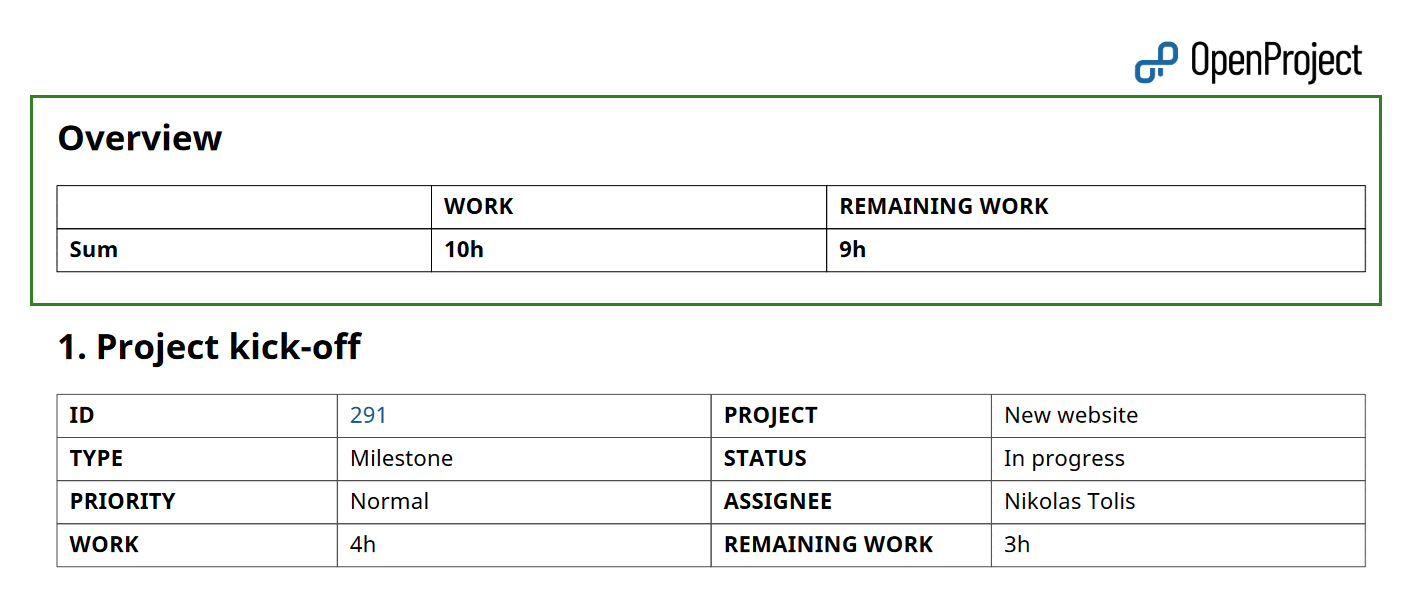
If “display sums” is activated in the work package table, then the sum table is included between the table of contents and work packages description in an Overview section.
Afficher les relations
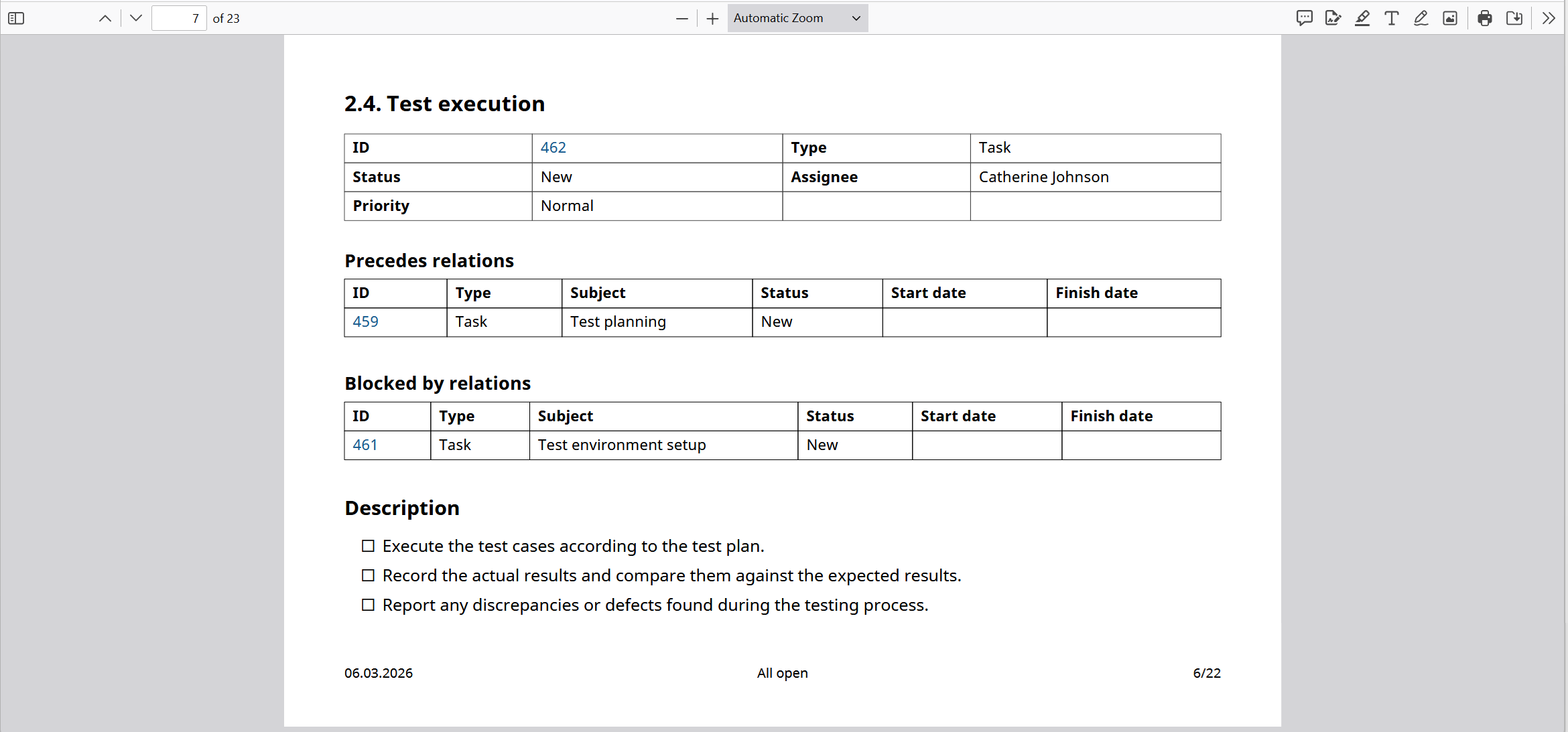
Si des relations, telles que enfants, bloqué par, suivi par, etc. sont incluses dans le rapport en tant que colonnes, elles seront incluses dans des blocs dédiés.
Each block lists the related work packages in a table with the columns ID, Type, Subject, Status, Start date and Finish date.
See Export work packages for how to trigger an export and adjust the general export options.