Wiki project navigation
The project wiki sidebar displays the wiki page hierarchy for the project and makes it easy to navigate between wiki pages and sub-pages.
You can also add a wiki page directly to the project menu as a separate menu item to have the page easily accessible for all team members.
Navigate wiki pages in the sidebar
When you open the Wiki module, the sidebar displays the wiki hierarchy for the project. Only the first level is shown by default and all pages are collapsed.
Each item in the hierarchy is a wiki page. Any wiki page can also have sub-pages. If a page has sub-pages, you can expand it to view them.
When accessing a particular wiki page:
- The current page is marked as current in the sidebar.
- Its parent pages are expanded to show the location of the current page in the wiki hierarchy.
- The current page is expanded to show its immediate sub-pages, if there are any.
Select a wiki page in the sidebar to display it in the main content area.
Search the wiki hierarchy
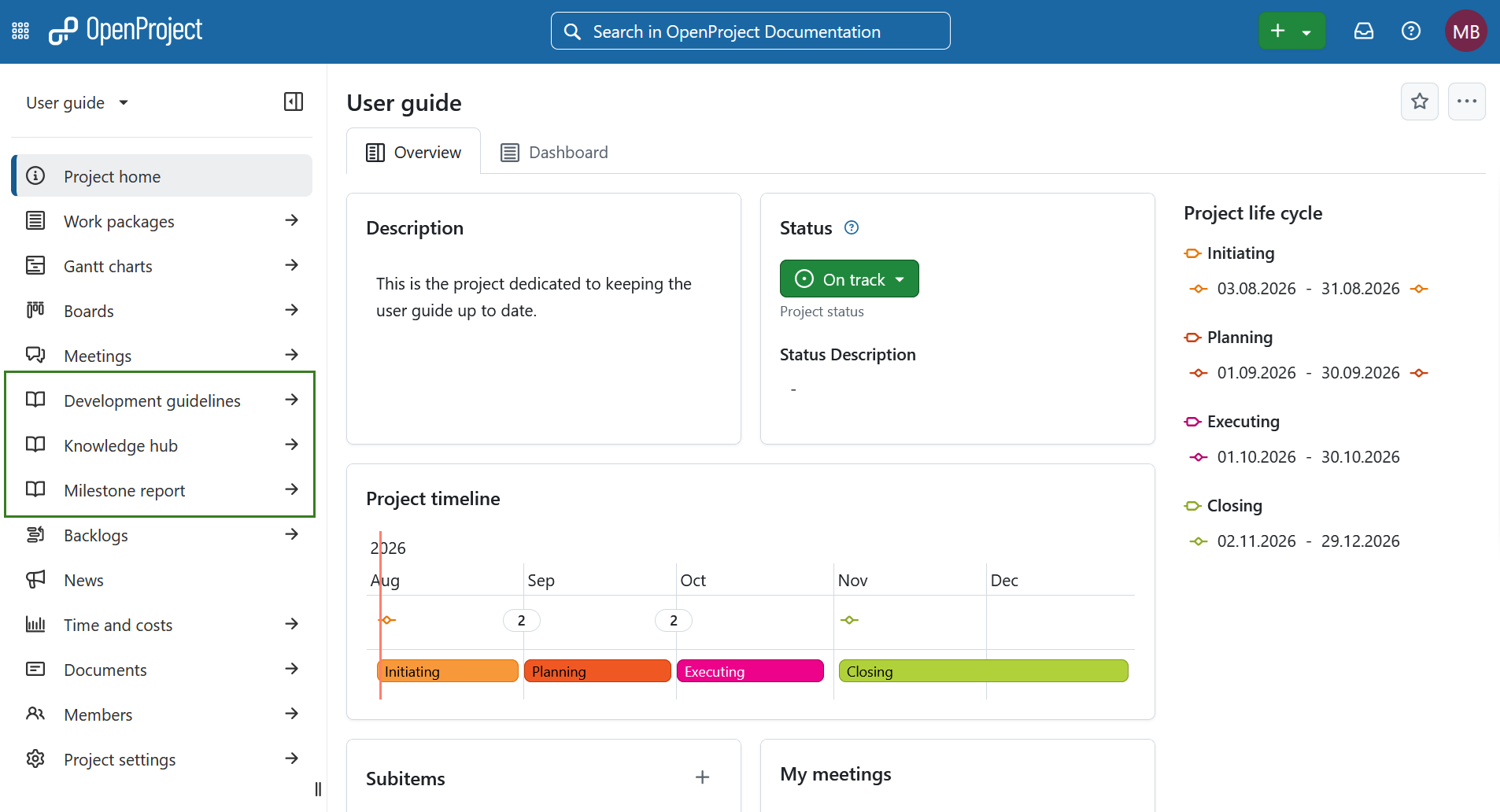
You can use the search field at the top of the wiki sidebar to filter the wiki hierarchy using a text search.
When a matching wiki page is displayed, its parent pages are also listed in grey so that you can see where the page is located in the wiki hierarchy. You can also browse for a page without knowing its title. When you enter a search term, the search results replace the page hierarchy. To return to the hierarchy with all pages collapsed, simply clear the search bar.
Ajouter une page wiki au menu du projet
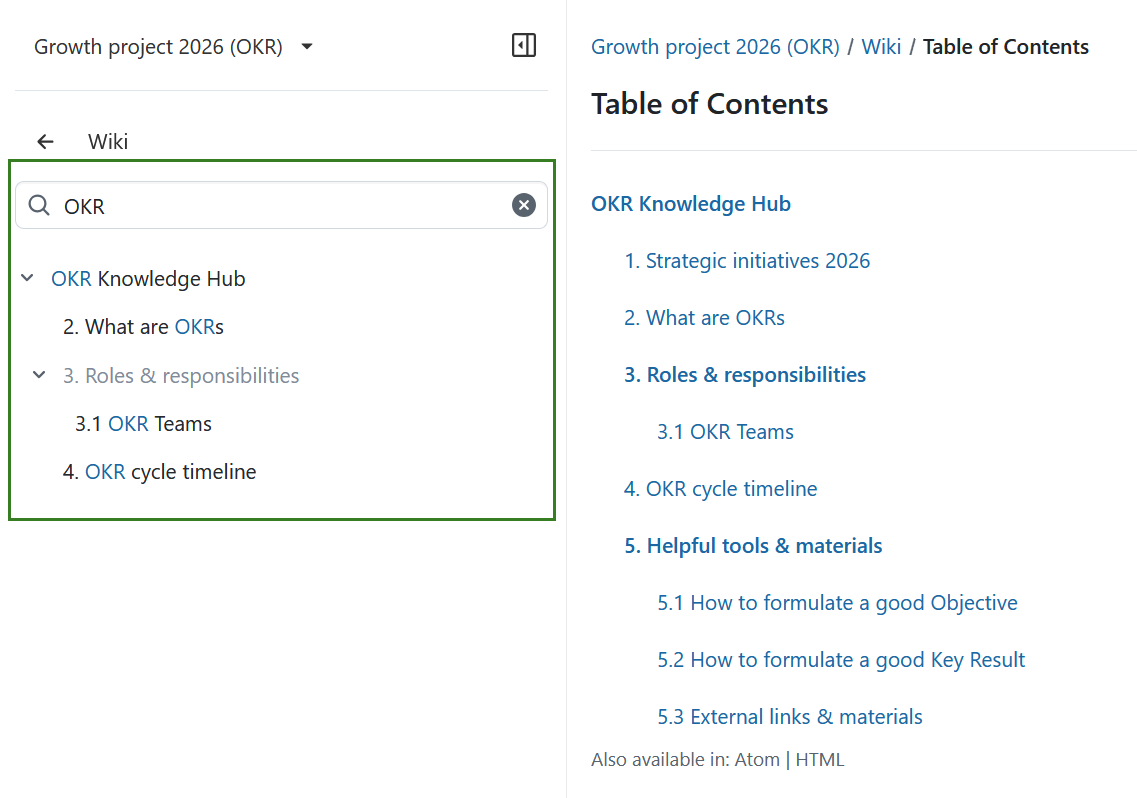
Pour ajouter une page wiki comme lien de menu au menu du projet, sélectionnez le bouton Plus de fonctions en haut d’une page wiki et choisissez le sujet Configurer l’élément de menu.
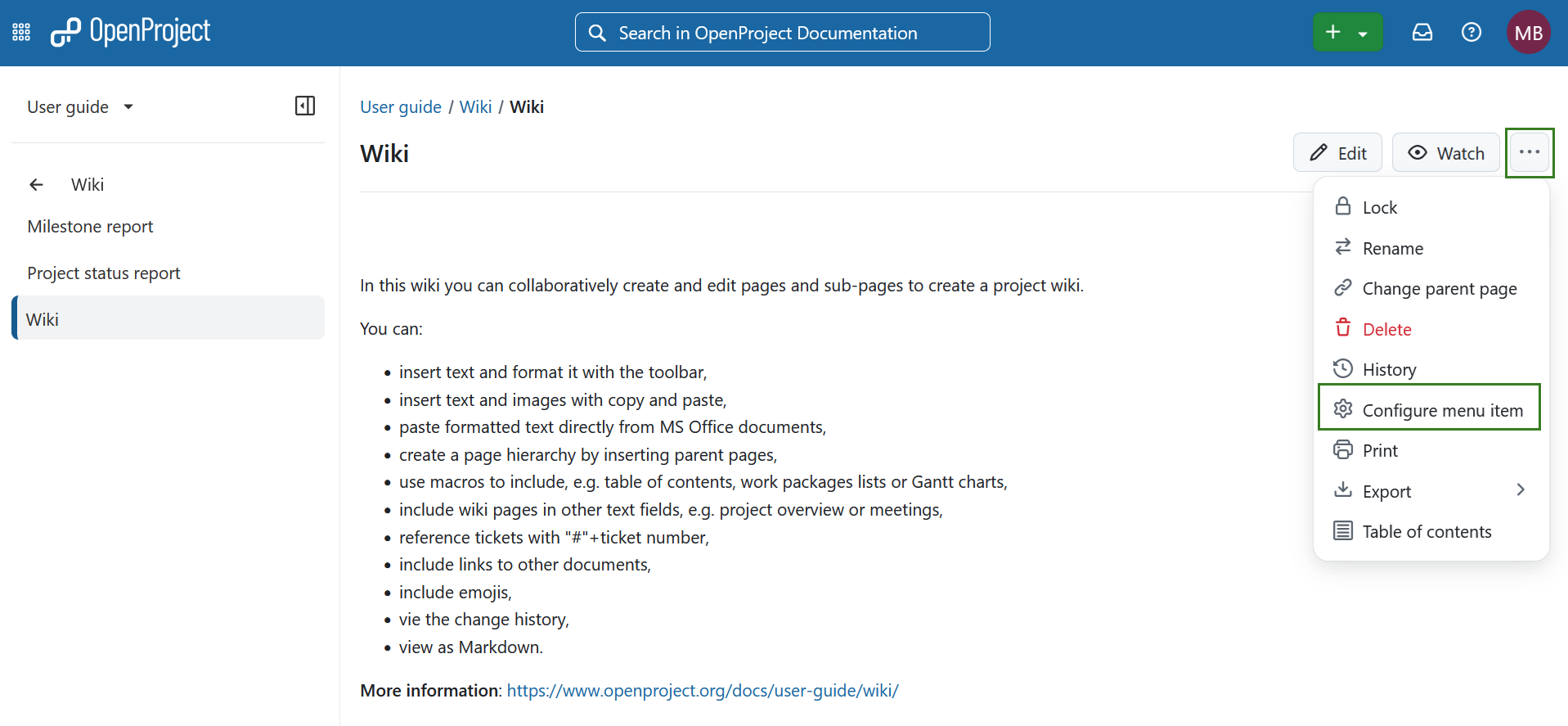 You can configure the menu items and choose between different visibility options.
- Vous pouvez donner un nom différent à l’élément de menu dans le menu du projet en changeant le nom du lien de menu dans la liste.
- Vous pouvez définir différentes options de visibilité :
- Ne pas afficher cette page wiki dans la navigation du projet n’affichera PAS de lien de menu séparé dans la navigation du projet. La page wiki est simplement affichée dans le module wiki lui-même.
- Afficher en tant qu’élément de menu dans la navigation du projet ajoutera un lien de menu séparé à la navigation du projet.
- Enregistrez vos modifications dans le menu de la page wiki.
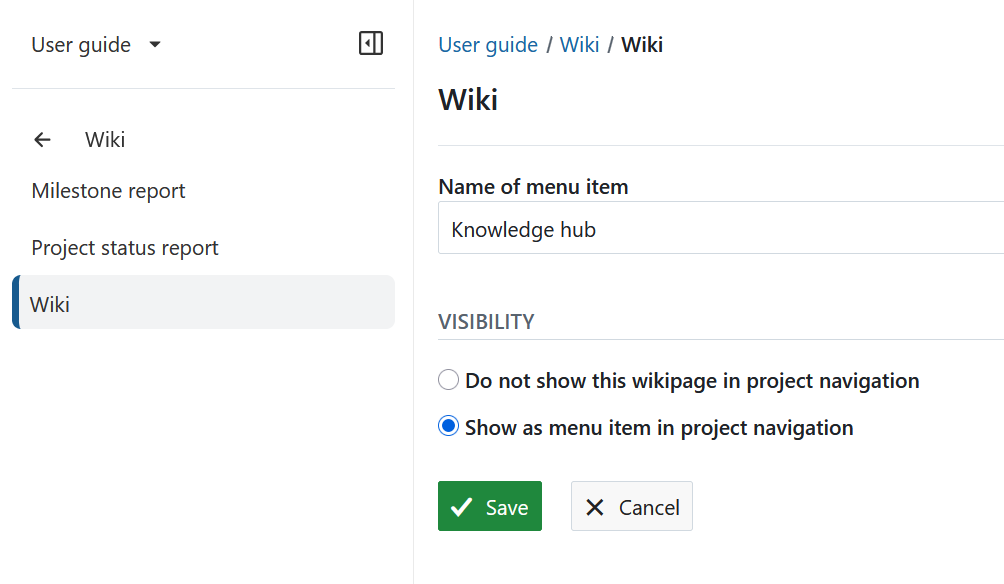
The wiki page is now displayed as a separate item in the project navigation.
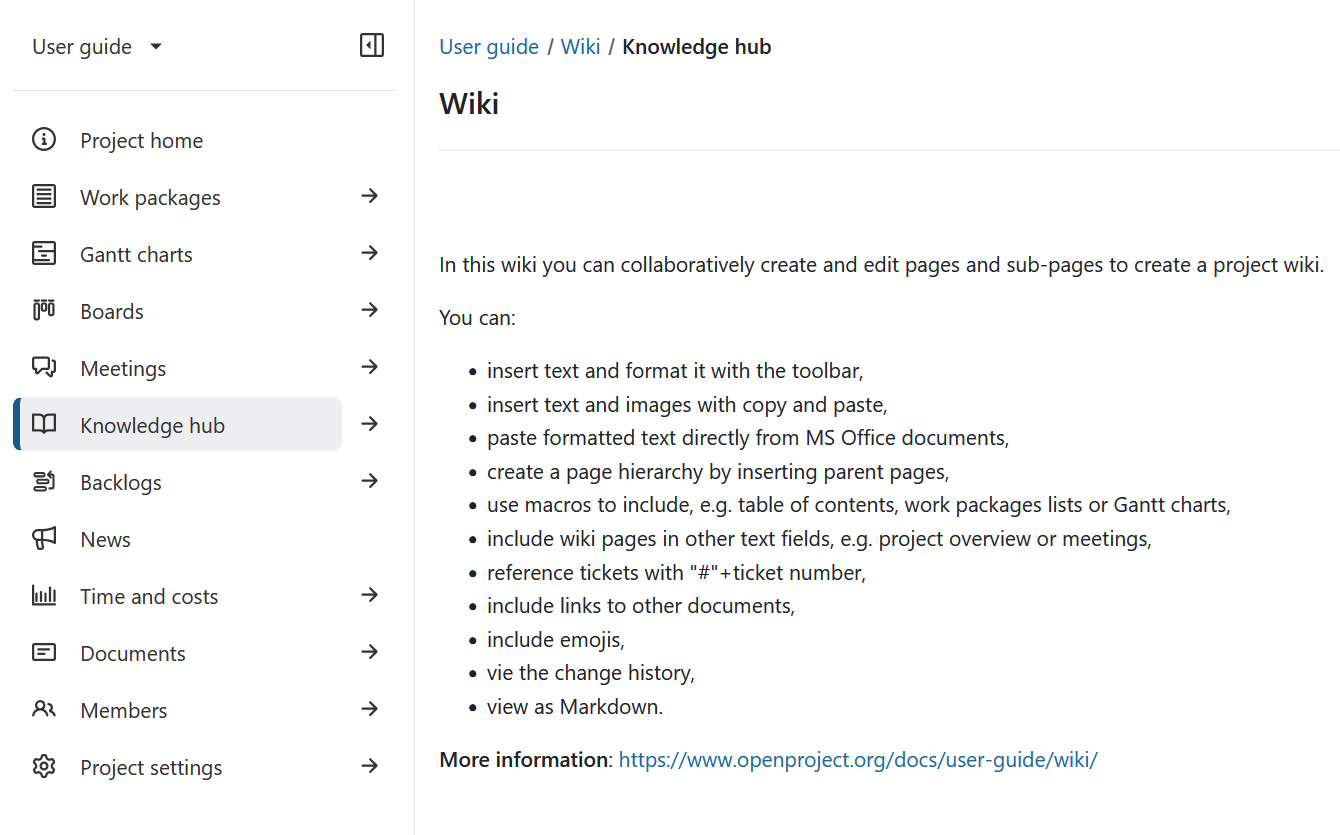
L’option par défaut est Ne pas afficher cette page wiki dans la navigation du projet. Cochez cette option si vous souhaitez annuler les modifications précédentes et masquer la page wiki du menu du projet.
Remove a wiki page from the project navigation
To remove a wiki page from the project navigation, open Configure menu item and select Do not show this wiki page in project navigation. This is the default setting.
The wiki page remains available from the Wiki module but is no longer displayed as a separate menu item in the project navigation.