Wiki project navigation
The project wiki sidebar displays the wiki page hierarchy for the project and makes it easy to navigate between wiki pages and sub-pages.
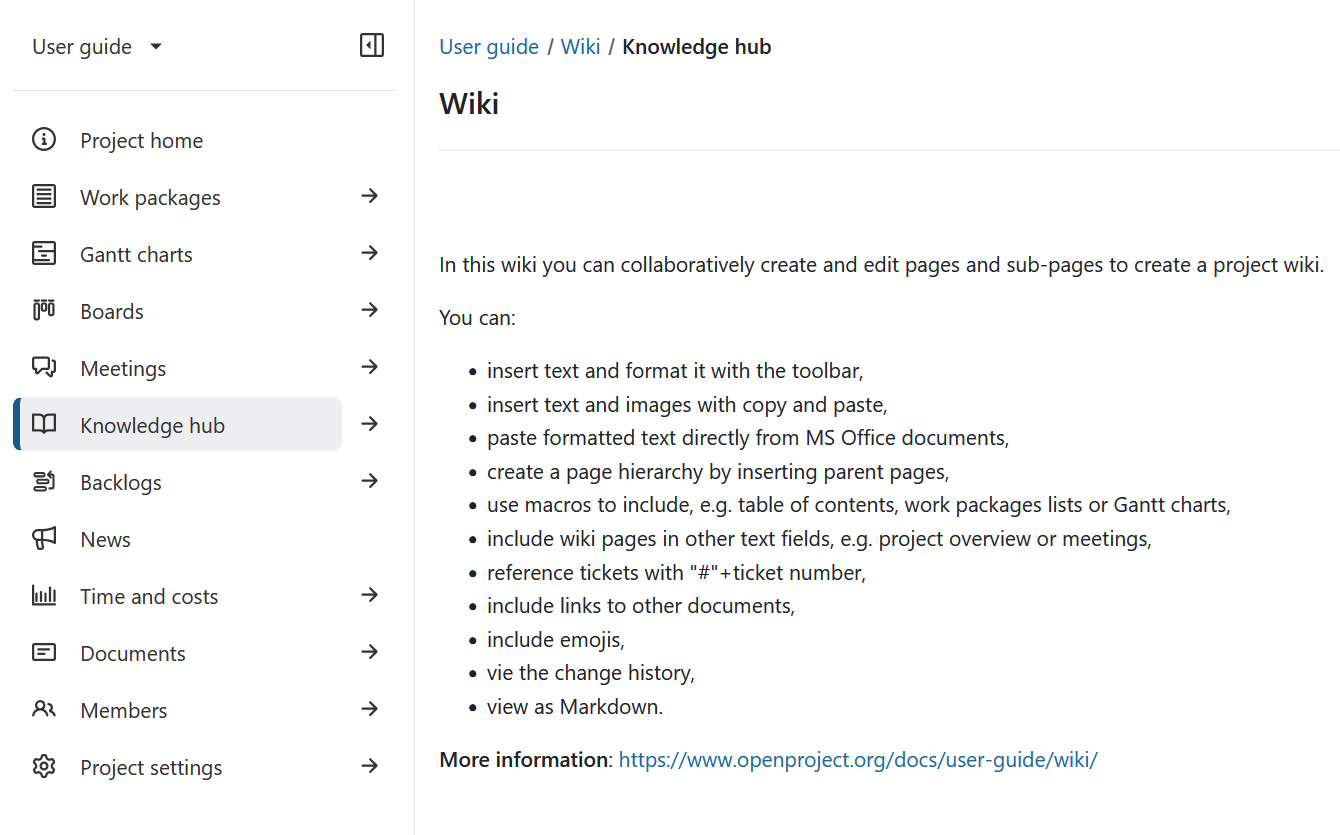
You can also add a wiki page directly to the project menu as a separate menu item to have the page easily accessible for all team members.
Navigate wiki pages in the sidebar
When you open the Wiki module, the sidebar displays the wiki hierarchy for the project. Only the first level is shown by default and all pages are collapsed.
Each item in the hierarchy is a wiki page. Any wiki page can also have sub-pages. If a page has sub-pages, you can expand it to view them.
When accessing a particular wiki page:
- The current page is marked as current in the sidebar.
- Its parent pages are expanded to show the location of the current page in the wiki hierarchy.
- The current page is expanded to show its immediate sub-pages, if there are any.
Select a wiki page in the sidebar to display it in the main content area.
Search the wiki hierarchy
You can use the search field at the top of the wiki sidebar to filter the wiki hierarchy using a text search.
When a matching wiki page is displayed, its parent pages are also listed in grey so that you can see where the page is located in the wiki hierarchy. You can also browse for a page without knowing its title. When you enter a search term, the search results replace the page hierarchy. To return to the hierarchy with all pages collapsed, simply clear the search bar.
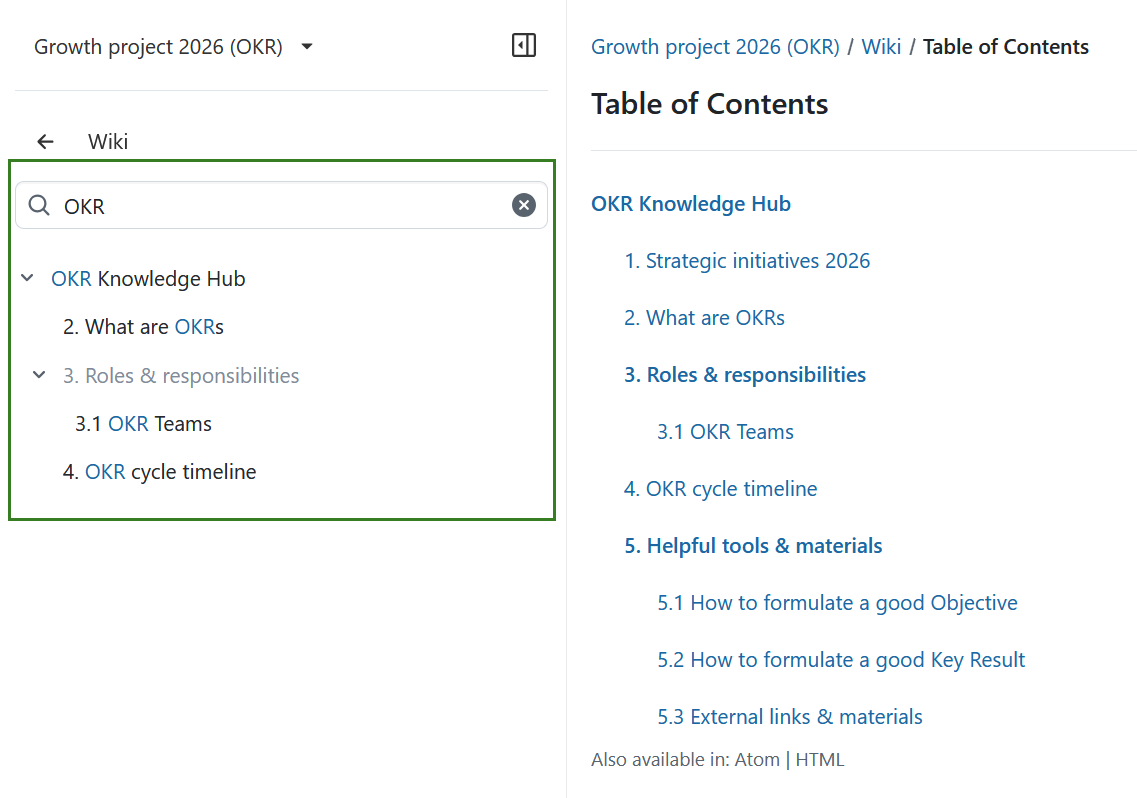
Adicionar uma página wiki ao menu do projeto
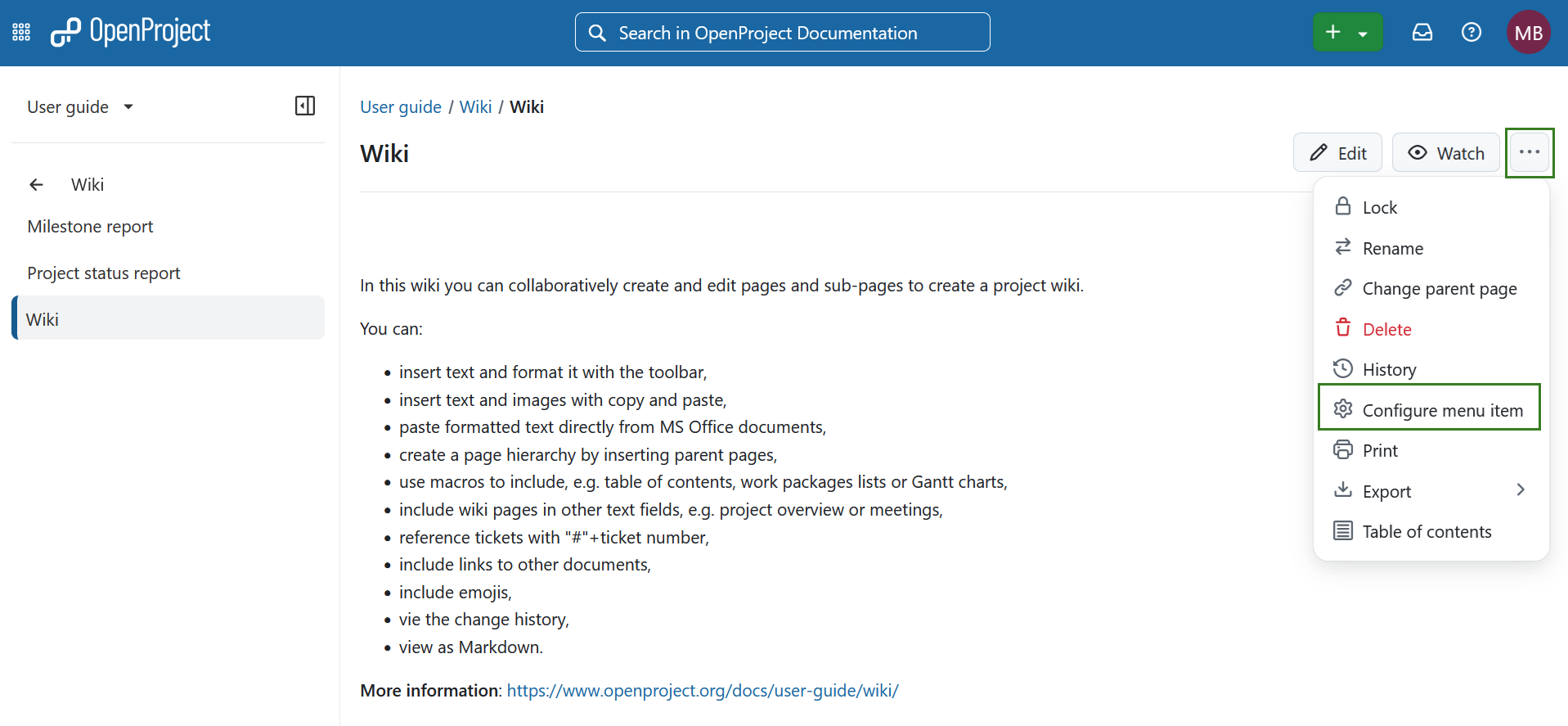
Para adicionar uma página wiki como elemento do menu do projeto, selecione o botão de funções Mais no topo de uma página wiki e escolha o tópico Configurar elemento de menu.
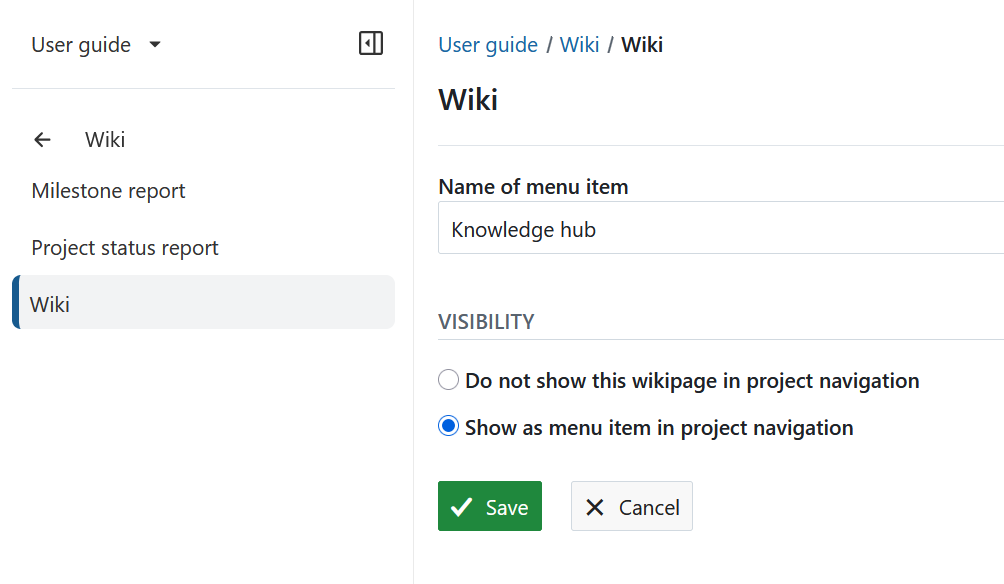
 You can configure the menu items and choose between different visibility options.
- Pode dar um nome diferente ao elemento de menu no menu do projeto, alterando o nome do elemento de menu na lista.
- Pode definir diferentes opções de visibilidade:
- Não mostrar esta página wiki na navegação do projeto NÃO apresentará um elemento de menu separado na navegação do projeto. A página wiki só é apresentada dentro do próprio módulo wiki.
- Mostrar como elemento de menu na navegação do projeto adiciona um elemento de menu separado à navegação do projeto.
- Guarde as suas alterações no menu da página wiki.
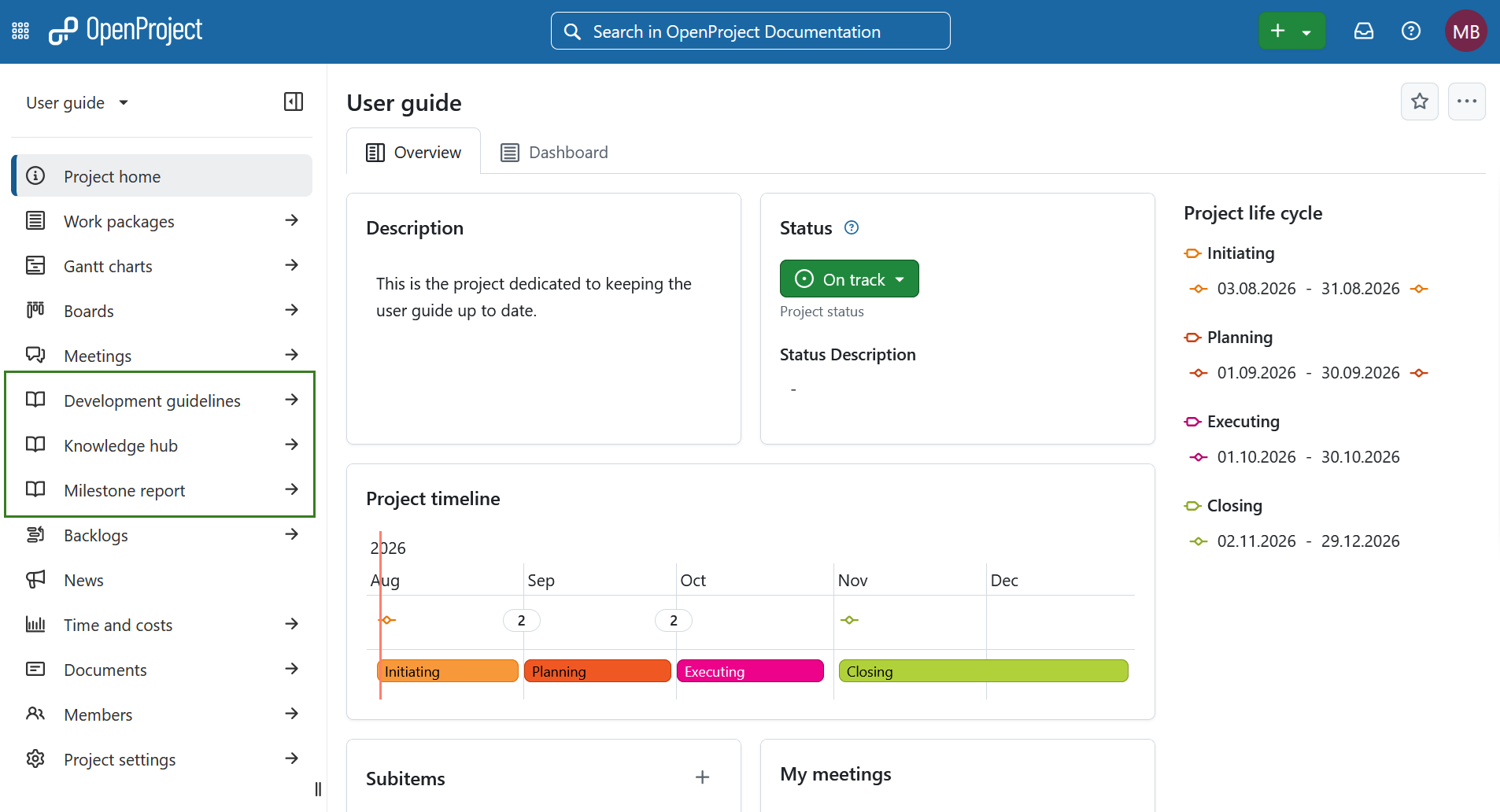
The wiki page is now displayed as a separate item in the project navigation.
A opção predefinida é Não mostrar esta página wiki na navegação do projeto. Marque esta opção se quiser anular alterações anteriores e ocultar a página wiki do menu do projeto.
Remove a wiki page from the project navigation
To remove a wiki page from the project navigation, open Configure menu item and select Do not show this wiki page in project navigation. This is the default setting.
The wiki page remains available from the Wiki module but is no longer displayed as a separate menu item in the project navigation.