Definições de idioma e região
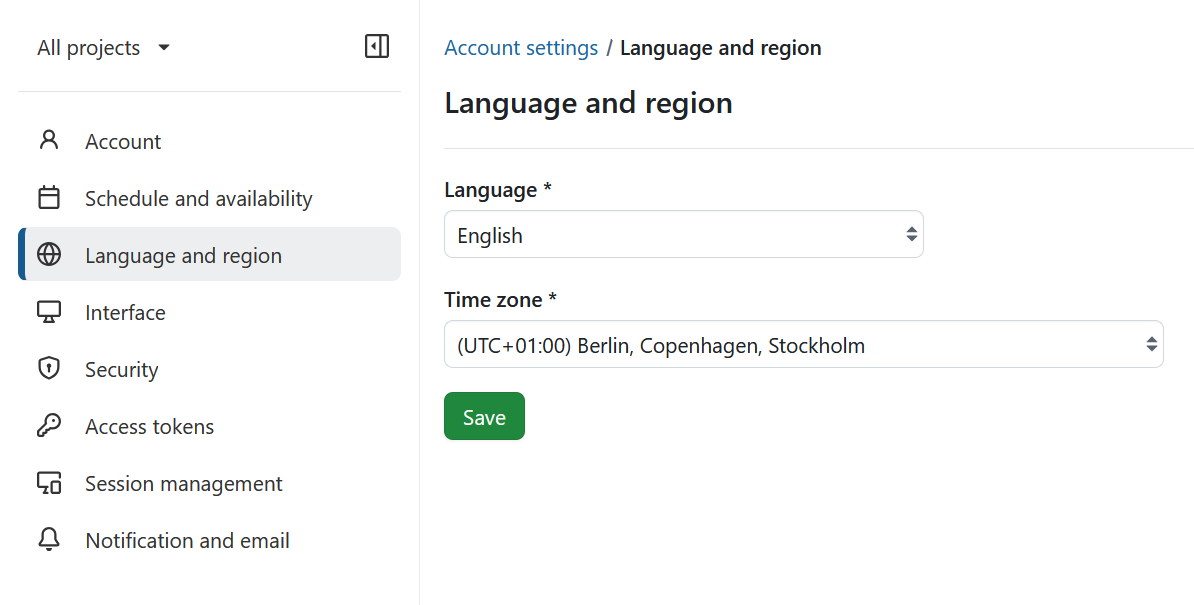
Na secção Idioma e região da página Configurações da conta pode alterar a língua do OpenProject e adaptar o fuso horário.
Alterar o seu idioma
Para alterar o idioma no OpenProject, navegue até Definições de conta e escolha o ponto de menu Idioma e região.
Aqui pode escolher entre vários idiomas.
O OpenProject está traduzido para mais de 30 idiomas, como alemão, chinês, francês, italiano, coreano, letão, lituano, polaco, português, russo, espanhol, turco e muitos mais. Se não vir o seu idioma preferido nas definições da sua conta, o idioma tem de ser ativado pelo administrador do sistema nas definições do sistema.
Se premir o botão Guardar, as suas alterações serão guardadas.
Se quiser ajudar-nos a adicionar mais idiomas ou a adicionar as traduções na sua língua, pode contribuir para o projeto de traduções do Crowdin aqui.
Alterar o seu fuso horário
Pode escolher o fuso horário em que trabalha no menu pendente do respetivo campo.
Se premir o botão Guardar, as suas alterações serão guardadas.