Language and region settings
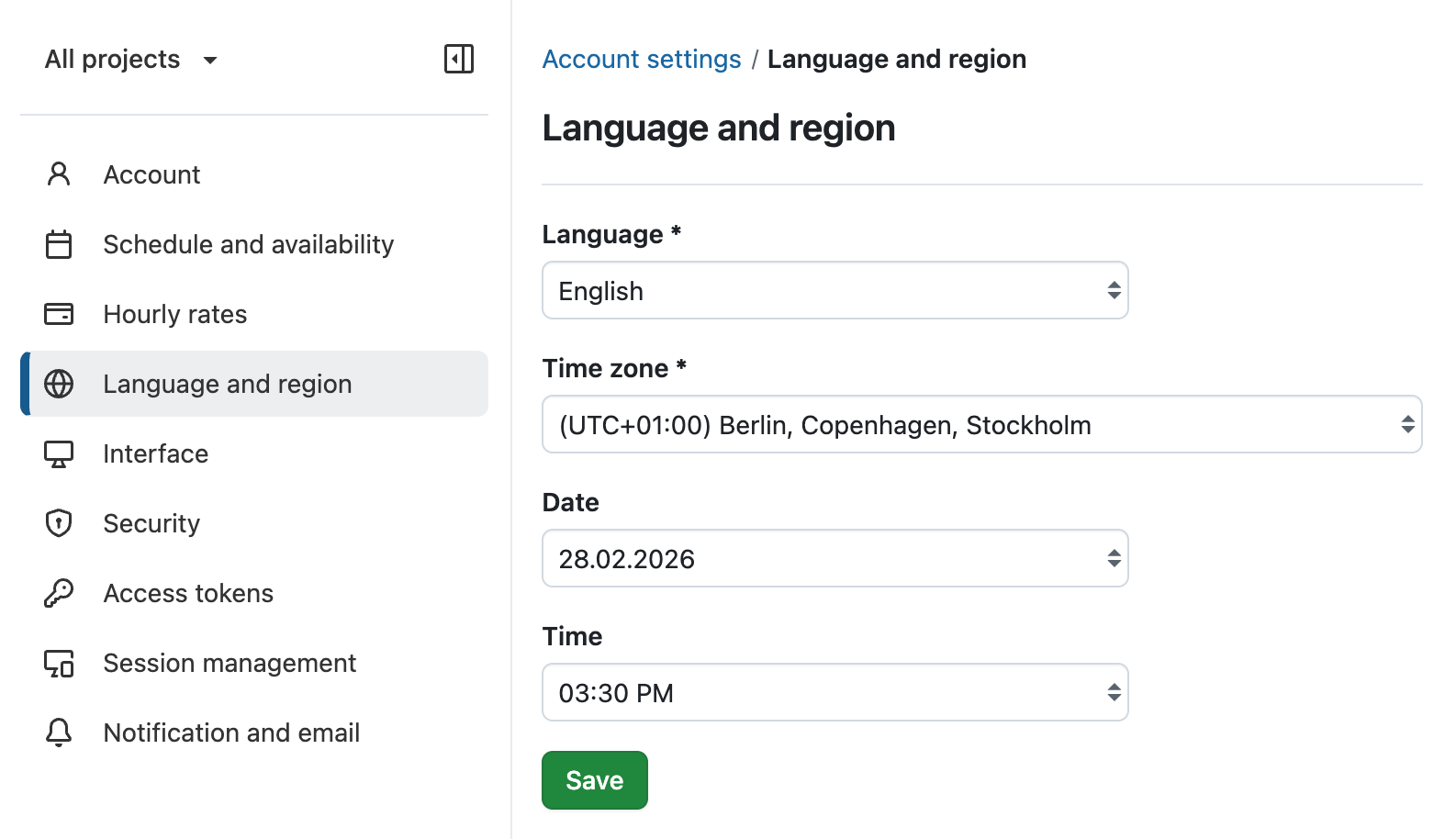
Within the Language and region section of Account settings page you can change the language of OpenProject, adapt the time zone and choose how dates and times are displayed.
Change your language
To change the language in OpenProject, navigate to the Account settings and choose the menu point Language and region.
Here you can choose between multiple languages.
OpenProject is translated to more than 30 languages, like German, Chinese, French, Italian, Korean, Latvian, Lithuanian, Polish, Portuguese, Russian, Spanish, Turkish and many more. If you do not see your preferred language in your account settings, the language needs to be activated by your system administrator in the system’s settings.
Pressing the Save button will save your changes.
If you want to help us to add further languages or to add the translations in your language, you can contribute to the Crowdin translations project here.
Change your time zone
You can choose a time zone in which you work from the dropdown menu of the respective field.
Pressing the Save button will save your changes.
Change your preferred date and time formats
You can choose how dates and times are displayed for you in OpenProject, independently of the language.
Both fields default to Use system or language based default. With this option, OpenProject uses the format your administrator configured, and falls back to the convention of your chosen language if none is set.
Choosing a specific format overrides that default for your account only.
Pressing the Save button will save your changes.