Configure PDF exports for work package types
Under Administration → Work packages → Types, select a work package type and open the Generate PDF tab to configure how a single work package of this type is exported as a PDF. The tab contains two sections: the available export templates and the automatic artefact export.
Activate templates for PDF exports
Here you can select which PDF export templates are available for this work package type.
The template determines the design and attributes visible in the exported PDF of a work package using this type. The first template on the list is selected by default.
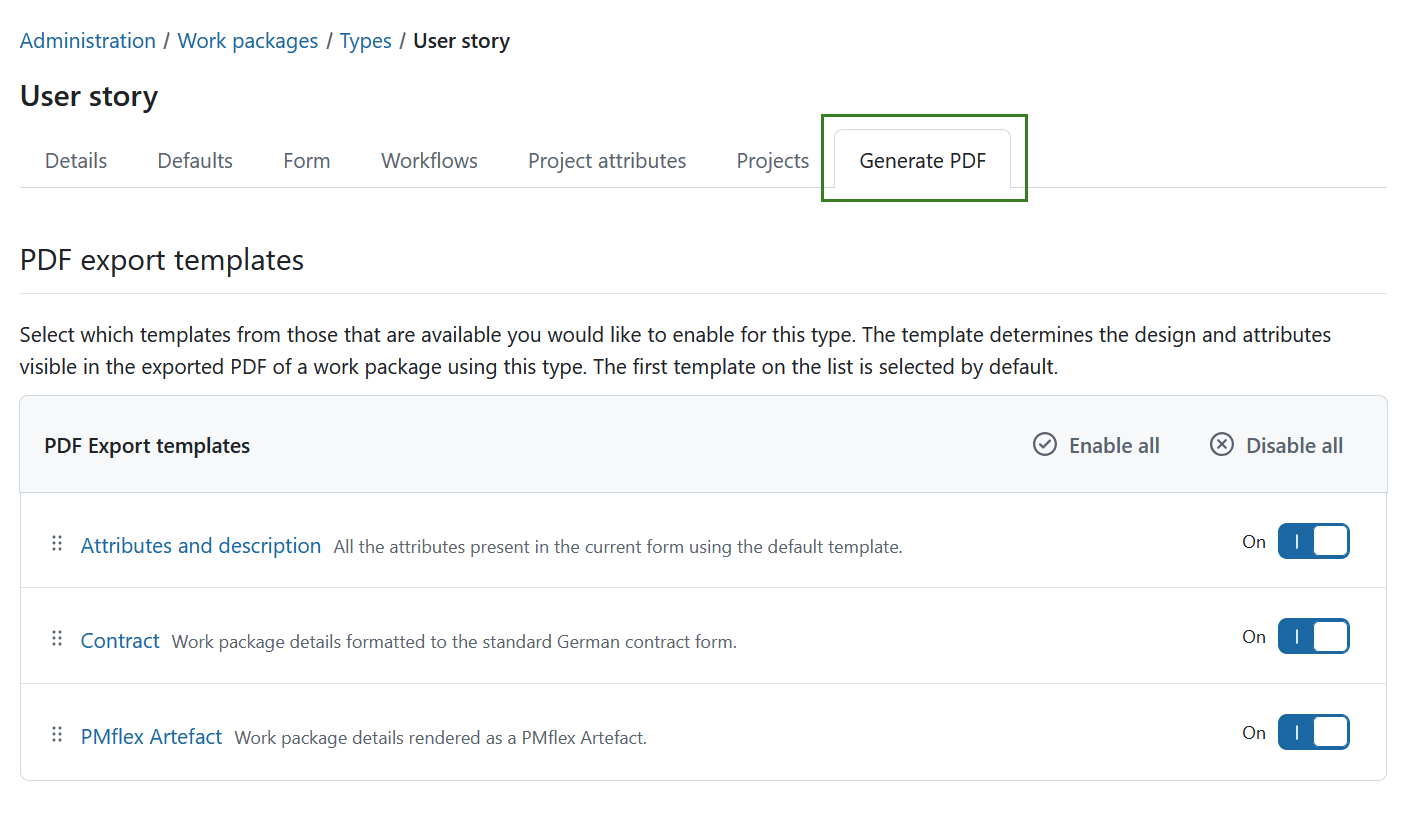
Use the toggle next to a template to enable or disable it, or use Enable all and Disable all to switch every template at once. Changes are saved immediately.
Drag a template by its handle to change the order of the list. The order determines the sequence in the Template dropdown menu of the export dialog, and the first enabled template is preselected there.
If no template is enabled, users cannot generate a PDF for a work package of this type: the export dialog states that no template has been enabled and the download button stays disabled.
Tip
See work package PDF export guide for more details on what each of the templates contains.
The following templates are available:
- Attributes and description – Work package attributes present in the current form together with the description.
- Contract – Work package details formatted according to the standard German contract form.
- PMflex Artefact – Work package details rendered as a PMflex Artefact.
Configure a PDF export template
Click the name of a template to open its configuration page. Each PDF export template has its own settings, so you can configure the templates independently.
The available settings depend on the selected template. This is an example of the template for Attributes and descriptions.
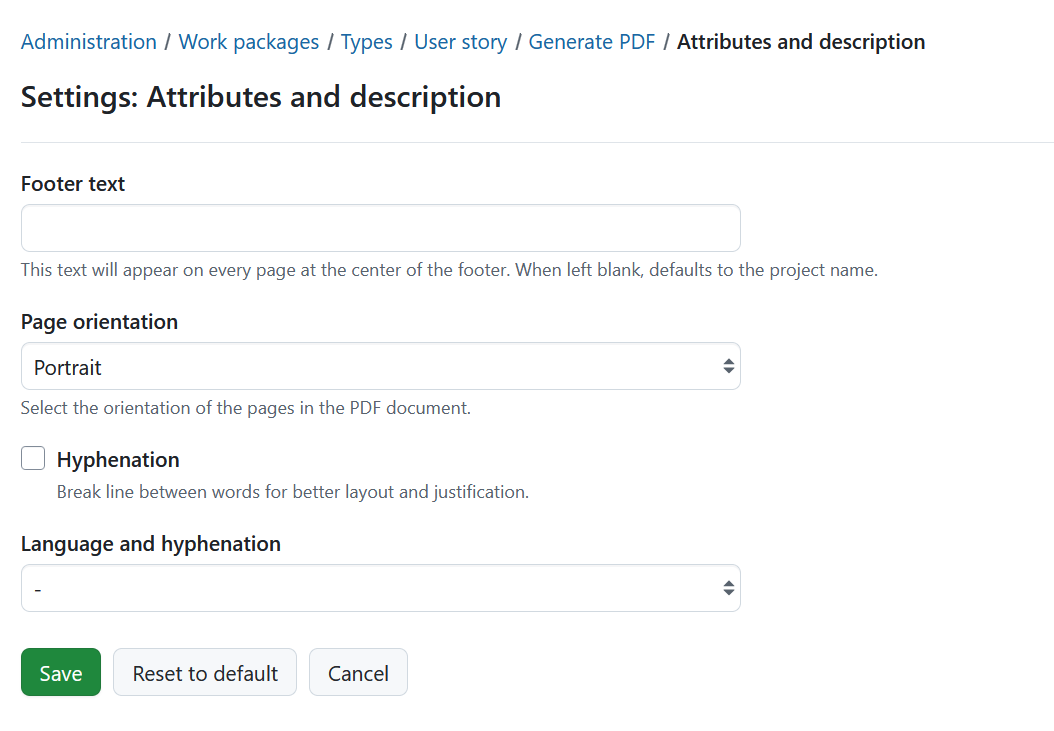
Click Save to apply your changes.
Click Reset to default to restore the default settings for this template, or Cancel to leave the configuration page without saving your changes.
Automatic artefact export
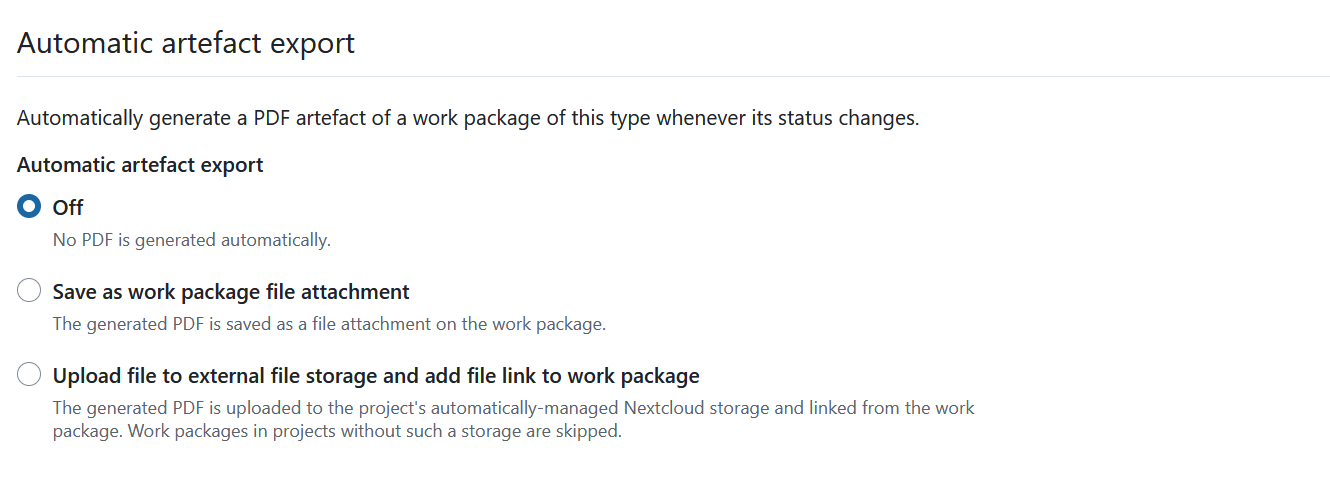
In addition to exporting on demand, OpenProject can generate a PMflex Artefact PDF automatically whenever the status of a work package of this type changes. Select one of the following options:
- Off - no PDF is generated automatically. This is the default.
- Save as work package file attachment - the generated PDF is saved as a file attachment to the work package. The new attachment is also recorded in the work package Activity.
- Upload file to external file storage and add file link to work package - the generated PDF is uploaded to the project’s automatically-managed Nextcloud storage and linked from the work package. Work packages in projects without such an external storage configured are skipped. This option can only be selected if an automatically-managed Nextcloud storage is configured for the instance.
The selection is saved immediately.
Note
The automatic export always uses the PMflex Artefact template, regardless of which templates are enabled for manual exports above.