CSV export
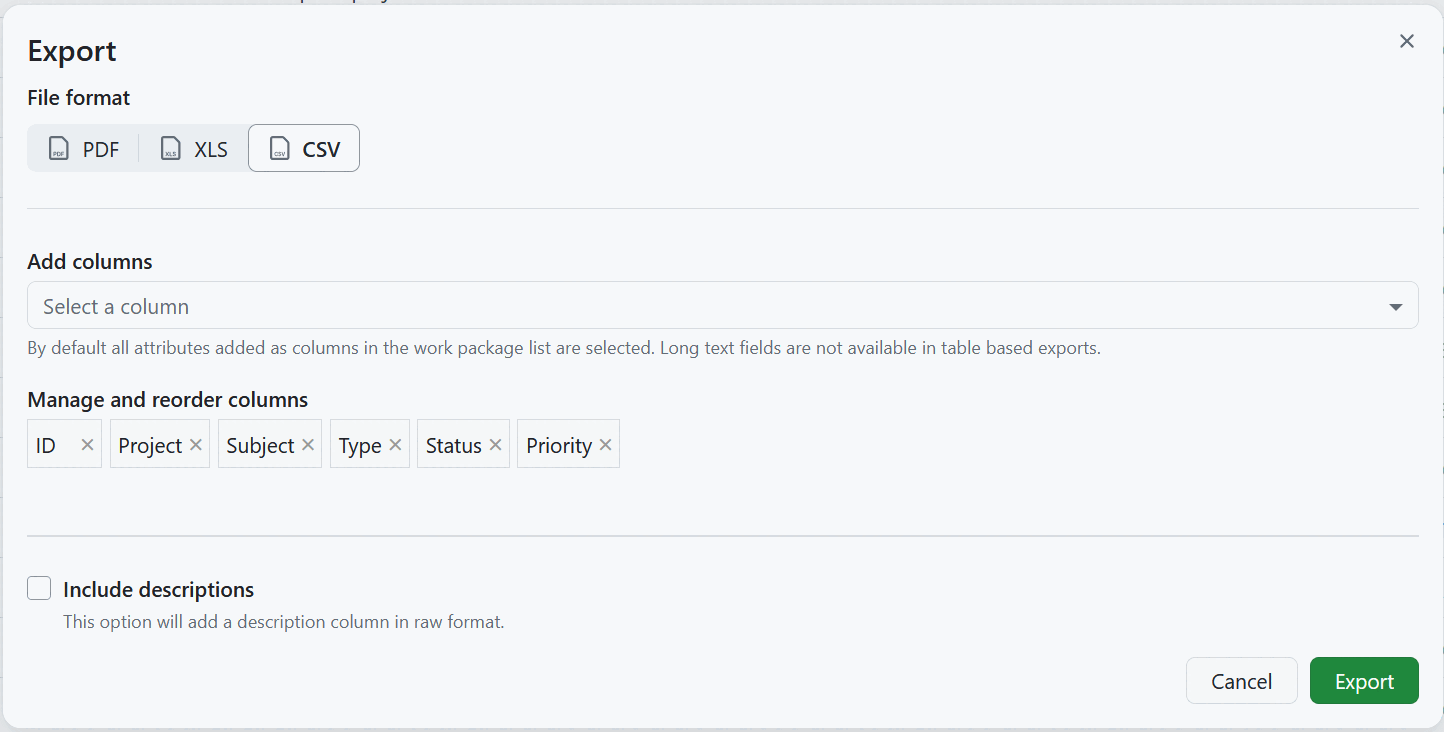
OpenProject can export the table into a comma-separated CSV. This file will be UTF-8 encoded.
Note
The exported file starts with a byte order mark, so Microsoft Excel and other spreadsheet applications should detect the UTF-8 encoding automatically and display special characters correctly. If they do not, make sure you open the file with a UTF-8 encoding setting.
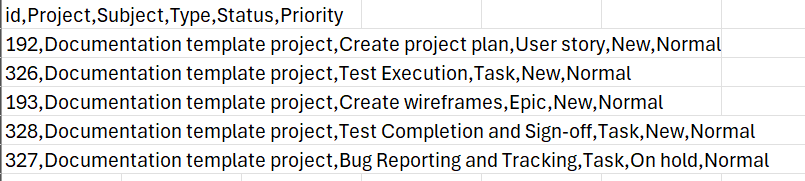
CSV with descriptions
If you select the Include descriptions option, the work package description field will be included in the export.

Columns
You can choose which columns will be displayed in the table (excluding long text fields) and change their order. The pre-selected columns are the ones in the work package table query. Learn how to save the work package view.
Escaped formulas
Values that start with a character a spreadsheet application could interpret as a formula, such as = or +, are escaped by default. This protects you from formula injection when the file is opened. Administrators can change this behaviour in the export settings in the system administration.
Export limit
All work packages included in the work package table in the currently selected view will be exported, unless a certain export limit has been defined by the instance administrator. The limit can be changed in the export settings in the system administration. Newly created instances have a maximum of 500 work packages set as a limit by default.
Limitations
The OpenProject CSV export currently does not respect all options in the work package view being exported from:
- The hierarchy of work packages as displayed in the work package view. The exported CSV is always in “flat” mode.
- The description is exported in ‘raw’ format, so it may contain HTML tags.
See Export work packages for how to trigger an export and adjust the general export options.