Manage avatars in OpenProject
Administrators can configure which avatar types are available to users and groups in OpenProject.
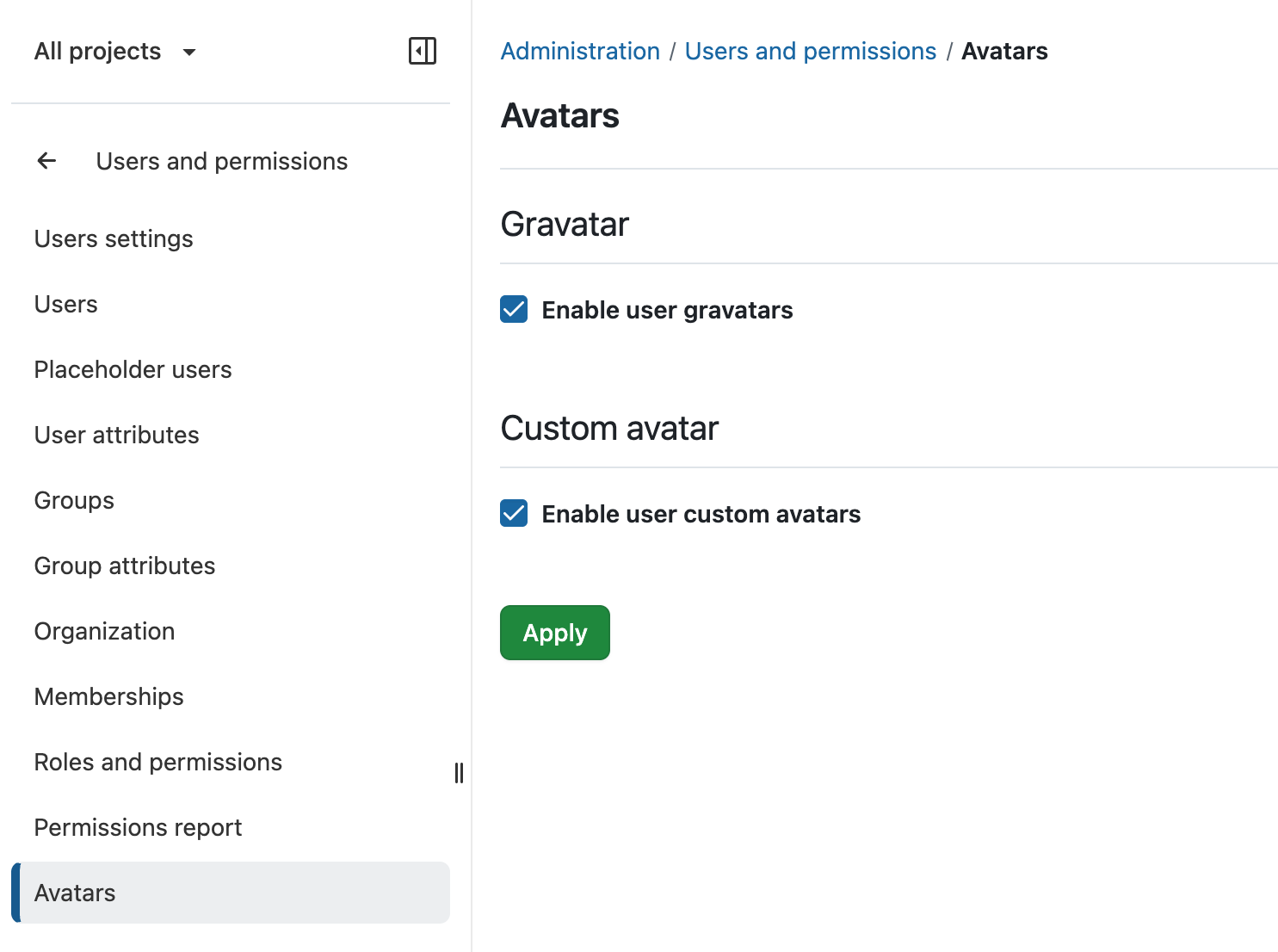
To manage avatar settings, navigate to Administration → Users and permissions → Avatars.
Available avatar options
The following settings determine which avatar types are available in the Edit avatar dialog:
- Enable user gravatars: Allows users to display their Gravatar image associated with their email address. Gravatars are not available for groups.
- Enable user custom avatars: Allows users to upload their own avatar images. Administrators can also upload custom avatars for users and groups.
Initials
The Initials option is always available, even when Gravatars and custom avatars are disabled.
Users and groups can customize their initials by entering up to two characters and selecting a background color.
Tip
If an administrator disables an avatar type that is currently in use, OpenProject automatically displays the user’s or group’s initials instead.
Previously uploaded custom avatar images are not deleted. If custom avatars are enabled again, the previously selected images are displayed again.
Change an avatar
Users can change their own avatar in their account settings.
Administrators can change avatars for other users and groups through user administration and the group administration, respectively.