Notificação e e-mail
Para configurar as definições de notificação que recebe do sistema, navegue até Definições de conta e escolha Notificação e e-mail no menu.
Definições de notificações
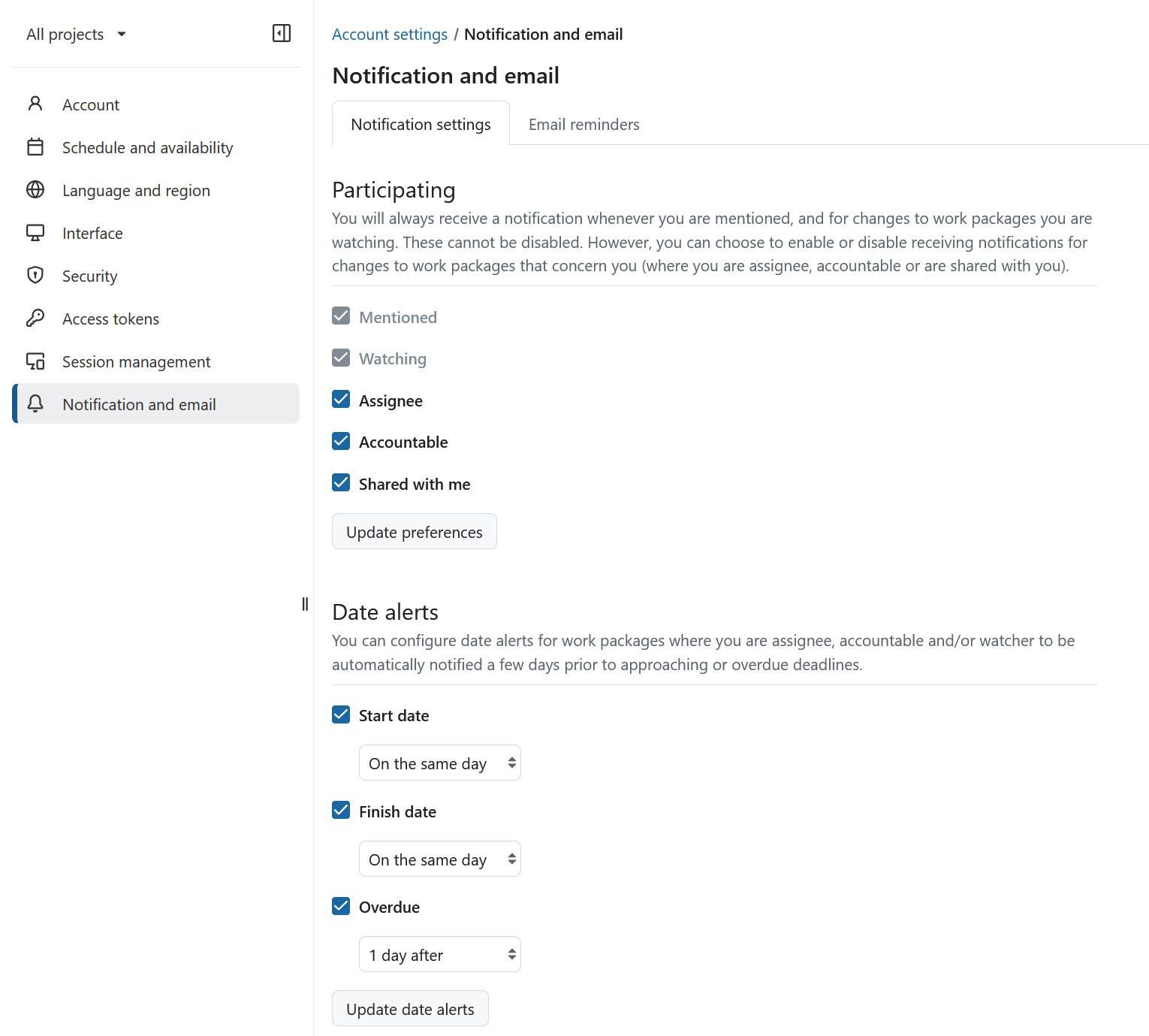
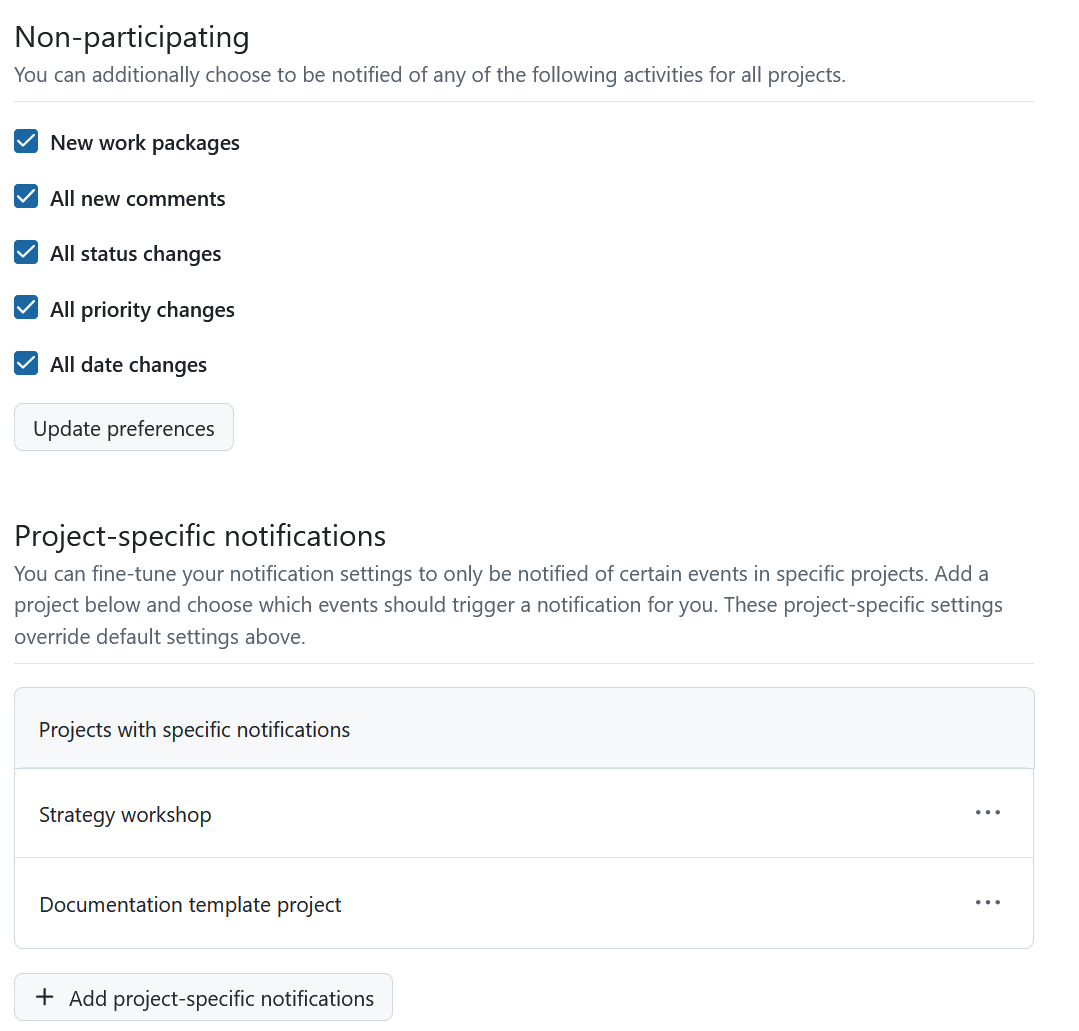
As notificações na aplicação podem ser configuradas e personalizadas de várias formas. Para obter um guia detalhado, clique aqui.
Consulte também o nosso guia detalhado de notificações na aplicação para obter uma compreensão geral.
Lembretes por e-mail
Para configurar os lembretes por e-mail que recebe do sistema, mude para o separador lembretes por e-mail. O seu administrador de sistema também pode configurá-los ou alterar as predefinições globais.
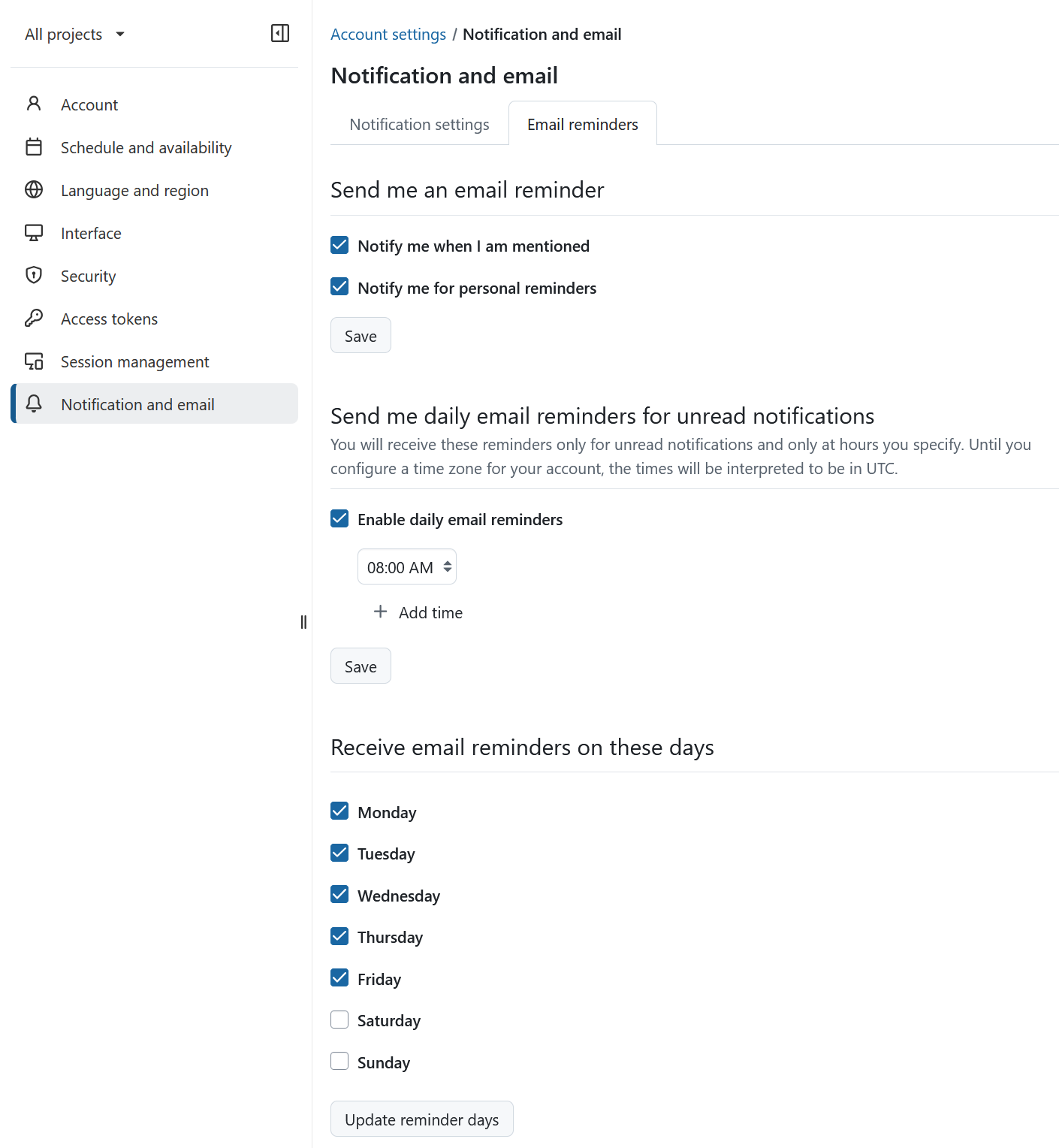
Pode escolher entre vários lembretes por e-mail.
Predefinição: ativar os lembretes diários por e-mail: 02h00, de segunda a sexta-feira.
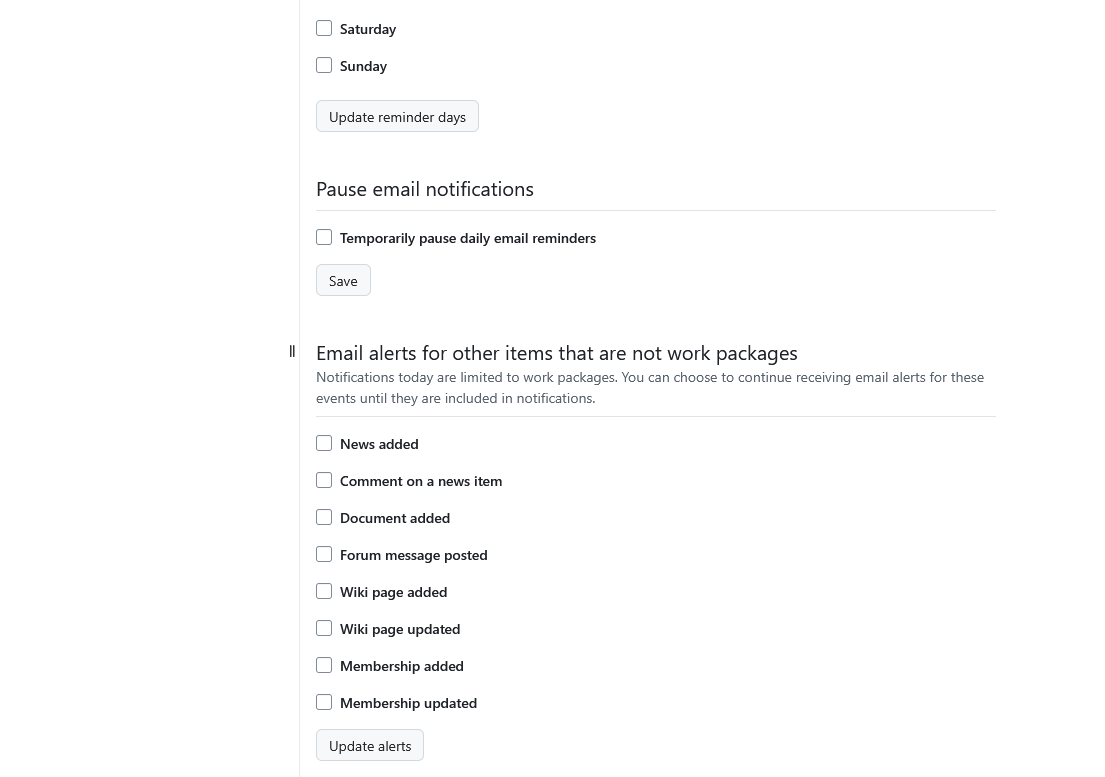
Pode optar por receber e-mails imediatamente, ou apenas em determinados dias e horas, pausar temporariamente os lembretes por e-mail ou optar por não receber nenhum lembrete.
Importante
Se selecionou a opção imediatamente quando alguém me mencionar, só será notificado uma vez, ou seja, este lembrete não será duplicado num lembrete diário.
Também pode optar por receber alertas de e-mail para outros itens (que não são pacotes de trabalho) sempre que um dos membros do seu projeto:
- Notícia adicionada - … adiciona ou atualiza notícias na Página de notícias
- Comentar numa notícia - … adiciona um comentário a uma notícia
- Documentos adicionados - … adiciona um documento algures no projeto (ou seja, um pacote de trabalho)
- Nova mensagem do fórum - … envia uma nova mensagem para o Fórum
- Página Wiki adicionada - … adiciona uma nova página Wiki
- Página Wiki atualizada - … atualiza uma página Wiki
- Adesão adicionada - … adiciona-o a um novo Pacote de trabalho
- Atualizações de adesões - … atualiza as suas associações de adesões