User settings
The user settings section covers general settings, such as the default language, user deletion and user consent.
User settings are accessible by administrators from the OpenProject Administration -> Users and permissions -> User settings.
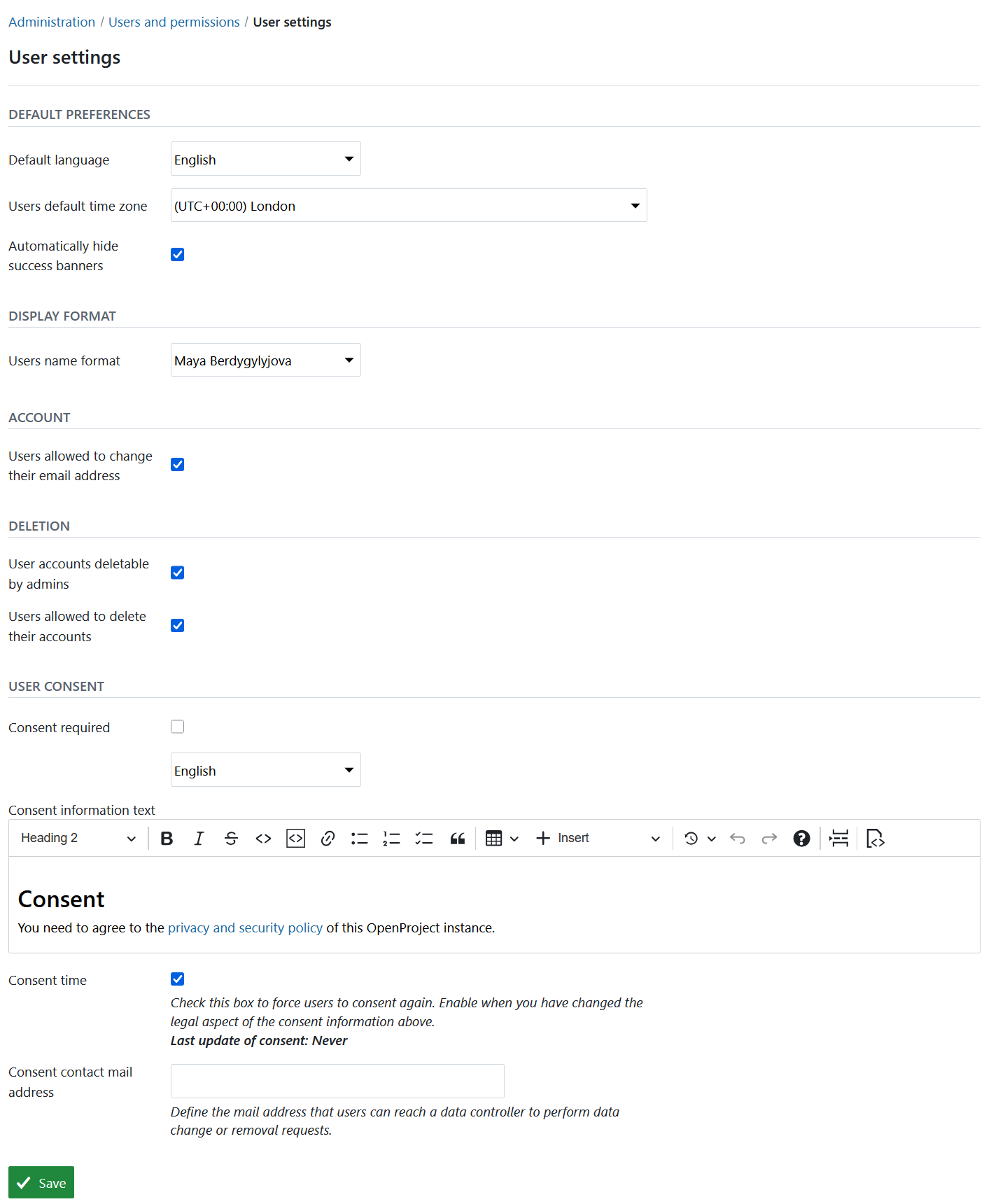
| Topic | Content |
|---|---|
| Default preferences | User default preferences. |
| Display format | Users name format. |
| Account | What users may change on their own account. |
| User deletion | Who can delete users. |
| User consent | User privacy and security. |
Default preferences
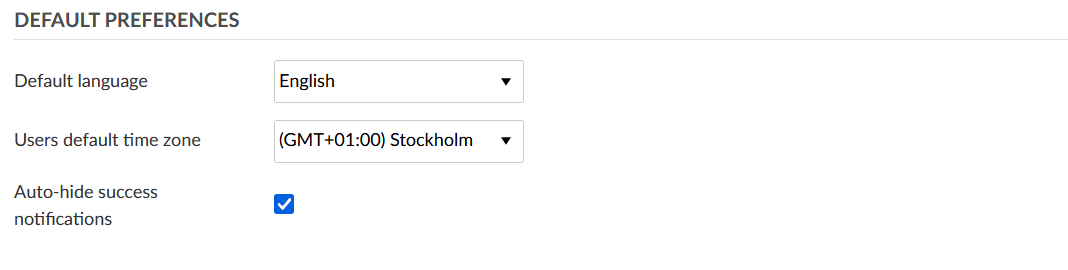
The Default preferences section covers default user settings.
Here, you can specify the default language for new users as well as the default time zone.
The default language is displayed for users when they first sign into OpenProject. They can then choose a different language.
You can also choose if success notifications (e.g. on the work package page) should be hidden automatically.
These settings can be changed by users in their Account settings page later on.
Display format

The Display format section covers how users name format should be displayed.
Account
The Account section covers which of their own account attributes users are allowed to change.
The option Users allowed to change their email address is activated by default. If you deactivate it, users can no longer edit their email address on their Account settings page, and the email address can no longer be changed through the API. Users who are invited by an administrator have to activate their account with exactly the email address they were invited with.
Administrators can still change the email address of any user from the user administration page. Email addresses that are provisioned from an external system (LDAP, SSO or SCIM) keep being synchronized regardless of this setting.
User deletion

In the User deletion section you can determine who should be able to delete user accounts.
By default, only admins are able to delete accounts. If this option is activated, admins can navigate to the user list, select a user account and click on the Delete option on the upper right side to delete an account.
Additionally, you can select the option Users allowed to delete their accounts. If this option is activated, users can delete their own user accounts from the Account settings page.
If you want to prevent users from deleting their own accounts, it is recommended to deactivate this option.
User consent
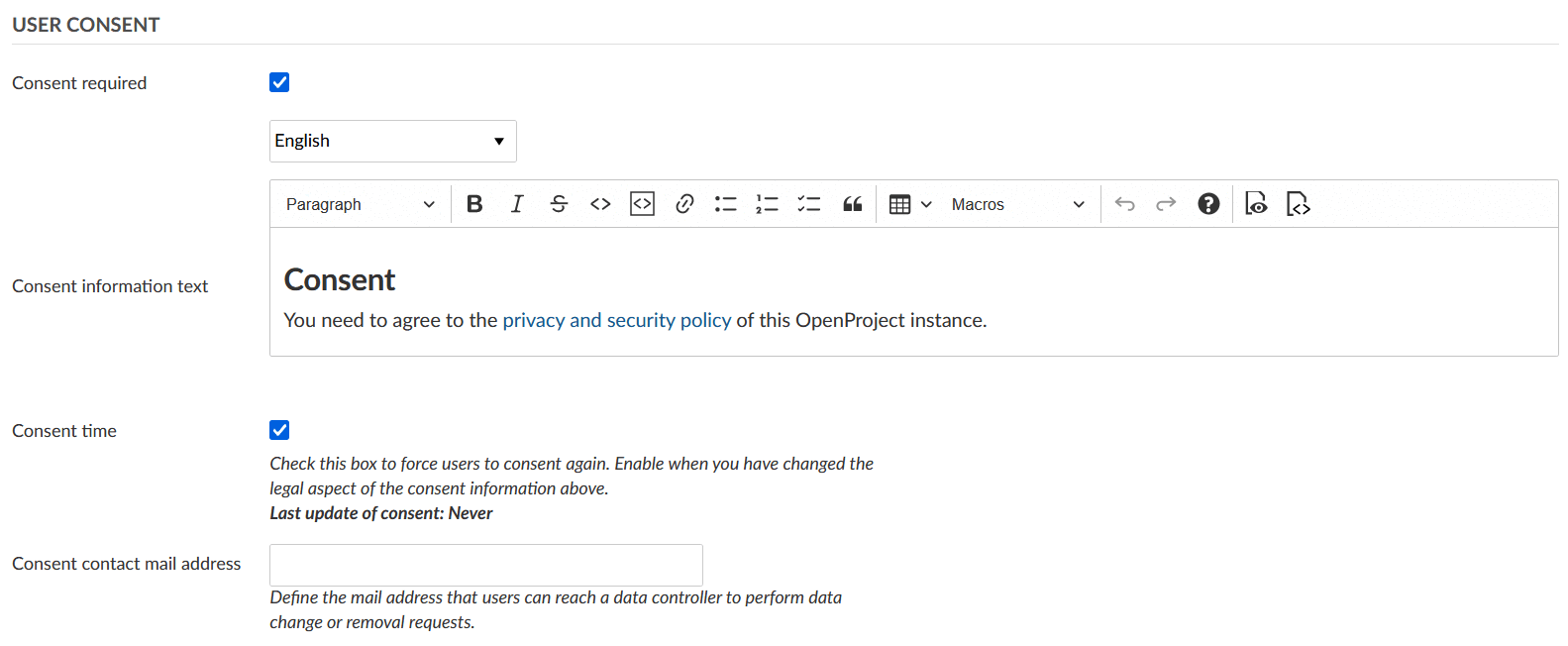
Data privacy and security is a priority in OpenProject. In order to comply with GDPR regulation, a consent form can be configured in OpenProject. When the option Consent required is checked, a user consent form is shown for users when they sign into OpenProject for the first time.
By default, OpenProject’s privacy and security policy is referenced in the consent form. If you have any additional information you would like your users to consent to, you can link it in the Consent information text section.
Furthermore, you can provide the email address of a consent contact. This user can then be notified when a data change or data removal is required.