Wikis
Under Administration → Wikis you can configure the wiki providers that OpenProject uses when linking to or creating wiki pages from work packages.
OpenProject supports two types of wiki providers:
- Project wikis: the built-in OpenProject wiki as a wiki provider.
- External wikis: third-party wiki systems, such as XWiki.
Wiki providers are configured globally and are available to all projects. Each provider may expose one or more wikis, depending on configuration.
Project wikis
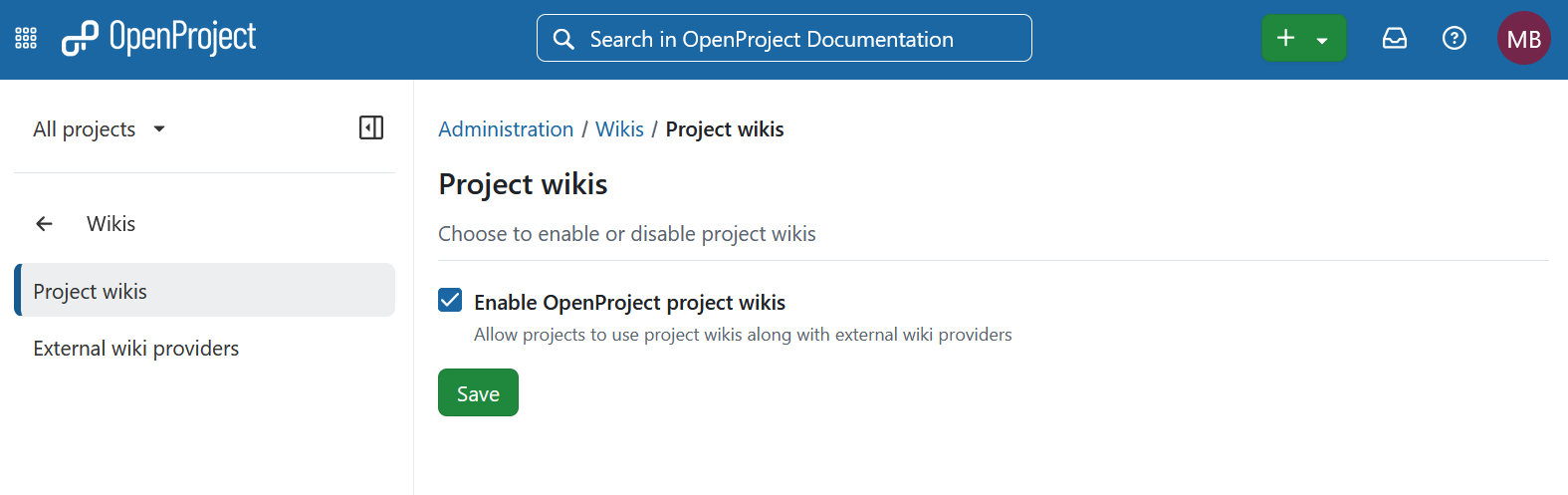
The Project wikis setting enables the built-in OpenProject wiki as a wiki provider for the wiki integration used in work packages.
When project wikis are enabled:
- The OpenProject wiki is available as a wiki provider when linking to or creating wiki pages from a work package.
- Each project’s existing wiki can be selected through this integration.
When project wikis are disabled:
- The OpenProject wiki is no longer available as a wiki provider for work packages.
- Existing project wikis remain available through the project’s Wiki module, provided that module is enabled.
Permissions for pages accessed through project wikis are determined by the user’s role in the corresponding project.
Configuration using environment variables
Project wikis can also be configured using environment variables, if this better suits your deployment scenario.
It is configured via a JSON object passed to OPENPROJECT_INTERNAL__WIKI__PROVIDER. At the moment there is only one option that can be configured:
enabled: A boolean indicating, whether project wikis should be enabled or not
This example shows how to disable it:
{ "enabled": false }
External wikis
Under External wiki providers you can configure external wiki providers. External wiki providers manage their own user permissions, so each OpenProject user must be connected to a corresponding user account on the external wiki instance.
To learn how to link a wiki page to a work package or create a new one, refer to this user guide.