Plantillas de proyecto
Las plantillas de proyecto son útiles para proyectos que comparten una estructura o composición de equipo similar. Ayudan a ahorrar tiempo a la hora de configurar nuevos proyectos.
Crear una plantilla de proyecto
Puede crear una plantilla de proyecto en OpenProject creando un nuevo proyecto y configurando el proyecto según sus necesidades. Ponga al proyecto un nombre claro para identificarlo como plantilla, por ejemplo, Proyecto XY [Plantilla].
Configure todo lo que desee incluir en futuros proyectos:
- Add project members.
- Select and populate the necessary modules.
Importante
Settings and data from the Budgets and Time and costs modules are not included when copying a template. Por este motivo, estos módulos no deben configurarse en plantillas, ya que los proyectos que se creen a partir de ellos no contendrán los datos correspondientes.
- Set up the default project structure in the Gantt chart.
- Create work package templates.
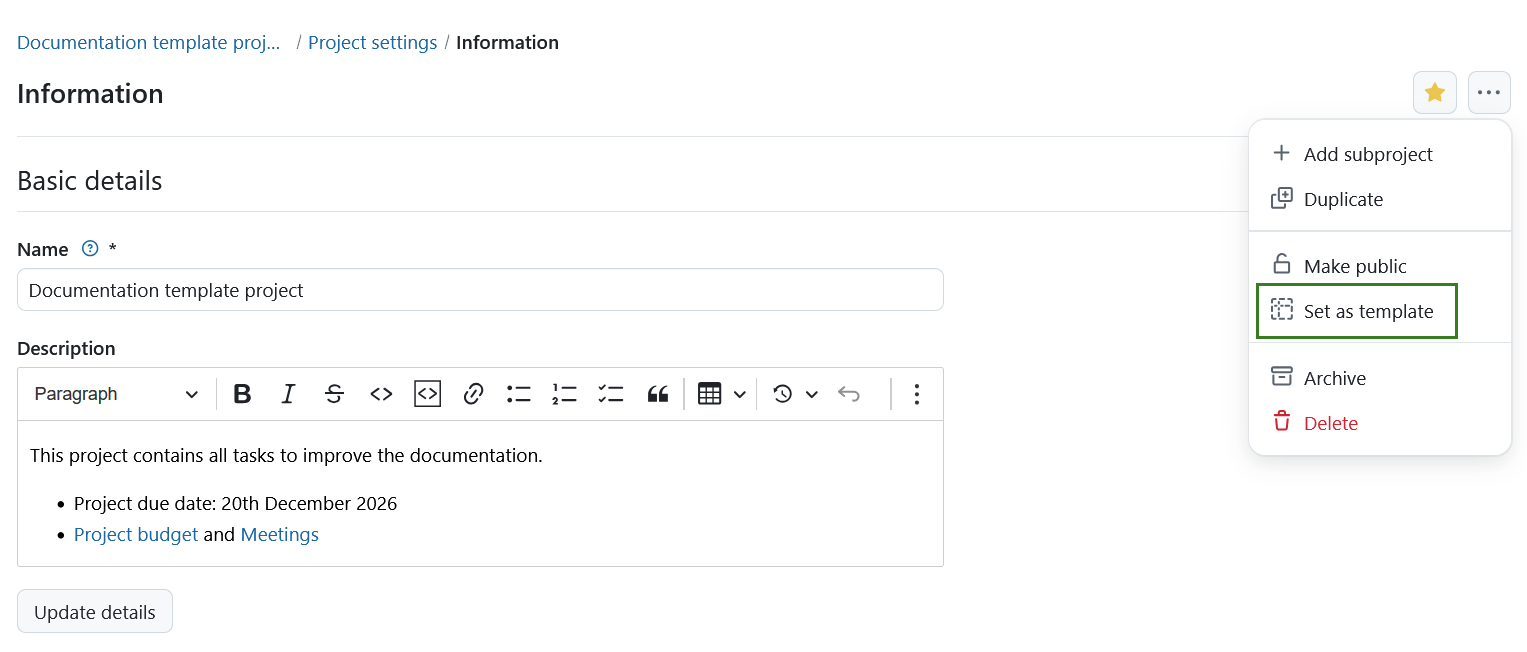
Once you have configured the project, navigate to Project settings → Information. Click the More (three dots) icon in the upper right corner and select Set as template from the dropdown menu.
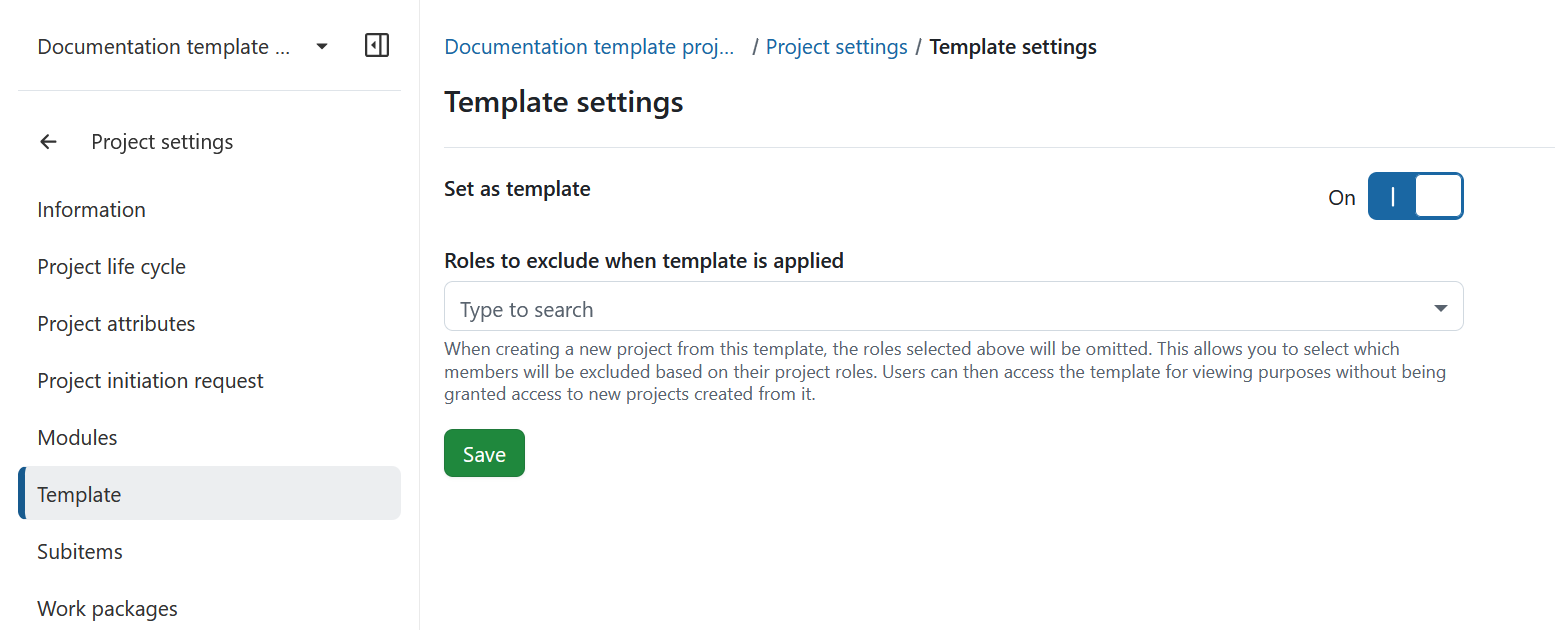
Alternatively, navigate to Project settings → Templates and activate the Set as template toggle.
Configure a project template
To configure template-specific settings, navigate to Project settings → Templates.
Here you can configure the following:
- Set as template: Activate or deactivate the toggle to set or remove the current project as a template.
- Roles to exclude when template is applied: Select the project roles whose members should not be included when a new project is created from this template.
The Roles to exclude when template is applied setting allows you to control which members are copied to projects created from the template. Members with one of the selected project roles will be omitted when the template is applied.
This allows users to access the template for viewing purposes without automatically being granted access to new projects created from it.
Click Save to save your changes.
Nota
Only administrators can set or remove projects as templates.
Utilizar una plantilla de proyecto
Puede crear un nuevo proyecto utilizando una plantilla existente. This copies the template’s settings and structure to the new project. Descubra en nuestra guía de iniciación cómo crear un nuevo proyecto en OpenProject.
Consejo
Si no ve ninguna opción de plantilla, puede deberse a que aún no se ha establecido ningún proyecto como plantilla de proyecto o a que no tiene acceso a ningún proyecto de plantilla. Solo se muestran las plantillas que son públicas o en las que usted es miembro del proyecto, lo que permite a los distintos grupos de usuarios ver únicamente las plantillas relevantes para ellos.
Alternatively, you can duplicate the project to use it as a template.
Este vídeo está actualmente disponible solo en inglés.
Para más información, consulte los artículos de nuestro blog sobre Creación, configuración y gestión de proyectos en OpenProject y Plantillas de proyecto en OpenProject.