Configuración de backlogs
In OpenProject, you can configure your Backlogs settings specific to each project. Navigate to Project settings -> Backlogs.
Types and statuses
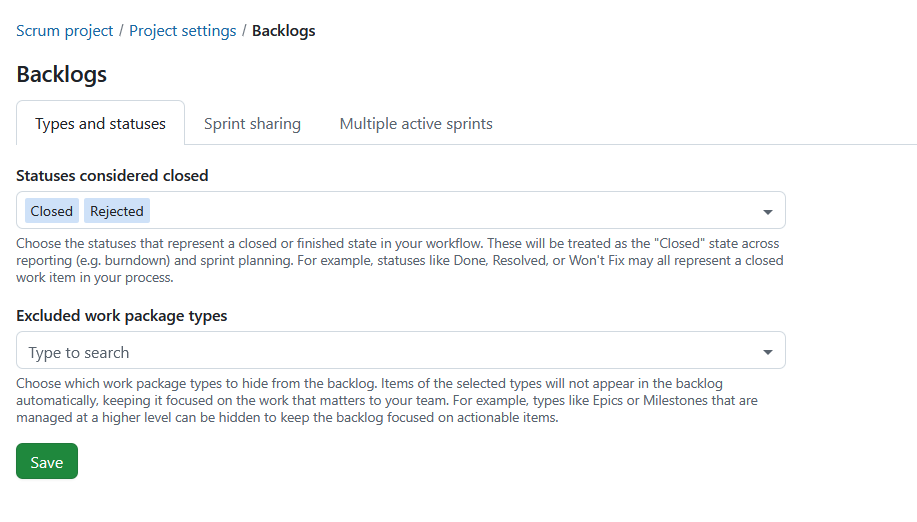
Under the tab Types and statuses you can configure which work package statuses are considered closed and which work package types are excluded from backlog views.
Statuses considered closed
You can choose the statuses that represent a closed or finished state in your workflow.
These statuses are treated as closed throughout sprint planning and reporting. They are used when calculating burndown charts and determine which work packages remain in a sprint when it is completed.
Examples include:
- Done
- Resolved
- Rejected
- Won’t Fix
Statuses using the global Closed meta status are always treated as closed and cannot be removed.
Excluded work package types
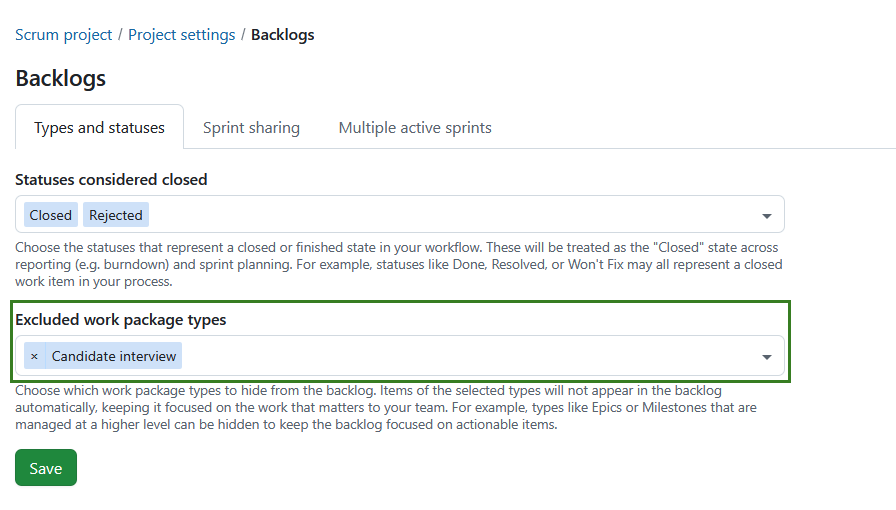
You can choose which work package types should be hidden from the Inbox backlog and backlog buckets.
Excluded work package types:
- do not appear in the Inbox backlog.
- do not appear in backlog buckets.
- continue to appear in sprints.
- continue to appear on sprint boards.
This can be useful for work package types that are managed at a higher level, such as Epics or Milestones.
Select one or more work package types from the list of active work package types available in the project.
Nota
The selection is project-specific and is copied when a project is copied.
Pulse el botón Guardar para aplicar los cambios.
Sharing sprints

Sprint sharing is a project-level setting that allows you to choose whether sprints should be shared across projects.
Nota
This is not a sprint-level setting as is currently the case with versions.
Compartir sprints permite a los equipos que trabajan en varios proyectos planificar y realizar un seguimiento del trabajo de forma coordinada. En lugar de gestionar sprints separados e inconexos en cada proyecto, puede definir un sprint una vez y reutilizarlo en todos los proyectos. Esto es especialmente útil para configuraciones Scrum entre equipos, entornos ágiles a escala o cuando varios equipos contribuyen al mismo incremento.
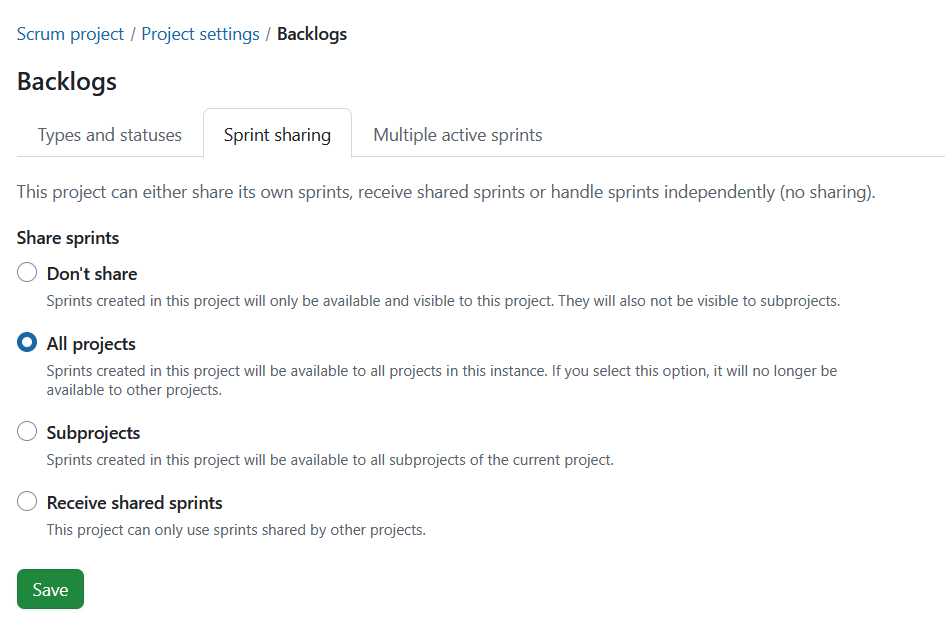
Dependiendo de la opción seleccionada, un proyecto puede proporcionar sprints a otros, utilizar sprints compartidos o permanecer independiente:
Don’t share: This is the default setting for projects. Sprints can be created in this project and are available and visible only within this project. None of the created sprints are shared with any other project or sub-projects.
Share sprints: Sprints can be created in this project and shared with either all projects or subprojects:
-
All projects: Selecting this option means the sprints created are available to all projects within the instance. También significa que ningún otro proyecto puede compartir sprints con todos los proyectos.
-
Subprojects: Sprints created in this project will be available to all subprojects of the current project.
Receive shared sprints: No sprints can be created within this project. En su lugar, sólo se pueden utilizar sprints compartidos por otro proyecto.
Depending on your permissions, some shared sprint fields may be read-only. Project-specific fields, such as the sprint goal, can still be edited independently.
Qué se comparte
Cuando los sprints son compartidos, el propio sprint se comparte entre proyectos. Esto incluye:
- Nombre del sprint
- Fechas de inicio y fin
- Estado del sprint (por ejemplo, planificación, activo, completado)
Esto garantiza que todos los proyectos participantes trabajen con la misma definición de sprint y el mismo cronograma.
Lo que no se comparte
The following remain project-specific:
- Los paquetes de trabajo permanecen en sus respectivos proyectos
- Los backlogs y su estructura siguen siendo específicos de cada proyecto
- Sprint goals remain project-specific
- Los permisos y la visibilidad se siguen gestionando por proyecto
Incluso cuando se utilizan sprints compartidos, cada proyecto mantiene sus propios elementos de trabajo y configuración.
Lea más en cómo trabajar con Backlogs en OpenProject.
Multiple active sprints
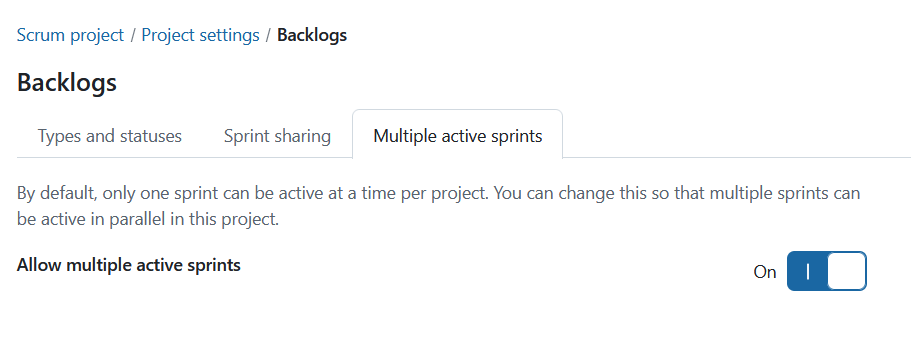
Multiple active sprints is a project-level setting that allows you to enable more than one active sprint within a project. To enable this setting, toggle the Allow multiple active sprints switch to On.
Nota
Having multiple active sprints is only possible when the project is neither sharing nor receiving sprints. To activate this setting, Don’t share option in the sprint sharing tab must be selected.