Manage work package identifiers
Work package identifiers are used throughout OpenProject to uniquely reference work packages in URLs, notifications, exports, searches, integrations, and other parts of the application.
By default, OpenProject uses an instance-wide numerical sequence (for example, #12345). Starting with OpenProject 17.5, administrators can choose between instance-wide numerical identifiers and project-based identifiers. Project-based identifiers combine a project identifier with a sequential number, such as PROJ-123.
Overview
OpenProject supports two identifier modes:
| Mode | Example |
|---|---|
| Instance-wide numerical sequence (default) | #12345 |
| Project-based semantic identifiers | PROJ-123 |
Project-based identifiers make it easier to identify the project a work package belongs to and can help organizations migrating from Jira preserve familiar issue references.
Configure work package identifiers
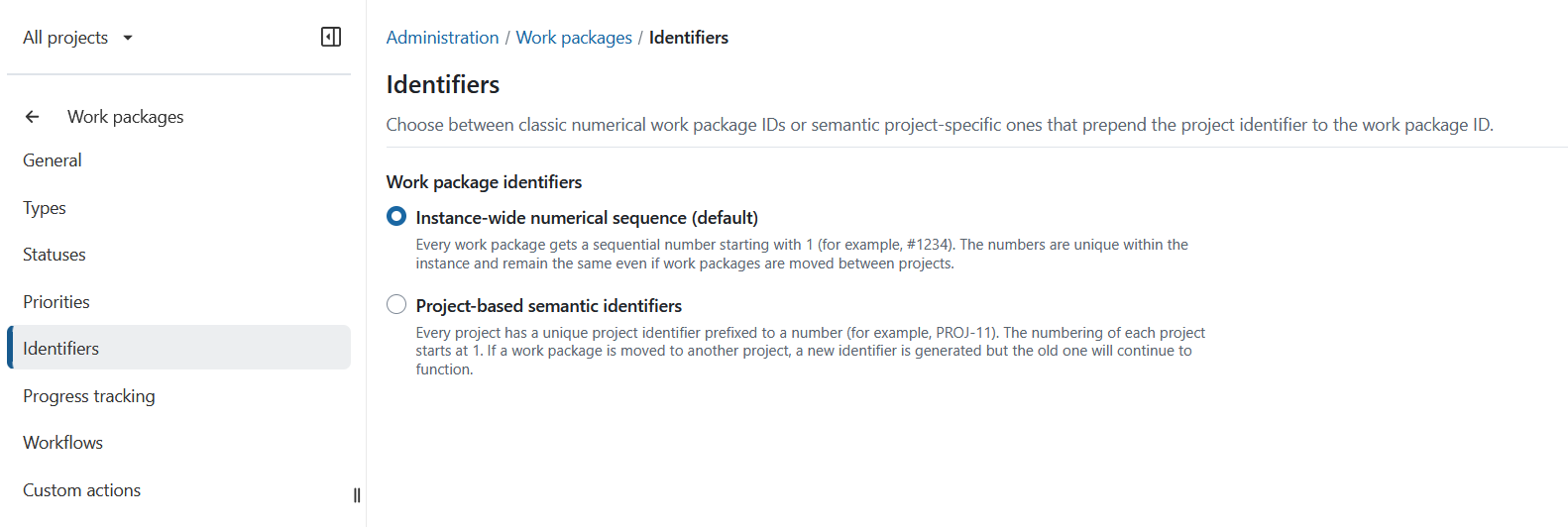
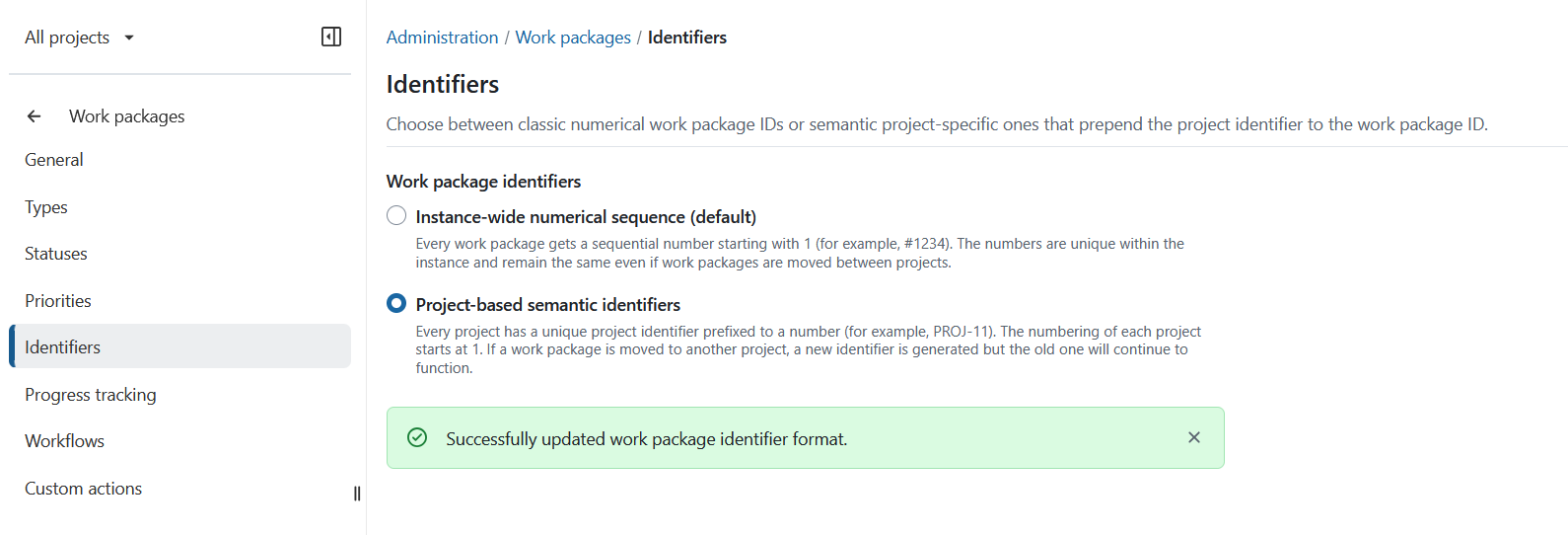
To configure work package identifiers navigate to Administration → Work packages → Identifiers and select the identifier mode for the instance:
- Instance-wide numerical sequence (default) Every work package receives a unique sequential number (for example,
#1234). The identifier remains unchanged even if the work package is moved to another project. - Project-based semantic identifiers Every work package receives an identifier consisting of the project identifier and a sequential number (for example,
PROJ-11). Numbering starts at 1 for each project. If a work package is moved to another project, it receives a new project-based identifier while previous identifiers continue to resolve correctly.
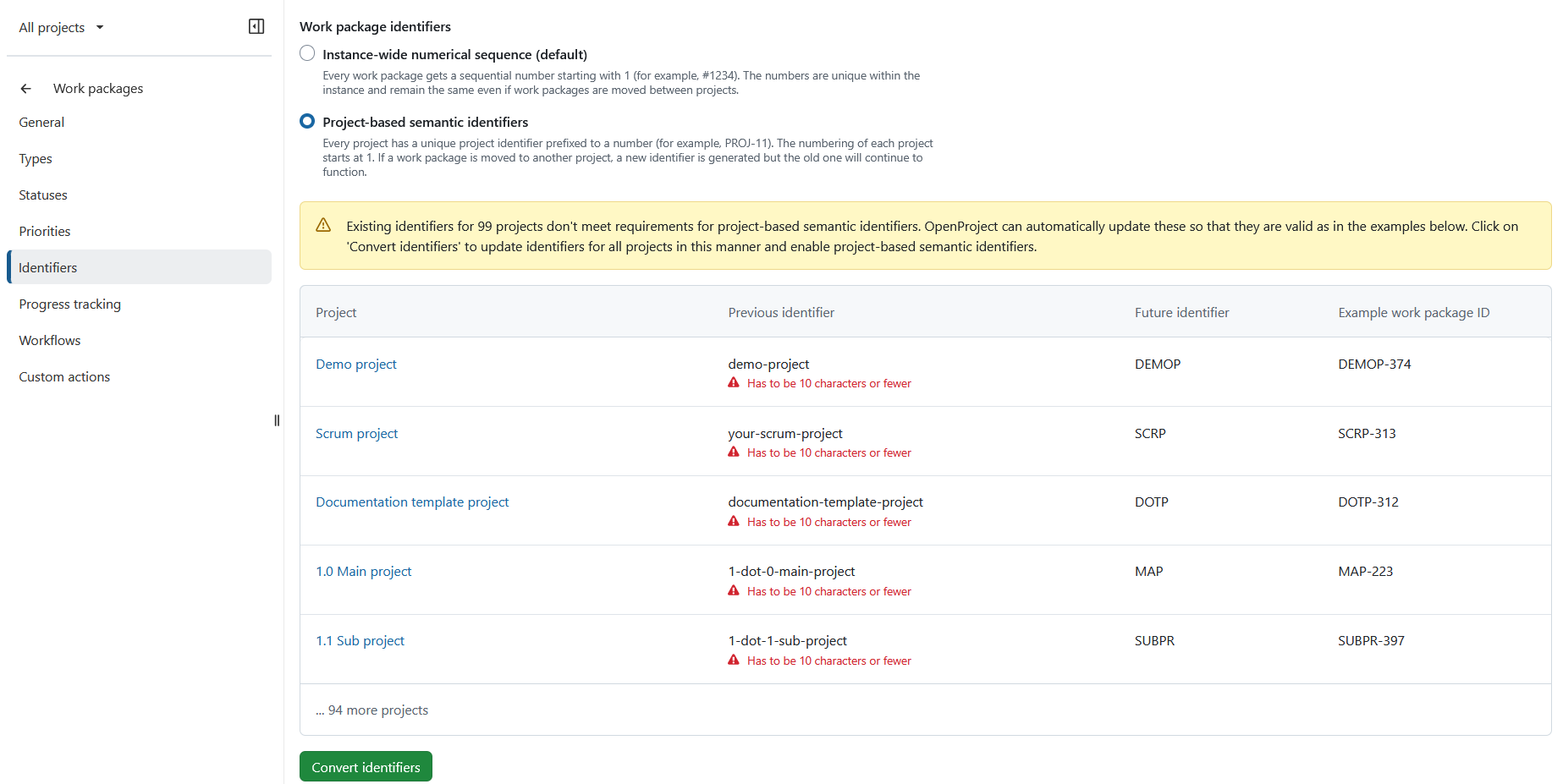
When enabling project-based identifiers, OpenProject validates existing project identifiers and identifies projects that require updates before the change can be applied.
Review the proposed changes and click Convert identifiers to continue.
You will then be asked to confirm the change. Select the confirmation checkbox and click Change identifiers. 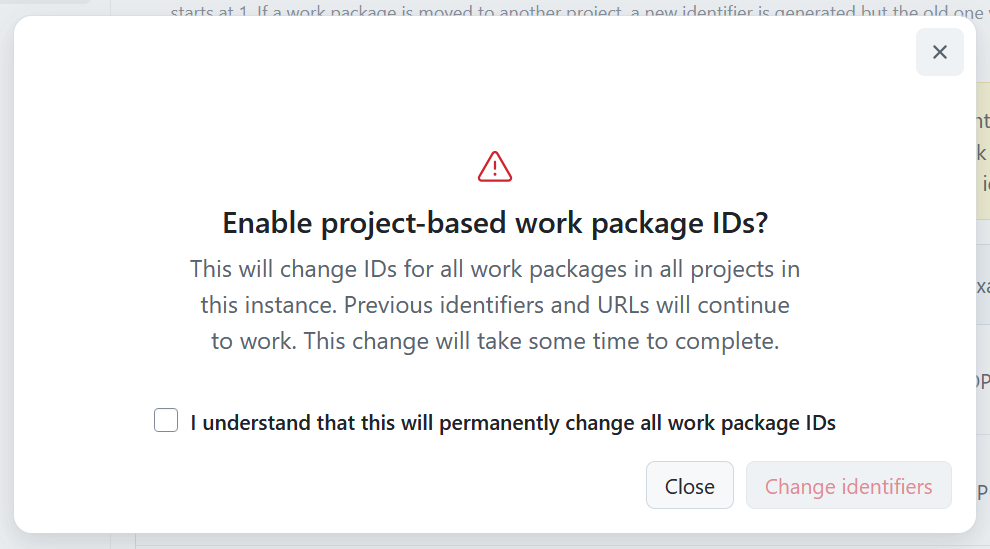
The conversion process will start immediately. You can safely leave the page while the conversion is running. The process continues in the background until it is completed. 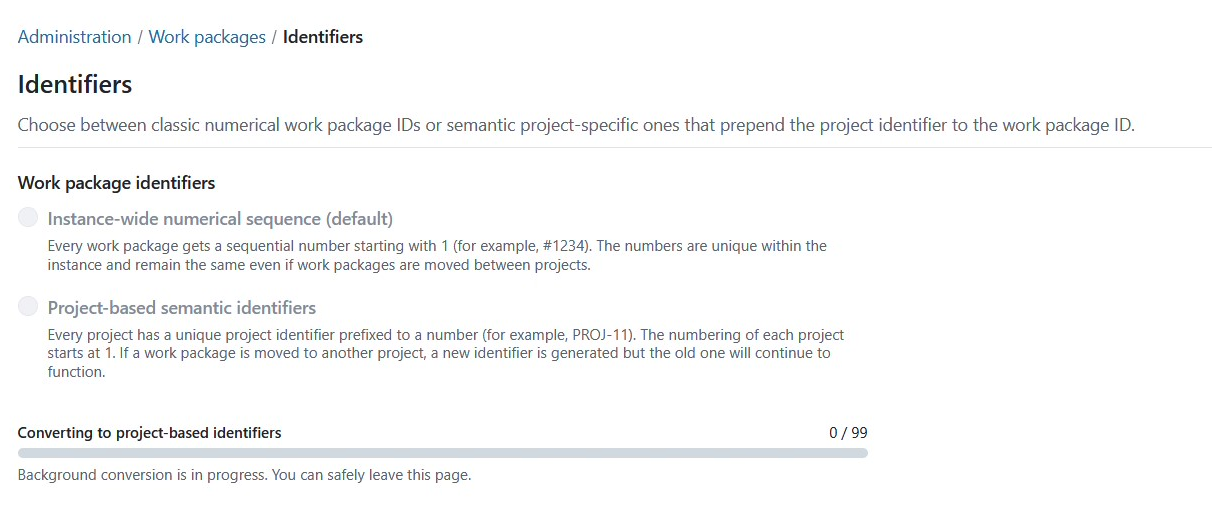
Once the conversion has finished, OpenProject displays a confirmation message.
Nota
Historical references continue to work even if project identifiers change later.
The project-based identifier mode is not permanent. Administrators can switch between instance-wide numerical identifiers and project-based identifiers at any time.
Effects of changing the identifier mode
Changing the identifier mode affects how work packages are displayed and referenced throughout OpenProject.
After enabling project-based identifiers, work packages will use the new identifier format throughout the application, including:
- URLs
- Work package references
- Context menus
- Search
- Filters
- Notifications
- Documents
- PDF exports
- Integrations
- API responses
Existing work package identifiers remain valid after the change. Previously assigned identifiers continue to resolve to the same work packages, including existing URLs, bookmarks and references.
Consejo
Before enabling project-based identifiers in a production environment, inform users about the change so they understand the new identifier format they will encounter. We also recommend implementing the switch outside of main working hours, to avoid any possible conflicts with ongoing user activity.
Project identifier visibility
Alerta
A project’s identifier is not restricted to its members and should not be treated as confidential, even if the project itself is private.
Work packages can be referenced in rich text editors anywhere in OpenProject — for example wiki pages, documents, forum posts, meeting agendas, or work package descriptions and comments — using the work package’s identifier (e.g. PROJ-123) or a rich link inserted via the editor. If such content becomes visible to users outside the project, the project identifier is exposed along with it. No other information about the referenced work package is exposed to users who lack permission to view it.
This can happen in a few ways:
- Public projects: If a project is set to public, its enabled modules (such as Documents, Wiki, or Forums) are visible to other users of the instance according to their Non member role permissions, without requiring project membership.
- Anonymous access: If the instance permits access without authentication, a public project’s content may additionally be visible to unauthenticated visitors, governed by the Anonymous role.
- Cross-project references: Rich text in one project can reference a work package from another project. If that content’s own project is public (or otherwise accessible to a wider audience), the identifier of the referenced project becomes visible too — even if the referenced project itself is private.
Because of these paths, a project identifier should be treated as potentially visible to any user of the instance, and in some configurations, the general public. If the identifier itself could reveal sensitive information (e.g. a client name or project codename), choose a nondescript identifier when creating the project.
Reserved project identifiers
When project identifiers are changed, OpenProject reserves previous identifiers to prevent conflicts and preserve existing references.
For more information, see the Reserved project identifiers documentation.