PDF report export
Mit PDF Berichten können Sie detaillierte und aktuelle Arbeitspläne für Ihr Projekt in einem sauberen und praktischen Format exportieren. Er enthält ein Titelblatt, ein Inhaltsverzeichnis (mit einer Auflistung aller Arbeitspakete), gefolgt von der Beschreibung der einzelnen Arbeitspakete in Blockform. Das Inhaltsverzeichnis ist anklickbar und mit den entsprechenden Seiten im Bericht verlinkt, was die Navigation erheblich erleichtert.
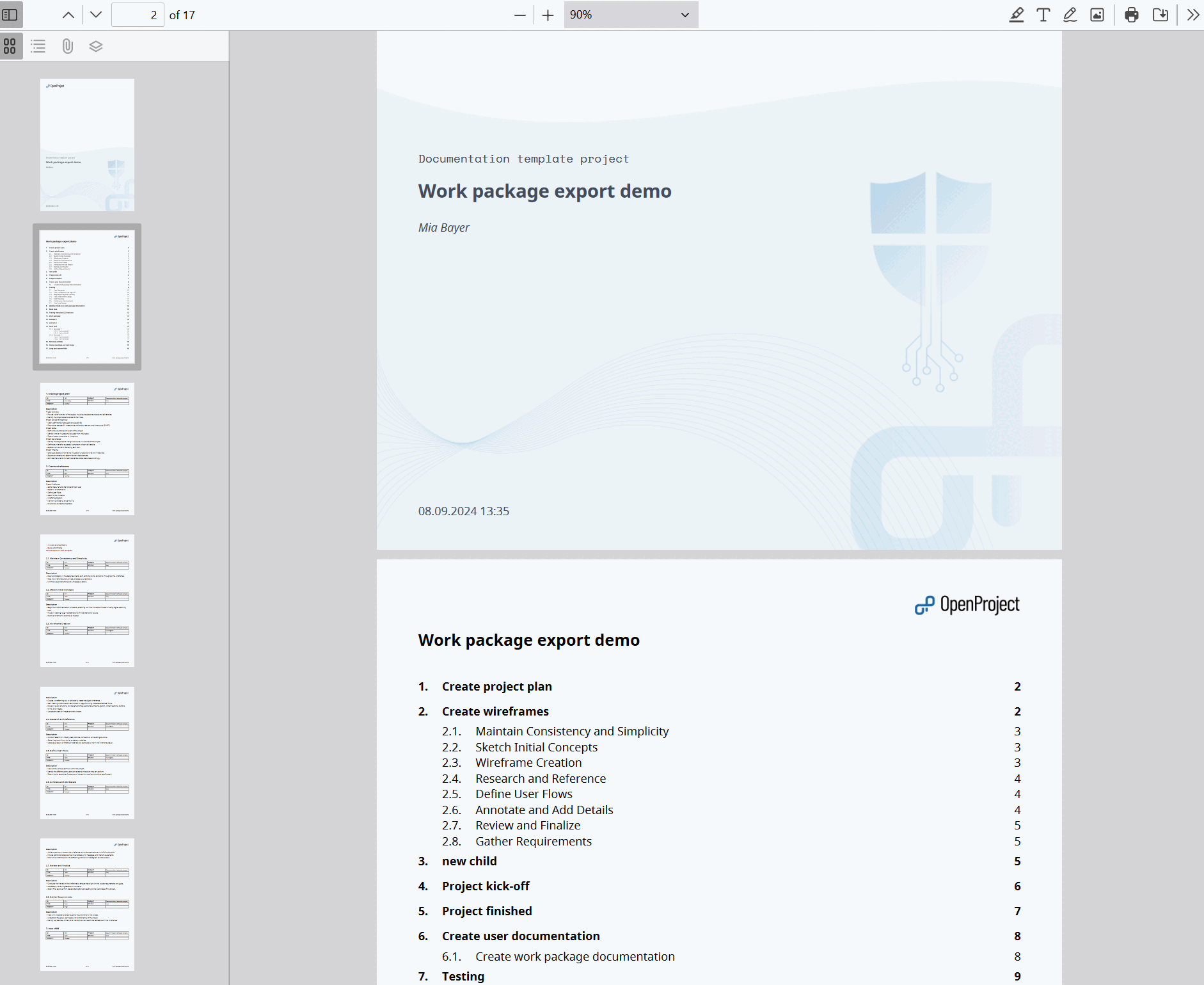
Report content
Für jedes Arbeitspaket ist eine Tabelle mit Attributen enthalten, wobei die Attribute den Spalten entsprechen, die Sie für den Export angegeben haben. It is followed by the long text fields you selected, which support embedded work package and project attributes.
Options
The following options are available for the PDF report:
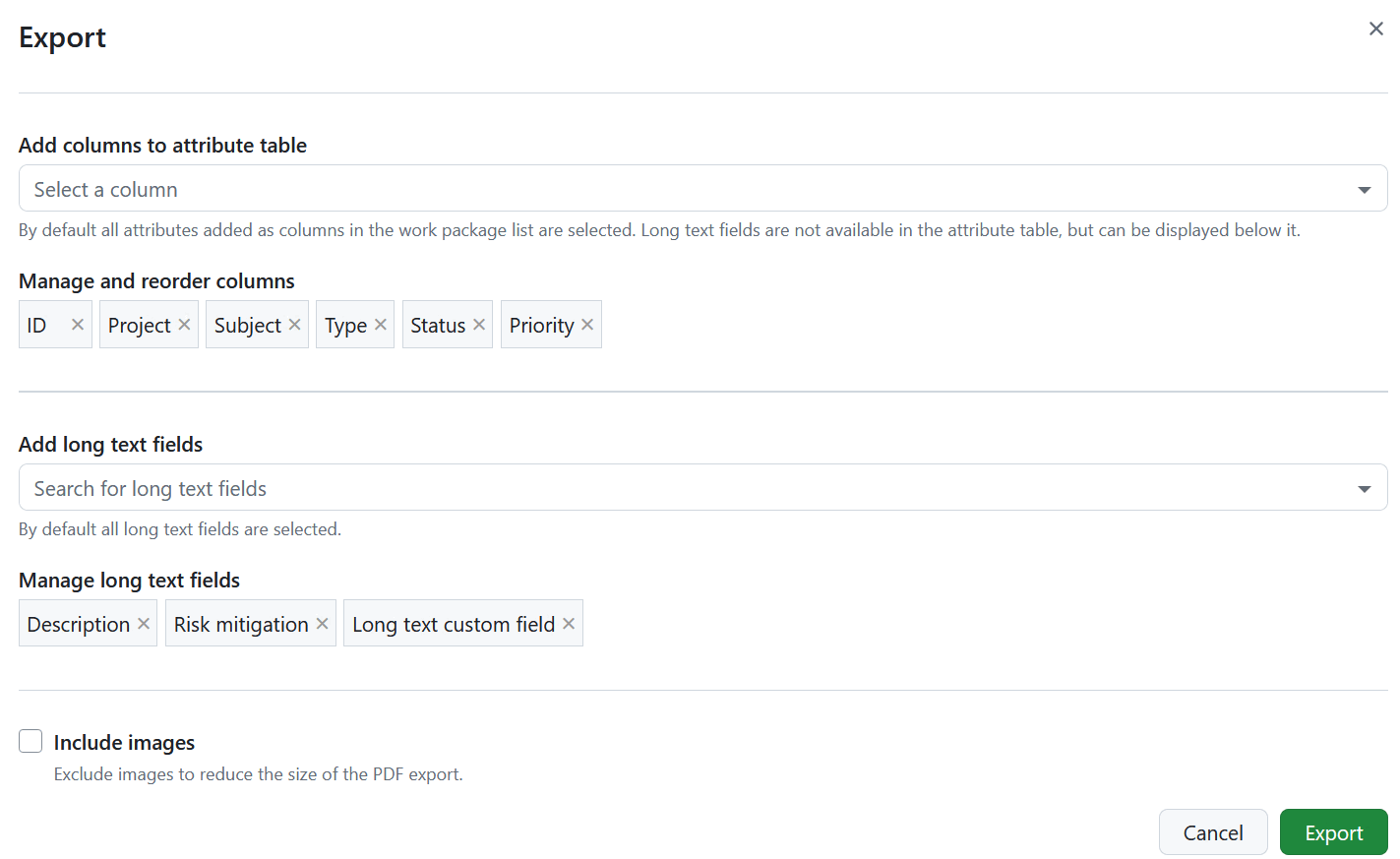
Columns
Use the Add columns to attribute table option to select which attributes are listed in the attribute table of every work package and to change their order. Die vorausgewählten Spalten sind die Spalten in der Abfrage der Arbeitspaket-Tabelle. Learn how to save the work package view.
The subject is not available as a column, since every work package block is already headed by its subject. Long text fields are not part of the attribute table either, but can be displayed below it.
Unlike the other export formats, the report also accepts relation columns, such as children or blocked by. Adding them creates the relation blocks described below.
Long text fields
Below the attribute table, the report can display the work package description and all long text custom fields. Use the Add long text fields option to select which of them are included and drag them to change the order in which they appear in the report.
All long text fields are selected by default. Remove a field from the selection to leave it out of the report.
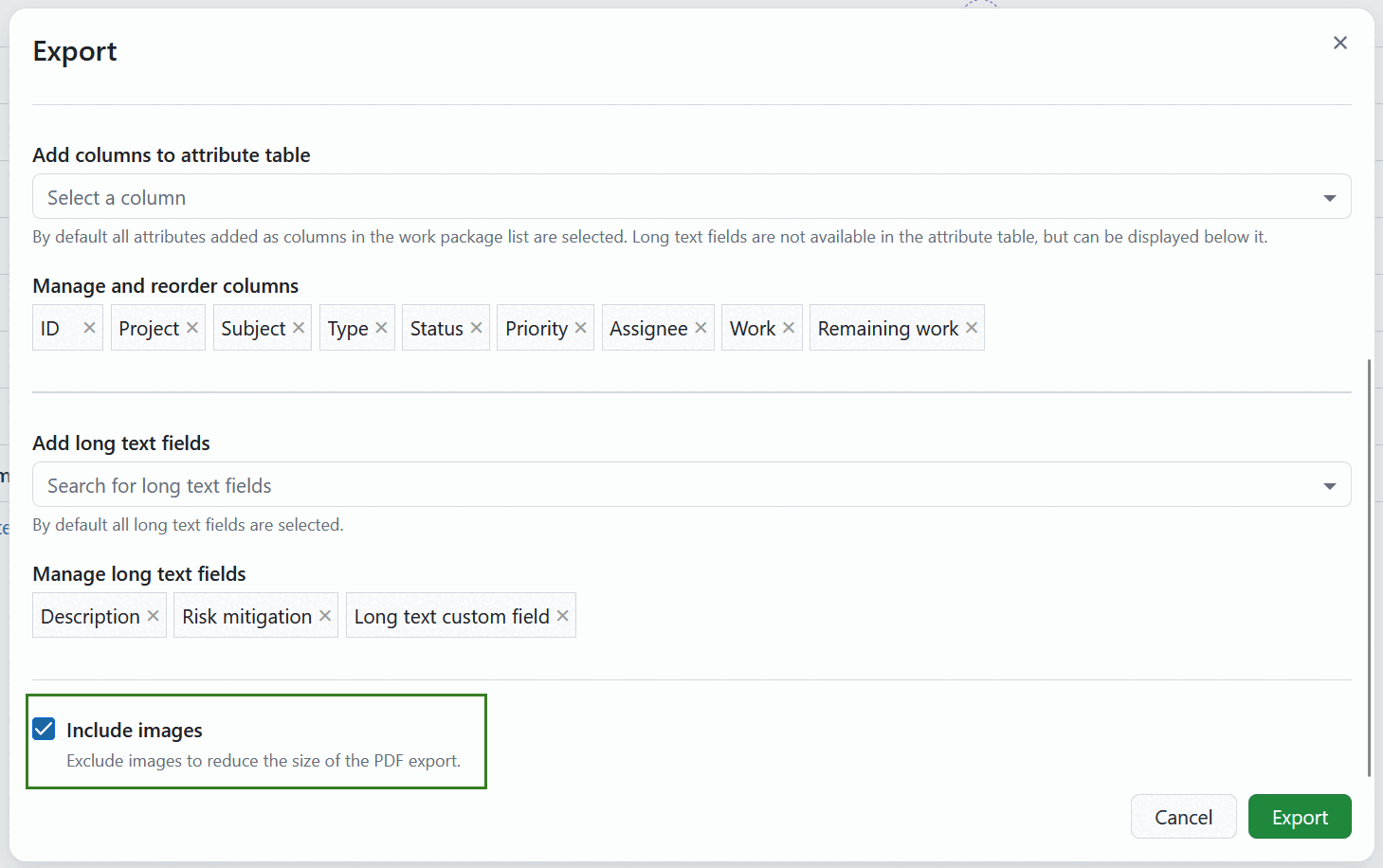
Include images
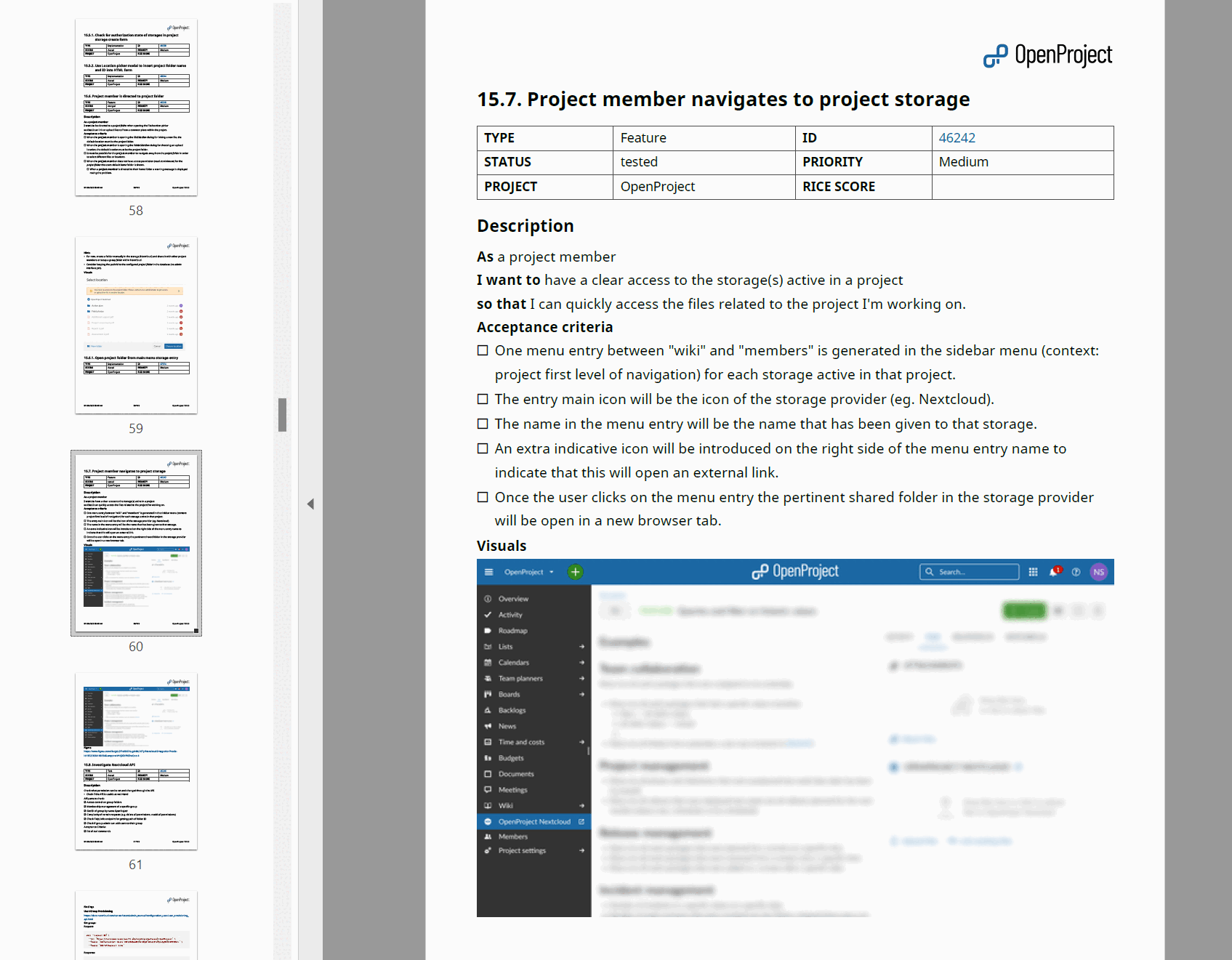
The Include images option is activated by default, so your PDF Report includes the images from the work package description. Deactivate it to reduce the size of the PDF export. Supported formats include PNG, JPG, GIF and WebP. Wenn ein animiertes WebP oder ein GIF verwendet wird, wird das erste Bild in den Bericht aufgenommen.
Hinweis
Bilder, die im Abschnitt Dateien des Arbeitspakets oder in den Kommentaren zur Aktivität angehängt oder verlinkt sind, werden nicht in den PDF Bericht mit Bildern aufgenommen.
Summen anzeigen
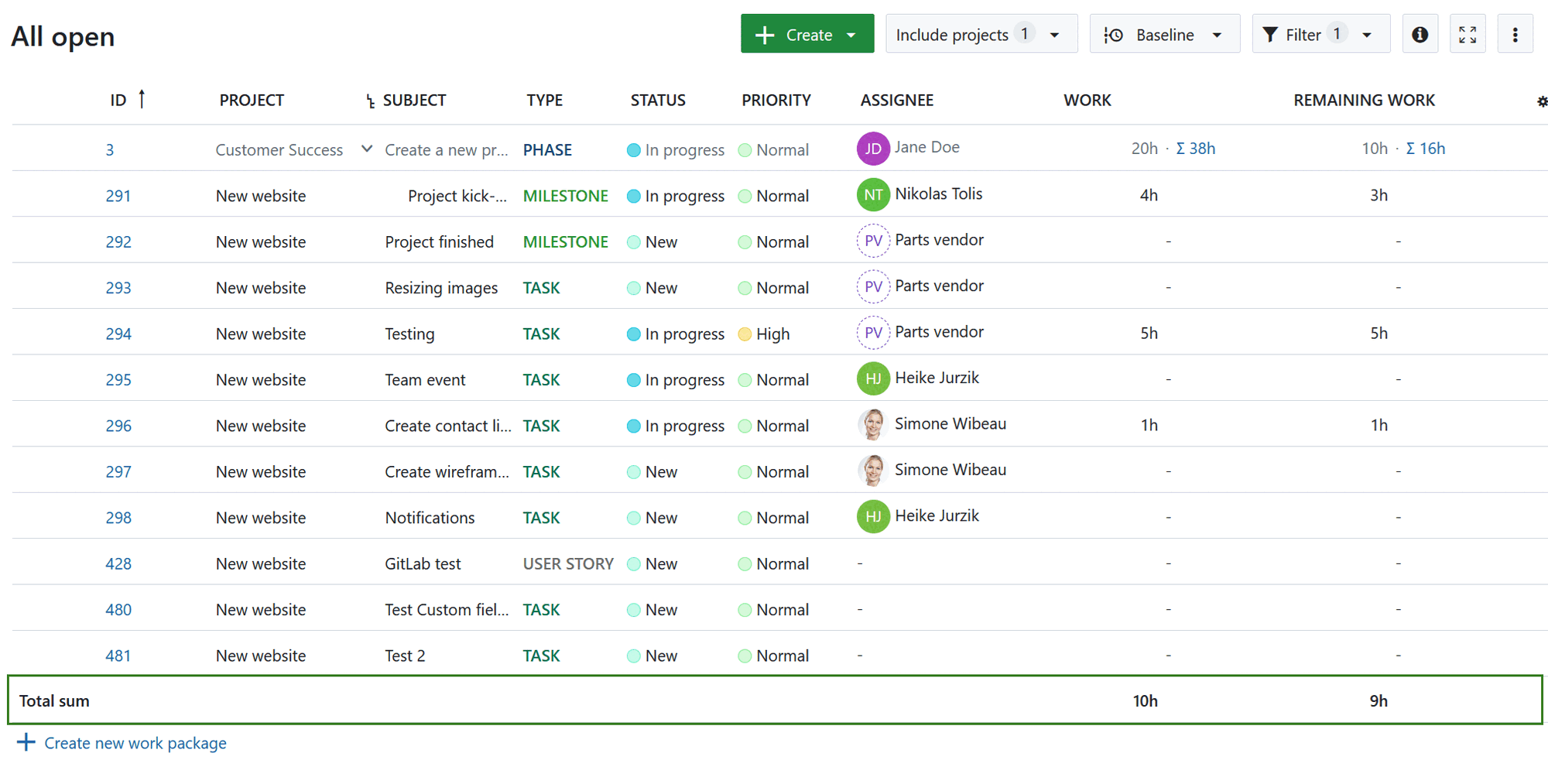
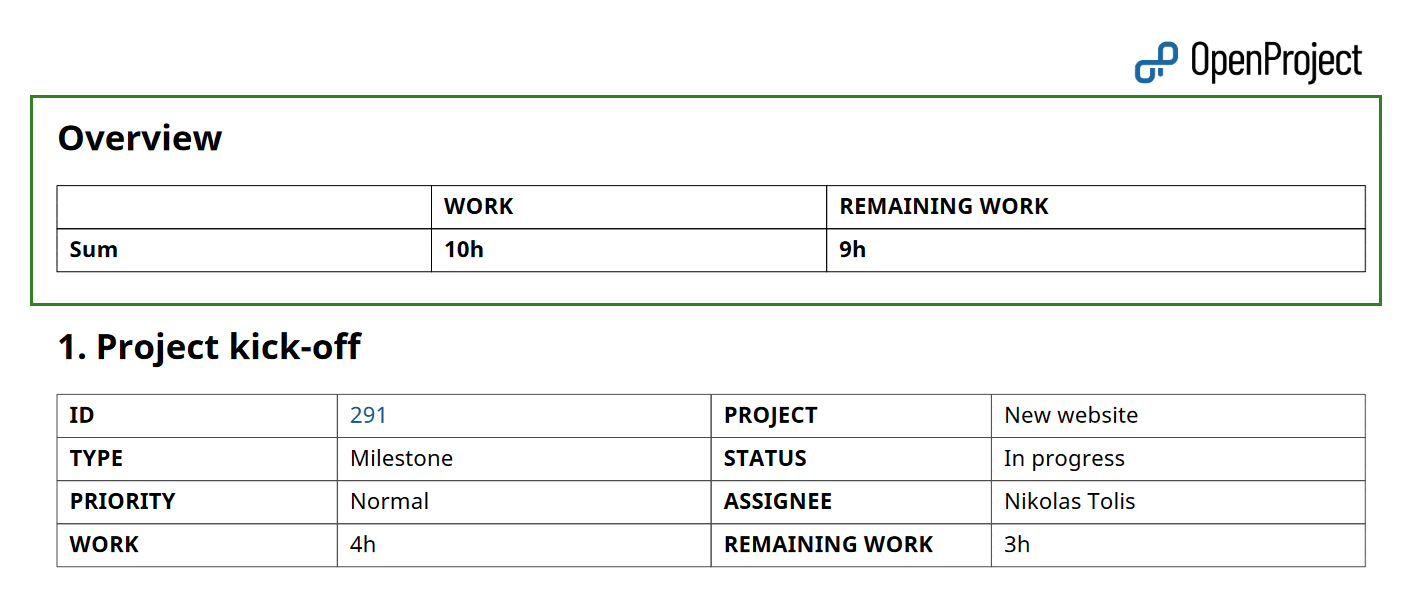
If “display sums” is activated in the work package table, then the sum table is included between the table of contents and work packages description in an Overview section.
Beziehungen anzeigen
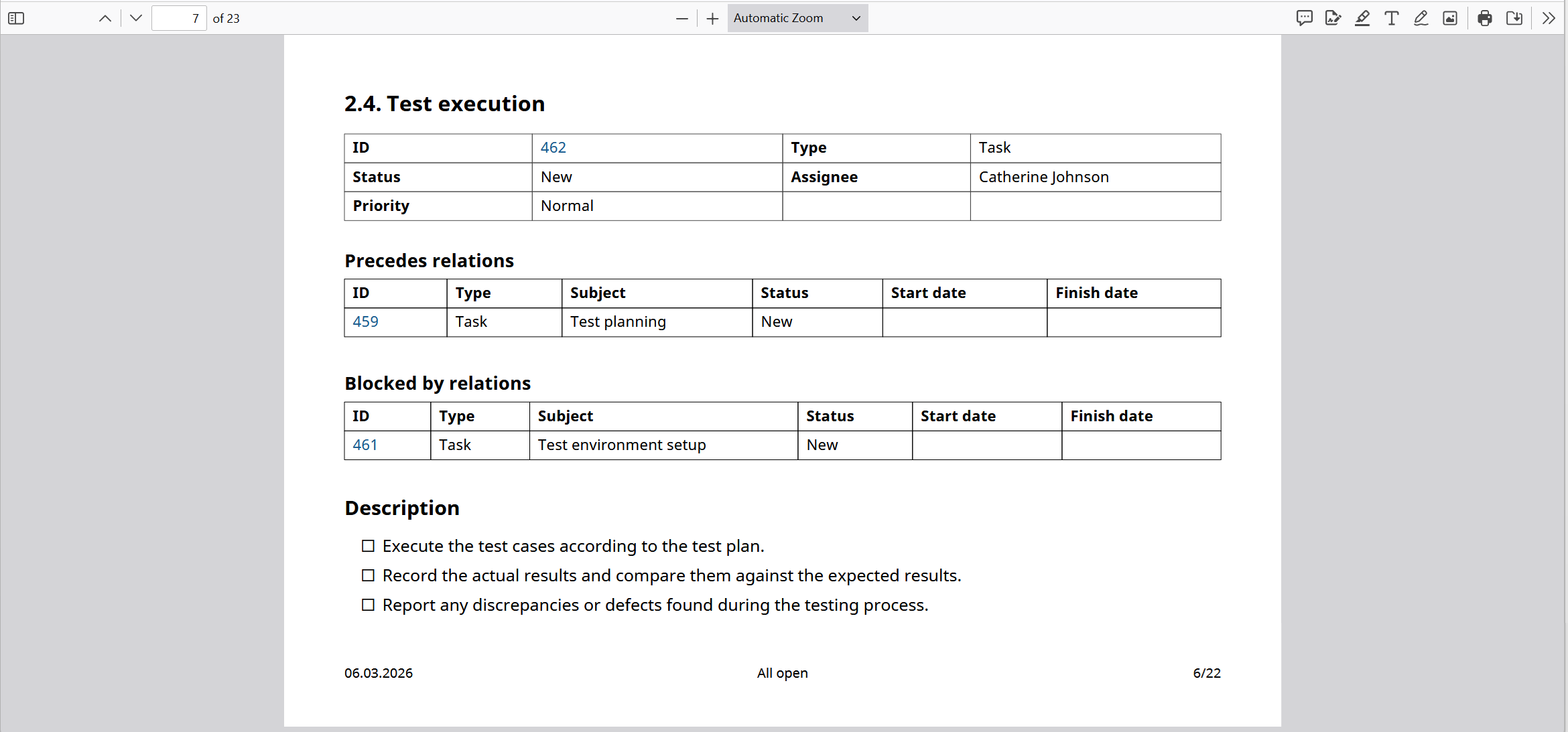
Wenn Relationen wie Kinder, geblockt durch, Nachfolger usw. als Spalten in den Bericht aufgenommen werden, werden sie in eigene Blöcke aufgenommen.
Each block lists the related work packages in a table with the columns ID, Type, Subject, Status, Start date and Finish date.
See Export work packages for how to trigger an export and adjust the general export options.