Activate the Enterprise on-premises edition
The OpenProject Enterprise on-premises edition extends the Community edition with additional Enterprise features.
To upgrade your existing OpenProject Community edition, sign in to your OpenProject instance with an administrator account.
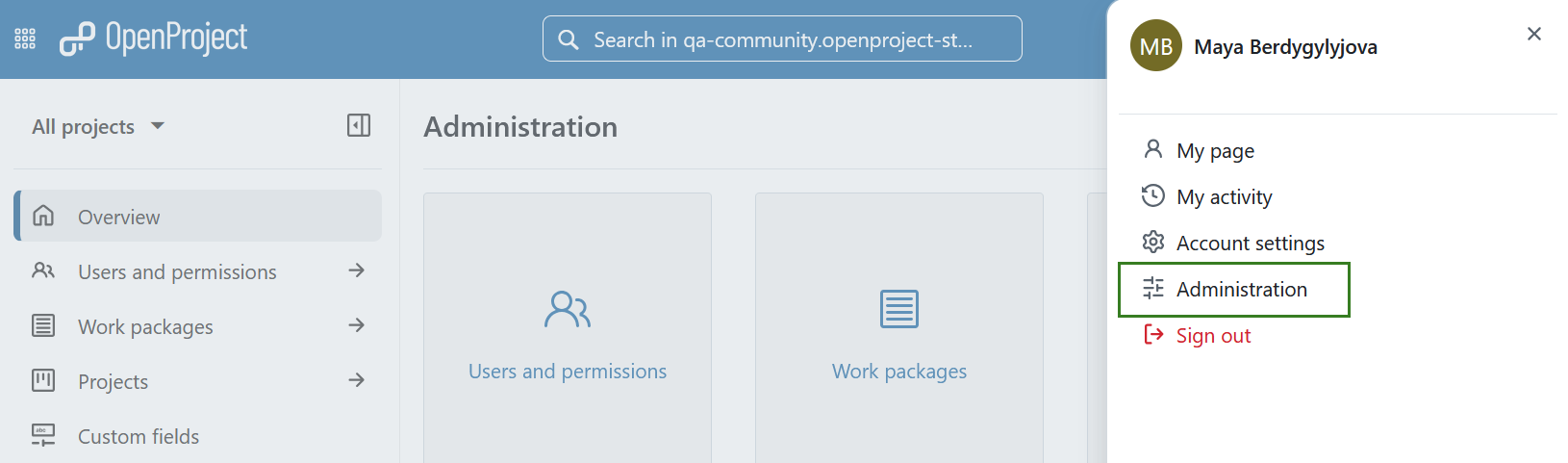
- Click your user avatar in the upper-right corner and select Administration from the dropdown menu.
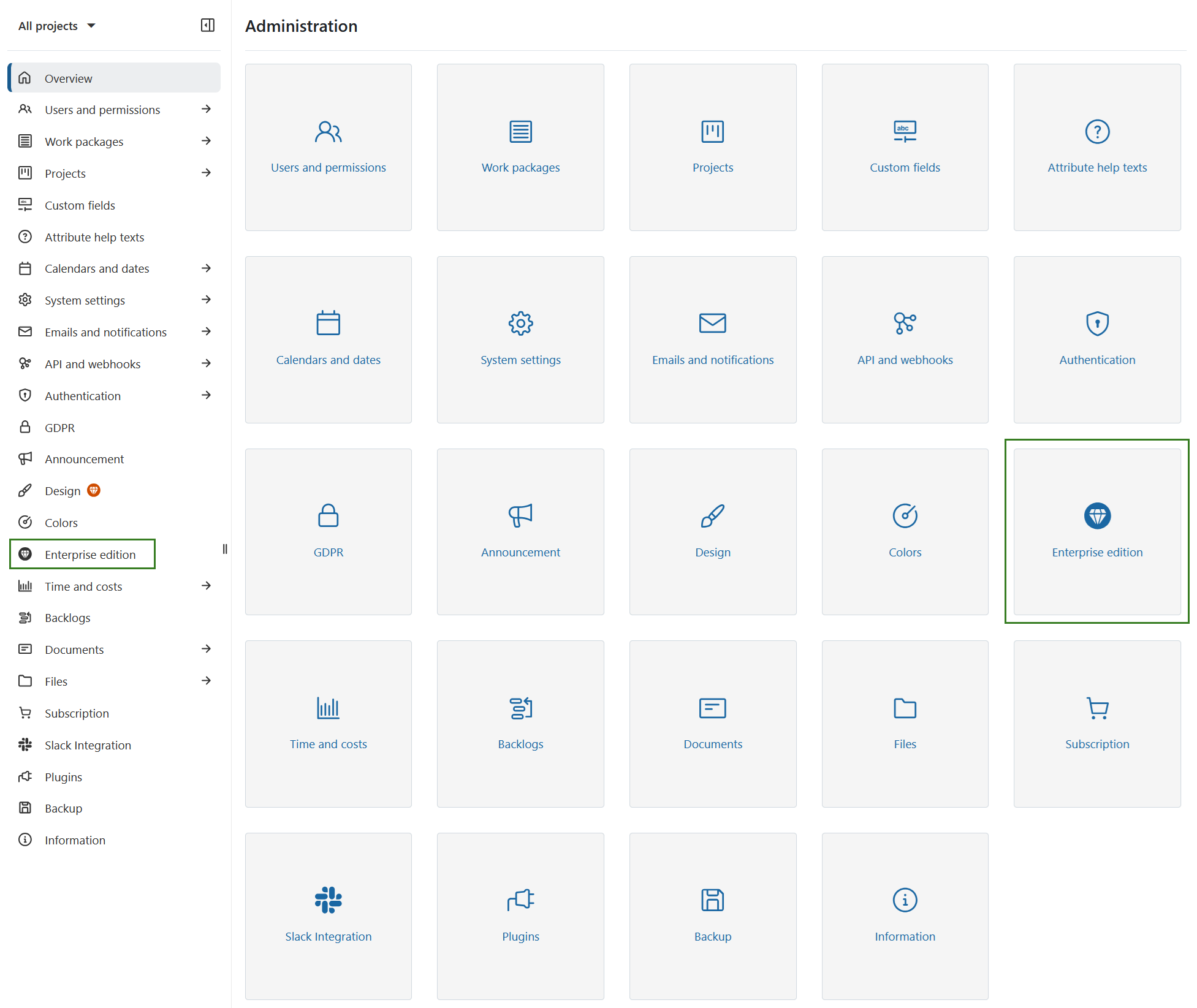
- In the administration menu, select Enterprise edition.
-
If you already have an Enterprise on-premises token, click + Add enterprise token, paste the full token content into the dialog, and click Add to save.
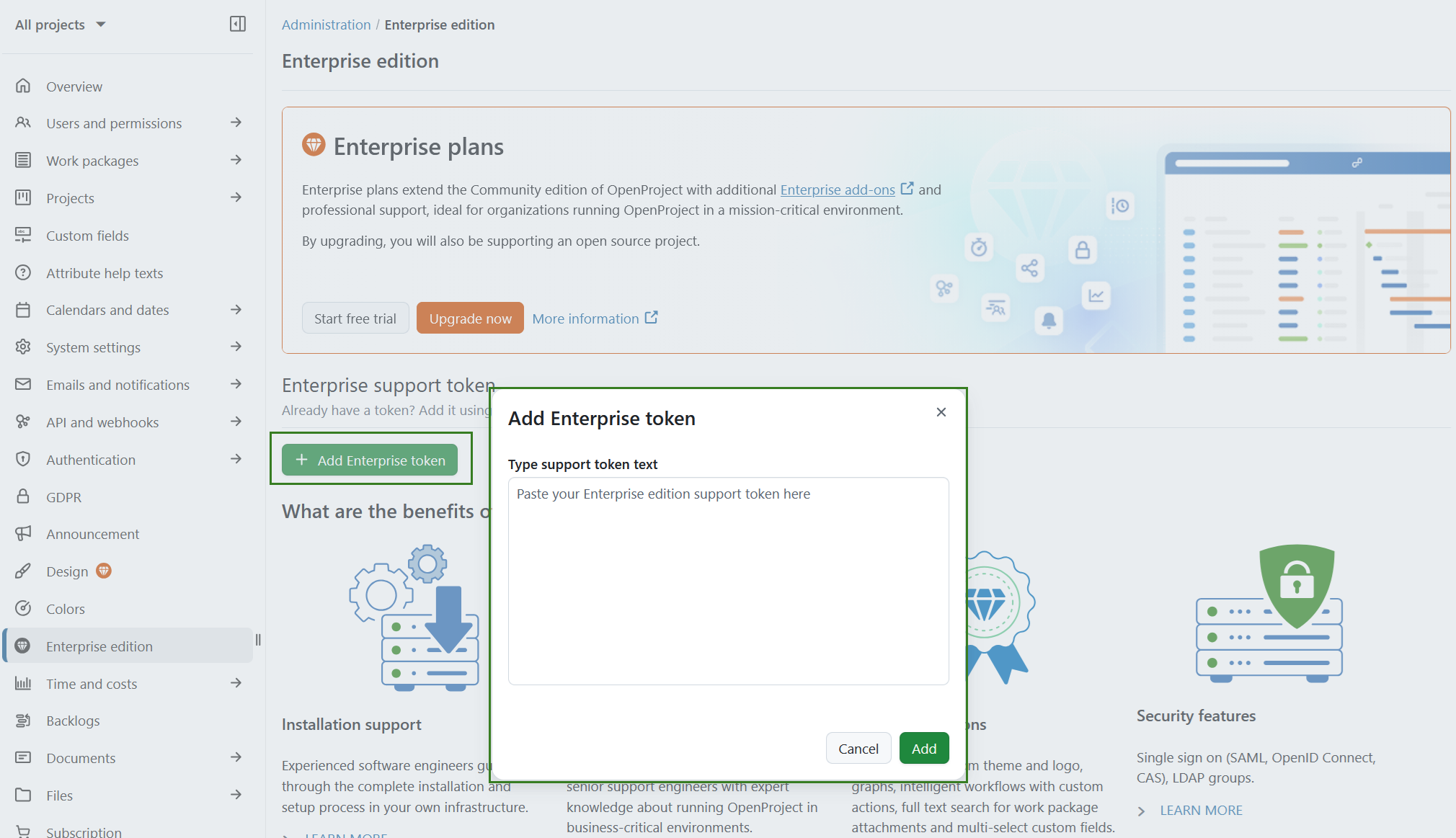
If you do not yet have a token, you can either order an Enterprise on-premises token or request a trial token.
Once the token is saved successfully, your Enterprise on-premises edition is activated and the Enterprise add-ons become available immediately.
Order the Enterprise on-premises edition
To upgrade to the Enterprise on-premises edition, click the Upgrade now button displayed on the Enterprise edition page. Alternatively, you can request a trial token to evaluate the Enterprise add-ons before purchasing.
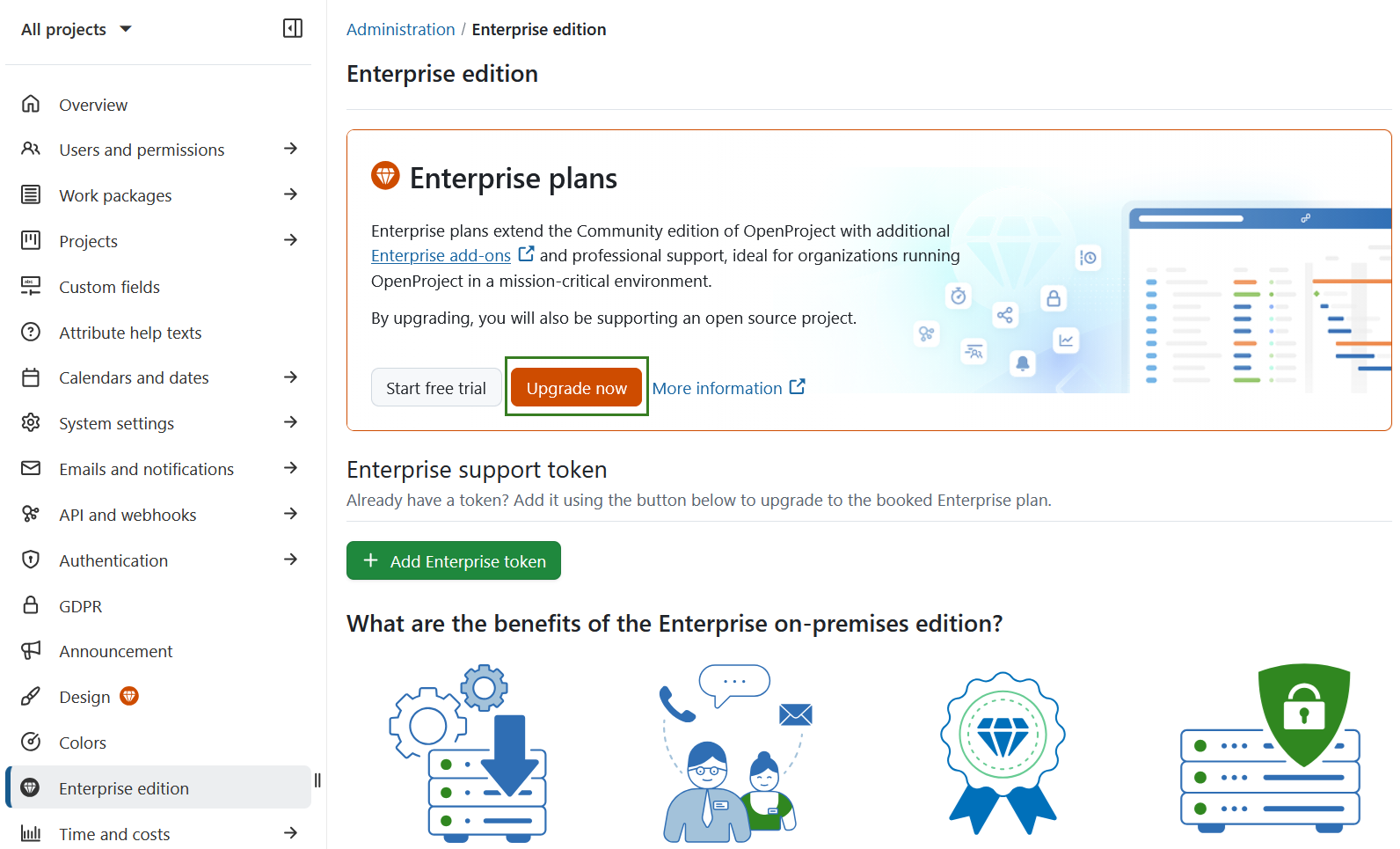
After purchasing an Enterprise on-premises token or receiving a trial token, activate it by pasting the token into the Enterprise edition section as described above.
For detailed information about pricing, booking, and billing, see our pricing and FAQ page.