Funções de pesquisa
Existem duas formas de pesquisar pacotes de trabalho, documentos, projetos e mais no OpenProject: A barra de pesquisa e a pesquisa avançada.
Barra de pesquisa
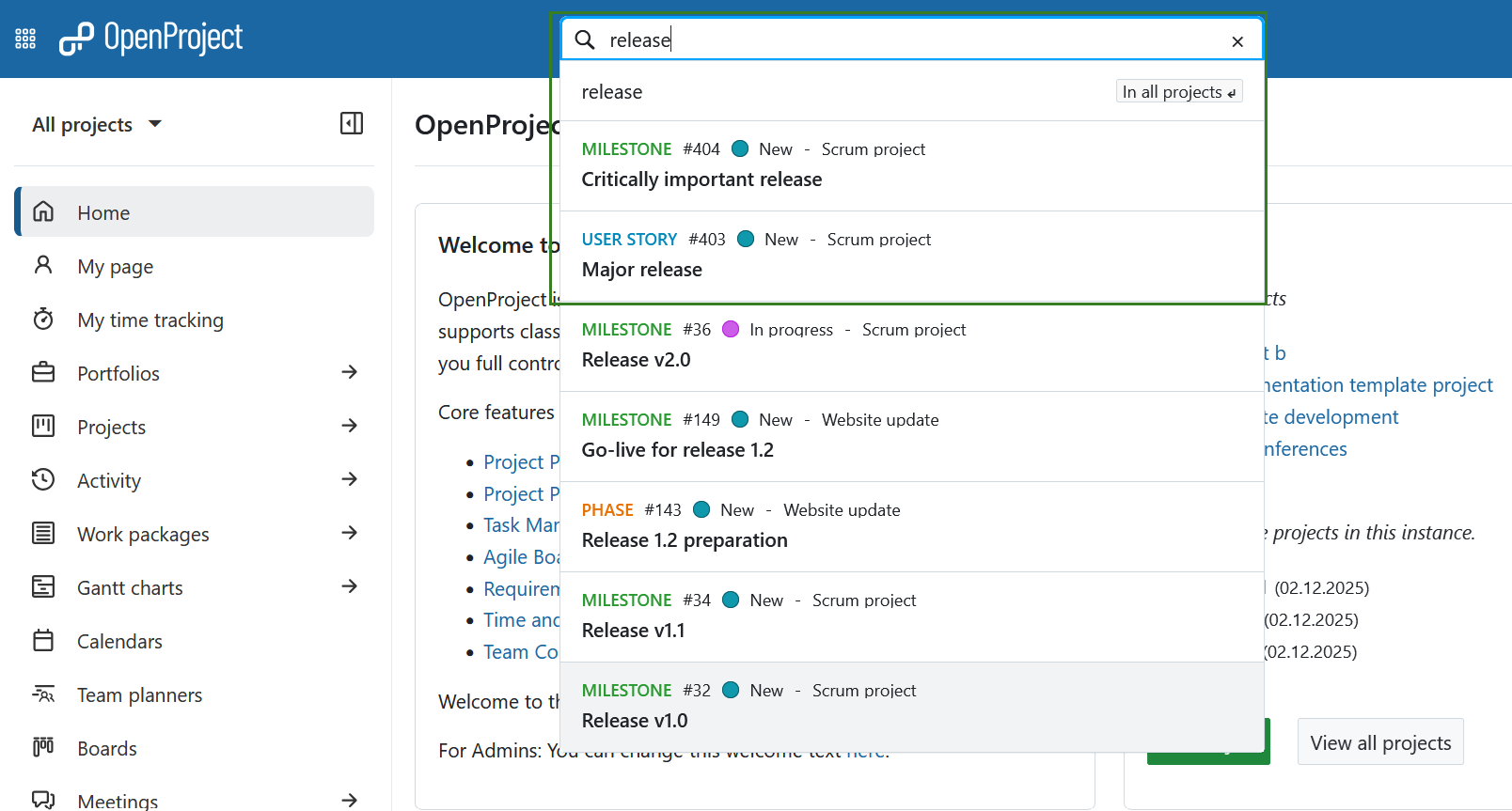
A barra de pesquisa está localizada no centro da navegação do cabeçalho. Para encontrar pacotes de trabalho por assunto, comece a escrever os seus termos de pesquisa - não prima Enter. Um completador automático irá sugerir pacotes de trabalho correspondentes de todos os projetos a que tem acesso. Pode clicar numa sugestão ou com o botão direito do rato para a abrir num novo separador.
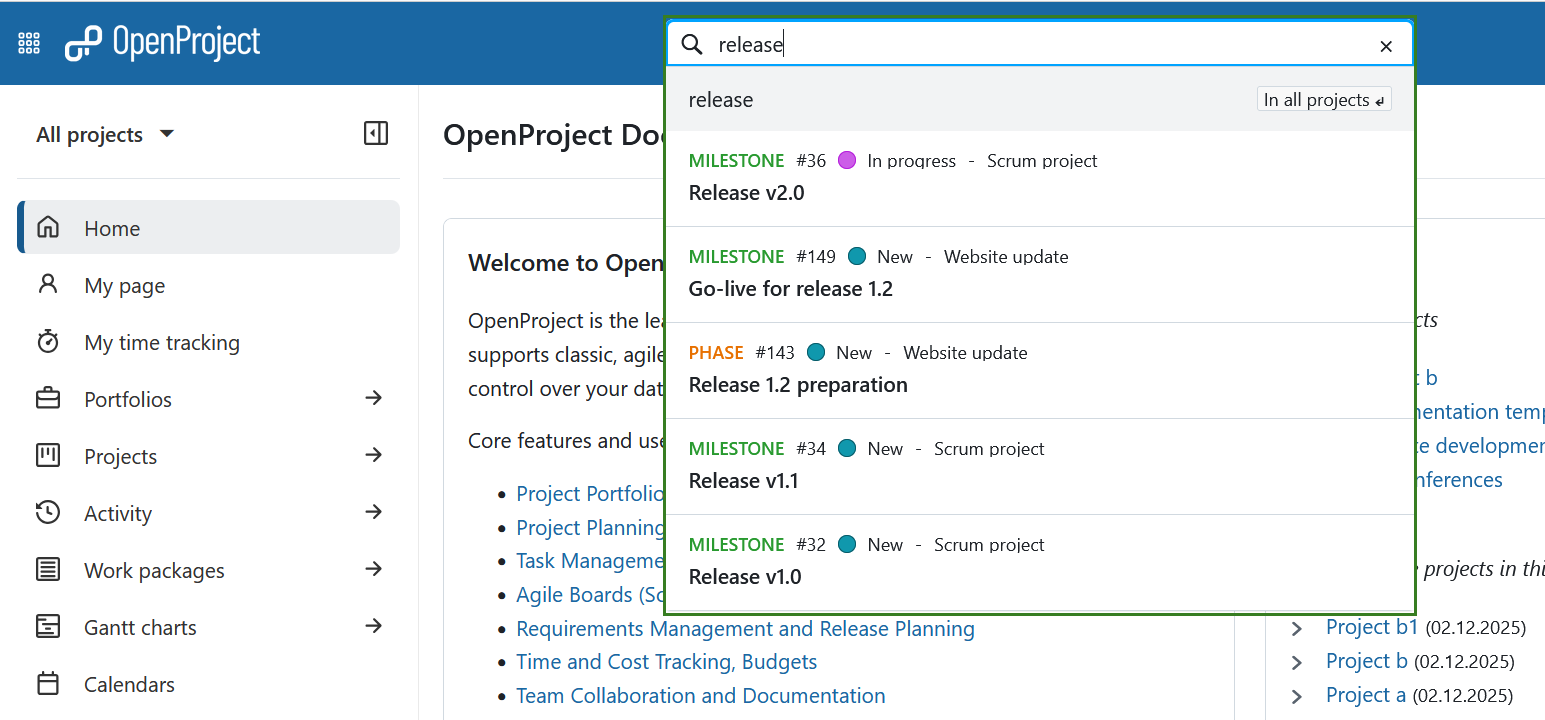
Também pode pesquisar por tipo de pacote de trabalho, estado, ID ou o projeto a que pertence. Por exemplo, comece por procurar uma palavra-chave num assunto: se introduzir a palavra “lançamento”, serão apresentados todos os pacotes de trabalho com a palavra “lançamento” no assunto.
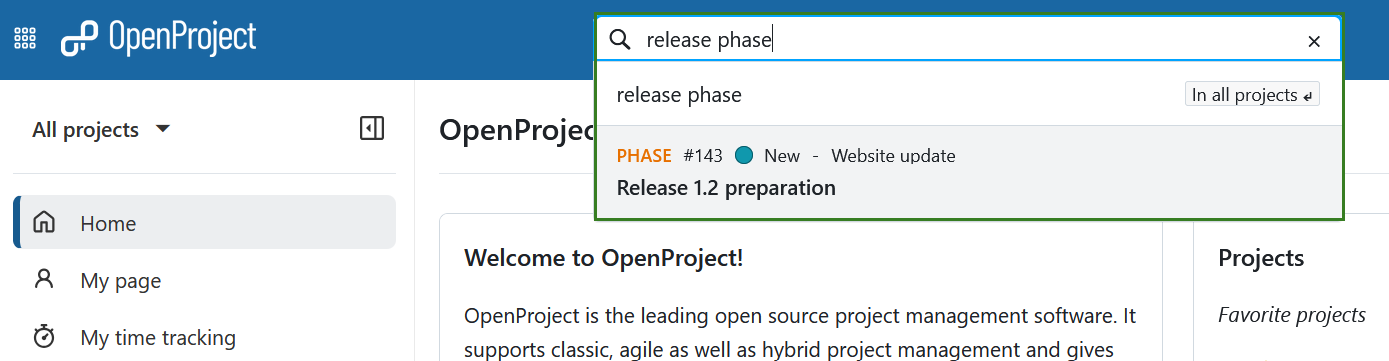
A adição de um tipo, como “fase “ (por exemplo, “fase de lançamento” ou “fase de lançamento”), restringe os resultados aos pacotes de trabalho desse tipo que contêm o termo.
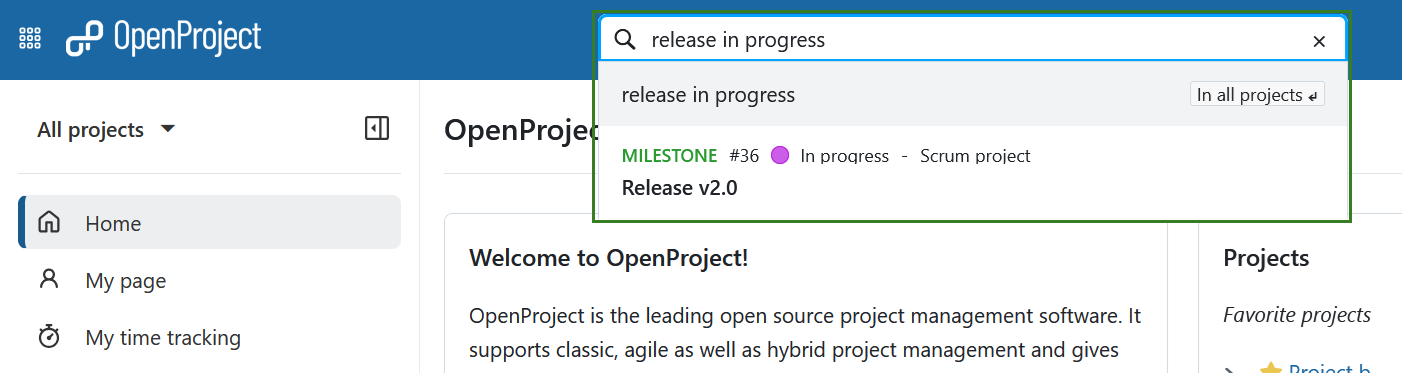
Também pode filtrar por estado, por exemplo “lançamento em curso”, que devolve os pacotes de trabalho atualmente em curso que contêm “lançamento” no assunto.
Dica
A pesquisa por “lançamento” também devolverá pacotes de trabalho cujo assunto contém o termo como parte de uma frase mais longa, como “lançamento principal”.
Pesquisa avançada
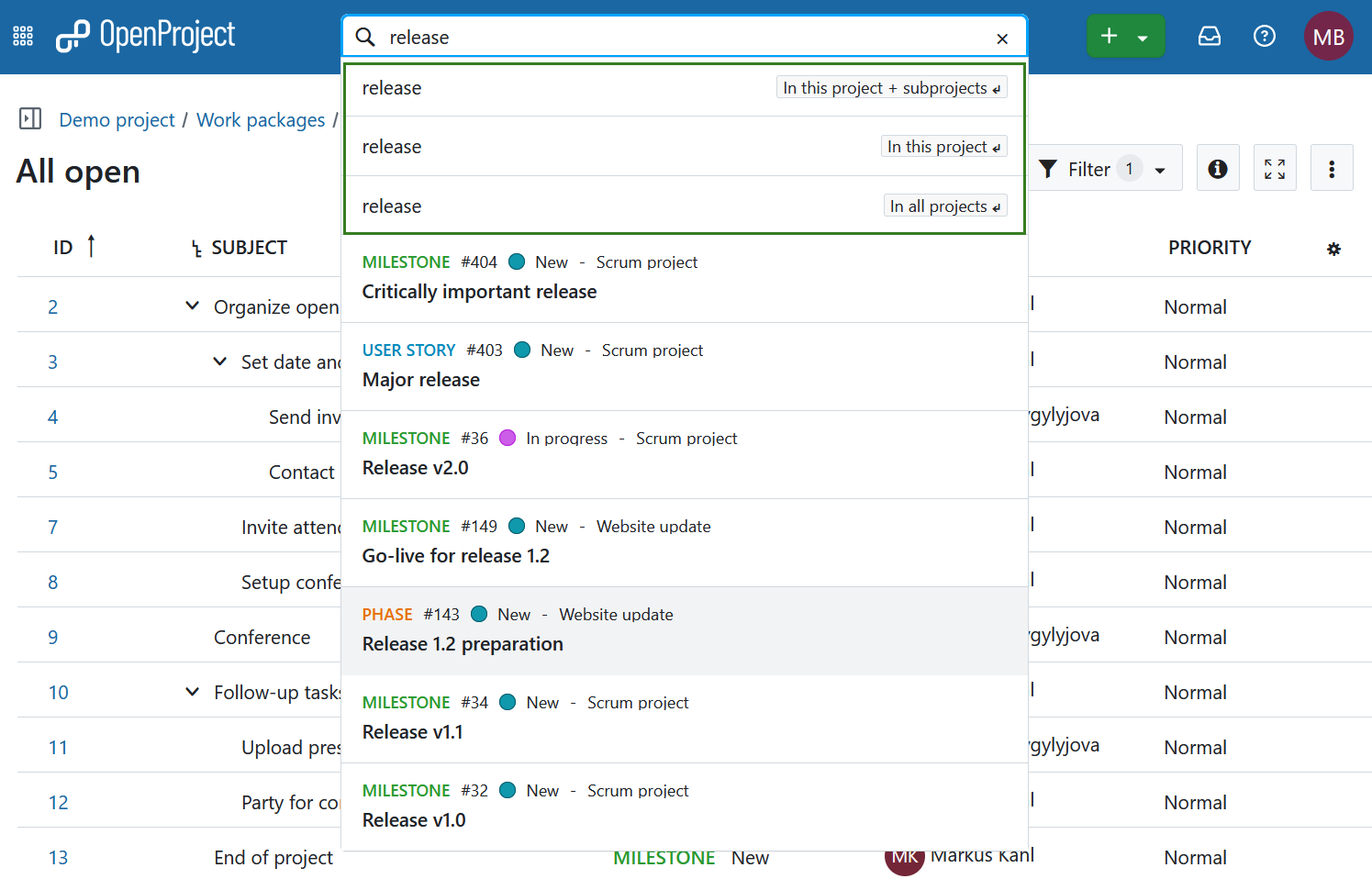
Para aceder à pesquisa mais detalhada e avançada, escolha uma das opções apresentadas por baixo da barra de pesquisa com as teclas de setas (depois prima a tecla Enter), ou utilizando o rato. Se não tiver um projeto aberto no momento (ou seja, se estiver no nível global), as duas primeiras opções não serão mostradas.
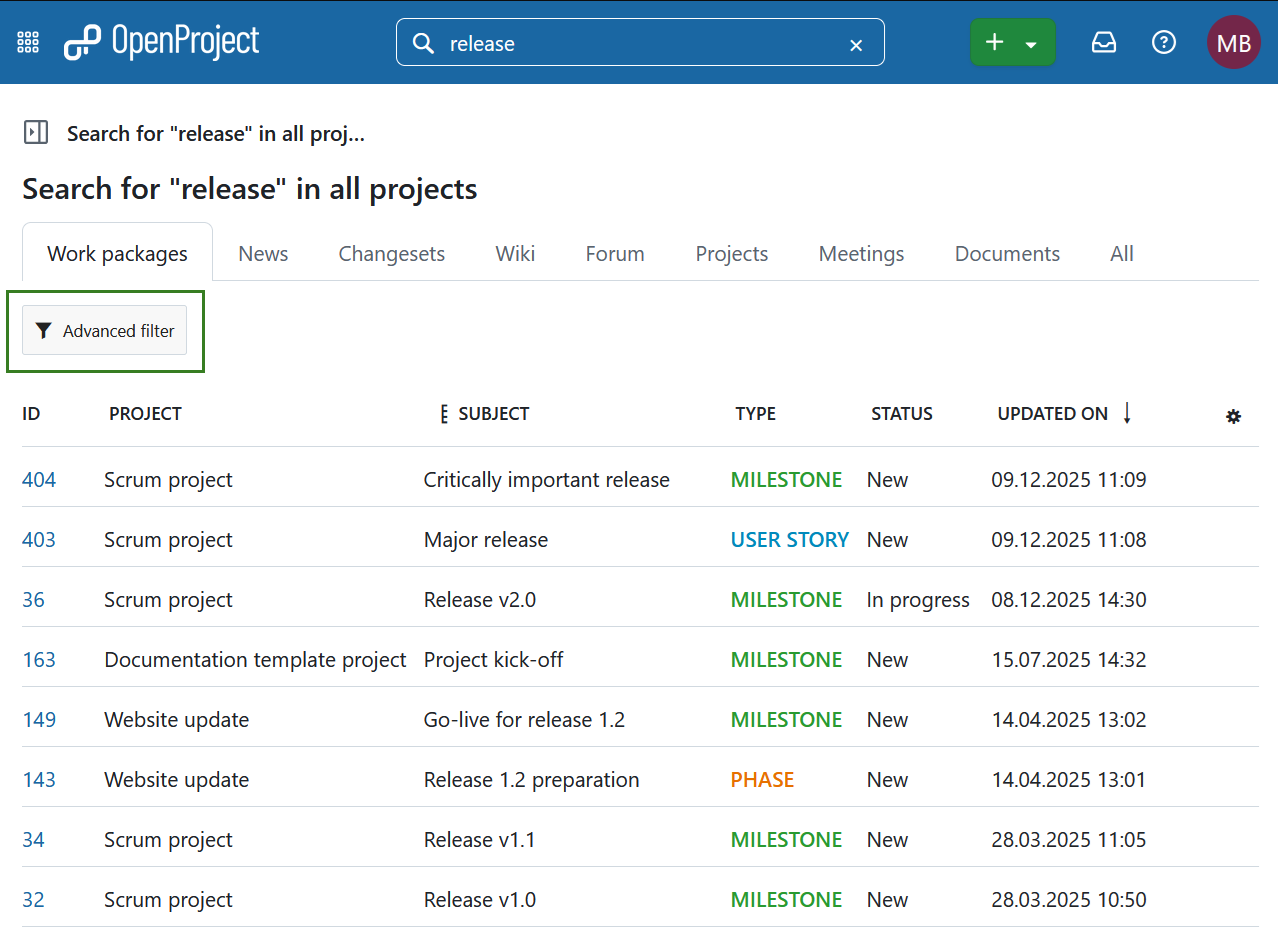
Pode agora ver os resultados da pesquisa de diferentes categorias ou secções do OpenProject. Na secção de pacotes de trabalho, pode clicar em Filtro avançado para aceder a opções de filtro adicionais. Permite utilizar os mesmos critérios de pesquisa que nas tabelas de pacotes de trabalho.
Nota
Não é possível encontrar conteúdos de projetos arquivados. Terá de os desarquivar primeiro na página de síntese dos projetos globais.
Pesquisa de texto completo
A barra de pesquisa do OpenProject está configurada para pesquisa de texto completo. Isto significa que pode pesquisar não só títulos, mas também conteúdos como páginas wiki ou descrições de pacotes de trabalho e anexos.
O título e a descrição de um pacote de trabalho também podem ser encontrados através da filtragem por texto. Para além da pesquisa de texto completo, pode pesquisar pacotes de trabalho com base no nome do ficheiro anexado ou mesmo no conteúdo de um anexo.
Pacotes de trabalho vistos recentemente
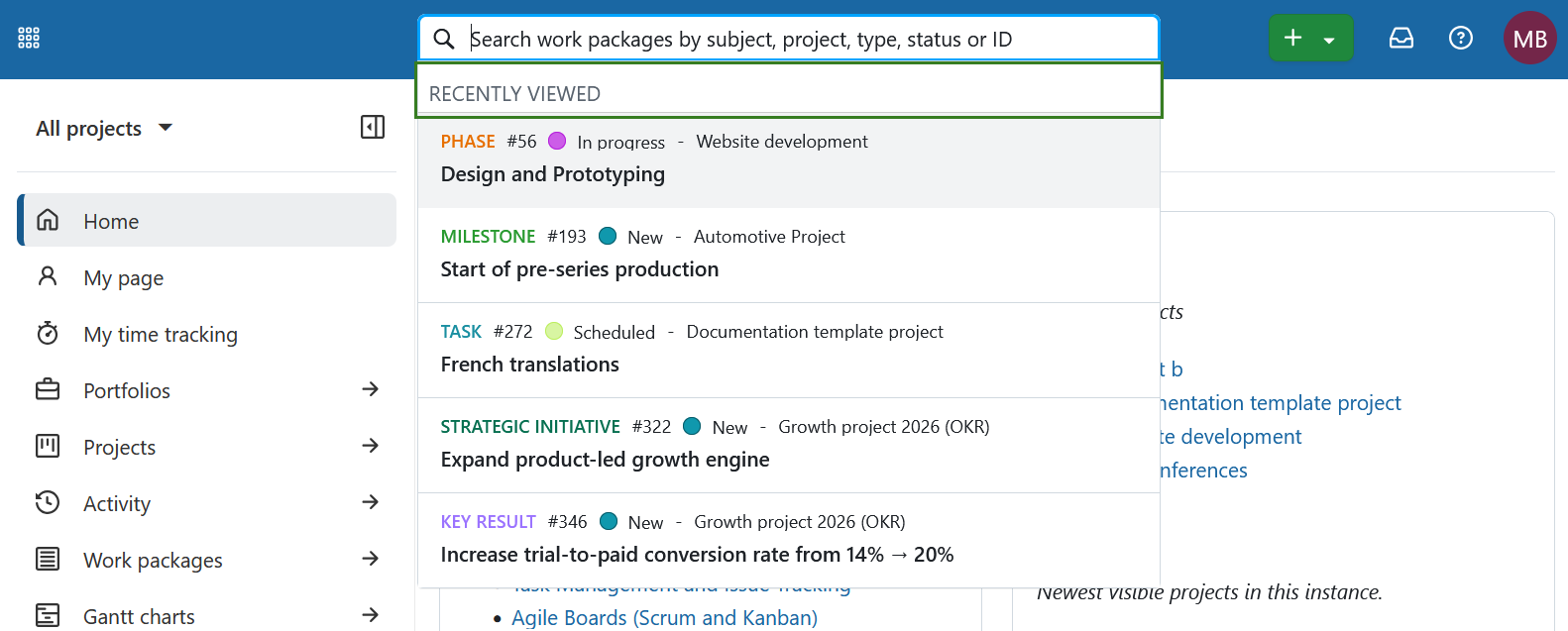
Clicar na barra de pesquisa mostra imediatamente os seus pacotes de trabalho vistos mais recentemente, mesmo antes de começar a escrever.