Funciones de búsqueda
Existen dos formas de buscar paquetes de trabajo, documentos, proyectos, etc. en OpenProject: la barra de búsqueda y la búsqueda avanzada.
Barra de búsqueda
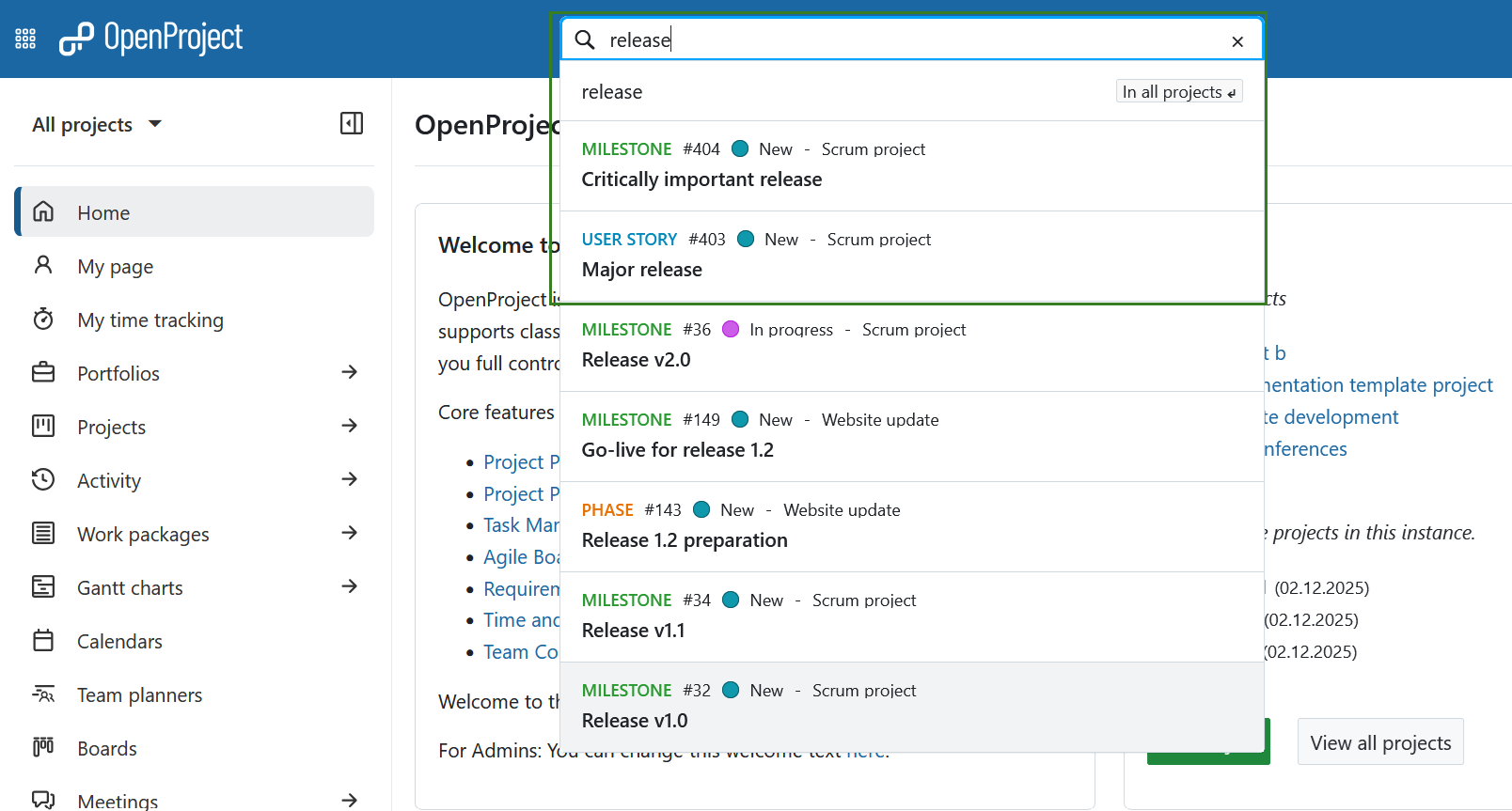
La barra de búsqueda se encuentra en el centro de la barra de navegación superior. Para buscar paquetes de trabajo por tema, comience a escribir los términos de búsqueda, sin pulsar Intro. Un autocompletador le sugerirá paquetes de trabajo coincidentes de todos los proyectos a los que tenga acceso. Puede hacer clic en una sugerencia o pulsar el botón derecho del ratón para abrirla en una nueva pestaña.
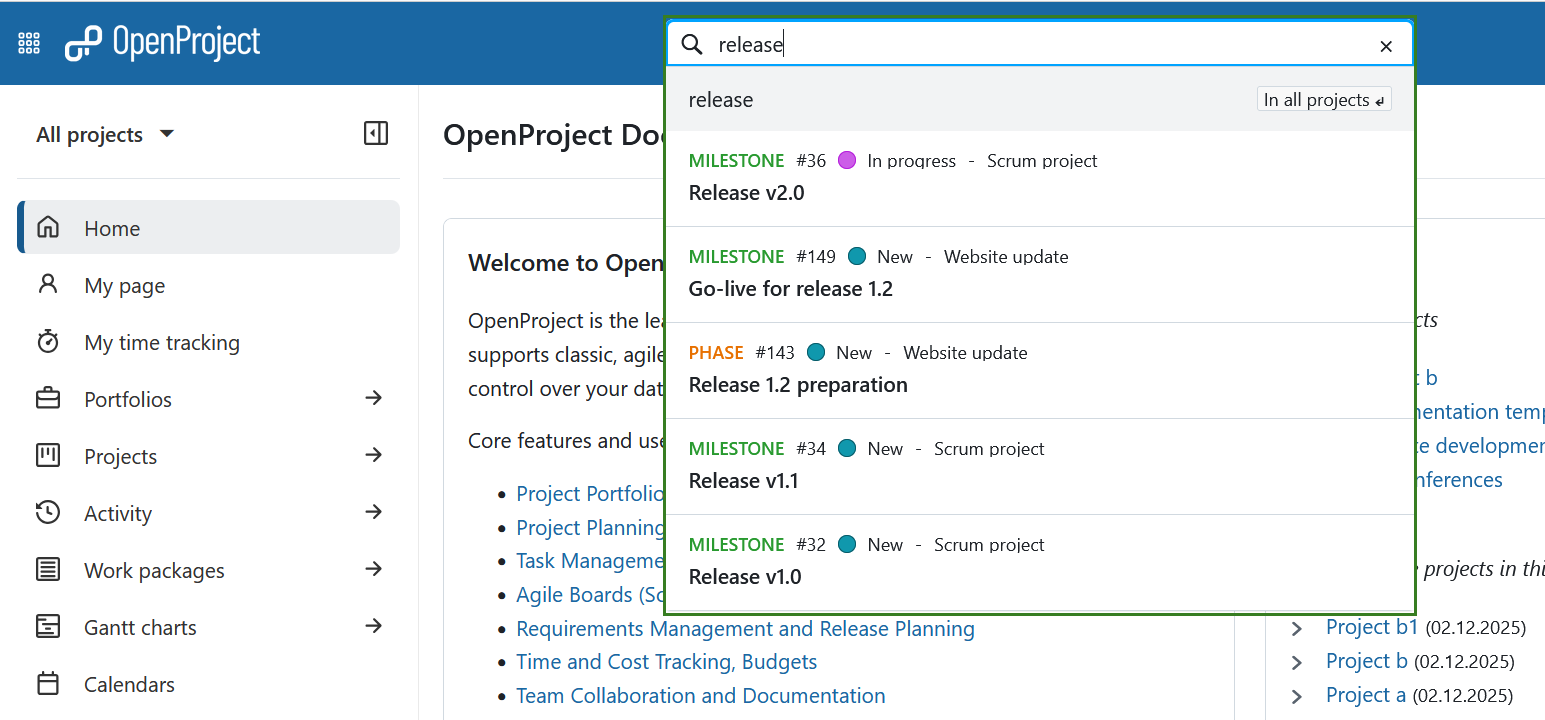
También puede buscar por tipo de paquete de trabajo, estado, ID o proyecto al que pertenece. Por ejemplo, comencemos buscando una palabra clave dentro de un asunto: al introducir la palabra «lanzamiento», se mostrarán todos los paquetes de trabajo que contengan la palabra «lanzamiento» en el asunto.
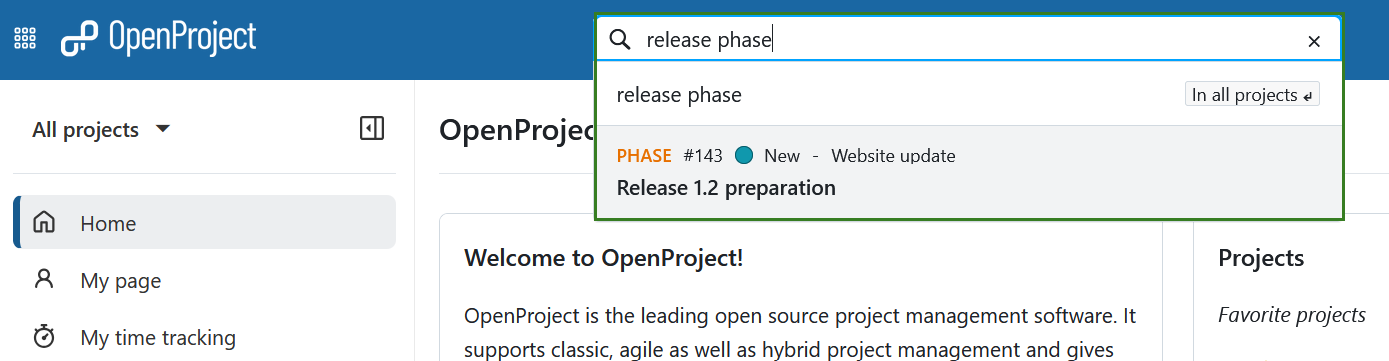
Al añadir un tipo, como «fase» (por ejemplo, «fase de lanzamiento» o «lanzamiento fase»), los resultados se limitan a los paquetes de trabajo de ese tipo que contienen el término.
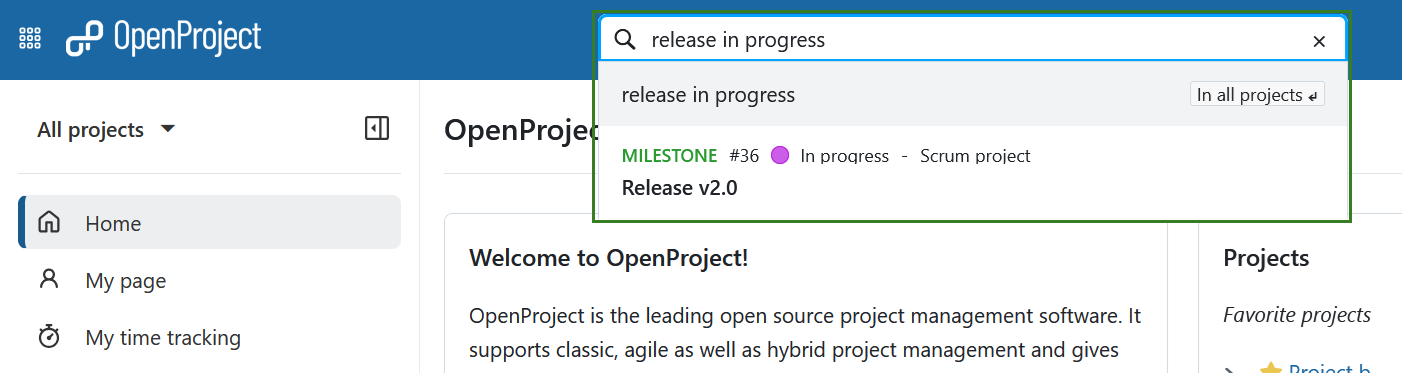
También puede filtrar por estado, por ejemplo, «lanzamiento en curso», para mostrar los paquetes de trabajo actualmente en curso que contienen «lanzamiento» en el asunto.
Consejo
La búsqueda de “release “ también devolverá paquetes de trabajo cuyo asunto contenga el término como parte de una frase más larga, como “major release “.
Búsqueda avanzada
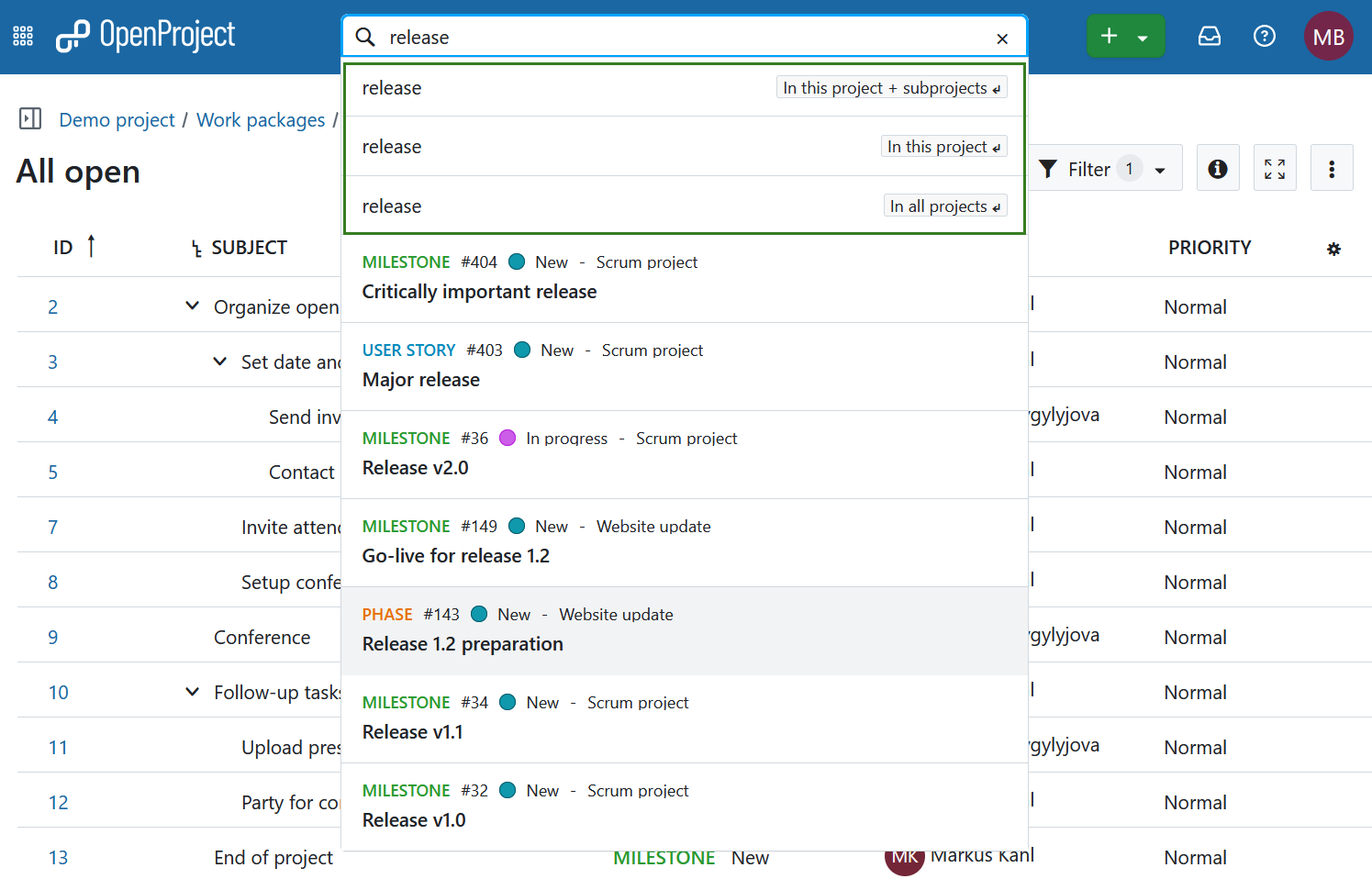
Para acceder a la búsqueda más detallada y avanzada, elija una de las opciones que aparecen debajo de la barra de búsqueda con las teclas de flecha (después pulse la tecla Intro) o utilizando el ratón. Si no tiene ningún proyecto abierto en este momento (es decir, se encuentra en el nivel global), las dos primeras opciones no se mostrarán.
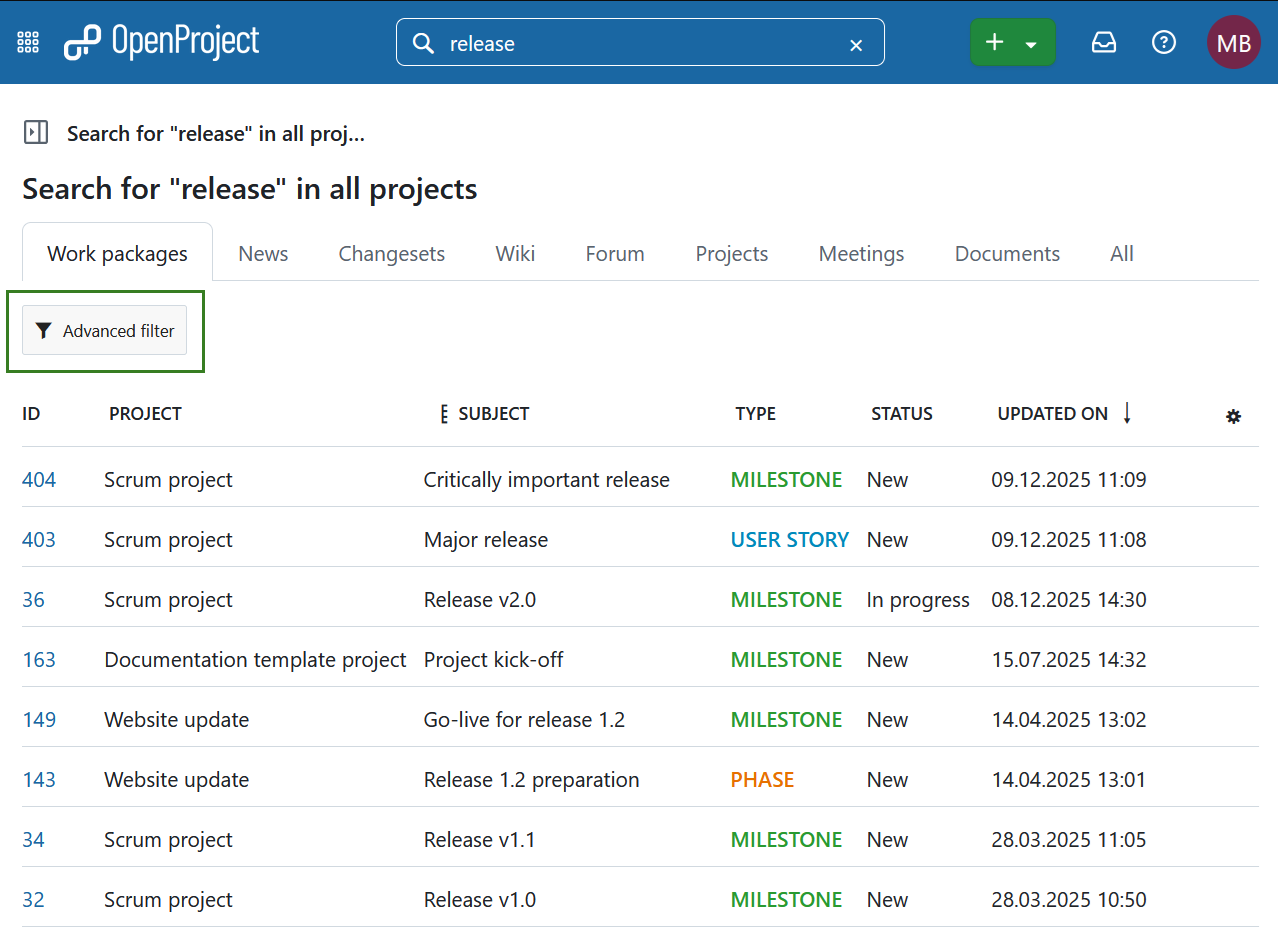
Ahora puede ver los resultados de la búsqueda en diferentes categorías o secciones de OpenProject. En la sección de paquetes de trabajo puede hacer clic en Filtro avanzado para acceder a opciones de filtro adicionales. Esto permite utilizar los mismos criterios de búsqueda que en las tablas de paquetes de trabajo.
Nota
No es posible encontrar contenidos de proyectos archivados. Tendrá que desarchivarlos primero en la página de resumen de proyectos global.
Búsqueda de texto completo
La barra de búsqueda de OpenProject está configurada para la búsqueda de texto completo. Esto significa que puede buscar no sólo encabezamientos, sino también contenidos como páginas wiki o descripciones de paquetes de trabajo y archivos adjuntos.
El título y la descripción de un paquete de trabajo también pueden encontrarse mediante filtrado por texto. Además de la búsqueda de texto completo, puede buscar paquetes de trabajo basándose en su nombre de archivo adjunto o incluso dentro del contenido de un archivo adjunto.
Paquetes de trabajo vistos recientemente
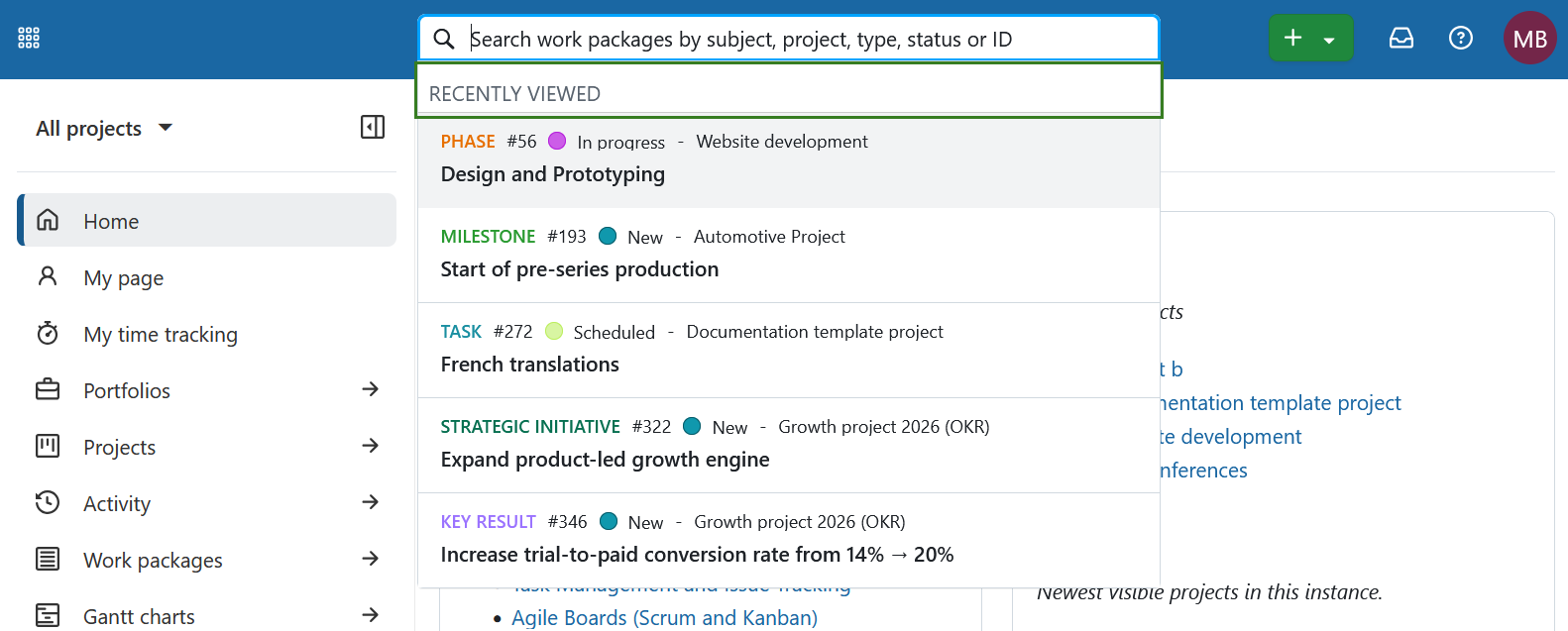
Al hacer clic en la barra de búsqueda, se muestran inmediatamente los paquetes de trabajo vistos más recientemente, incluso antes de empezar a escribir.