New project
The New project settings allow instance administrators to define default configuration values applied at project creation time. These settings allow you to configure:
- Default project visibility (public or private)
- Project modules enabled at creation time
- The initial project role assigned to non-admin project creators
- Notification behavior upon project creation
To configure defaults for newly created projects, navigate to Administration settings → Projects → New project.
Tipp
Changes made on this page apply globally to the instance and affect only projects created after the settings are saved. Existing projects and their configurations remain unchanged.
New project settings
The following options are available on the New project settings page:
-
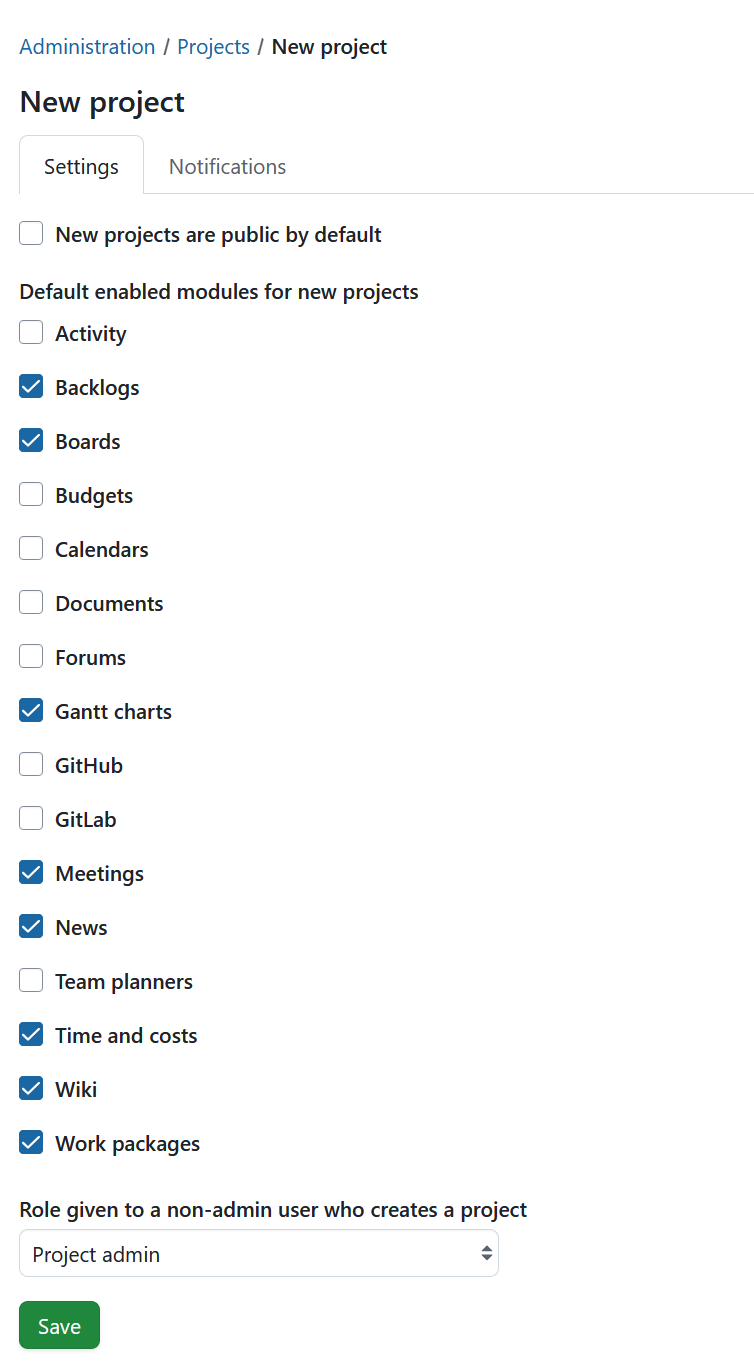
New projects are public by default When enabled, newly created projects are marked as public by default. Public projects are visible to all users according to their global permissions.
- Enabled: Projects are created as public.
- Disabled: Projects are created as private and must be explicitly changed to public by a project administrator.
-
Default enabled modules for new projects Defines which project modules are activated automatically when a project is created.
- Selected modules are enabled by default for all new projects.
- Project administrators can modify module availability at any time from the project settings.
-
Role given to a non-admin user who creates a project Specifies the project-level role automatically assigned to a user who creates a project and is not an instance administrator.
- Default value: Project admin
- The assigned role defines the permissions granted to the creator immediately after project creation.
Once you have adjusted the settings, click Save to apply them across the instance.
New project notifications
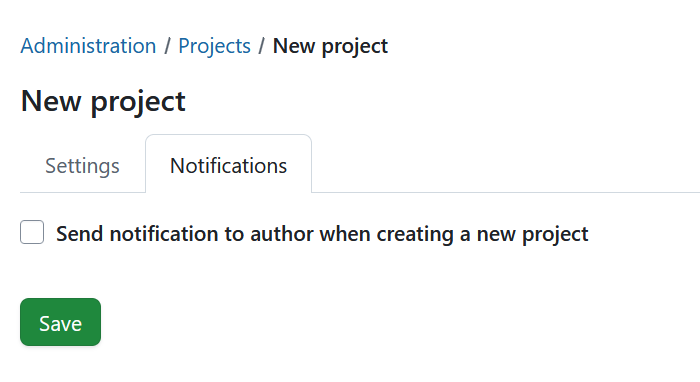
The Notifications tab controls whether a confirmation notification is sent to the project creator when a new project is created. When enabled, the project creator receives a notification confirming successful project creation.