Suchfunktionen
Es gibt zwei Möglichkeiten, nach Arbeitspaketen, Dokumenten, Projekten usw. in OpenProject zu suchen: Die Suchleiste und die erweiterte Suche.
Suchleiste
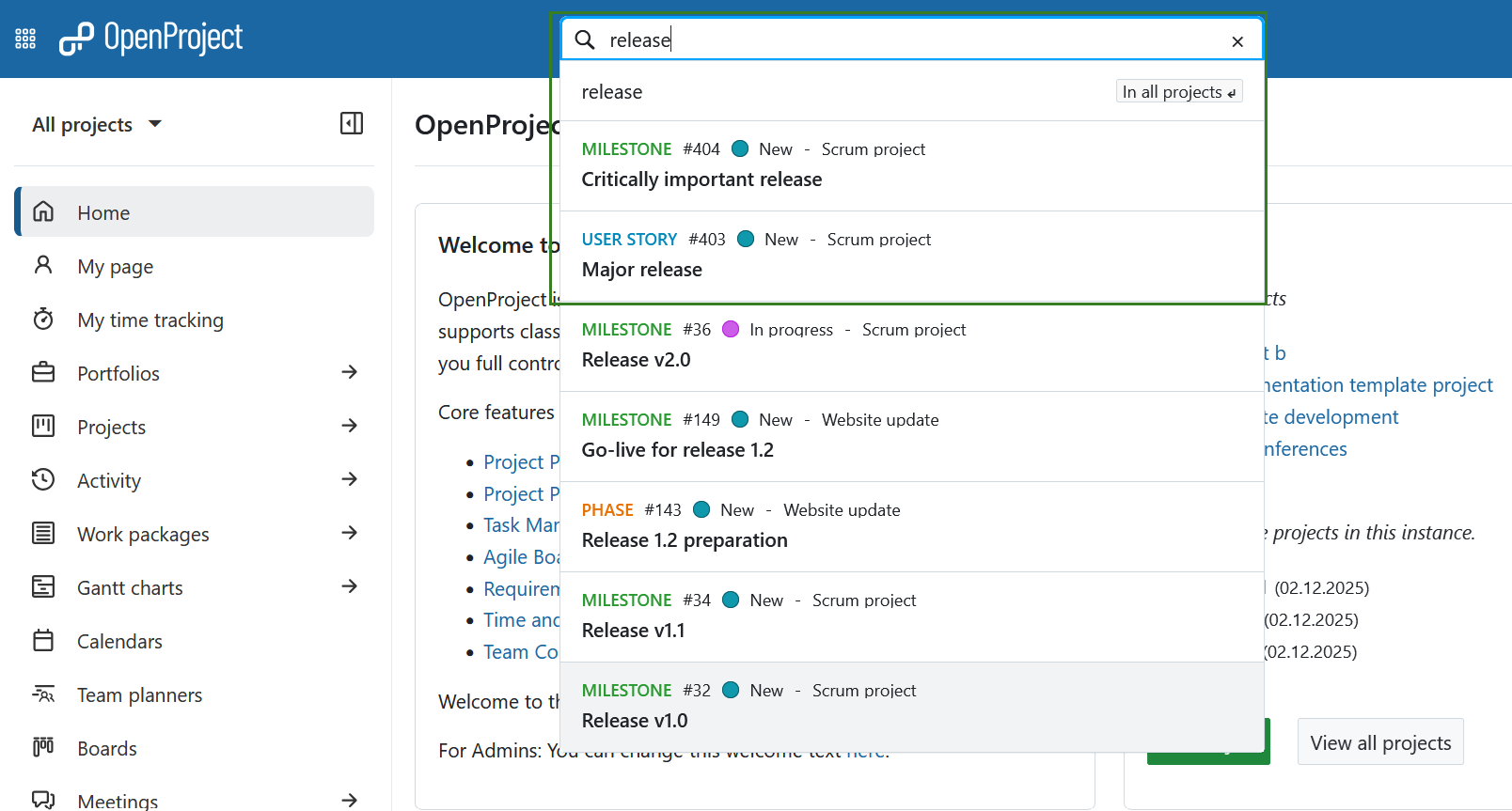
Die Suchleiste befindet sich in der Mitte der Kopfnavigation. Um Arbeitspakete nach Thema zu finden, geben Sie Ihre Suchbegriffe ein - drücken Sie nicht die Eingabetaste. Ein Autovervollständiger schlägt Ihnen passende Arbeitspakete aus allen Projekten vor, auf die Sie Zugriff haben. Sie können einen Vorschlag anklicken oder mit der rechten Maustaste anklicken, um ihn in einer neuen Registerkarte zu öffnen.
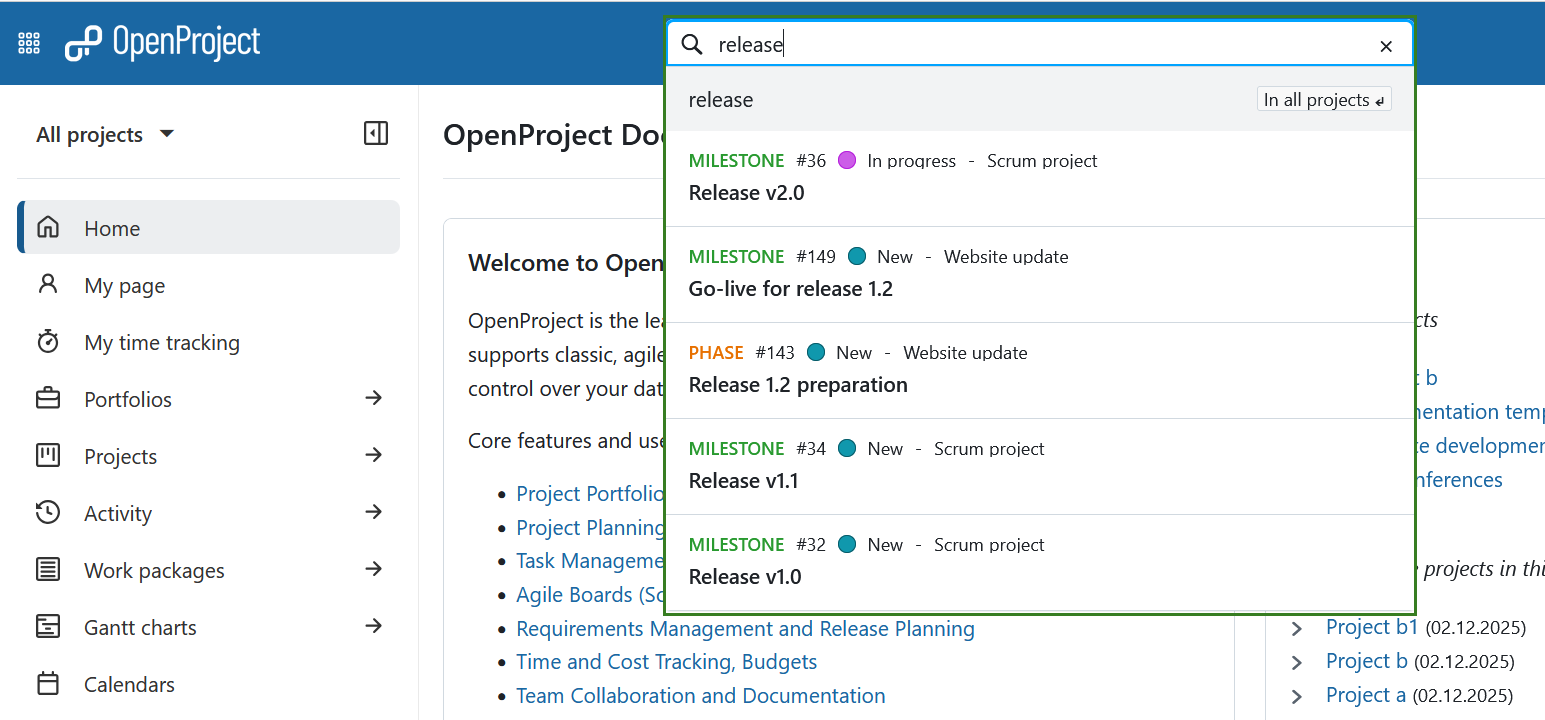
Sie können auch nach Arbeitspaket-Typ, Status, ID oder dem Projekt, zu dem es gehört, suchen. Beginnen wir zum Beispiel mit der Suche nach einem Schlüsselwort innerhalb eines Betreffs: Wenn Sie das Wort “Release “ eingeben, werden alle Arbeitspakete angezeigt, die das Wort “Release” im Betreff enthalten.
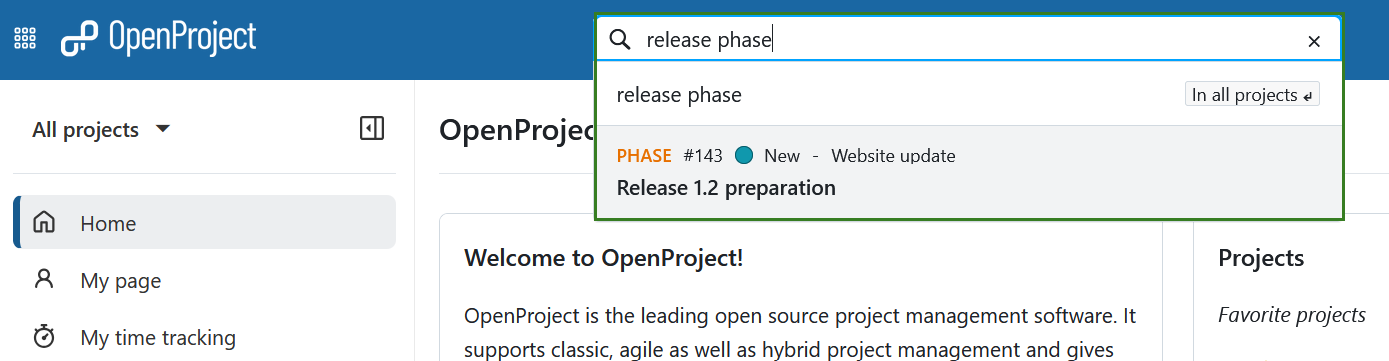
Durch Hinzufügen eines Typs, wie z.B. “Phase “ (z.B. “Phase Release “ oder “Release Phase “), werden die Ergebnisse auf Arbeitspakete dieses Typs eingeschränkt, die diesen Begriff enthalten.
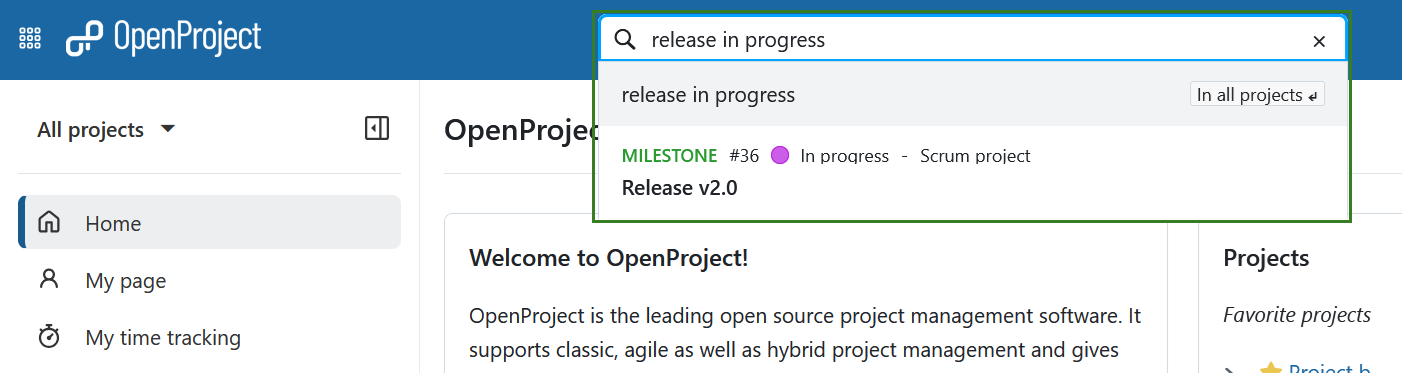
Sie können auch nach dem Status filtern, z.B. “Release in Progress “, was Ihnen Arbeitspakete zurückgibt, die derzeit in Arbeit sind und “Freigabe” im Betreff enthalten.
Tipp
Die Suche nach “Release” liefert auch Arbeitspakete, deren Betreff den Begriff als Teil einer längeren Phrase enthält, z.B. “major release”.
Erweiterte Suche
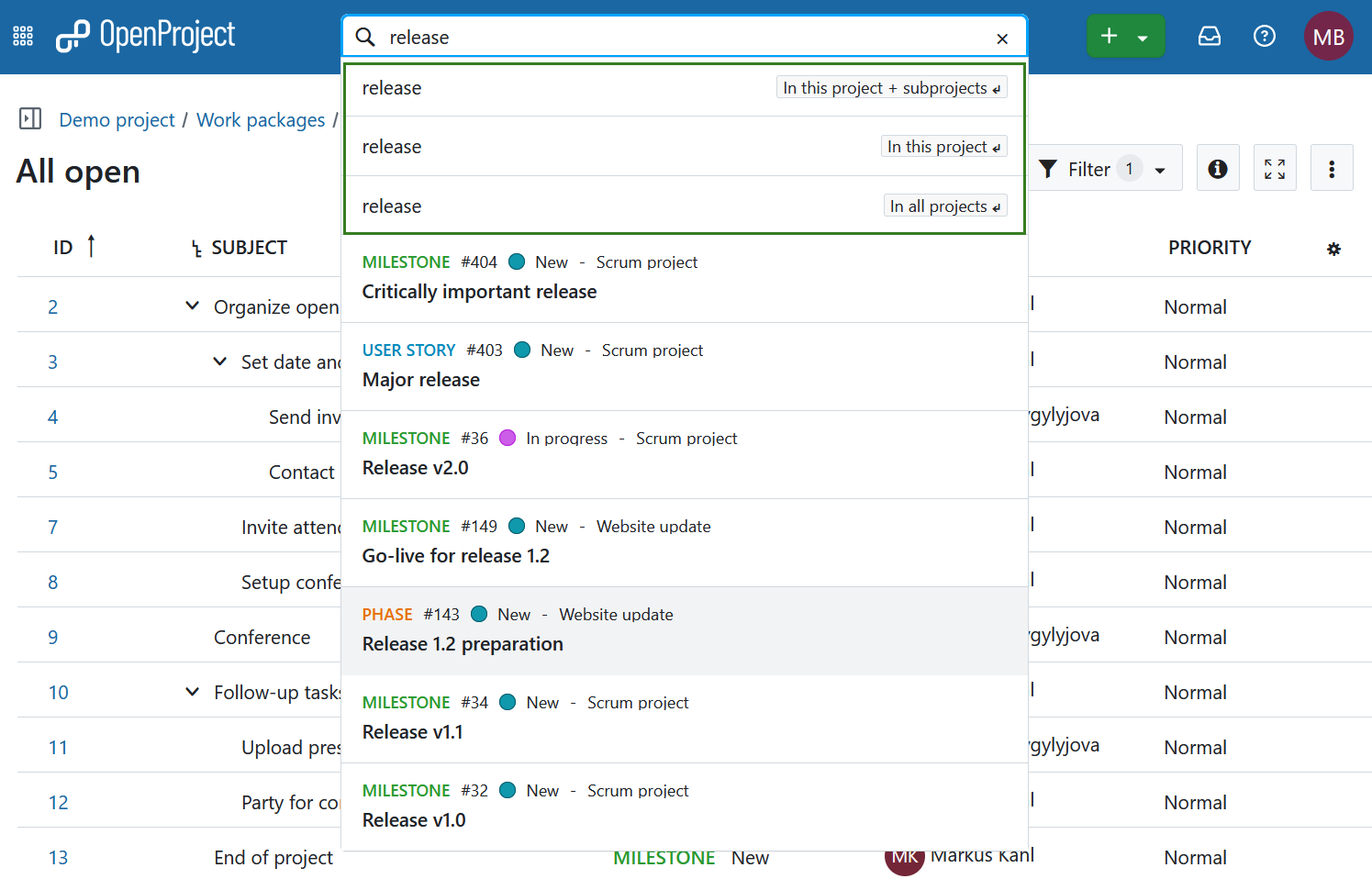
Um auf die detailliertere und erweiterte Suche zuzugreifen, wählen Sie eine der unter der Suchleiste angezeigten Optionen mit den Pfeiltasten (und durch das Betätigen der Eingabetaste) oder mit der Maustaste aus. Wenn Sie im Moment kein Projekt geöffnet haben (d.h. sich auf der globalen Ebene befinden), werden die ersten beiden Optionen nicht angezeigt.
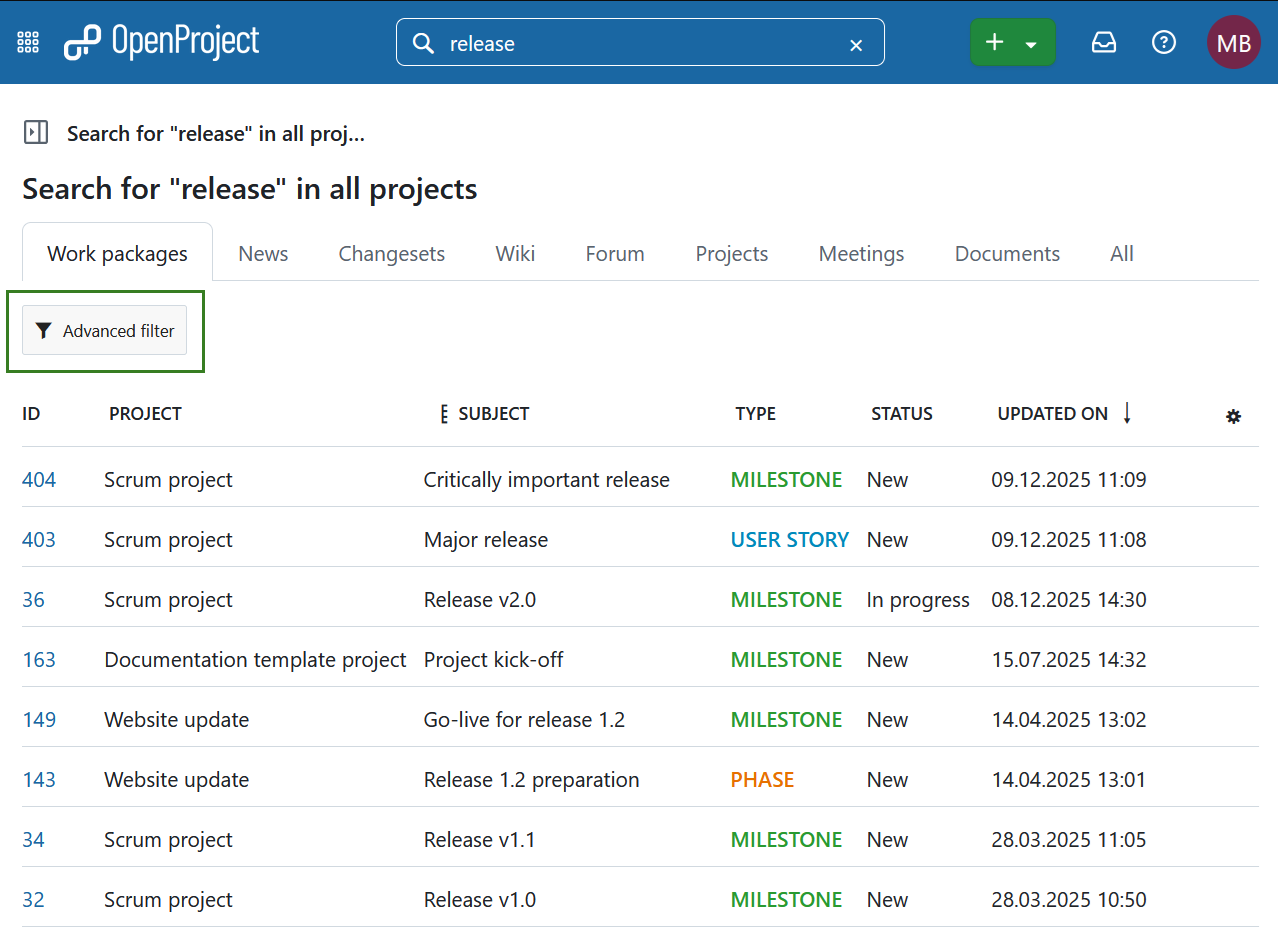
Sie können jetzt Suchergebnisse aus verschiedenen Kategorien oder Bereichen von OpenProject anzeigen. Im Bereich der Arbeitspakete können Sie auf Erweiterter Filter klicken, um zusätzliche Filteroptionen zu erhalten. So können Sie die gleichen Suchkriterien wie in den Arbeitspaket-Tabellen verwenden.
Hinweis
Es ist nicht möglich, Inhalte aus archivierten Projekten zu finden. Sie müssen diese zuerst auf der globalen Projektübersichtsseite entarchivieren.
Volltextsuche
Die OpenProject Suchleiste ist für die Volltextsuche konfiguriert. Das bedeutet, dass Sie nicht nur Überschriften, sondern auch Inhalte wie Wiki-Seiten oder Arbeitspaketbeschreibungen und Anhänge durchsuchen können.
Der Titel und die Beschreibung eines Arbeitspakets können auch durch Filtern nach Text gefunden werden. Neben der Volltextsuche können Sie Arbeitspakete über den Namen angehängter Dateien durchsuchen oder sogar innerhalb des Inhalts eines Anhangs suchen.
Zuletzt angesehene Arbeitspakete
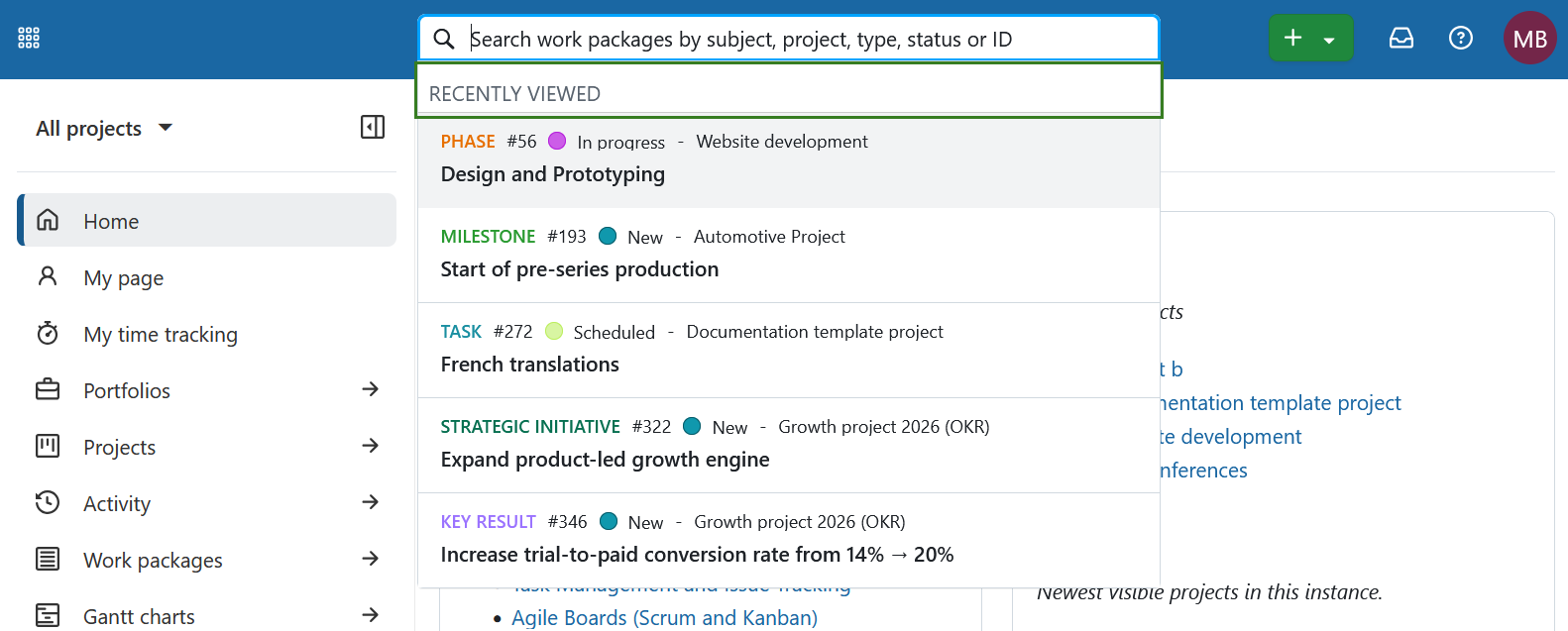
Wenn Sie auf die Suchleiste klicken, werden sofort Ihre zuletzt angesehenen Arbeitspakete angezeigt, noch bevor Sie mit der Eingabe beginnen.