Projekt-Attribute
Übersicht der Projekt-Attribute
Projektattribute sind eine Reihe von selbstdefinierten Feldern auf Projektebene, mit denen Sie bestimmte Arten von Informationen anzeigen können, die für Ihr Projekt relevant sind. Projekt-Attribute werden auf der ersten “Übersicht” Registerkarte der Projekt-Startseite angezeigt.
Project attributes must first be created on an instance level administration and then activated for a specific project under project settings.
Die Abschnitte mit den Projektattributen können entweder in einem Bereich auf der rechten Seite unter Projektlebenszyklusphasen oder im Hauptbereich unter den projektbezogenen Widgets angezeigt werden. The location of project attribute sections is determined under project attribute settings in system administration.
Projektattribute sind immer in Abschnitten gruppiert.
Tipp
Your view of the project attributes may vary depending on your roles and permissions in OpenProject. Die Projektattribute sind für Benutzer:innen mit der Berechtigung Projektattribute ansehen sichtbar. Die Bearbeitungssymbole sind für Benutzer:innen mit der Berechtigung Projektattribute bearbeiten sichtbar.
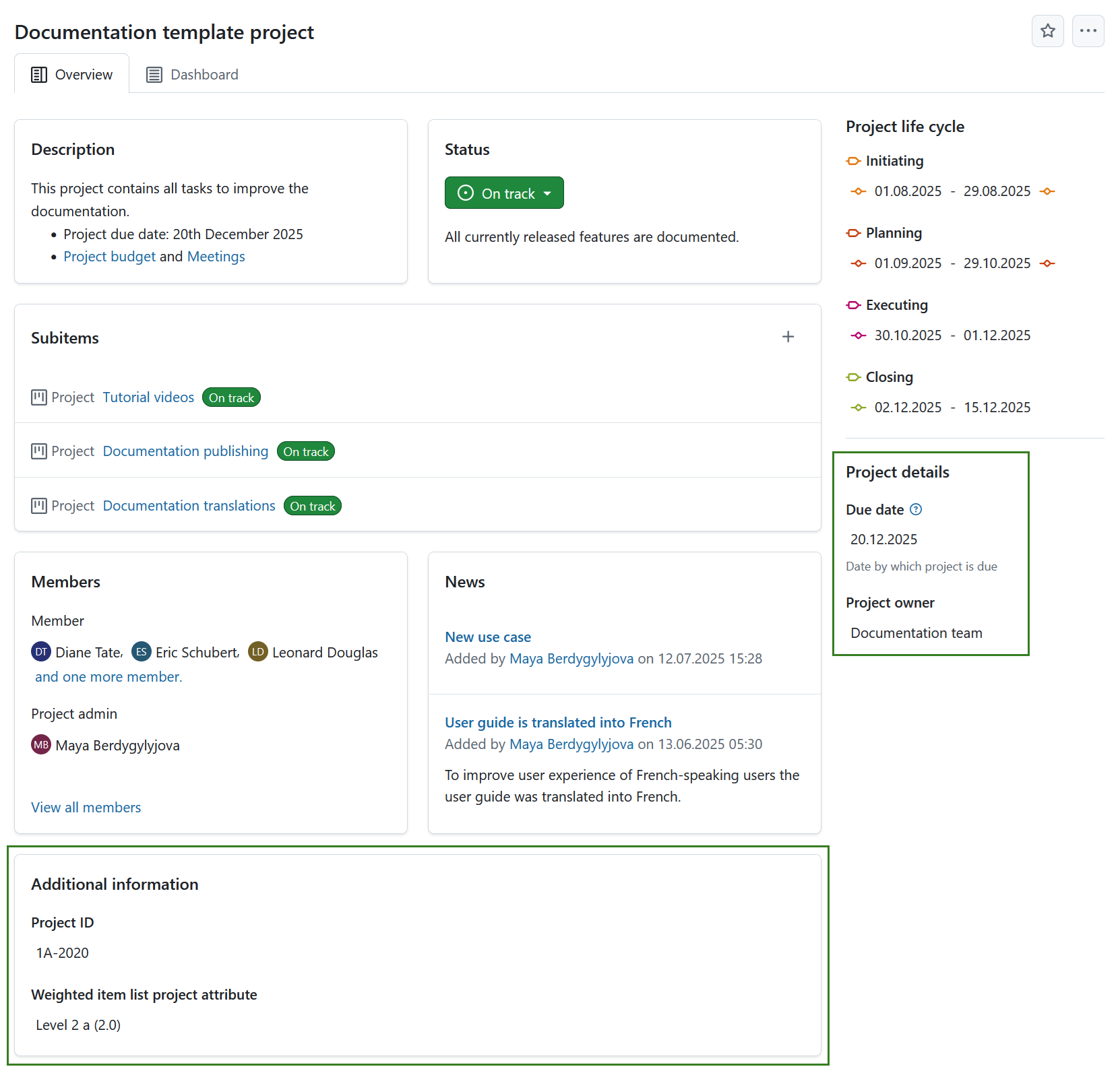
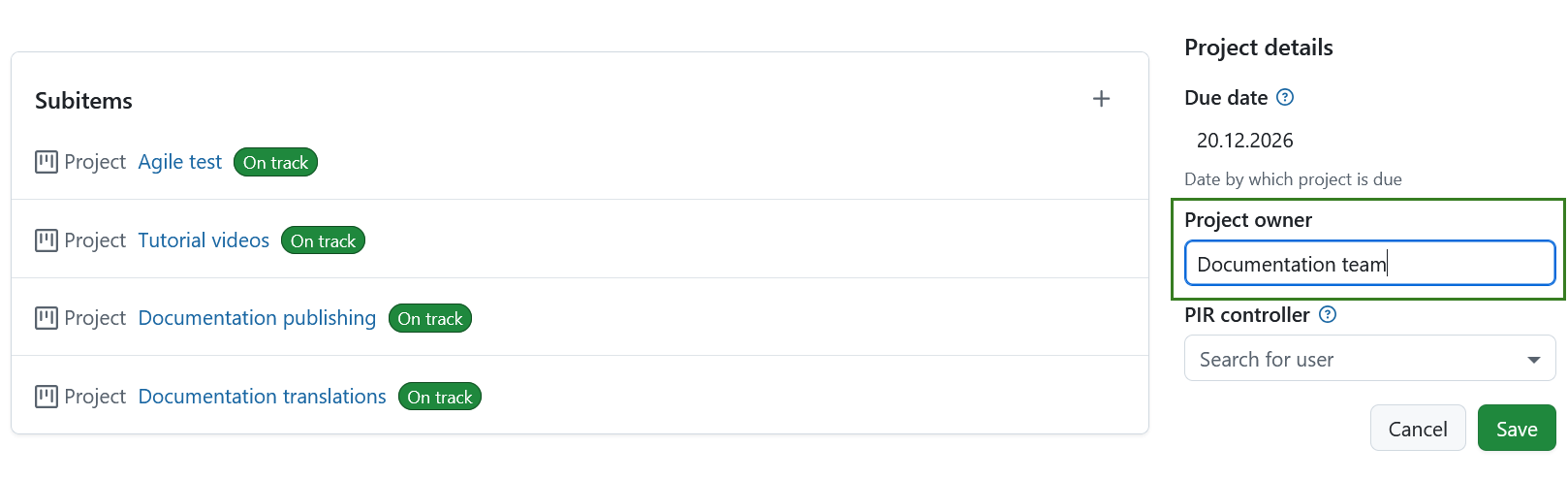
Um den Wert eines sichtbaren Projektattributs zu bearbeiten, klicken Sie einfach auf diesen Wert. For most attributes, you can edit the value directly in place.
Depending on the field type, changes are saved differently. For example, text fields can be confirmed with Enter or canceled with Escape, while checkboxes are saved automatically when changed.
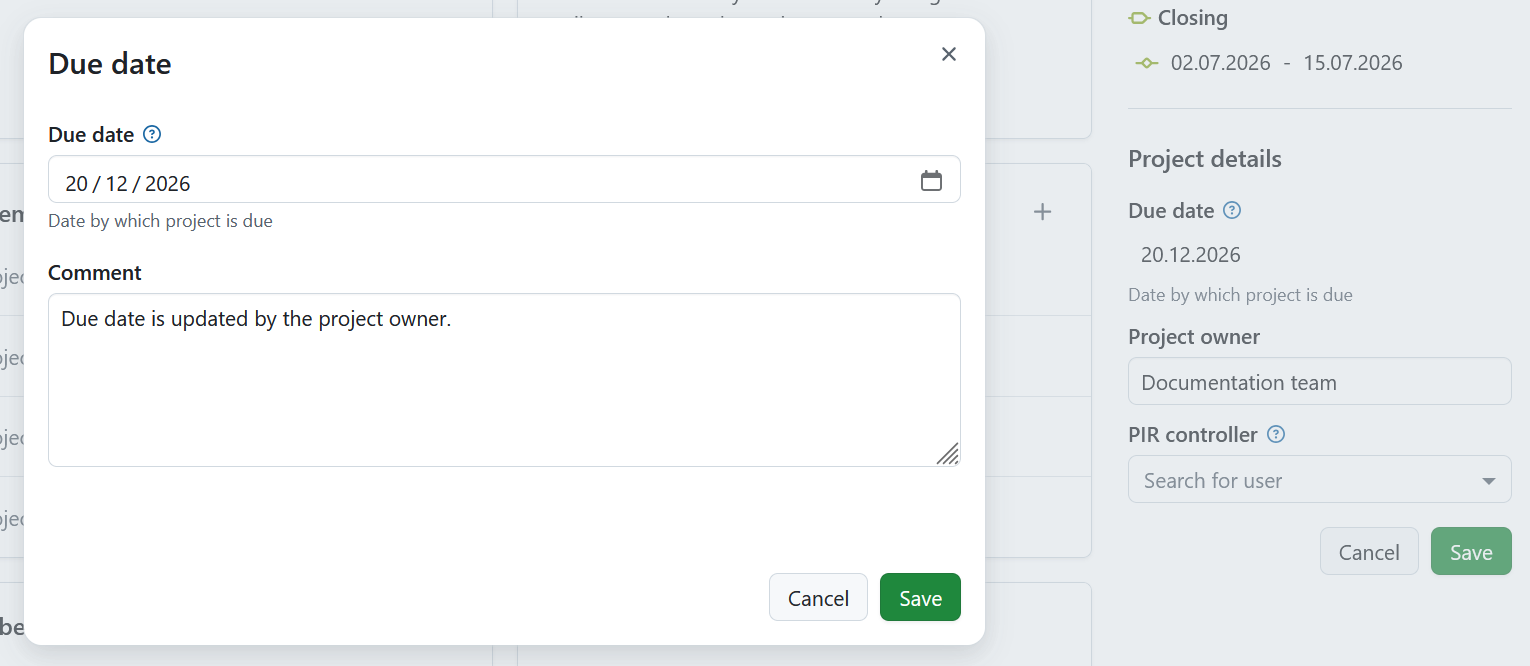
For certain attributes, a modal will be displayed instead. This applies to hierarchy attributes, long text fields shown in the sidebar, or attributes with comments enabled. In this case, you can edit the value in the modal. If the option to add a comment is enabled for this attribute, you will also see a comment field where you can add more information on the value change.
Edit the values for each project attribute and click the Save button where applicable to confirm and save your changes.
Hinweis
If you are an instance administrator and would like to create, modify or add project attributes, please read our system administration guide on project attributes.
Einstellungen für Projektattribute
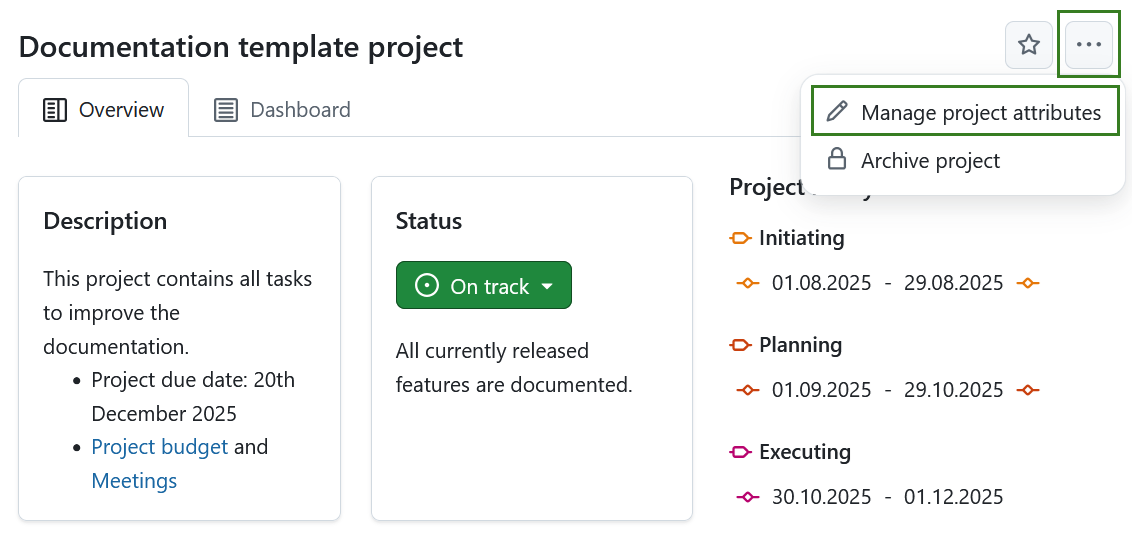
Um die Einstellungen der Projektattribute für ein bestimmtes Projekt anzupassen, klicken Sie auf das Mehr (drei Punkte) Symbol und wählen Sie Projektattribute verwalten. This will lead you directly to the project attribute settings.
Hinweis
Diese Option ist immer für Personen mit administrativen Rechten auf der Instanz- oder Projektebene verfügbar. It can also be activated for specific roles by enabling the select_project_attributes permission for that role via the Roles and permissions page in the administrator settings.