Fonctionnalités de recherche
Il y a deux façons de rechercher des lots de travaux, des documents, des projets, etc. dans OpenProject : la barre de recherche et la recherche avancée.
Barre de recherche
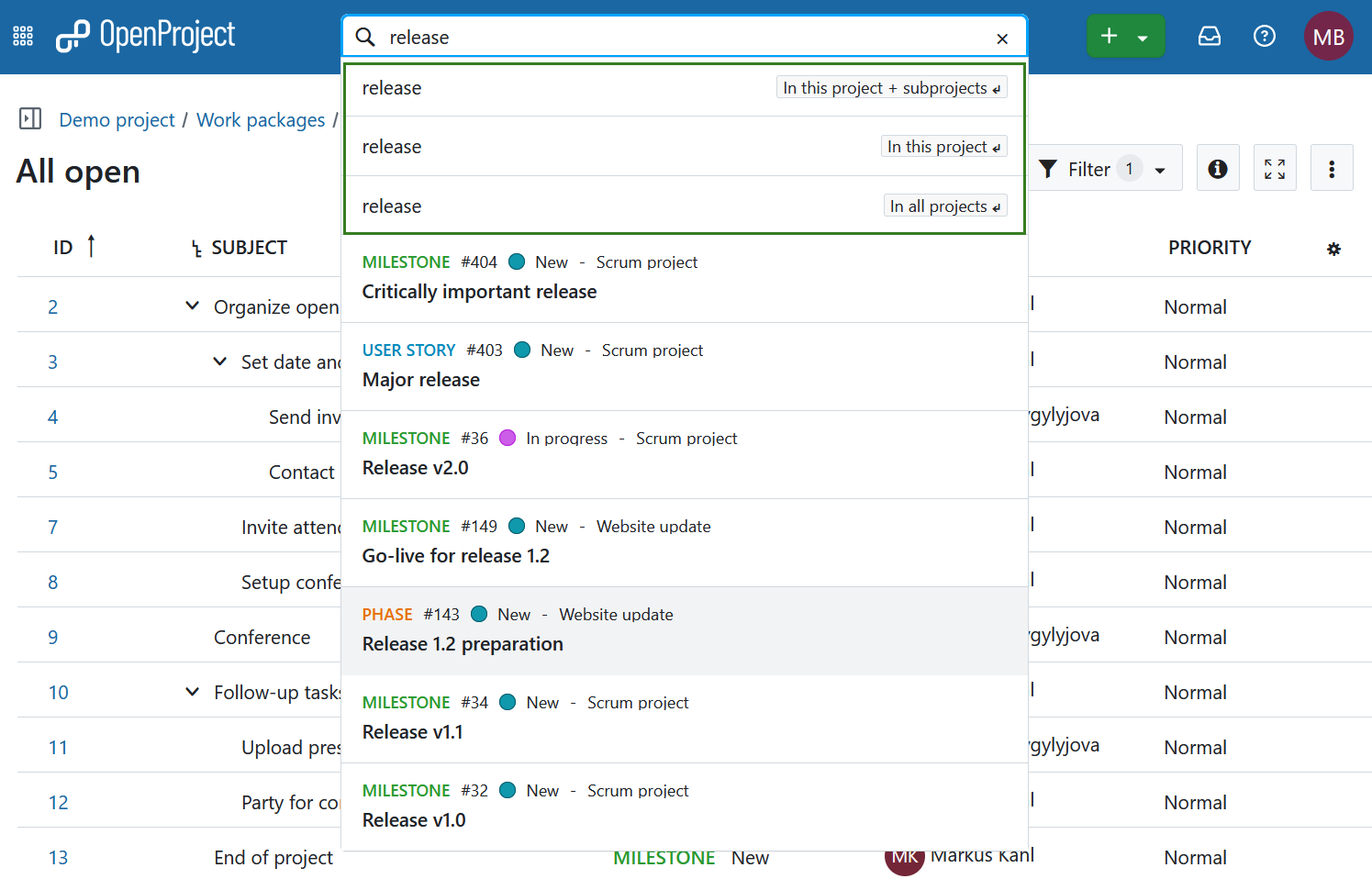
La barre de recherche est située au centre de l’en-tête de navigation. Pour chercher des lots de travaux par sujet, commencez à saisir vos termes de recherche, n’appuyez pas sur Entrée. Un outil de saisie semi-automatique proposera de faire correspondre les lots de travaux de tous les projets auxquels vous avez accès. Vous pouvez cliquer sur une suggestion ou faire un clic droit pour l’ouvrir dans un nouvel onglet.
Vous pouvez également effectuer une recherche par type de lot de travaux, par statut, par identifiant ou par projet auquel il appartient. Par exemple, commençons par rechercher un mot-clé dans un sujet : en saisissant le mot « version », vous obtiendrez tous les lots de travaux dont le sujet contient le mot « version ».
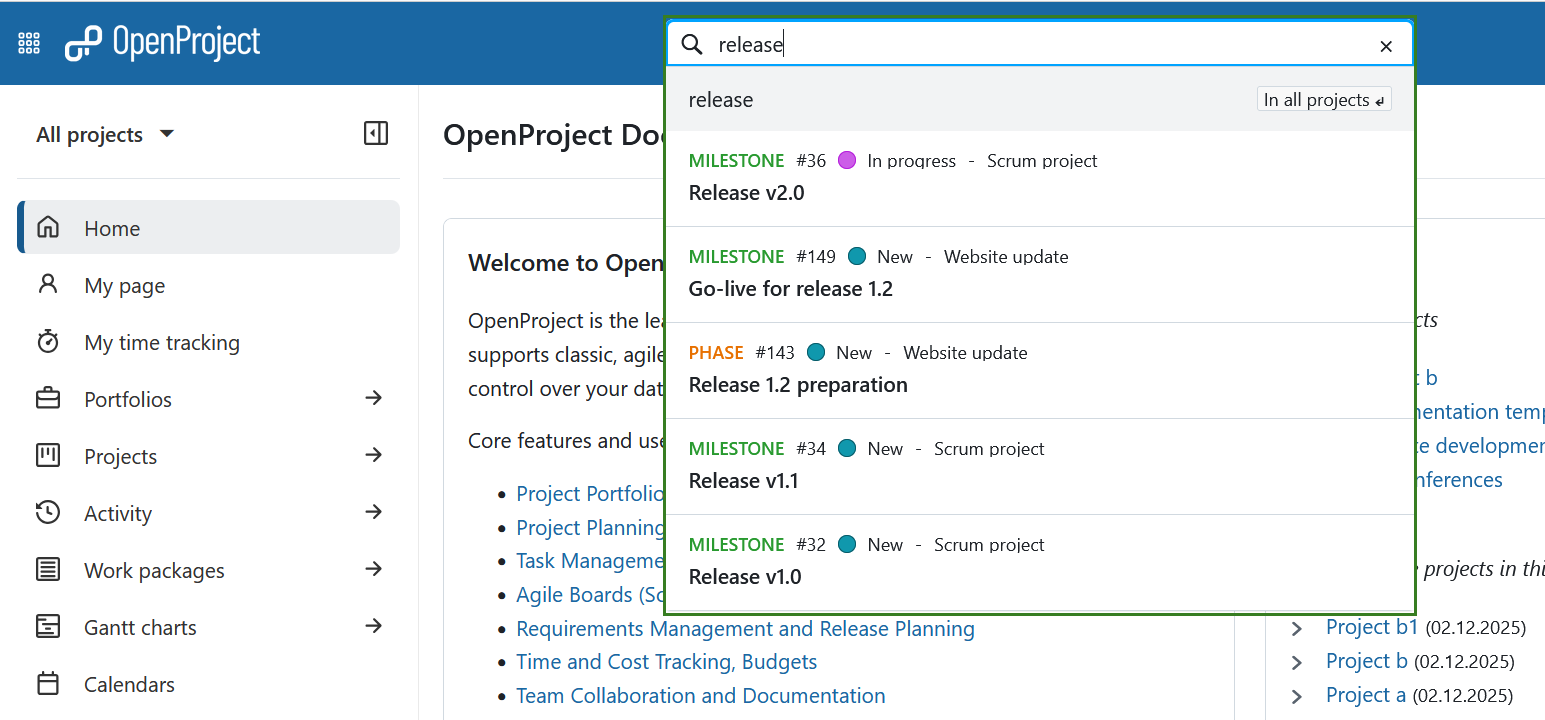
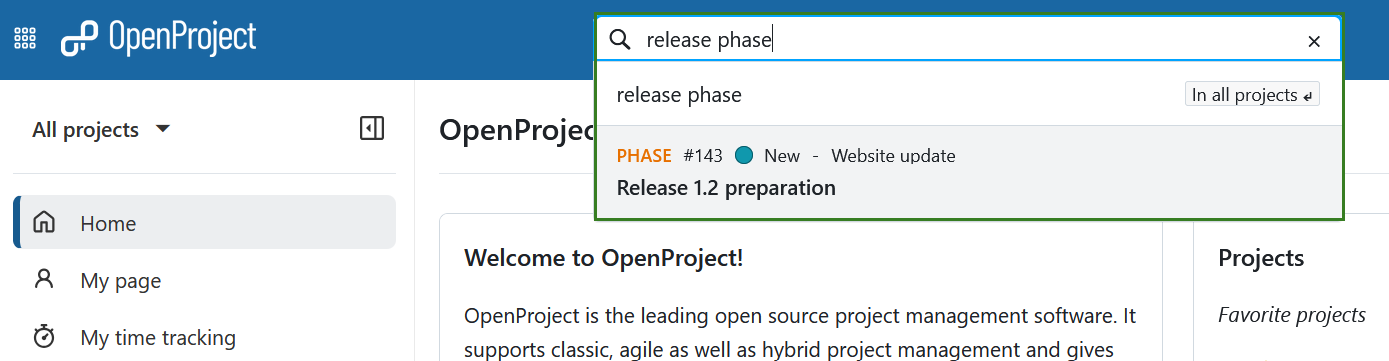
L’ajout d’un type, tel que « phase » (par exemple, « phase version » ou « version phase »), réduit les résultats aux lots de travaux de ce type contenant le terme.
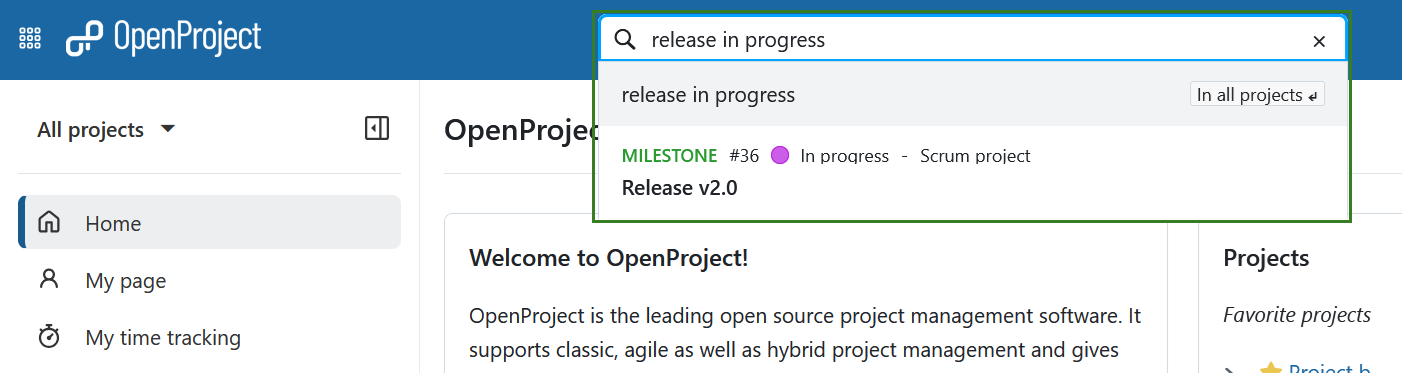
Vous pouvez également filtrer par statut, par exemple « version en cours », qui renvoie les lots de travaux en cours dont le sujet contient « version ».
Conseil
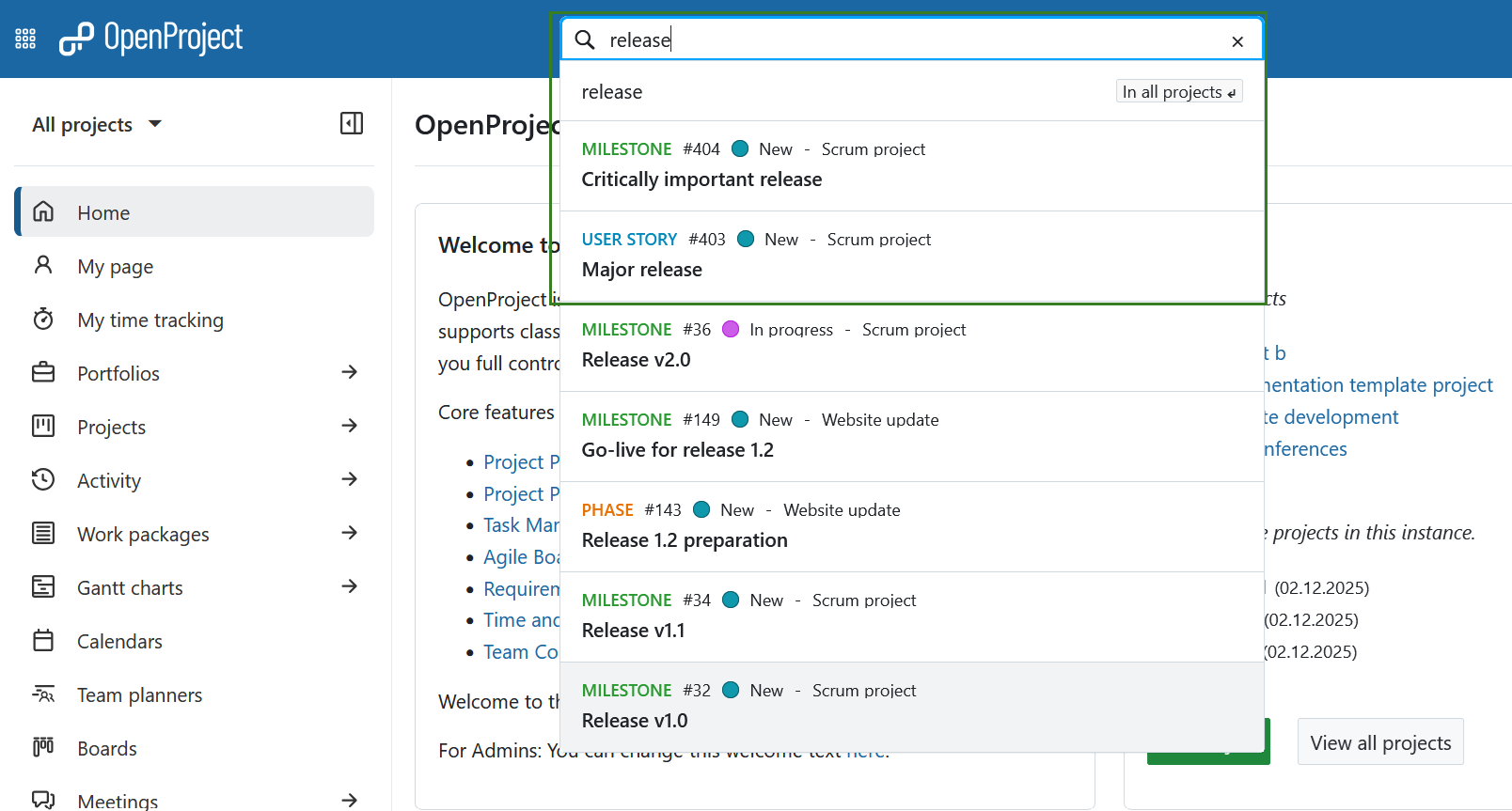
La recherche de « version » renverra également les lots de travaux dont le sujet contient le terme dans une phrase plus longue, telle que « version principale ».
Recherche avancée
Pour accéder à la recherche plus détaillée et plus avancée, choisissez l’une des options affichées sous la barre de recherche avec vos touches fléchées (puis appuyez sur la touche Entrée) ou utilisez la souris. Si vous n’avez pas de projet ouvert pour le moment (c’est-à-dire si vous êtes au niveau global), les deux premières options ne s’afficheront pas.
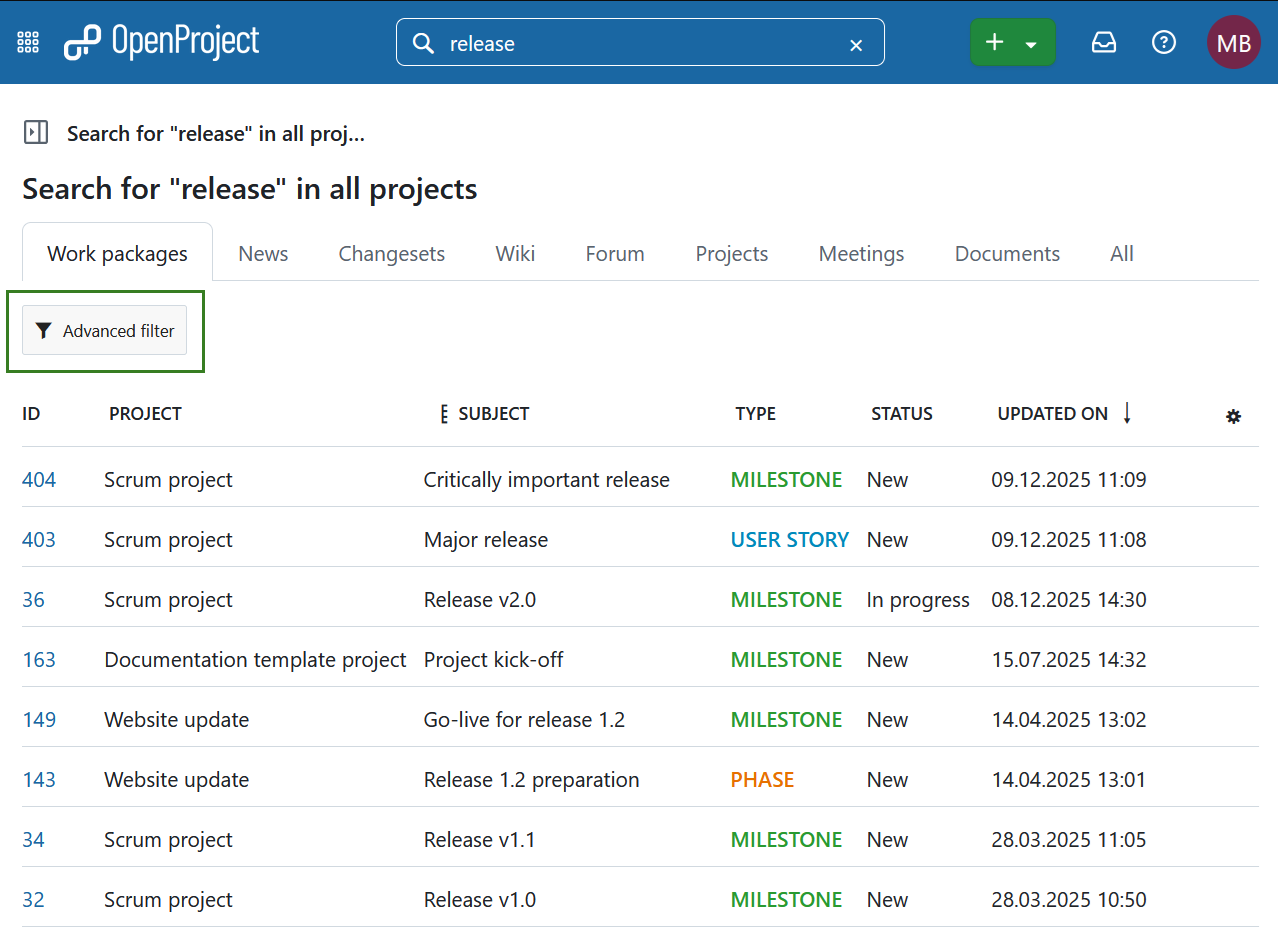
Vous pouvez désormais visualiser les résultats de la recherche dans différentes catégories ou sections d’OpenProject. Dans la section Lots de travaux, vous pouvez cliquer sur Filtre avancé pour accéder à des options de filtre supplémentaires. Cela permet d’utiliser les mêmes critères de recherche que dans les tableaux des lots de travaux.
Remarque
Il est impossible de trouver du contenu à partir de projets archivés. Vous devrez d’abord les désarchiver sur la page globale d’aperçu des projets.
Recherche en texte intégral
La barre de recherche d’OpenProject est configurée pour la recherche en texte intégral. Cela signifie que vous pouvez effectuer des recherches non seulement dans les titres, mais aussi dans le contenu, comme les pages wiki ou les descriptions des lots de travaux et les pièces jointes.
Le titre et la description d’un lot de travaux peuvent également être trouvés par filtrage par texte. En dehors de la recherche en texte intégral, vous pouvez rechercher des lots de travaux en fonction du nom de leur fichier attaché ou même du contenu d’une pièce jointe.
Lots de travaux récemment consultés
En cliquant sur la barre de recherche, vous obtenez immédiatement les derniers lots de travaux consultés, avant même d’avoir commencé votre saisie.
Filtre des paquets de travail récemment consultés dans la barre de recherche d’OpenProject](openproject_search_recently_viewed.png)