Create an Enterprise on-premises edition trial
You can test the OpenProject Enterprise on-premises edition for 14 days free of charge. The trial temporarily extends your existing Community edition with Enterprise add-ons, allowing you to thoroughly evaluate the Enterprise features.
You can start the trial in one of the following ways:
Option A: Start a trial from an existing Community installation
If you already have an OpenProject Community edition installed, you can start the trial directly from your system:
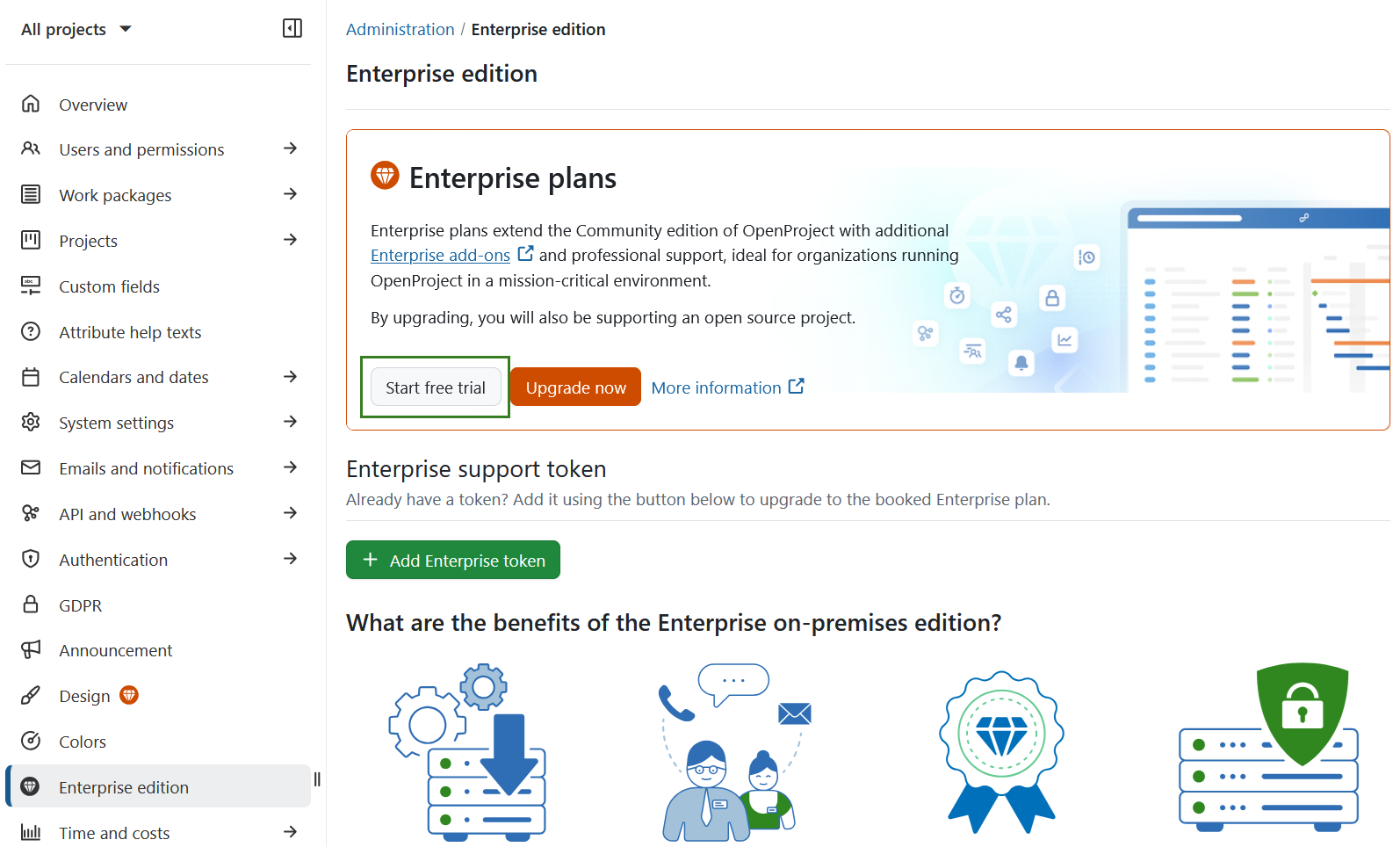
- Navigate to Administration → Enterprise edition.
- Click the Start free trial button.
Option B: Request a trial via the OpenProject website
Alternatively, you can request a free trial token via the OpenProject website:
- Go to the Enterprise edition page.
- Click the Get a free on-premises trial license button.
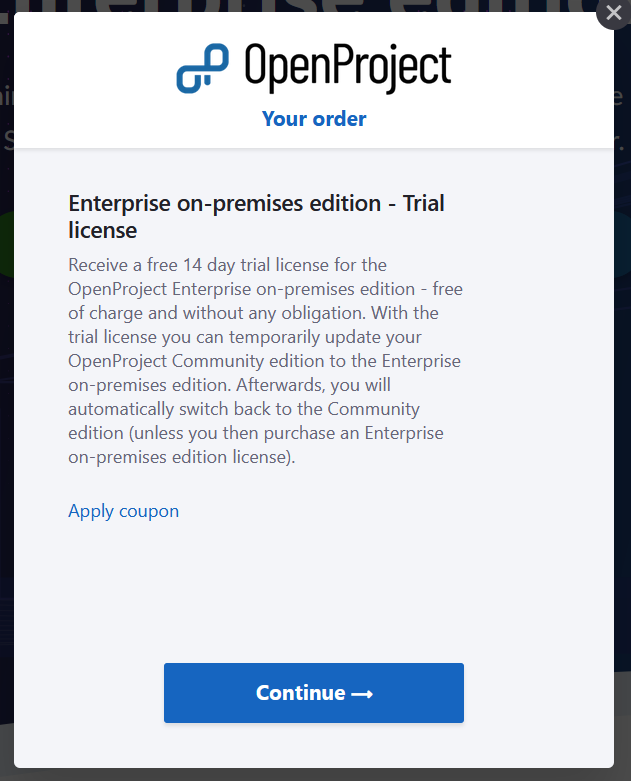
A dialog will appear explaining that you will receive a 14-day free trial license, which can be used to temporarily upgrade your Community edition.
- Click Continue.
- Enter your email address and provide your details (first name, last name, company name, and phone number).
You will then receive the Enterprise on-premises trial token by email, along with instructions on how to activate the Enterprise on-premises edition.
Remarque
There is no need to cancel the trial. The license expires automatically after 14 day