Project widgets
Project widgets overview
Los widgets son pequeños bloques de información que puede personalizar para mostrar información pertinente sobre el proyecto (como la descripción del proyecto, su estado, listas de paquetes de trabajo o gráficos). These widgets are displayed on the project home page.
Consejo
Project overview tab displays certain widgets in a pre-set layout. However, under the Dashboard tab you can add and remove multiple widgets, re-order them and resize them to your liking.
Este vídeo está actualmente disponible solo en inglés.
To add a widget to the project home page (Dashboard tab), click the green +Widget button. Alternatively, hover around the existing widgets and click the + icon that will appear automatically.
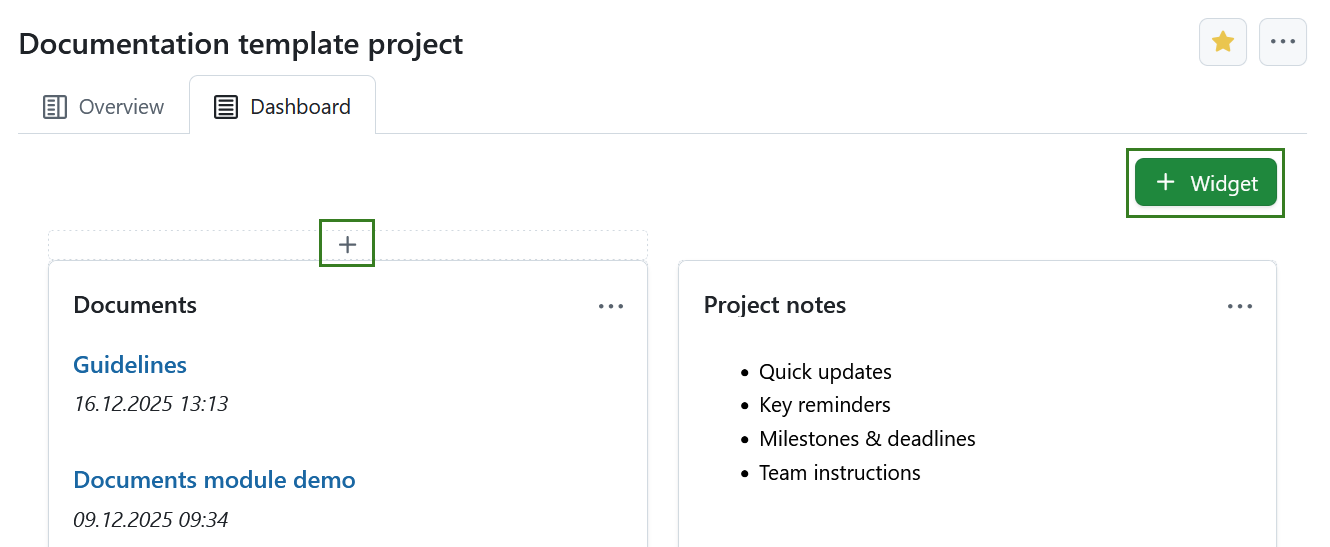
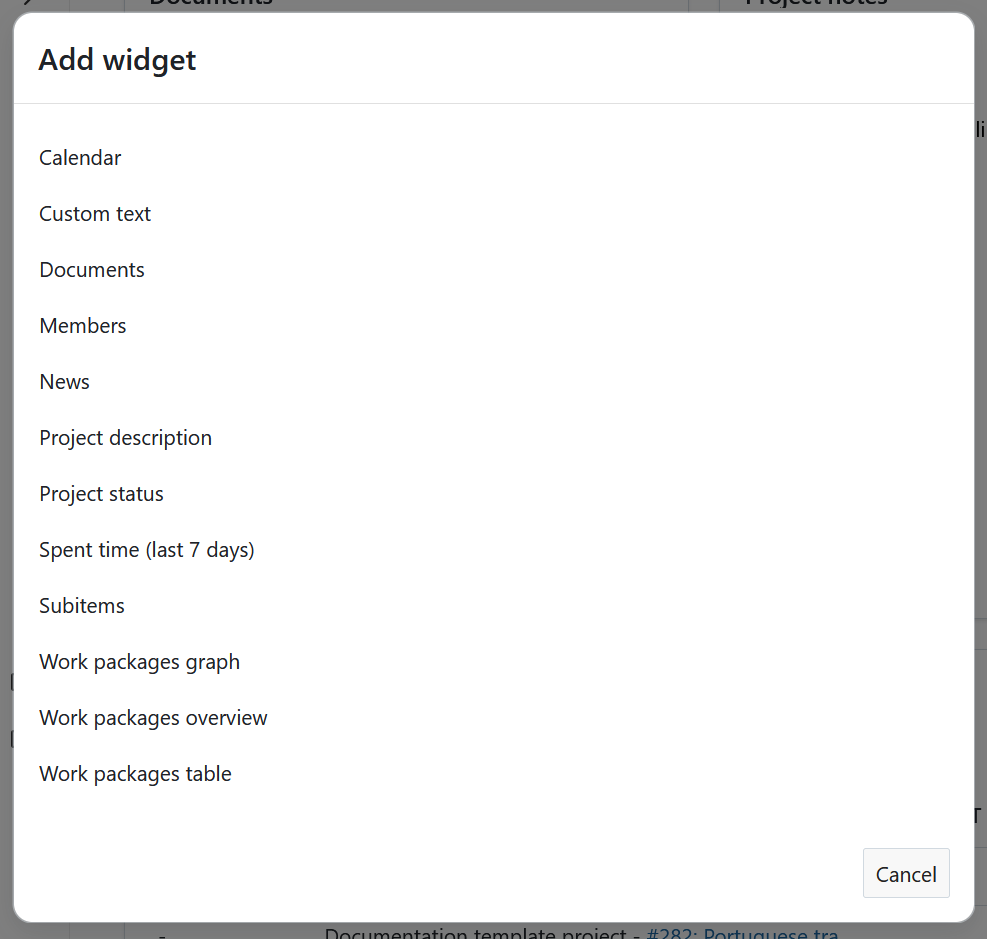
Haga clic en el icono + y elija el tipo de widget que desea añadir.
Project widgets catalog
You can add various widgets to your project dashboard. Available widgets in OpenProject include:
- Calendario
- Custom text
- Documentos
- Miembros
- Noticias
- Descripción del proyecto
- Estado del proyecto
- Spent time (last 7 days)
- Subitems
- Work packages graph
- Work packages overview
- Work packages table
Widget de calendario
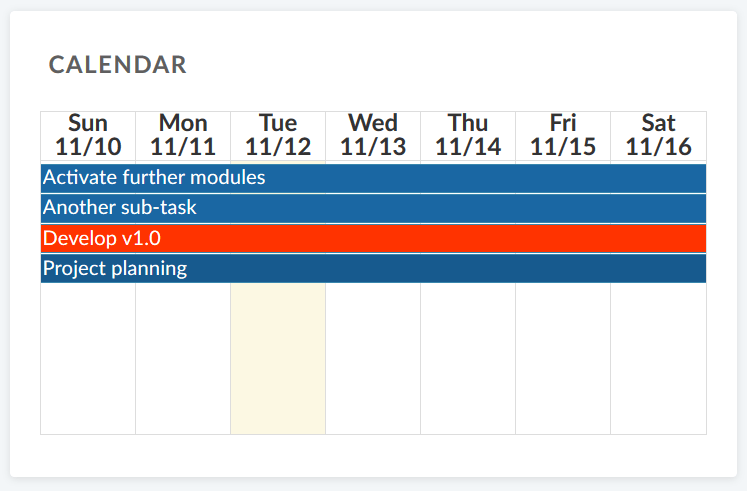
El widget de calendario muestra sus paquetes de trabajo actuales en un calendario. Muestra los paquetes de trabajo en los que se está trabajando en la fecha actual. El número máximo de paquetes de trabajo visualizables es de 100.
Widget de texto personalizado
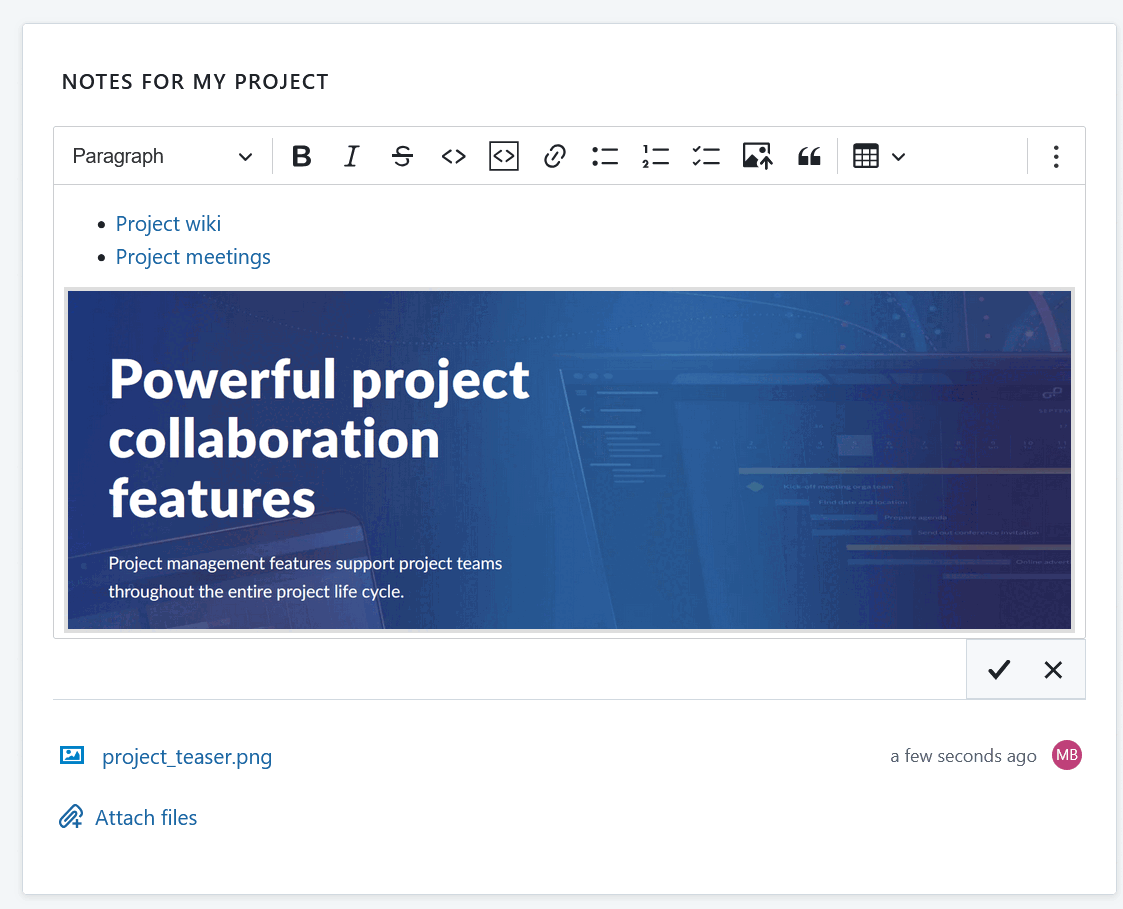
Dentro del widget de texto personalizado puede añadir cualquier información del proyecto que desee compartir con su equipo, por ejemplo, enlaces a recursos importantes del proyecto o paquetes de trabajo, filtros, especificaciones.
You can also add files to be displayed or attached to your custom text widget.
Documents widget
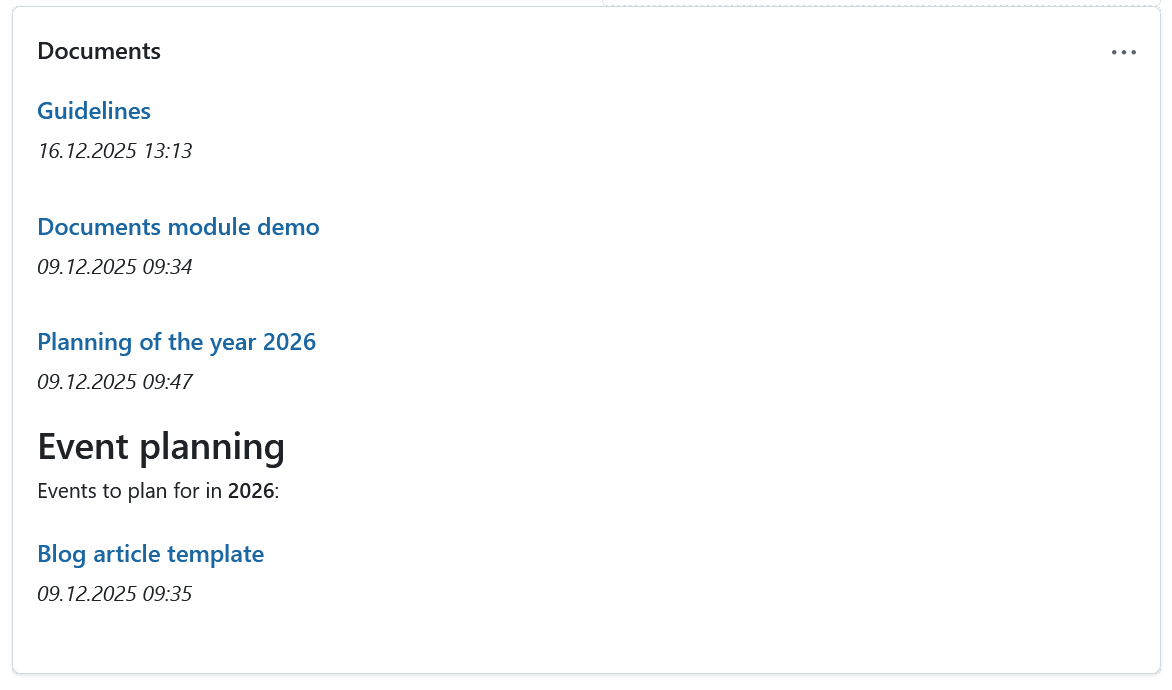
This widget displays all documents created under the Documents module of your specific project.
Members widget
You can add a widget which displays all project members and their corresponding role for this project on the project home page. Esto incluye tanto a los grupos como a los usuarios (marcadores de posición o registrados).
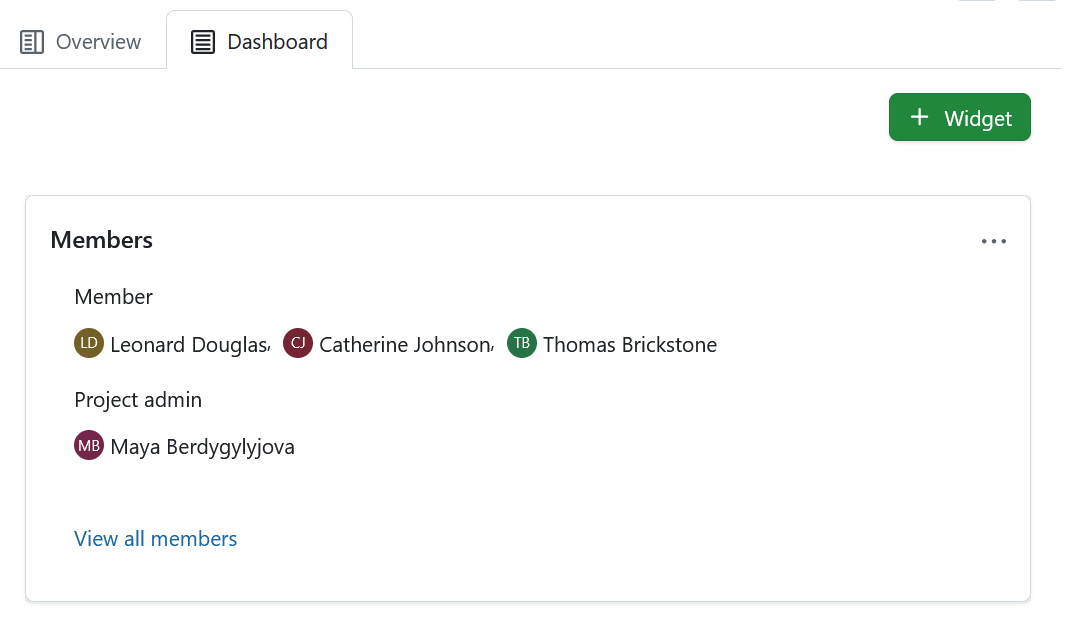
Clicking the View all members link will take you to the Members module, where you can view and edit the list of project members. Project members can be individuals as well as entire groups.
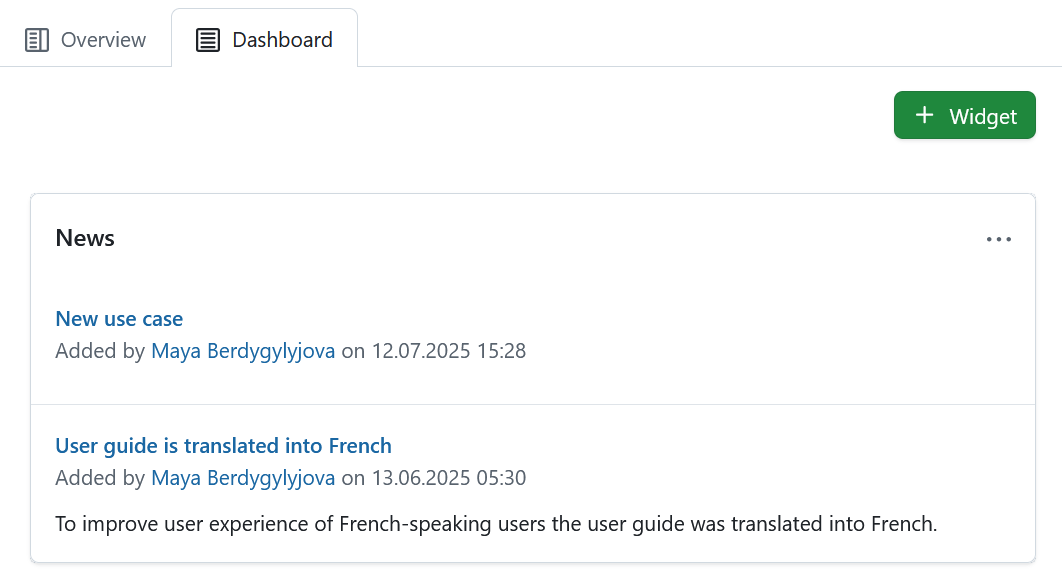
Widget de noticias
Display the latest project news in the news widget on the project home page.
Project description widget
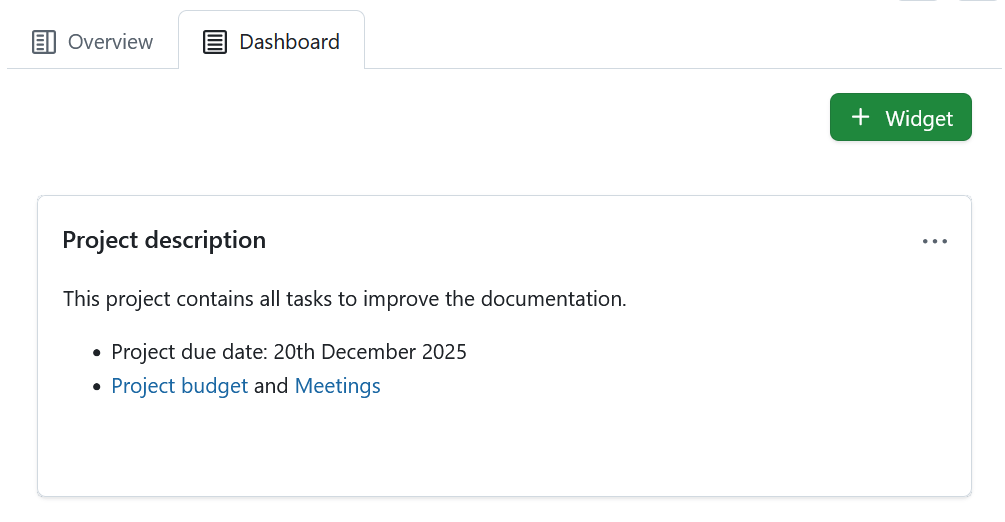
The project description widget adds the project description to your project home.
The description can be added or changed in the project settings.
Project status widget
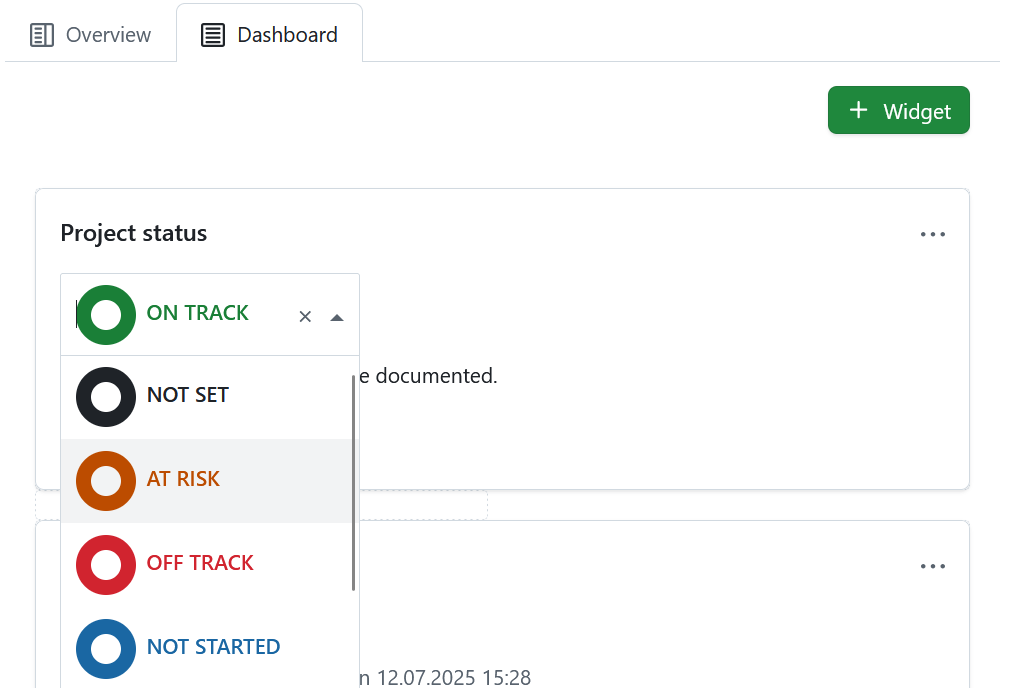
Añada el estado de su proyecto como widget para comprobar de un vistazo si su proyecto va según lo previsto, fuera de lo previsto o en riesgo. Puede establecer el estado de su proyecto e introducir una descripción detallada.
En primer lugar, seleccione el estado de su proyecto en el desplegable. Puede elegir entre:
- Según lo previsto
- No establecido
- En riesgo
- Fuera de lo previsto
- No iniciado
- Acabado
- Interrumpido
Añada una descripción del estado del proyecto y más información importante, como el propietario del proyecto, los hitos y otros enlaces importantes o información sobre el estado.
Widget de tiempo gastado
El widget de tiempo gastado muestra el tiempo empleado en este proyecto durante los últimos 7 días.
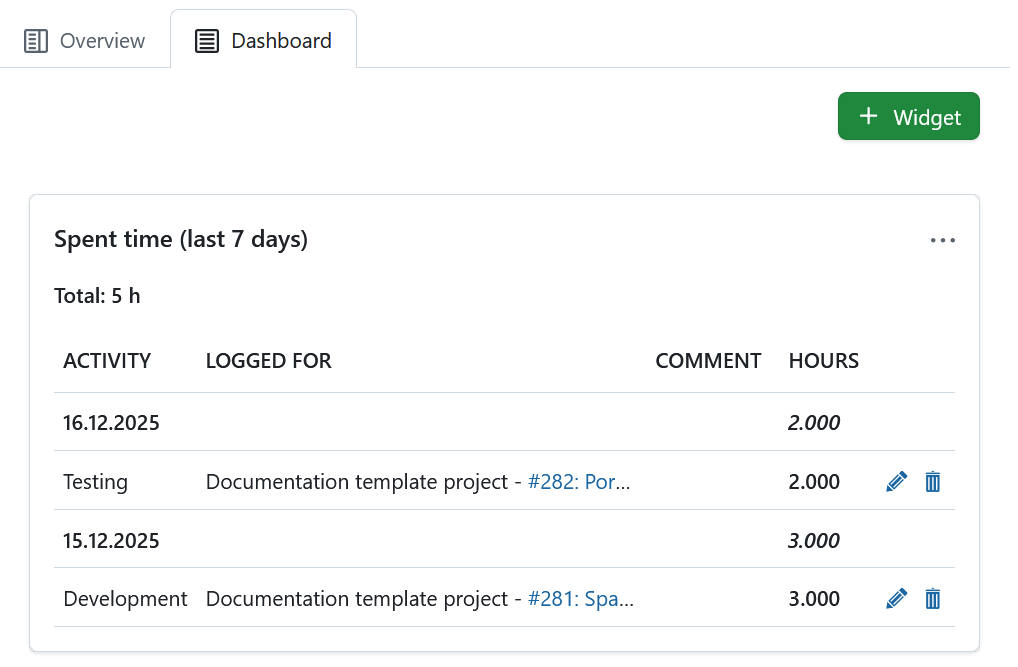
Las entradas de tiempo están vinculadas al paquete de trabajo correspondiente y pueden editarse o borrarse. To have a detailed view on all spent time and costs, go to the Cost reporting module.
Subitems widget
The subitems widget lists all subitems of the respective entity:
- Subitems of a project are subprojects
- Subitems of a program are projects
- Subitems of a portfolio are programs are projects
The Subitems widget under the Overview tab allows adding subitems directly within the widget (click the Plus icon in the top right corner of the widget and select Project). That same widget under that Dashboard tab lists all subitems of a project, but offers no option to add subitems directly.
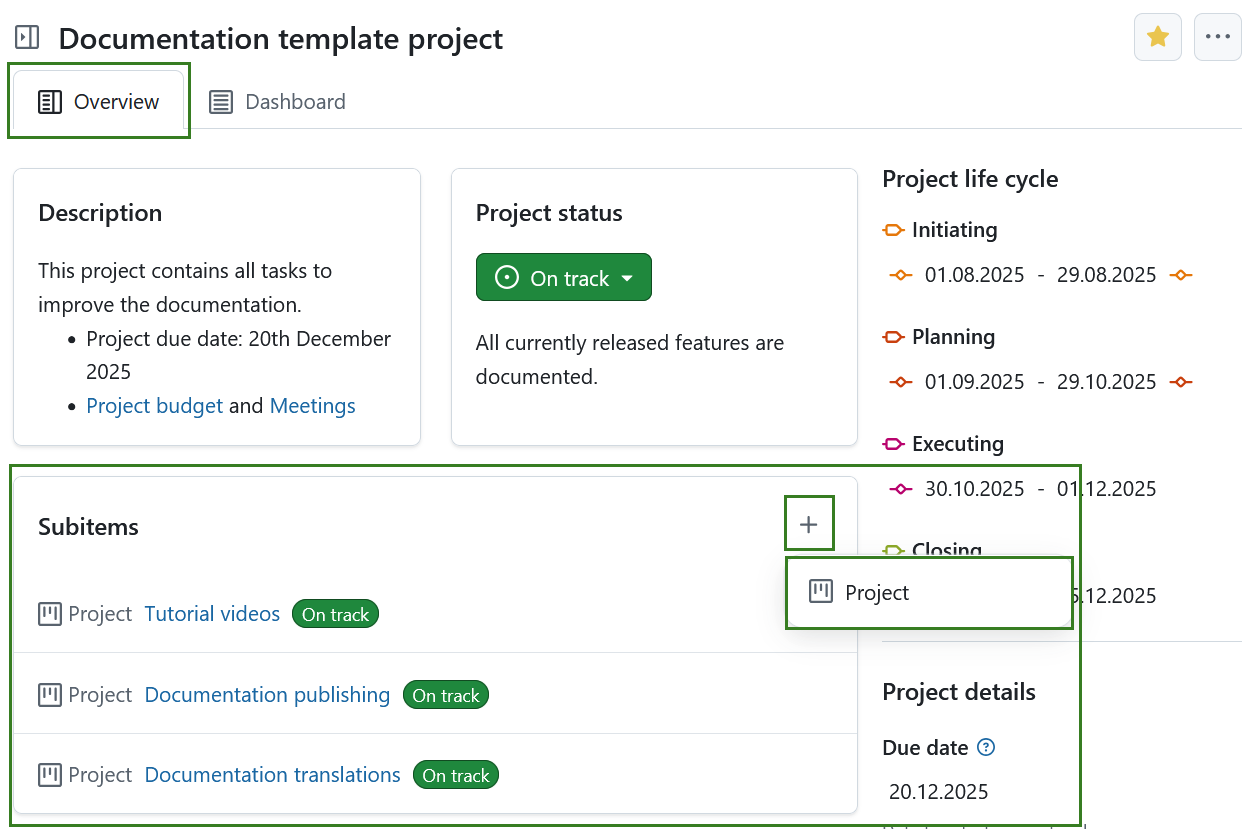
El widget solo enlaza la primera jerarquía de subproyectos y no los elementos secundarios de un subproyecto.
To edit the project hierarchy, go to the project settings.
Widgets gráficos del paquete de trabajo
Los widgets del gráfico de paquetes de trabajo muestran información sobre los paquetes de trabajo dentro de un proyecto. Pueden mostrarse en diferentes vistas de gráfico, como un gráfico de barras o un gráfico circular.
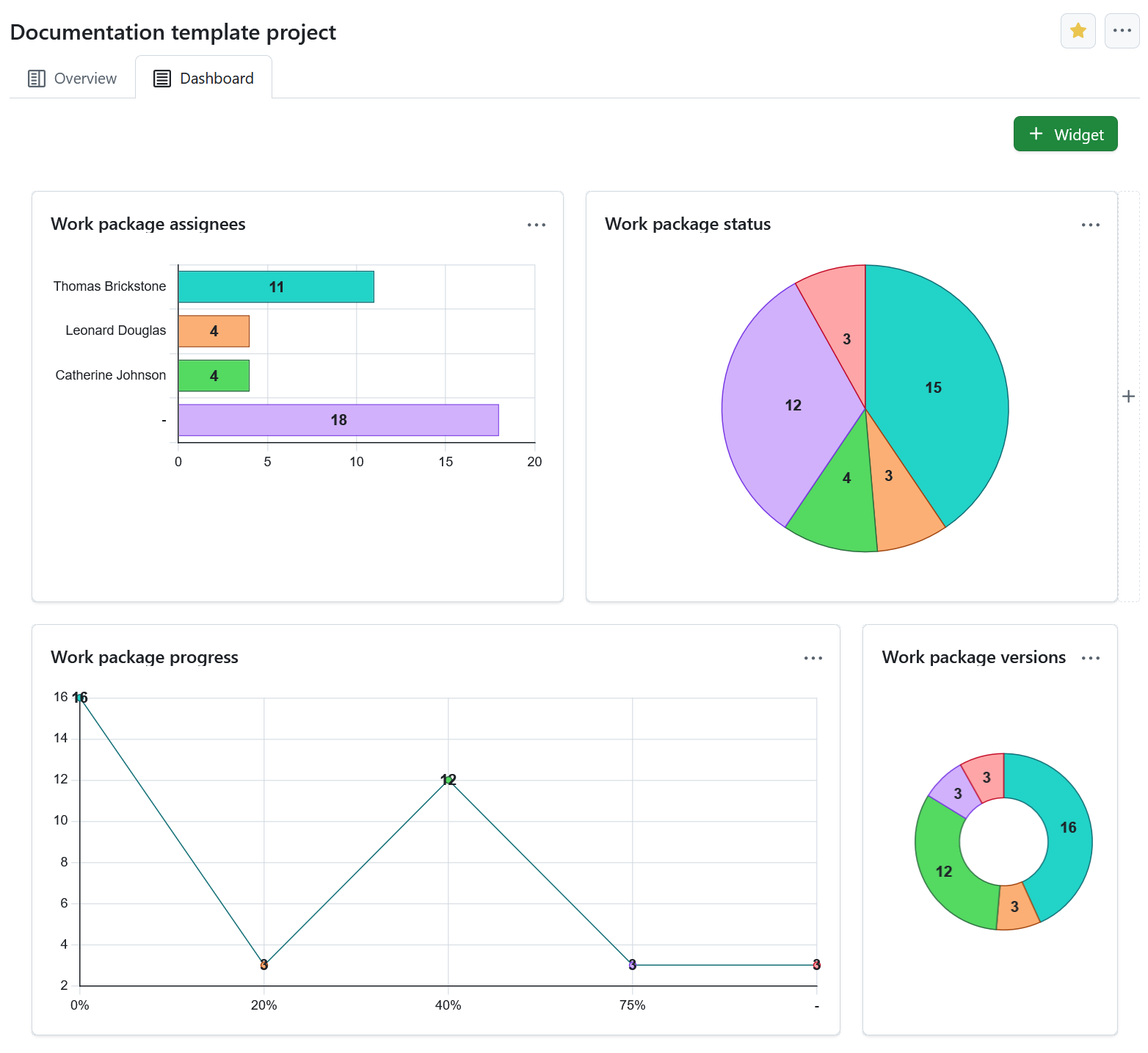
Configurar el gráfico del paquete de trabajo
You can filter the work packages to be displayed in the graph according to the work packages table configuration.
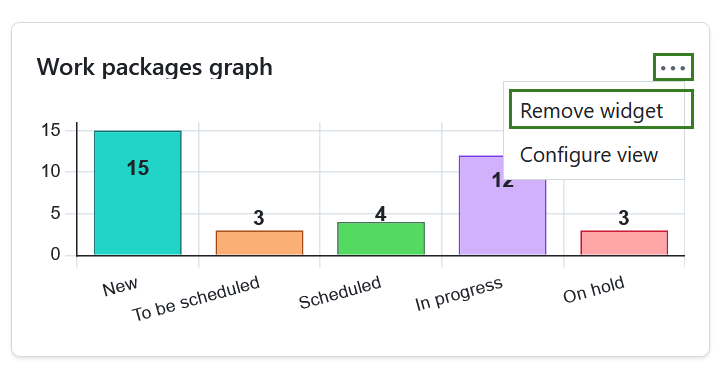
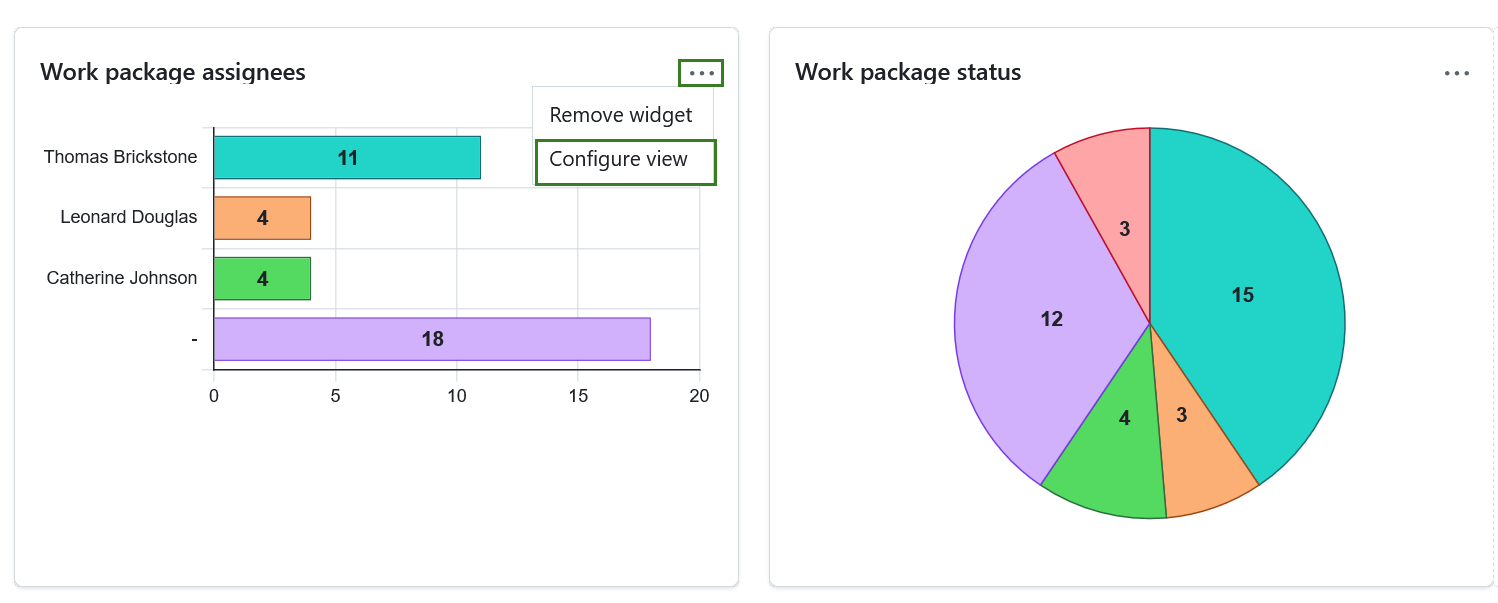
Para configurar el gráfico de paquetes de trabajo, haga clic en los tres puntos de la esquina superior derecha y seleccione Configurar vista.
Seleccione los Criterios del eje que se mostrarán en el eje del gráfico, por ejemplo, Responsable, Prioridad, Estado, Tipo.
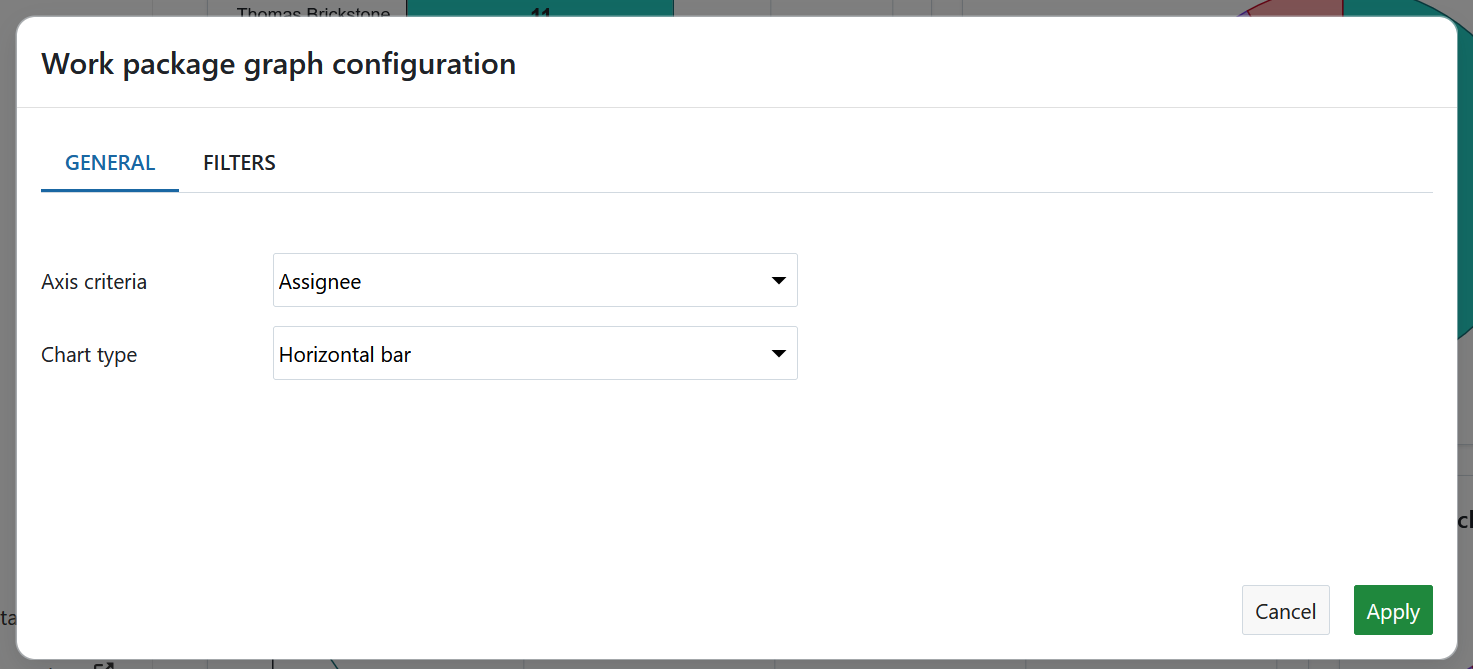
A continuación, seleccione el Tipo de gráfico con el que se mostrará la información del paquete de trabajo, por ejemplo, como un gráfico de barras, una línea, un gráfico circular.
You can also filter the work packages for your chart. To do that, click the Filters tab in order to configure the work packages to be displayed, e.g. only work packages with the priority “high”.
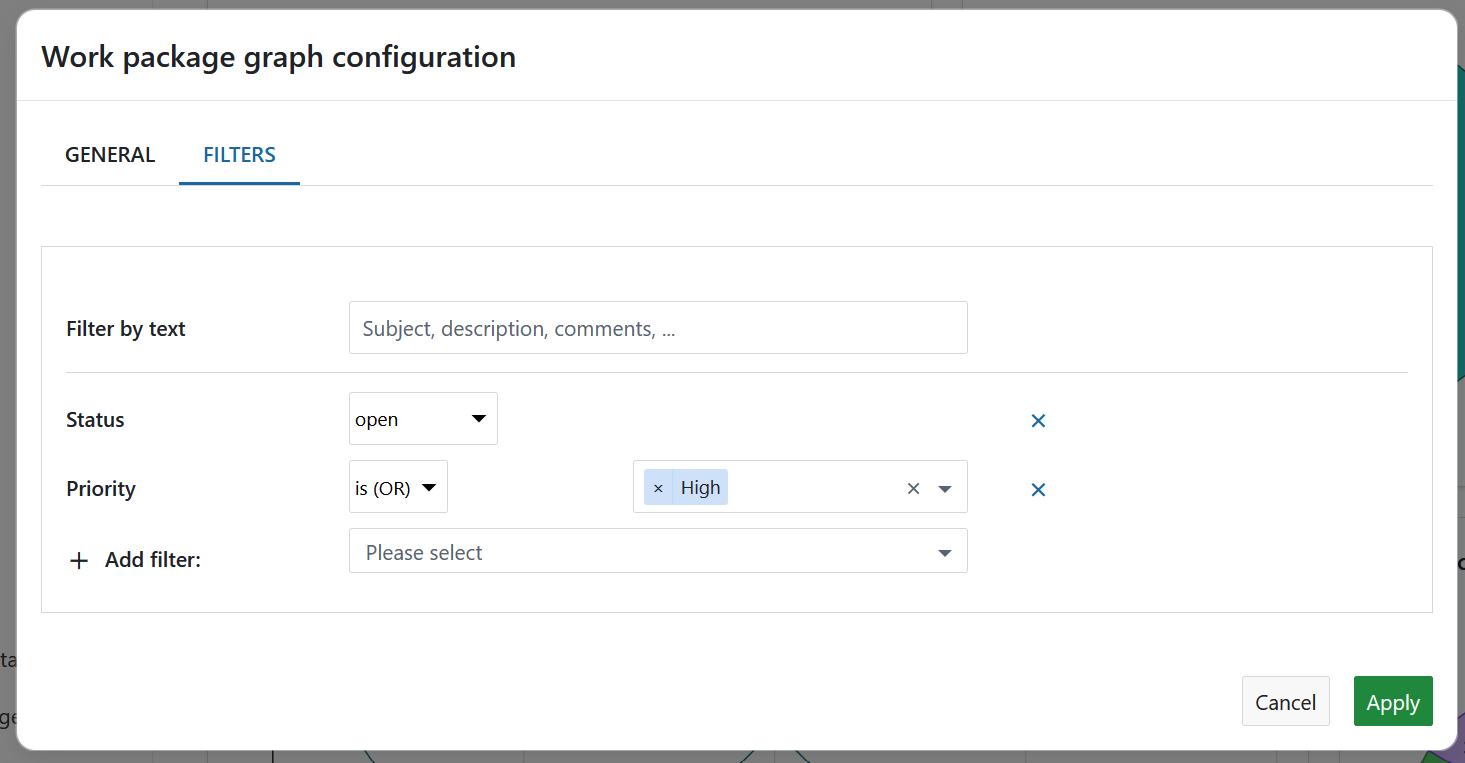
Pulse el botón Aplicar para guardar los cambios.
Work packages overview widget
The work packages overview widget displays all work packages in a project differentiated by a certain criteria.
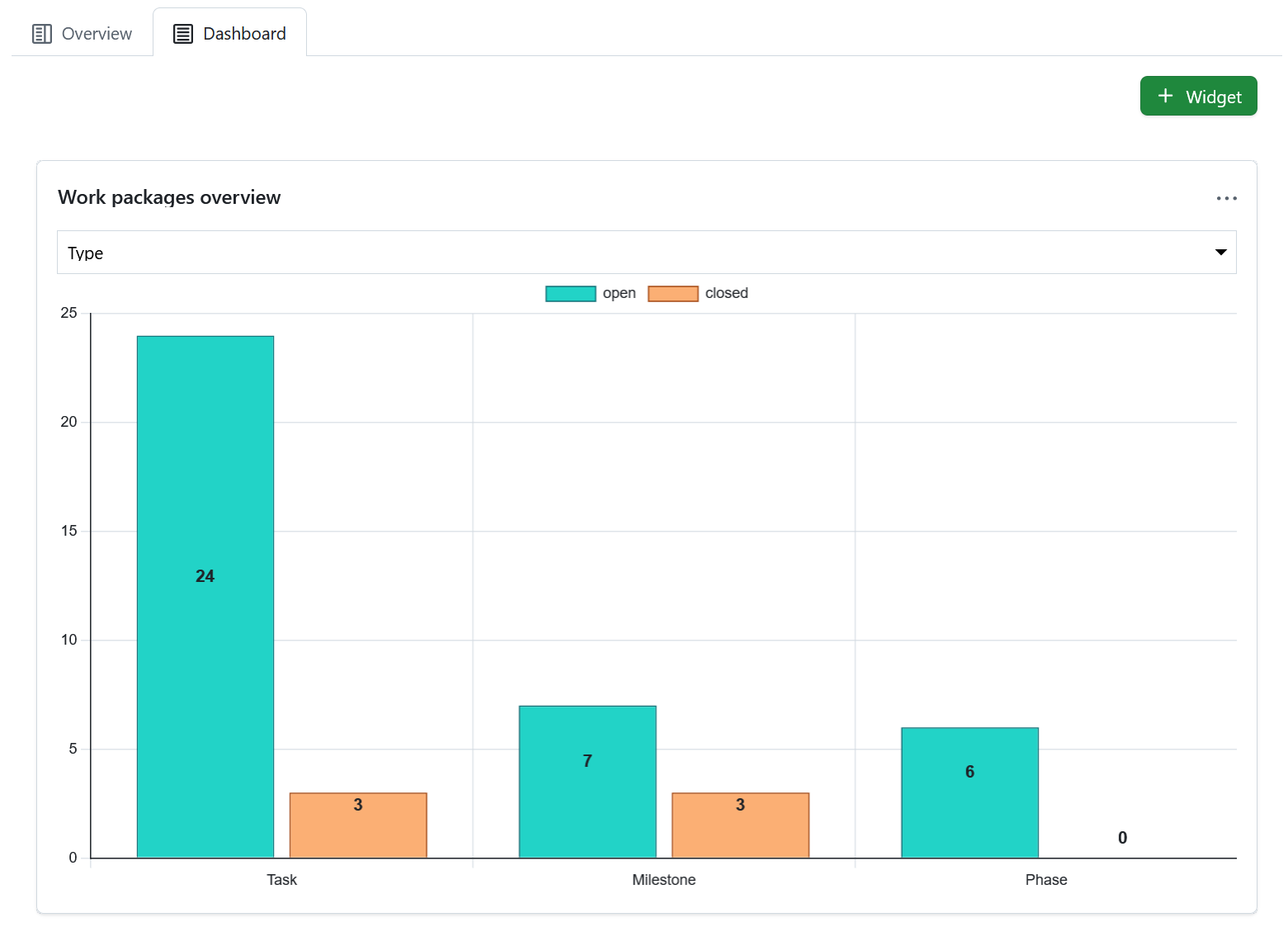
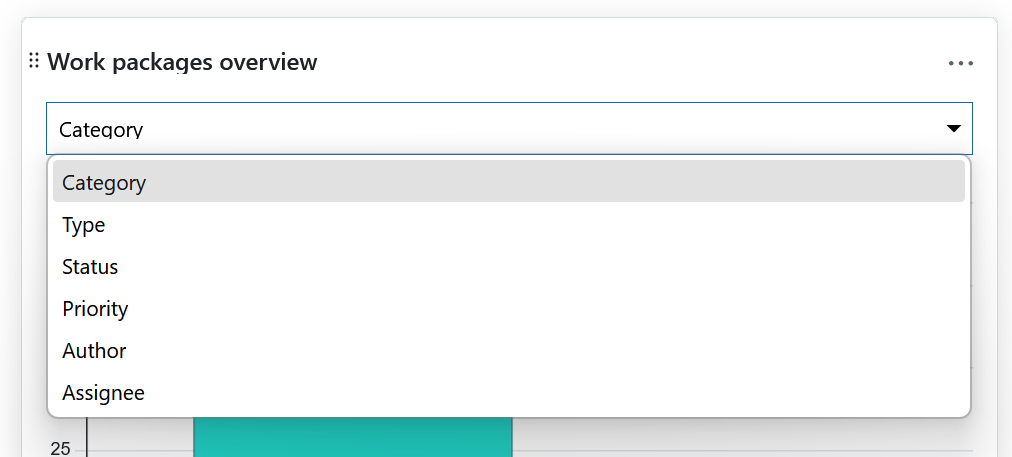
Puede visualizar el gráfico según los siguientes criterios:
- Categoría
- Tipo
- Estado
- Prioridad
- Autor
- Asignado a
El widget enumera todos los paquetes de trabajo abiertos y todos los cerrados según este criterio.
Widget de tabla de paquetes de trabajo
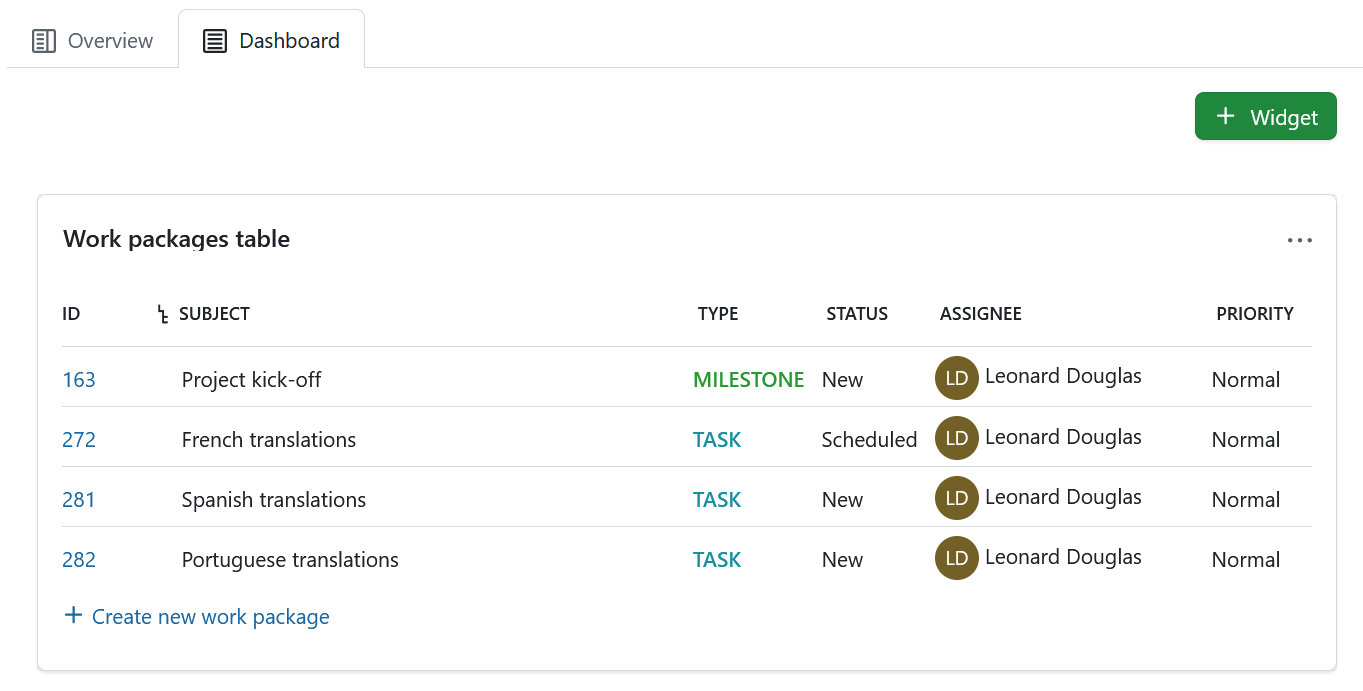
The work package table widget includes a work package table to the project home. The work package table can be filtered, grouped, or sorted according to the work package table configuration, e.g. to display only work packages with the priority “High”.
Redimensionar y reordenar los widgets
Para reordenar un widget, haga clic en el icono de puntos de la esquina superior izquierda y arrastre el widget con el ratón hasta la nueva posición.
Para redimensionar un widget, haga clic en el icono gris de la esquina inferior derecha del widget y arrastre la esquina hacia la derecha o hacia la izquierda. El widget cambiará de tamaño en consecuencia.

Remove widgets from project home page
To remove a widget from the project home page, click the three dots icon at the top right corner of the widget and select Remove widget.
Nota
Please keep in mind that this is only possible under the Dashboard tab. Project widgets under the Overview tab are fixed and can not be removed.