Atributos del proyecto
Project attributes overview
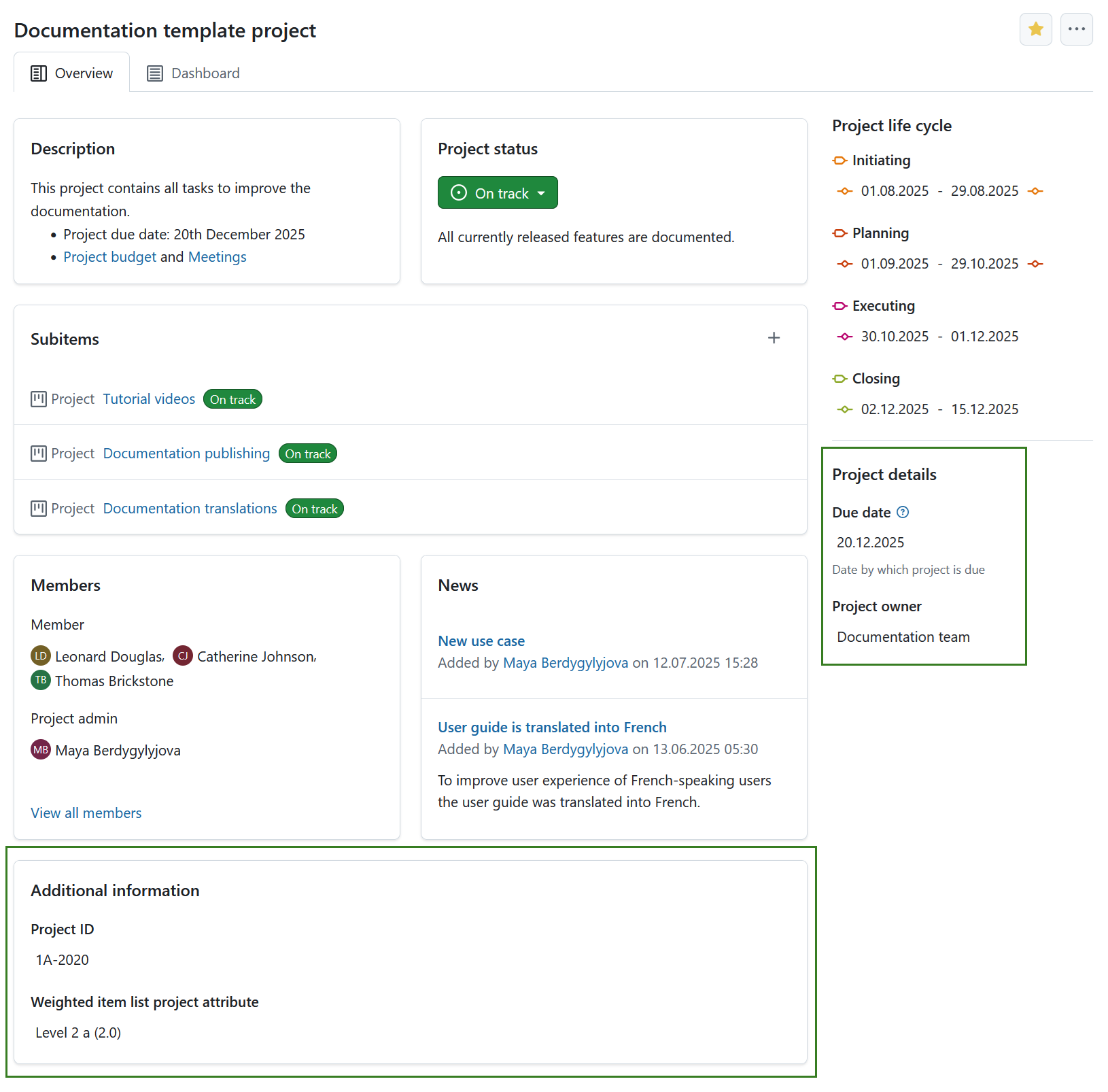
Atributos del proyecto son un conjunto de campos personalizados a nivel de proyecto que le permiten mostrar cierto tipo de información relevante para su proyecto. Project attributes are displayed on the Overview (first) tab of the project home page.
Project attributes must first be created on an instance level administration and then activated for a specific project under project settings.
The location of project attribute sections can be either in a pane on the right side under project life cycle phases, or in the main area under the project related widgets. The location of project attribute sections is determined under project attribute settings in system administration.
Project attributes are always grouped in sections.
Consejo
Your view of the project attributes may vary depending on your roles and permissions in OpenProject. Los atributos del proyecto son visibles para los usuarios con el permiso Ver atributos del proyecto activado. Los iconos de edición son visibles para los usuarios con el permiso Editar atributos del proyecto.
To edit the value of any visible project attribute, simply click on that value. Aparecerá un modal con todos los atributos de esa sección.
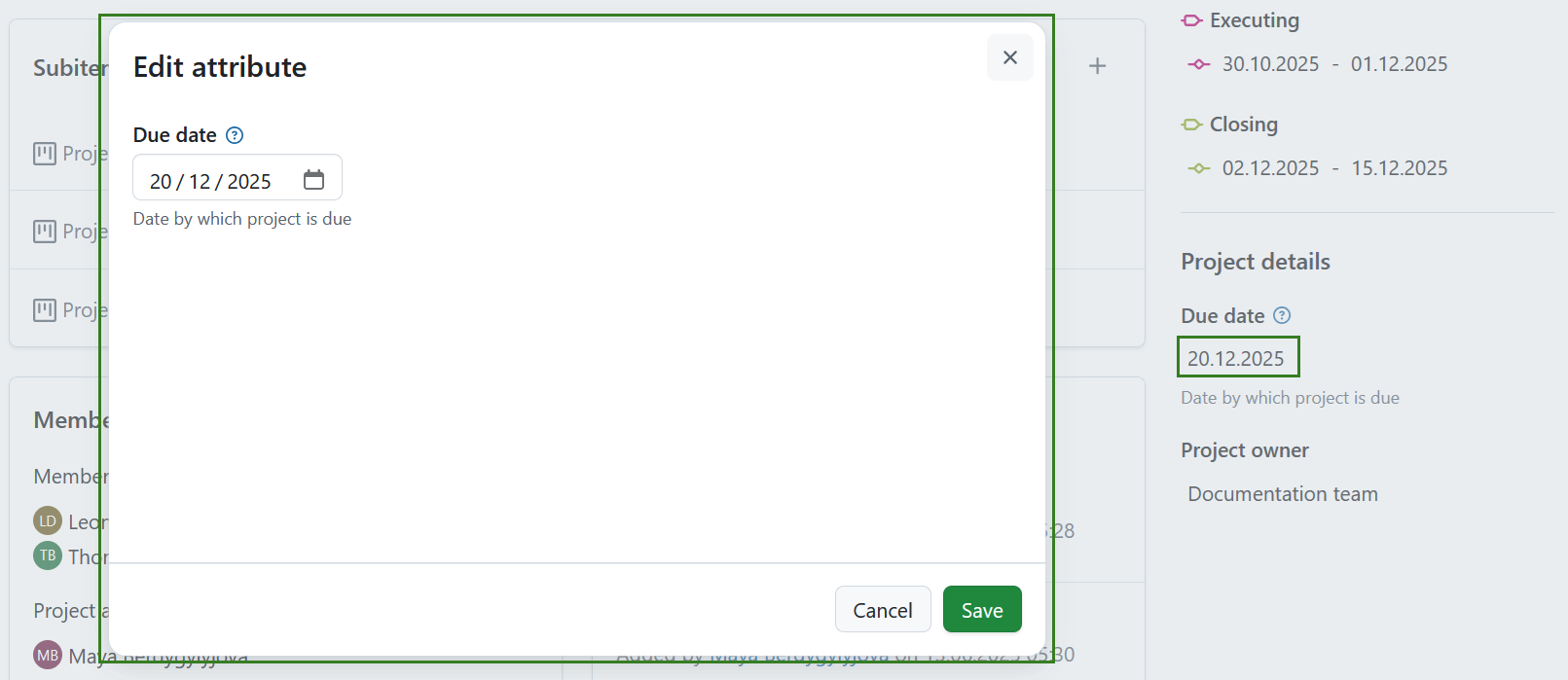
Edite los valores de cada atributo del proyecto y haga clic en Guardar para confirmar y guardar los cambios.
Nota
If you are an instance administrator and would like to create, modify or add project attributes, please read our system administration guide on project attributes.
Ajustes de los atributos del proyecto
To adjust the project attribute settings for a specific project click the More (three dots) icon and select Manage project attributes. This will lead you directly to the project attribute settings.
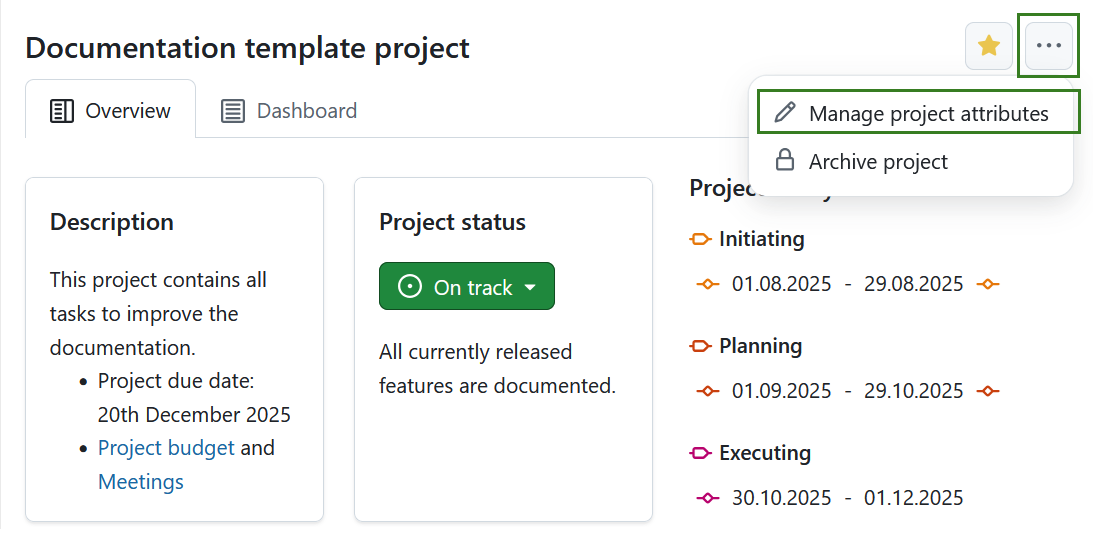
[NOTA] Esta opción está siempre disponible para los administradores de instancias y proyectos. It can also be activated for specific roles by enabling the select_project_attributes permission for that role via the Roles and permissions page in the administrator settings.