Projekt-Attribute
Project attributes overview
Projektattribute sind eine Reihe von selbstdefinierten Feldern auf Projektebene, mit denen Sie bestimmte Arten von Informationen anzeigen können, die für Ihr Projekt relevant sind. Project attributes are displayed on the Overview (first) tab of the project home page.
Project attributes must first be created on an instance level administration and then activated for a specific project under project settings.
The location of project attribute sections can be either in a pane on the right side under project life cycle phases, or in the main area under the project related widgets. The location of project attribute sections is determined under project attribute settings in system administration.
Project attributes are always grouped in sections.
Tipp
Your view of the project attributes may vary depending on your roles and permissions in OpenProject. Die Projektattribute sind für Benutzer:innen mit der Berechtigung Projektattribute ansehen sichtbar. Die Bearbeitungssymbole sind für Benutzer:innen mit der Berechtigung Projektattribute bearbeiten sichtbar.
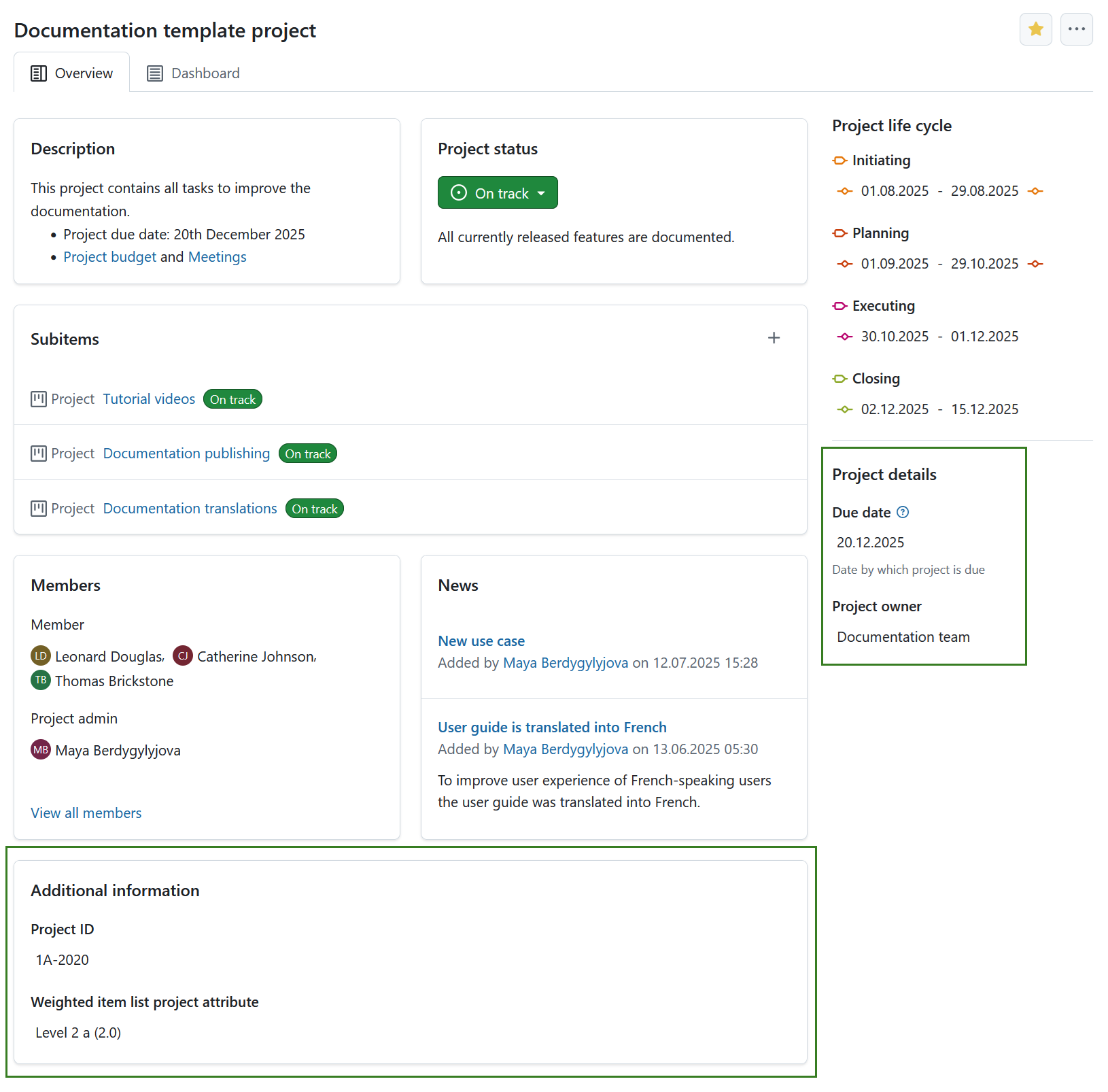
Um den Wert eines sichtbaren Projektattributs zu bearbeiten, klicken Sie einfach auf diesen Wert. Es wird ein Modal-Fenster mit allen Attributen in diesem Abschnitt angezeigt.
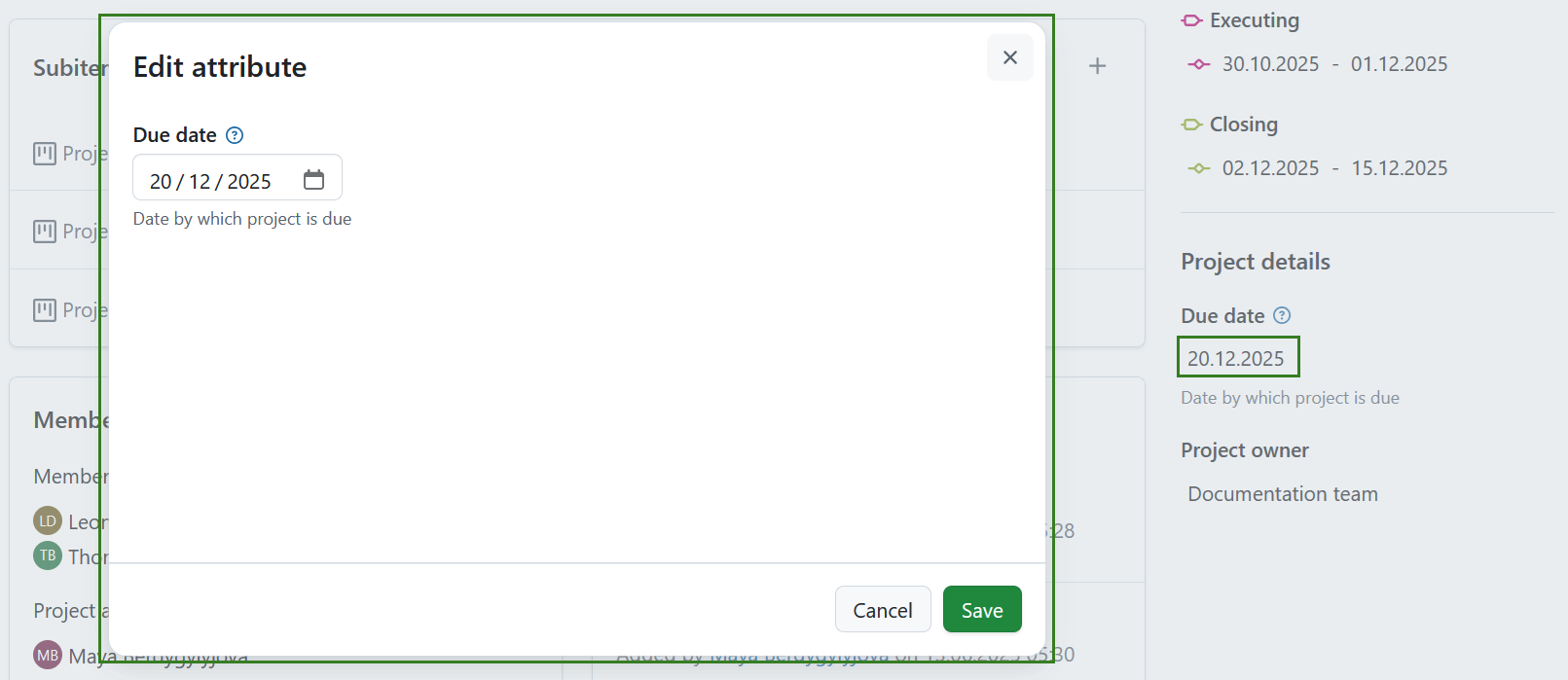
Bearbeiten Sie die Werte für jedes Projektattribut und klicken Sie auf Speichern, um Ihre Änderungen zu bestätigen und zu speichern.
Hinweis
If you are an instance administrator and would like to create, modify or add project attributes, please read our system administration guide on project attributes.
Einstellungen für Projektattribute
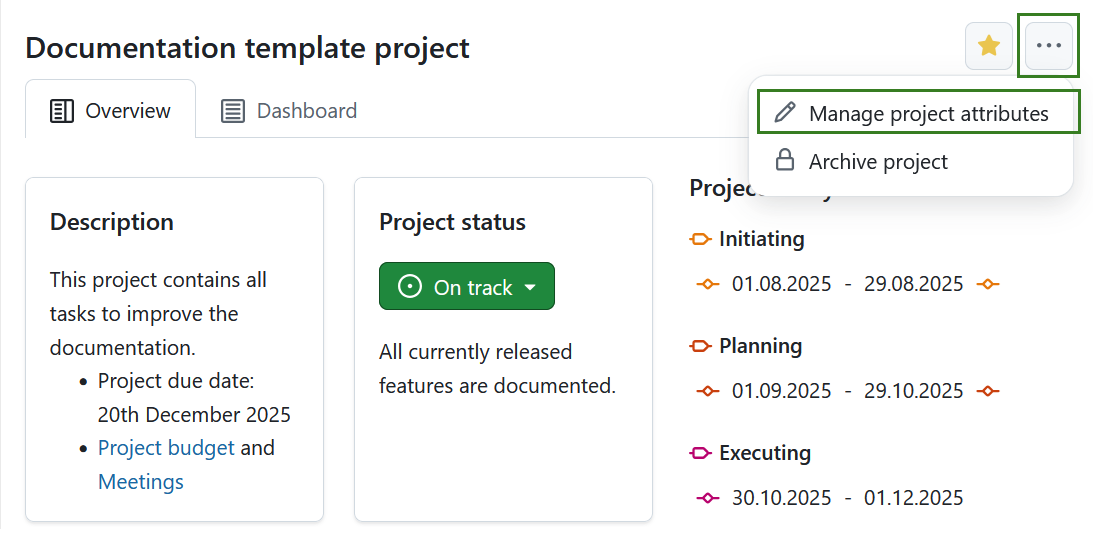
To adjust the project attribute settings for a specific project click the More (three dots) icon and select Manage project attributes. This will lead you directly to the project attribute settings.
Hinweis
Diese Option ist immer für Personen mit administrativen Rechten auf der Instanz- oder Projektebene verfügbar. It can also be activated for specific roles by enabling the select_project_attributes permission for that role via the Roles and permissions page in the administrator settings.