Project widgets
Project widgets overview
Les widgets sont de petits blocs d’information que vous pouvez personnaliser pour afficher des informations pertinentes sur le projet (telles que la description du projet, son statut, des listes de lots de travaux ou des graphiques). These widgets are displayed on the project home page.
Conseil
Project overview tab displays certain widgets in a pre-set layout. However, under the Dashboard tab you can add and remove multiple widgets, re-order them and resize them to your liking.
Cette vidéo est actuellement disponible uniquement en anglais.
To add a widget to the project home page (Dashboard tab), click the green +Widget button. Alternatively, hover around the existing widgets and click the + icon that will appear automatically.
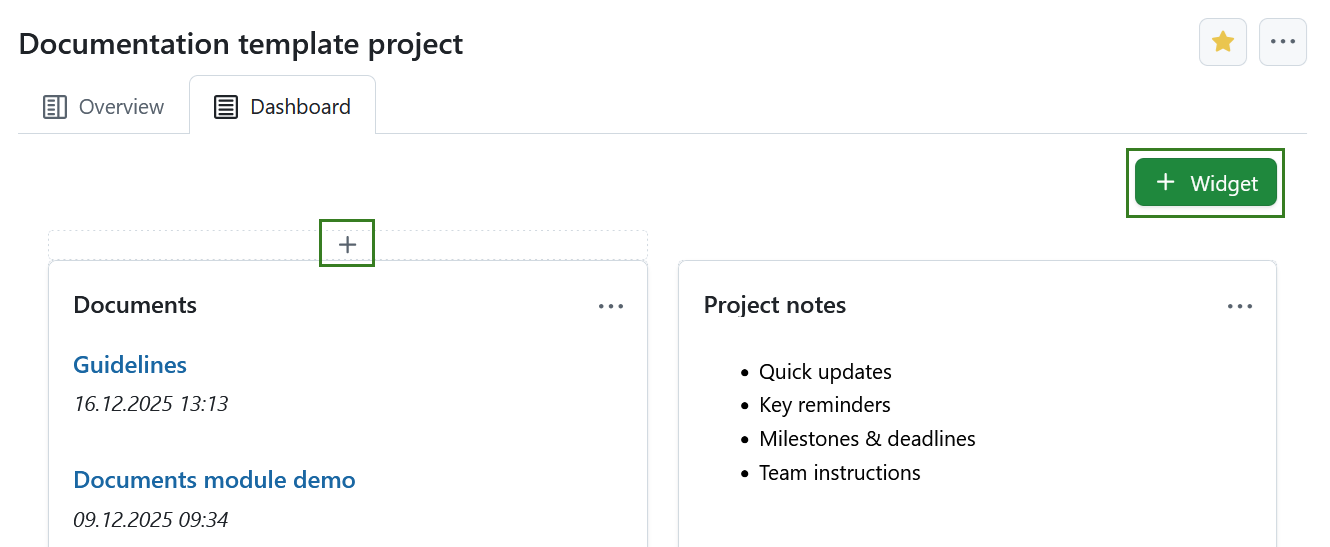
Cliquez sur l’icône + et choisissez le type de widget que vous souhaitez ajouter.
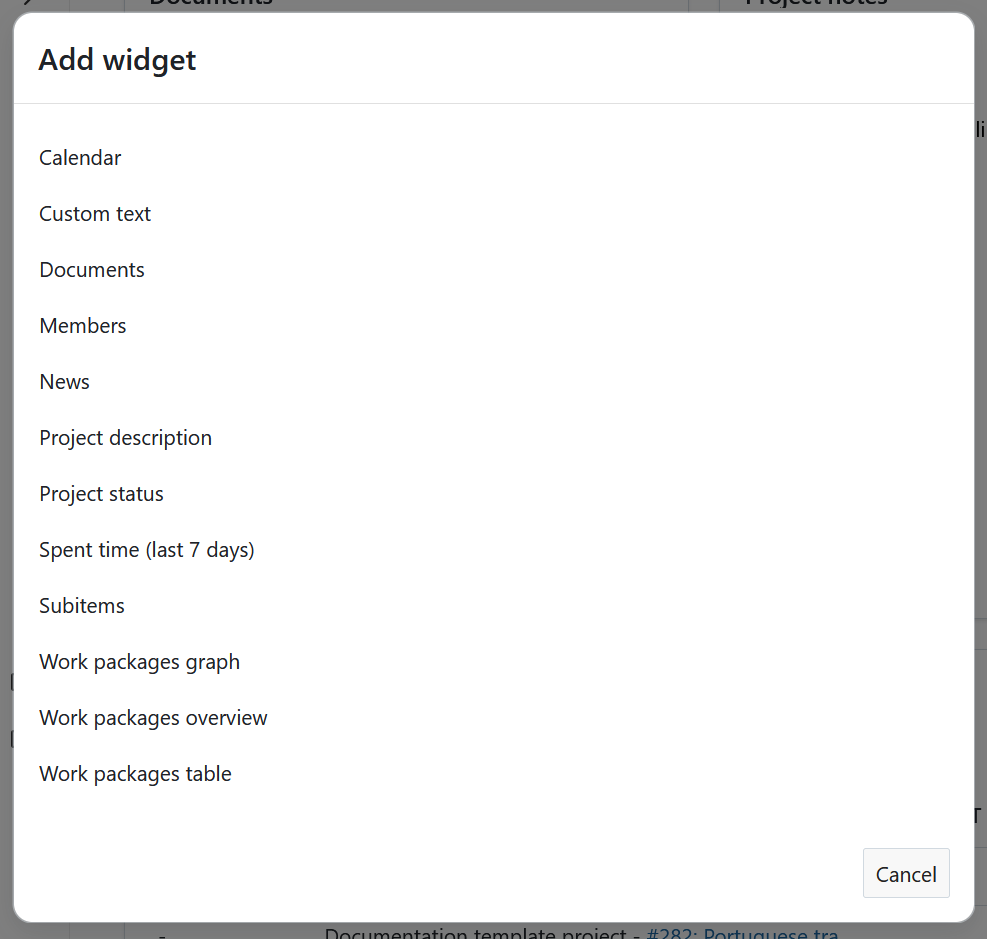
Project widgets catalog
You can add various widgets to your project dashboard. Available widgets in OpenProject include:
- Calendrier
- Custom text
- Documents
- Membres
- Actualités
- Description du projet
- Statut du projet
- Spent time (last 7 days)
- Subitems
- Work packages graph
- Work packages overview
- Work packages table
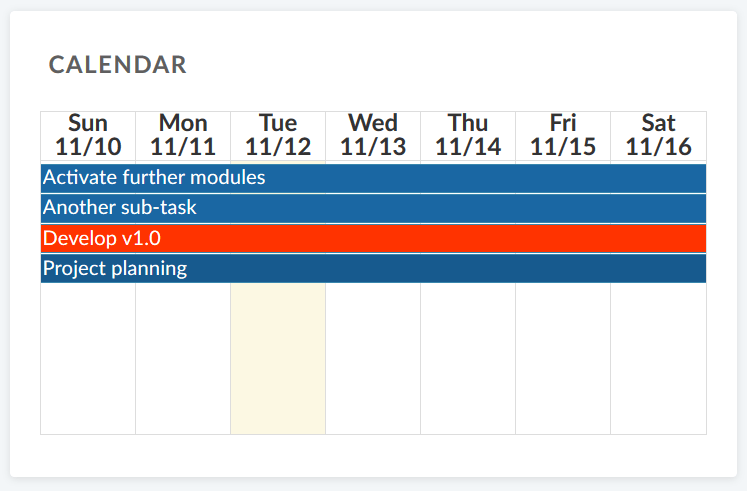
Widget de calendrier
Le widget de calendrier affiche vos lots de travaux actuels dans un calendrier. Il présente les lots de travaux qui sont en cours à la date actuelle. Le nombre maximum de lots de travaux affichables est de 100.
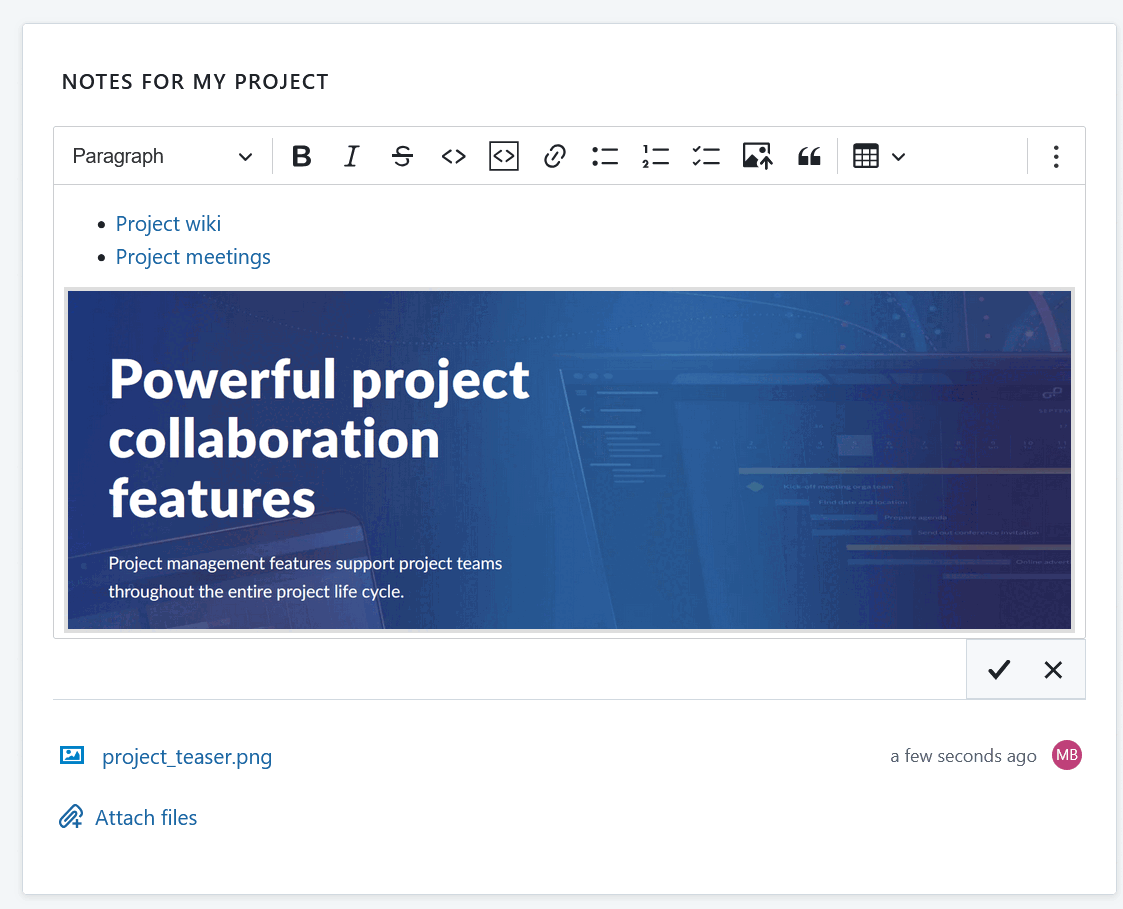
Widget de texte personnalisé
Dans le widget de texte personnalisé, vous pouvez ajouter toute information sur le projet que vous souhaitez partager avec votre équipe, par exemple des liens vers des ressources importantes du projet ou des lots de travaux, des filtres, des spécifications.
You can also add files to be displayed or attached to your custom text widget.
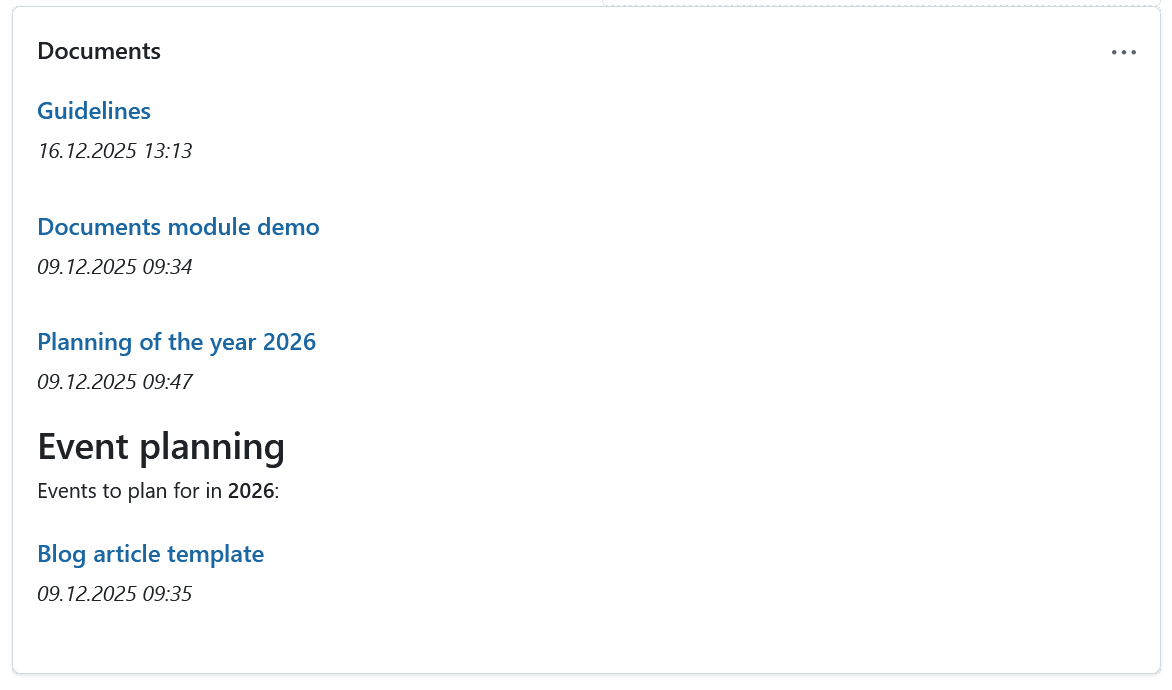
Documents widget
This widget displays all documents created under the Documents module of your specific project.
Members widget
You can add a widget which displays all project members and their corresponding role for this project on the project home page. Cela inclut à la fois les groupes et les utilisateurs (de remplacement ou enregistrés).
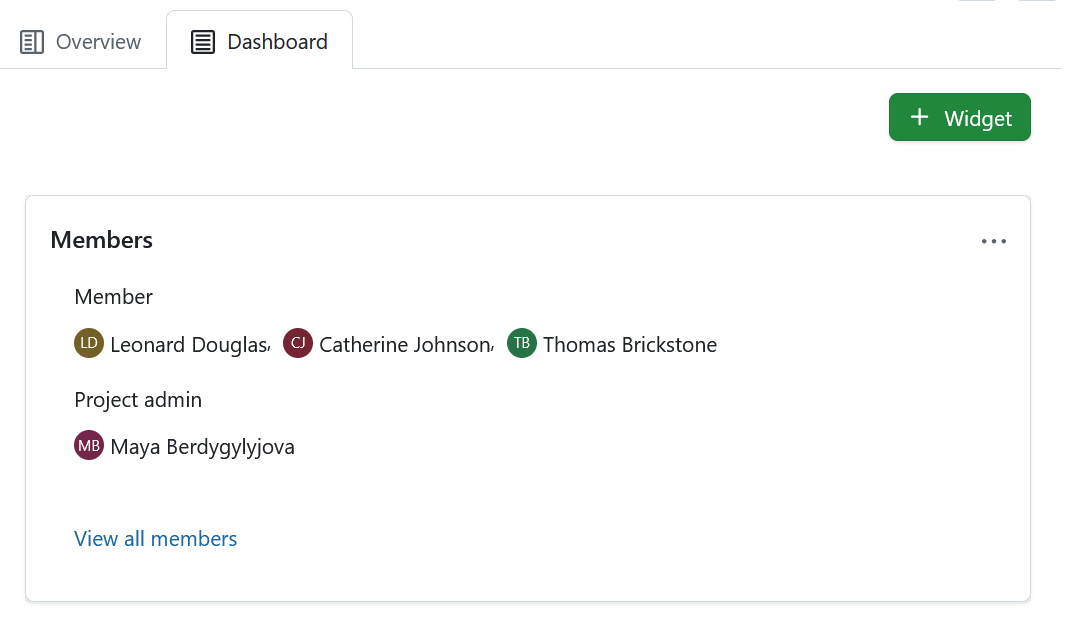
Clicking the View all members link will take you to the Members module, where you can view and edit the list of project members. Project members can be individuals as well as entire groups.
Widget d’actualités
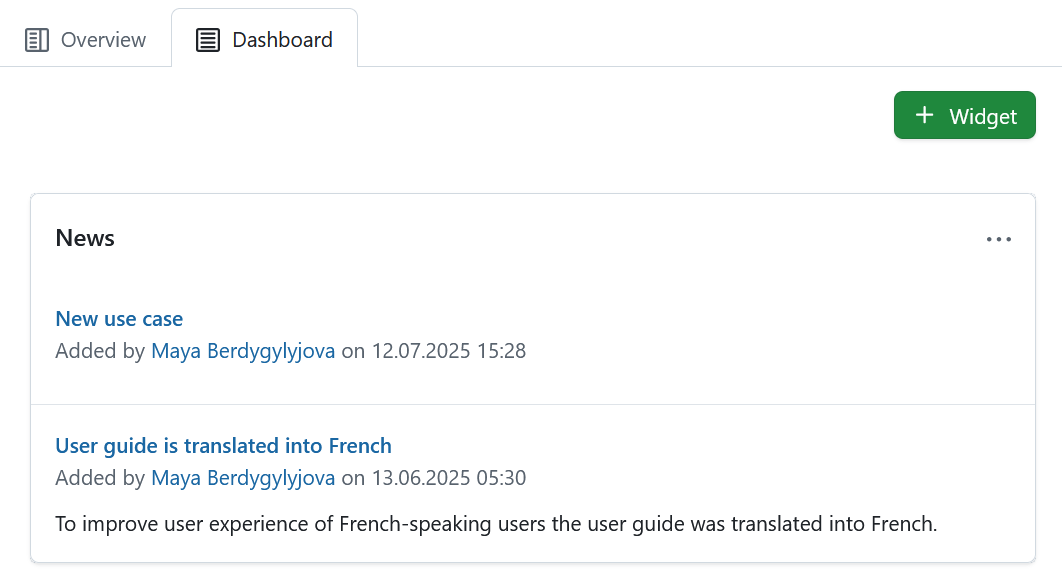
Display the latest project news in the news widget on the project home page.
Project description widget
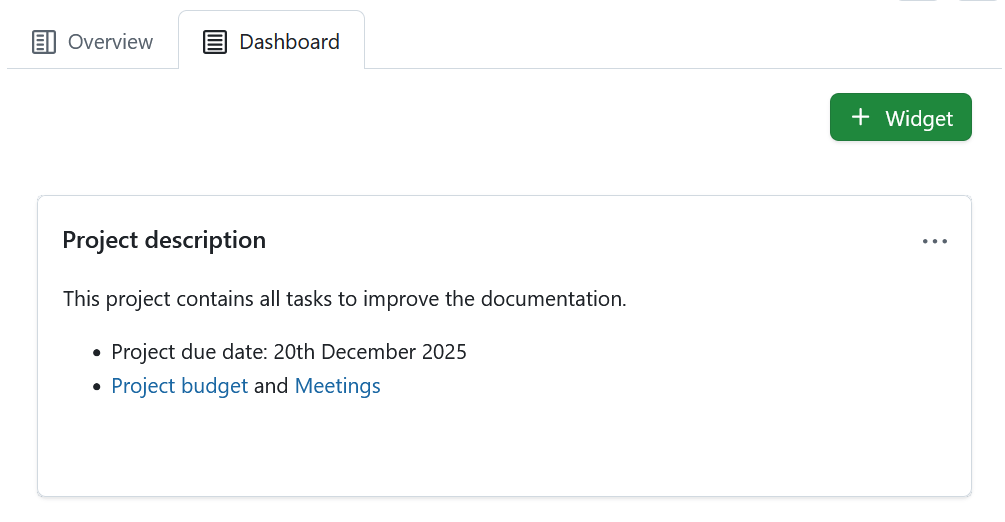
The project description widget adds the project description to your project home.
The description can be added or changed in the project settings.
Project status widget
Ajoutez le statut de votre projet sous forme de widget pour visualiser d’un coup d’œil si votre projet est sur la bonne voie, en retard ou compromis Vous pouvez définir le statut de votre projet et donner une description détaillée.
Tout d’abord, sélectionnez le statut de votre projet dans la liste déroulante. Vous pouvez choisir entre :
- Dans les temps
- Non défini
- À risque
- En retard
- Non démarré
- Terminé
- Interrompu
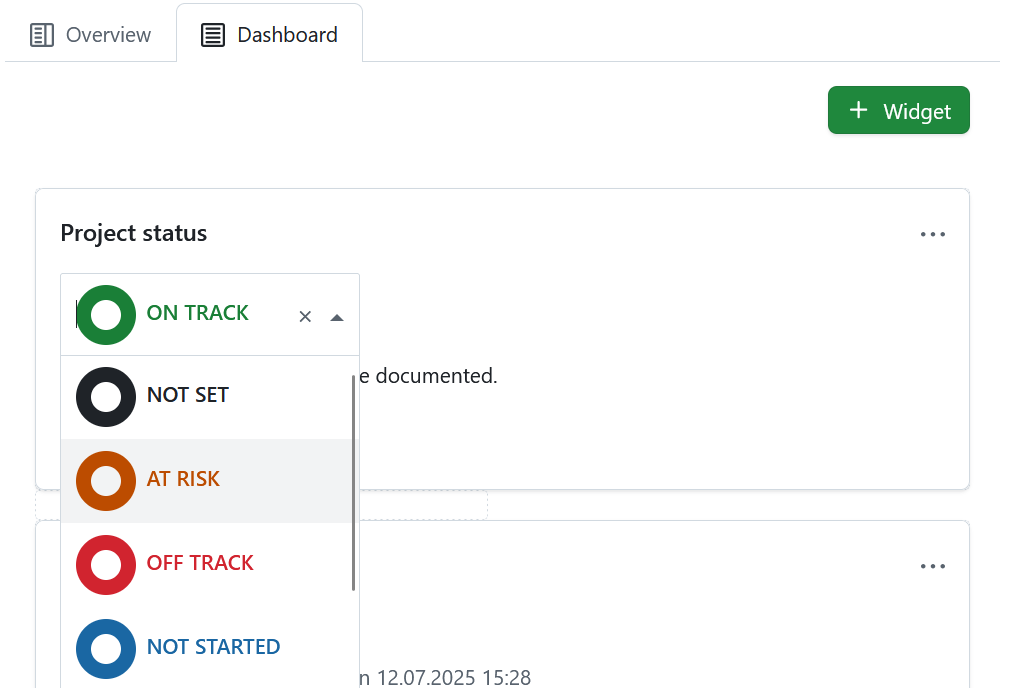
Ajoutez une description du statut du projet et d’autres informations importantes, telles que le propriétaire du projet, les jalons et autres liens importants ou informations relatives au statut.
Widget du temps passé
Le widget du temps passé recense le temps passé dans ce projet pour les 7 derniers jours.
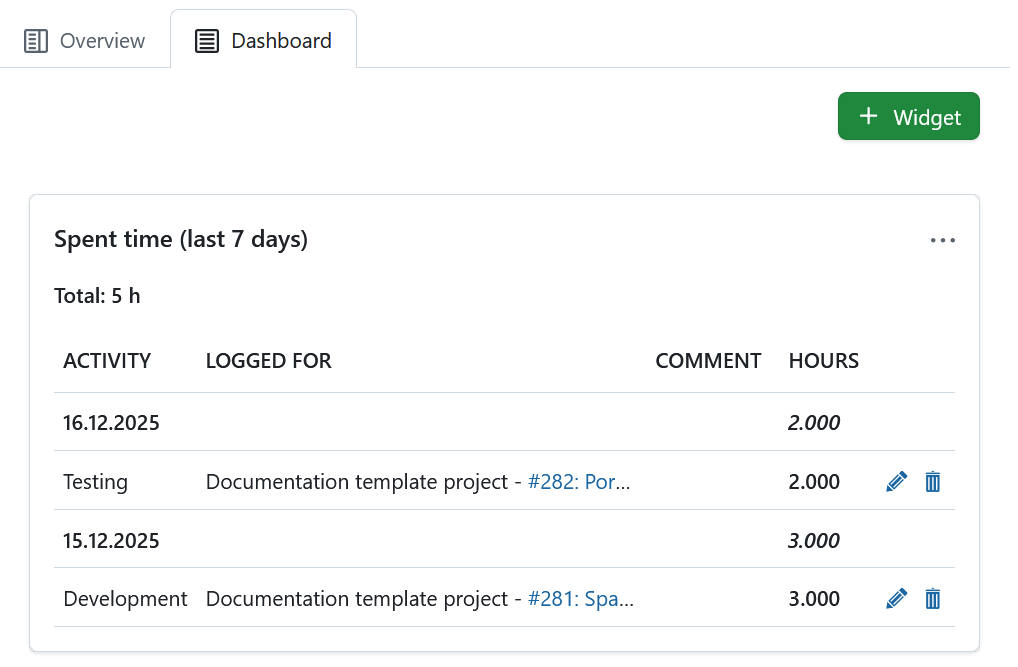
Les entrées de temps sont liées au lot de travaux correspondant et peuvent être modifiées ou supprimées. To have a detailed view on all spent time and costs, go to the Cost reporting module.
Subitems widget
The subitems widget lists all subitems of the respective entity:
- Subitems of a project are subprojects
- Subitems of a program are projects
- Subitems of a portfolio are programs are projects
The Subitems widget under the Overview tab allows adding subitems directly within the widget (click the Plus icon in the top right corner of the widget and select Project). That same widget under that Dashboard tab lists all subitems of a project, but offers no option to add subitems directly.
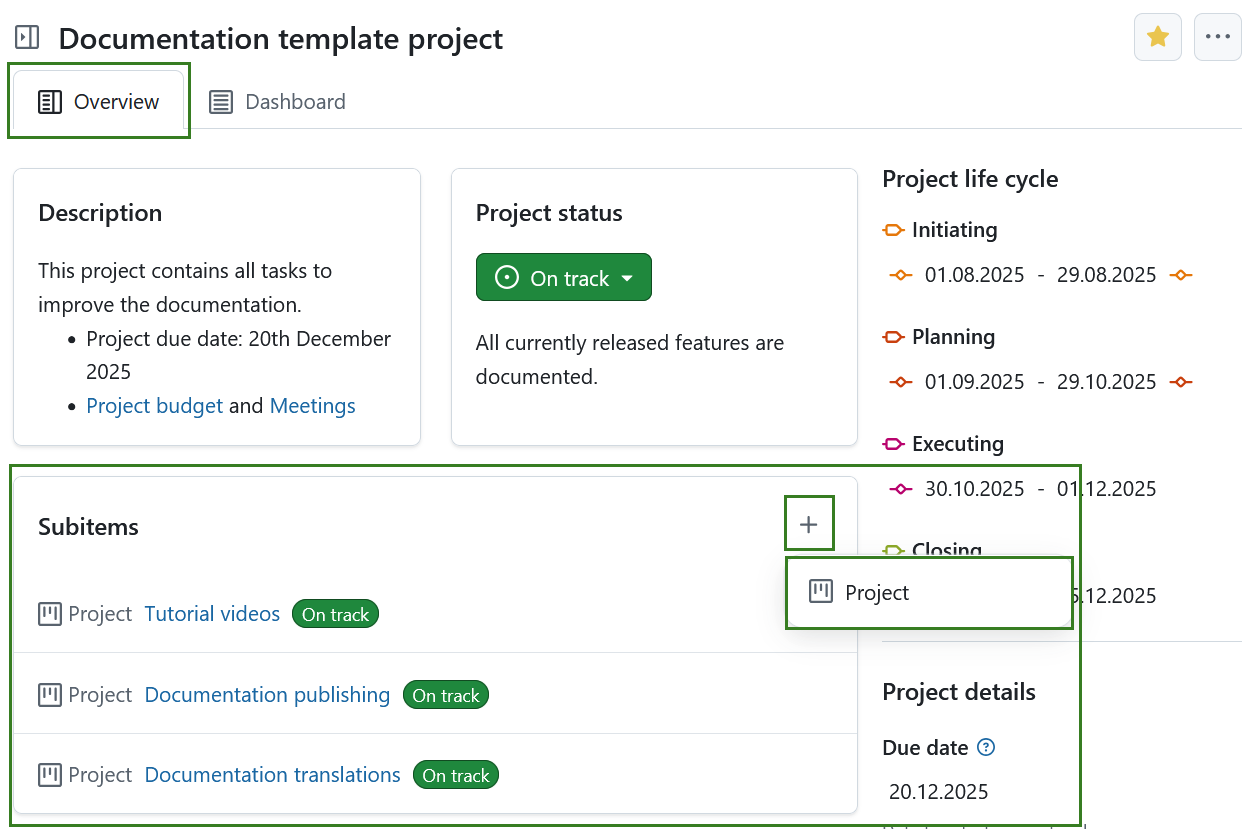
Le widget ne lie que la première hiérarchie de sous-projets et non les enfants d’un sous-projet.
To edit the project hierarchy, go to the project settings.
Widgets graphiques pour les lots de travaux
Les widgets de graphiques de lots de travaux affichent des informations sur les lots de travaux au sein d’un projet. Ils peuvent être affichés dans différentes vues graphiques, telles qu’un graphique à barres ou un graphique circulaire.
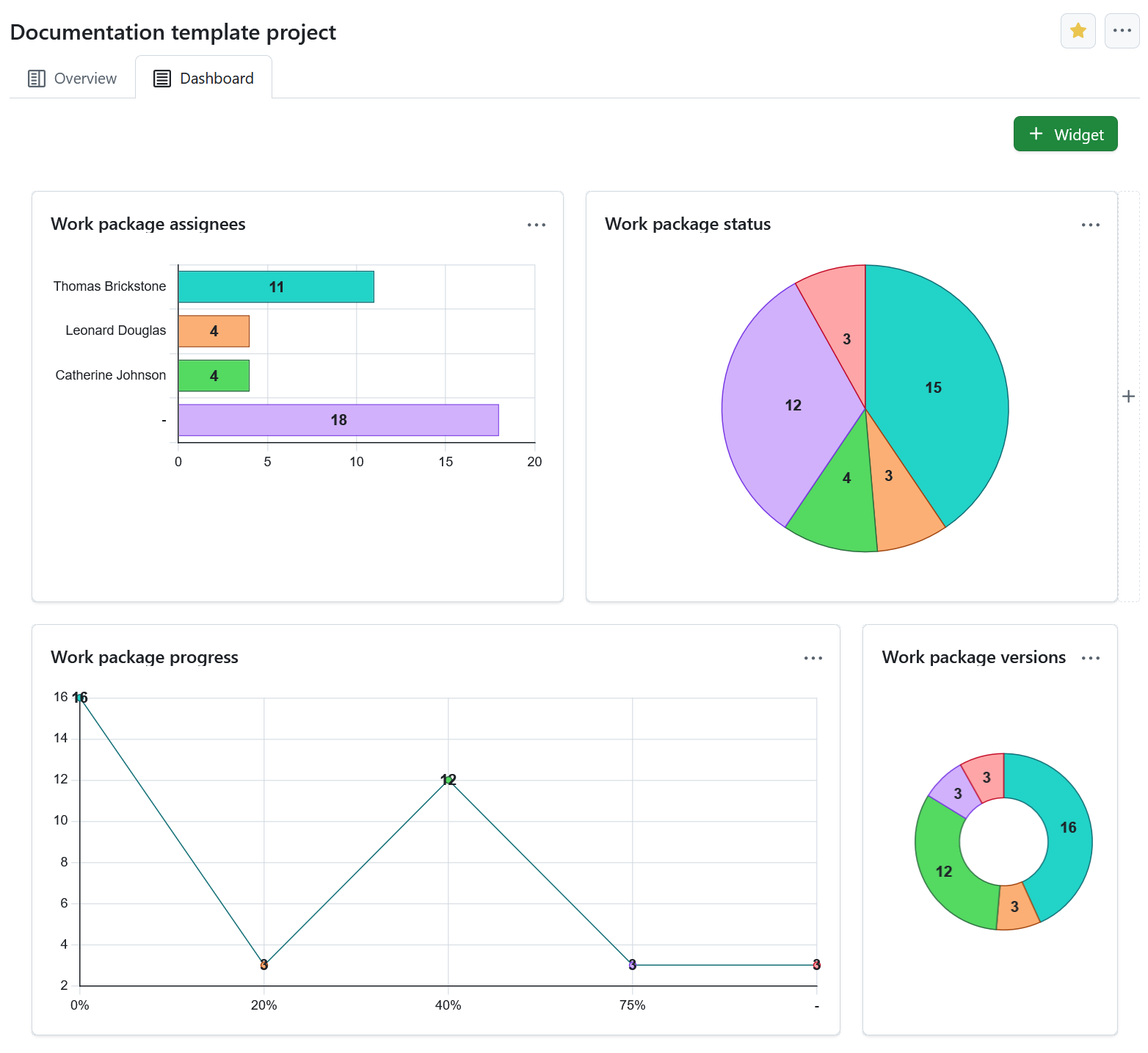
Configurer le graphique des lots de travaux
You can filter the work packages to be displayed in the graph according to the work packages table configuration.
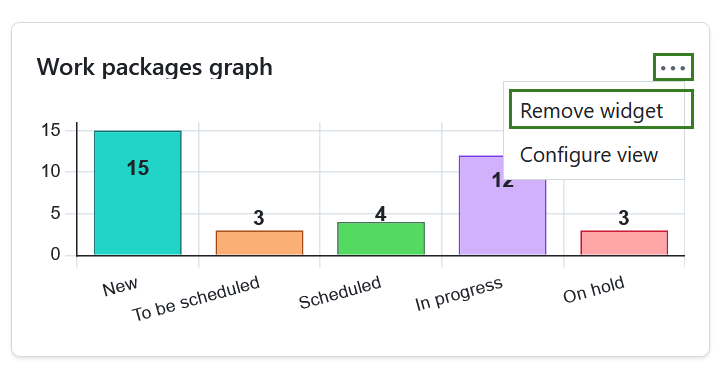
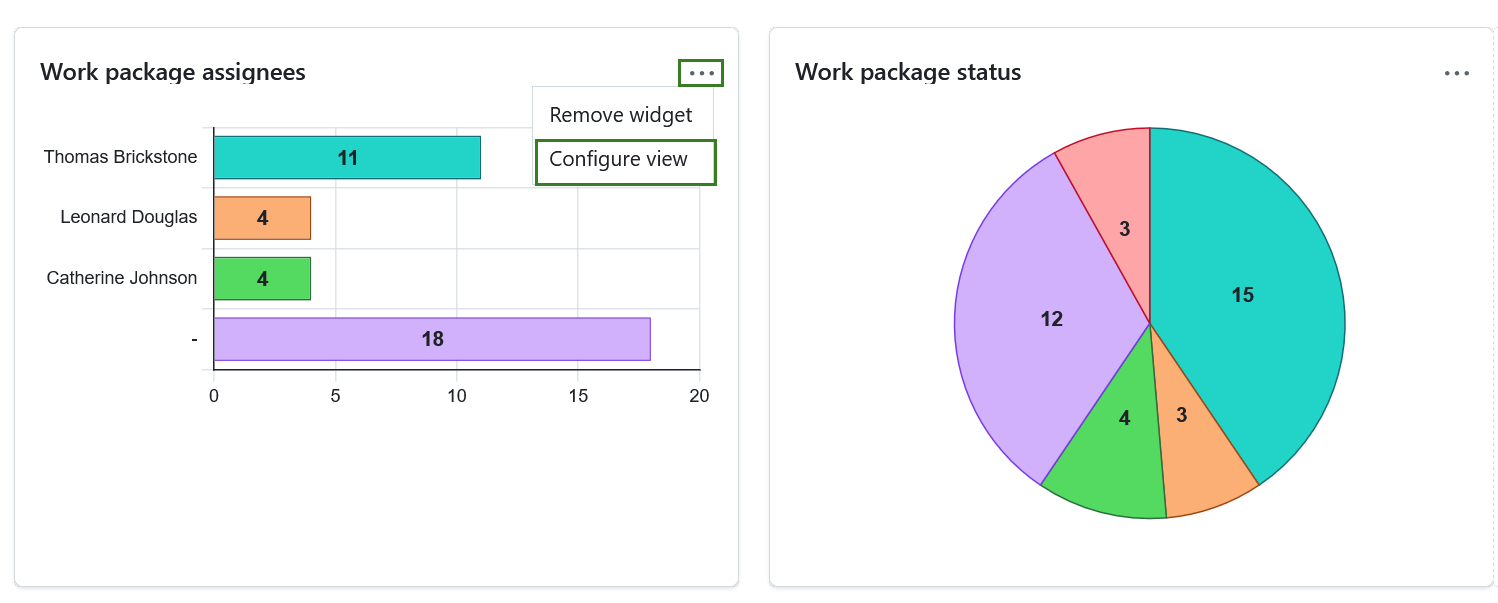
Pour configurer le graphique du lot de travaux, cliquez sur l’icône des trois points située dans le coin supérieur droit et sélectionnez Configurer la vue.
Sélectionnez le configuration des axes à afficher sur l’axe du graphique, par exemple Responsabilité, Priorité, Statut, Type.
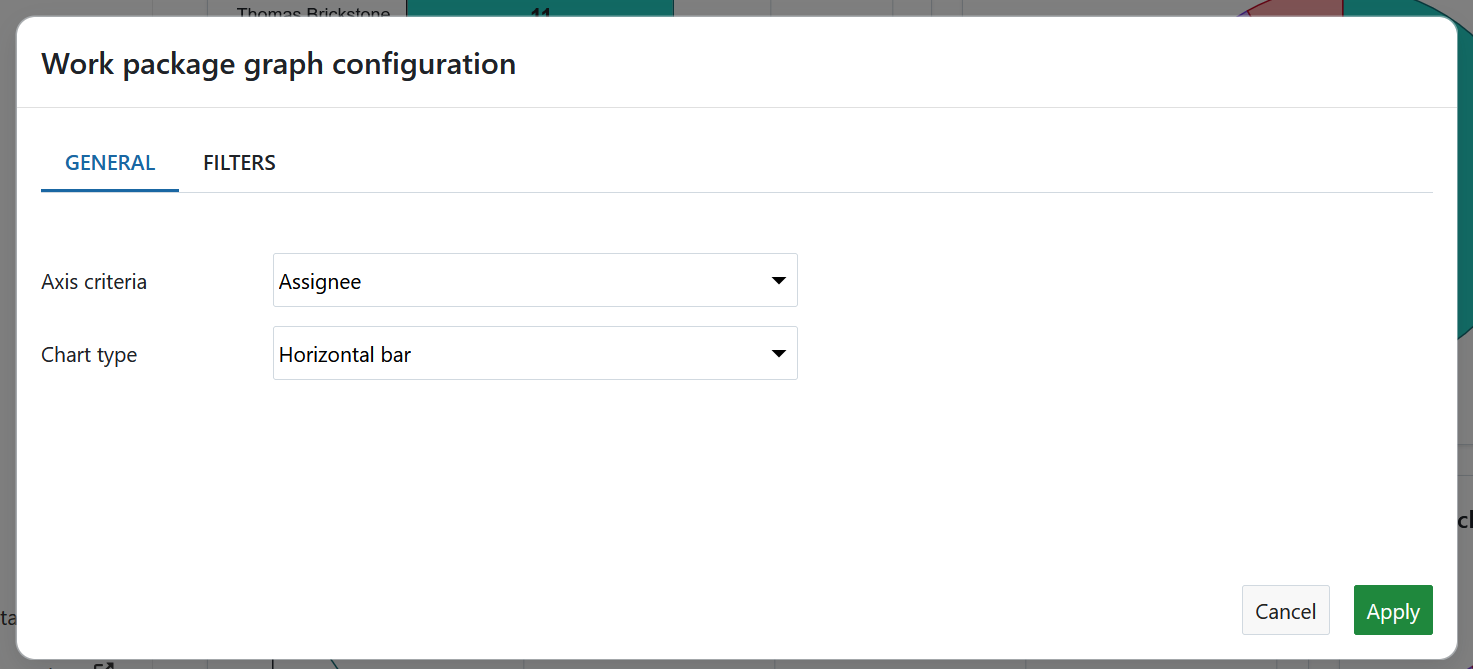
Ensuite, sélectionnez le type de graphique : comment les informations du lot de travaux doivent être affichées. Par exemple, sous la forme d’un graphique à barres, d’une ligne, d’un graphique circulaire.
You can also filter the work packages for your chart. To do that, click the Filters tab in order to configure the work packages to be displayed, e.g. only work packages with the priority “high”.
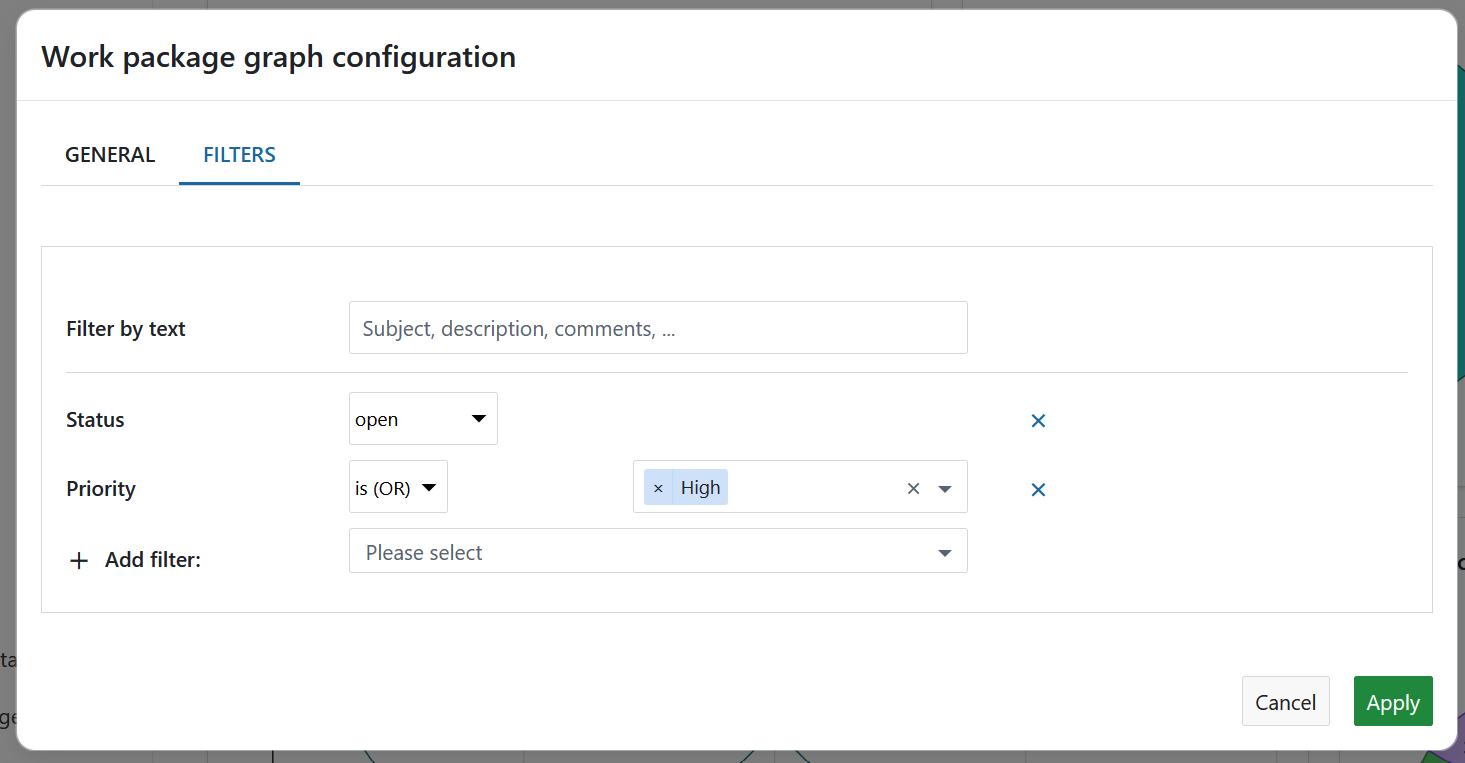
Cliquer sur le bouton Appliquer pour enregistrer vos modifications.
Work packages overview widget
The work packages overview widget displays all work packages in a project differentiated by a certain criteria.
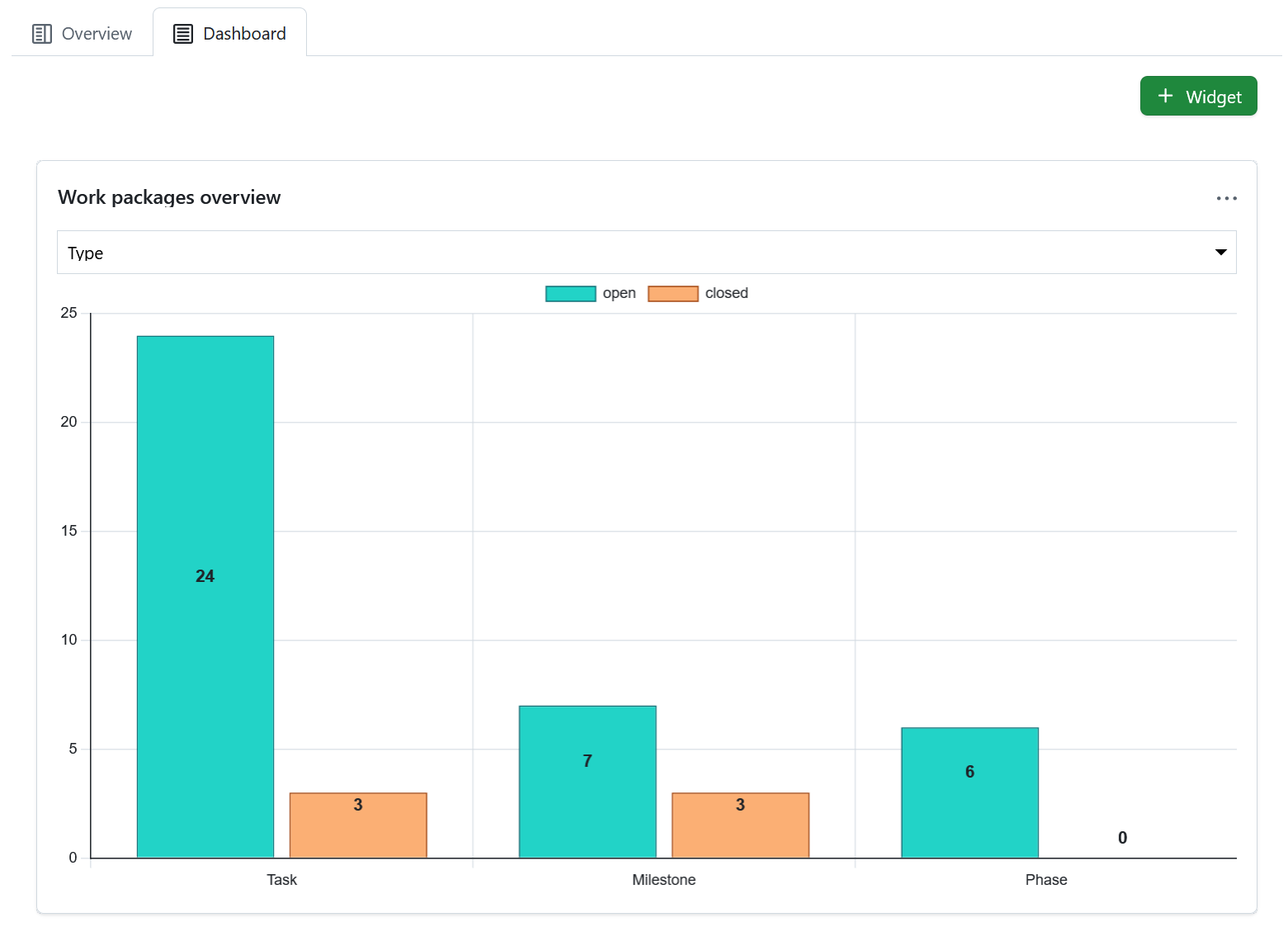
Vous pouvez afficher le graphique en fonction des critères suivants :
- Catégorie
- Type
- Statut
- Priorité
- Auteur
- Assigné à
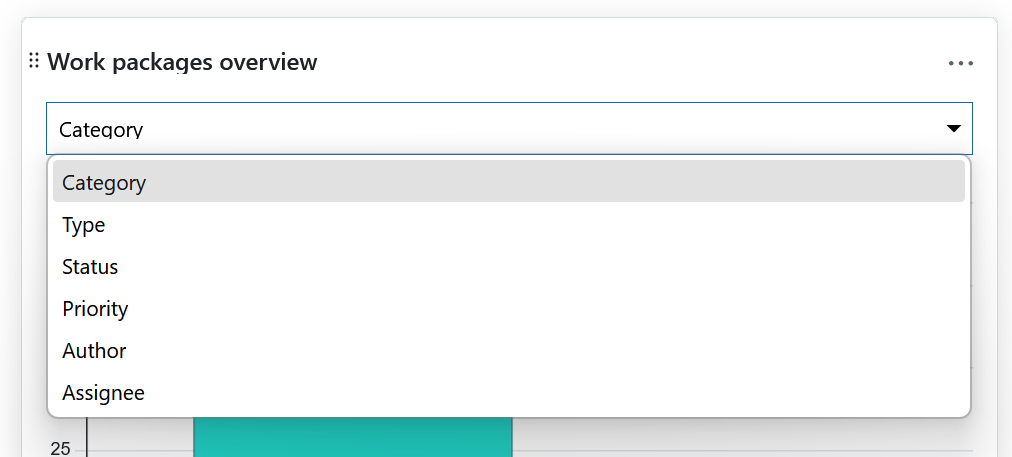
Le widget liste tous les lots de travaux ouverts et fermés en fonction de ce critère.
Widget du tableau des lots de travaux
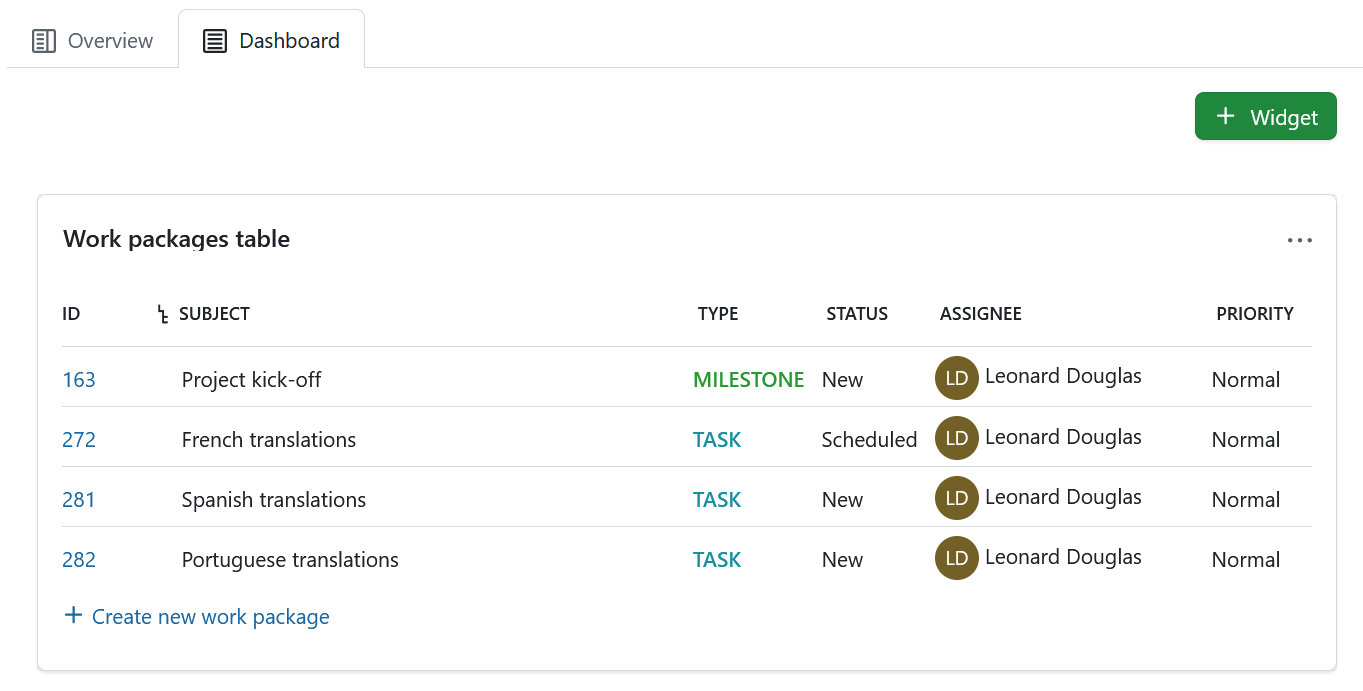
The work package table widget includes a work package table to the project home. The work package table can be filtered, grouped, or sorted according to the work package table configuration, e.g. to display only work packages with the priority “High”.
Redimensionner et réorganiser les widgets
Pour réorganiser un widget, cliquez sur l’icône des points dans le coin supérieur gauche et faites glisser le widget avec la souris vers la nouvelle position.
Pour redimensionner un widget, cliquez sur l’icône grise située dans le coin inférieur droit du widget et faites glisser le coin vers la droite ou la gauche. Le widget sera redimensionné en conséquence.

Remove widgets from project home page
To remove a widget from the project home page, click the three dots icon at the top right corner of the widget and select Remove widget.
Remarque
Please keep in mind that this is only possible under the Dashboard tab. Project widgets under the Overview tab are fixed and can not be removed.