Project home page
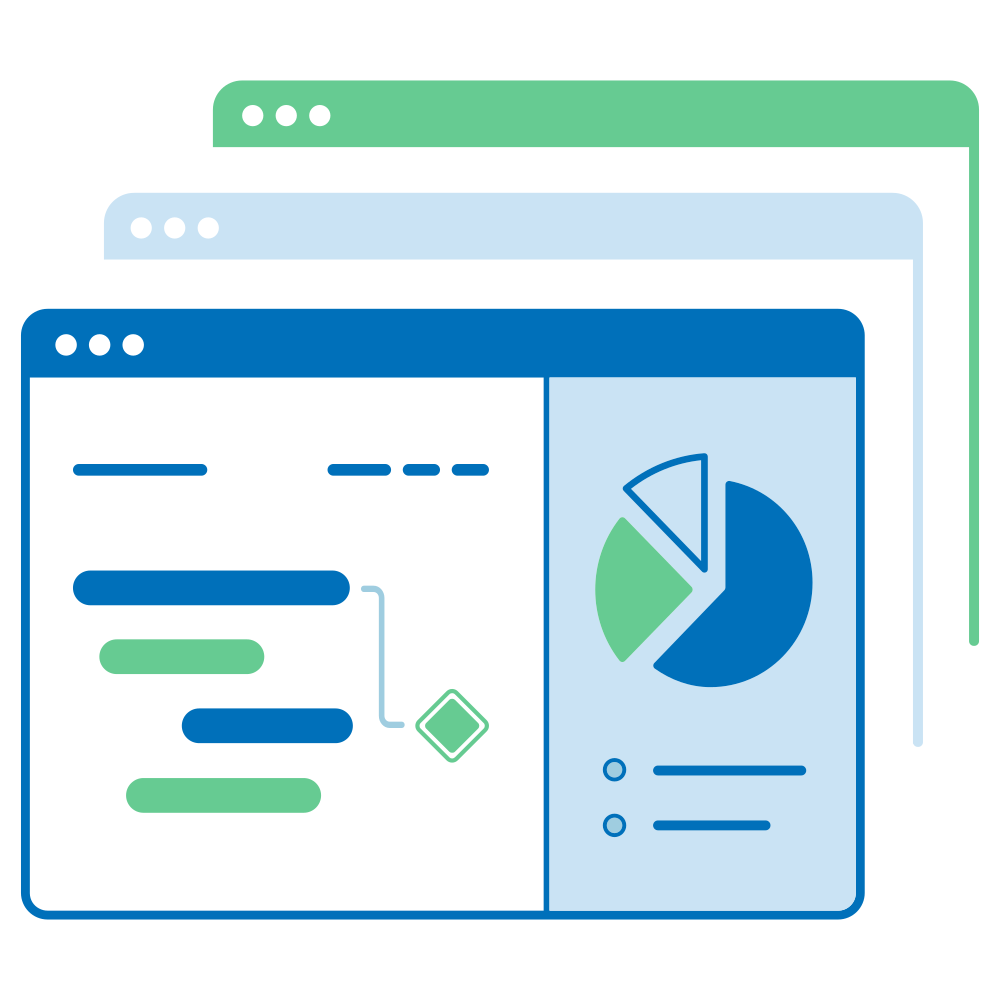
The Project home page page is a dashboard with important information about your respective project(s). Cette page affiche toutes les informations pertinentes pour votre équipe, telles que les membres, les dernières informations, la description du projet, les rapports sur les lots de travaux ou le statut du projet. Information on the project overview is presented using project attributes and widgets.
| Sujet | Contenu |
|---|---|
| What is the project home page? | What can I do on the project home page? |
| Cycle de vie d’un projet | Qu’est-ce que le cycle de vie d’un projet ? |
| Attributs du projet | Quels sont les attributs d’un projet et comment puis-je les utiliser ? |
| Marquer un projet comme favori | Comment marquer un projet comme favori ? |
| Archiver un projet | How can I archive a project from the project home page? |
| Project widgets | What are widgets, and how can I add them to my project home page? |
What is the project home page?
The project home page is a centralized overview page that displays all essential information for a selected project. Its purpose is to serve as a single source of truth for the entire project team, providing quick access to key data and project progress.
You can access the project overview by navigating to Project home in the project menu on the left.
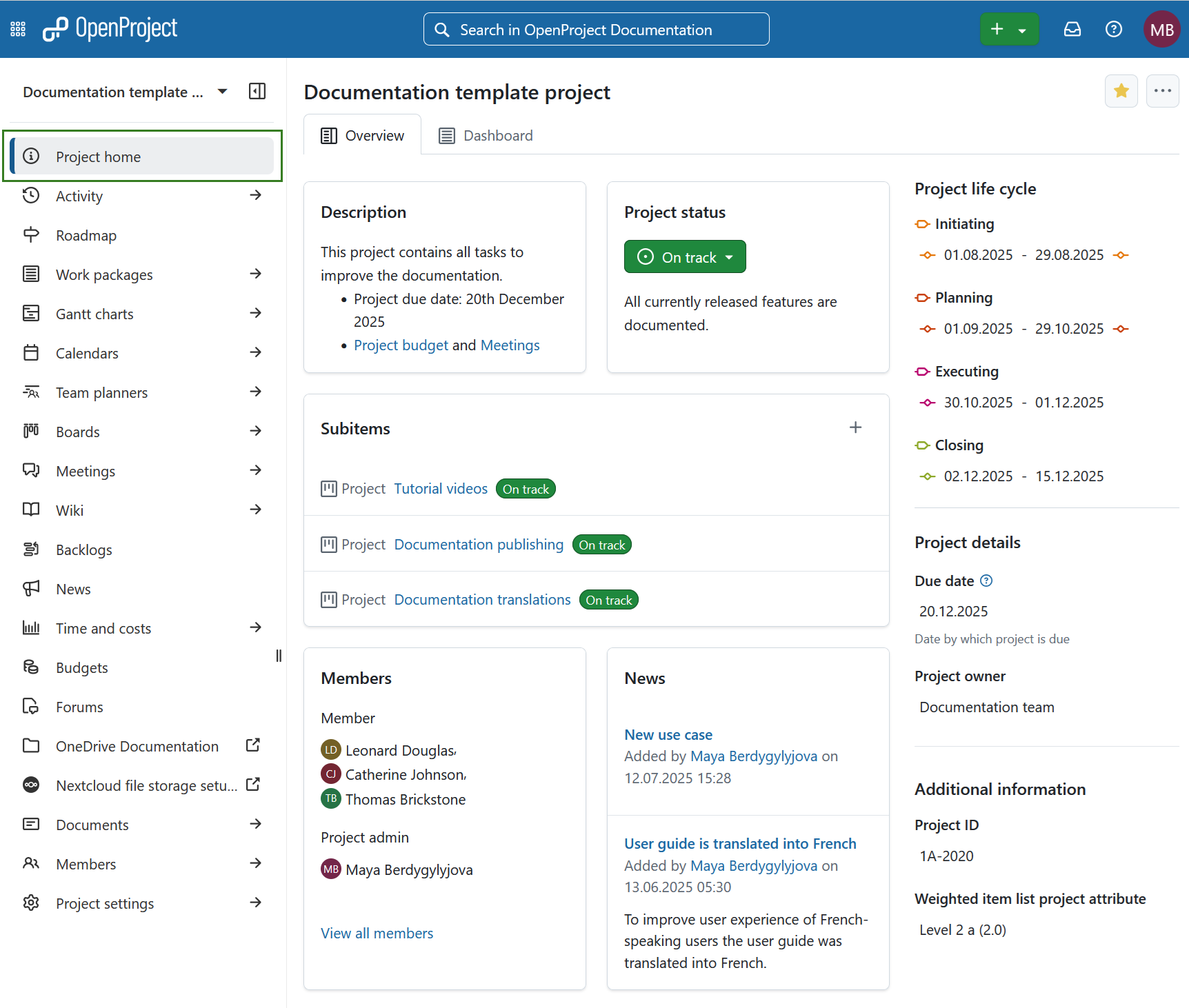
On the project overview page you will see the following sections:
- Overview tab is pre-configured set of project widgets to provide a concise summary of the project’s status.
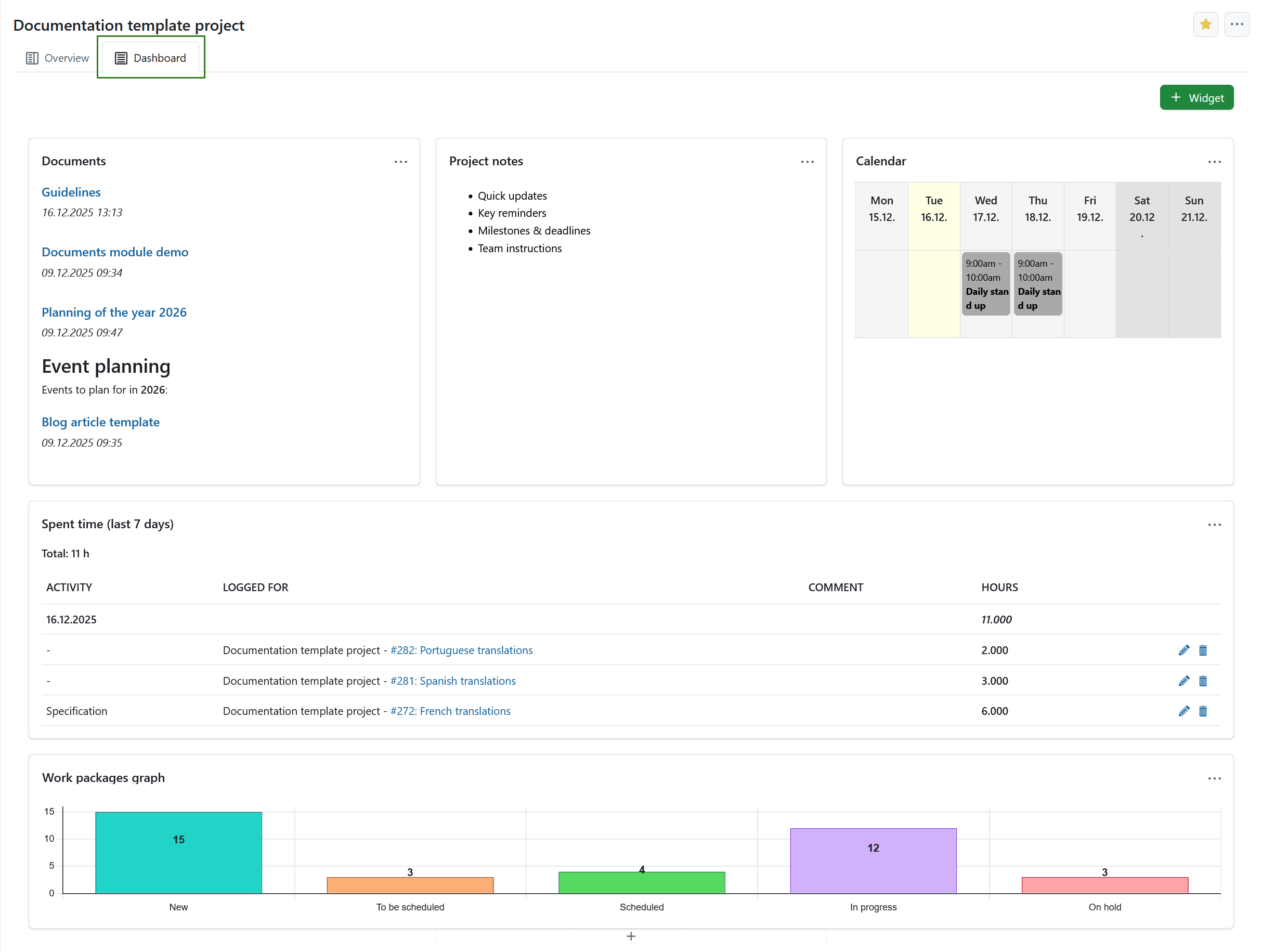
- Dashboard tab provides access to all available widgets and allows full customization of layout and content according to user preferences.
- Cycle de vie d’un projet
- Attributs du projet
Here you can also mark a project as favorite or archive it.
Vue d’ensemble du projet
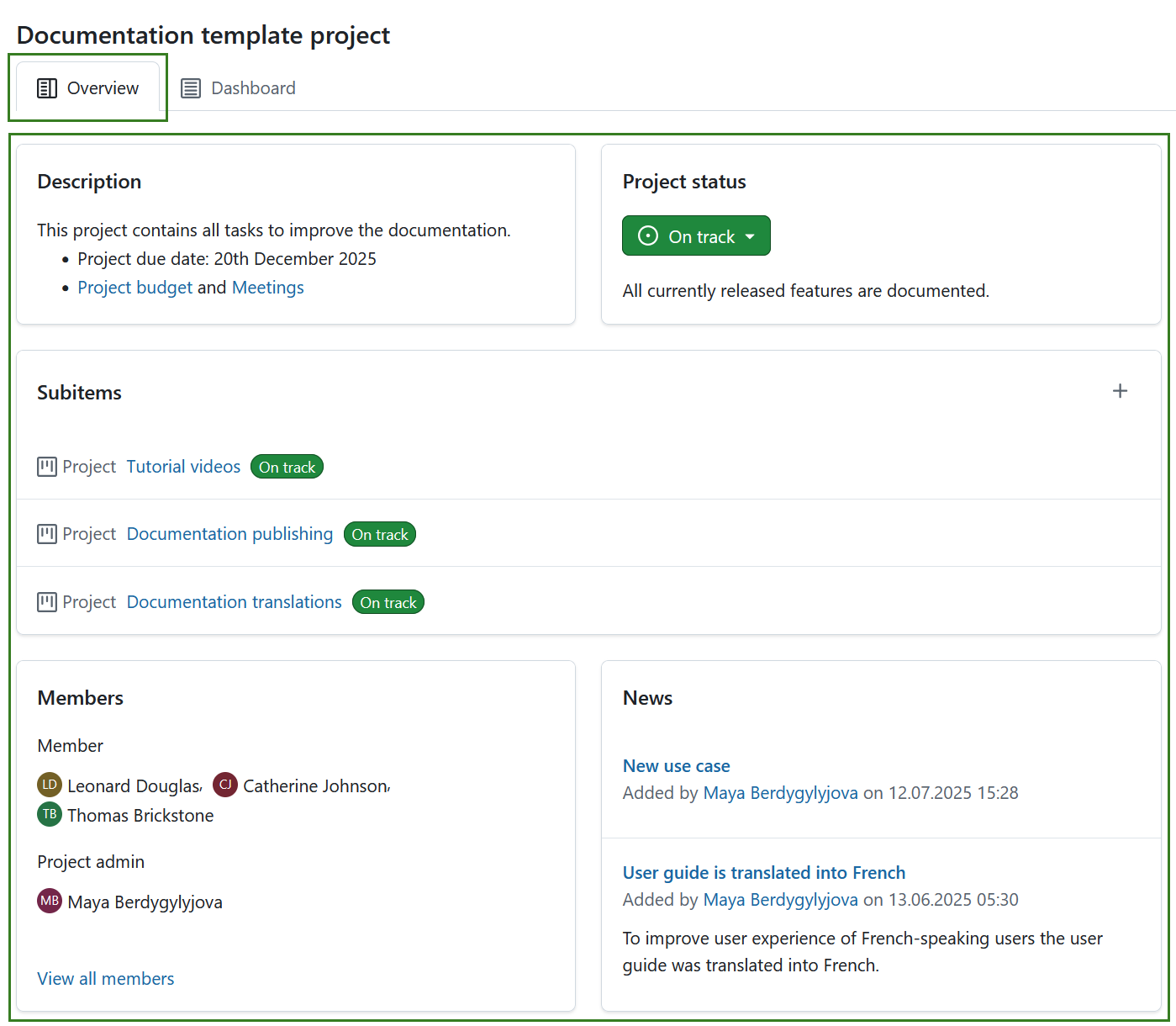
The Overview tab is a pre-configured to provide a concise summary of the project’s status. Its layout is fixed and cannot be modified. It includes the following widgets:
-
Optional: Project attributes.
Conseil
Project attributes are usually displayed under the project life cycle section on the right, but a project attribute section can also be placed centrally under the pre-defined widgets. This placement can be changed under system administration.
Learn more about project widgets.
Project dashboard
The Dashboard tab of the home page provides access to all available widgets and allows full customization of layout and content according to user preferences. Learn more about project widgets.
Conseil
You can add same widgets to the project dashboard, as are also displayed on the project overview part of project home page.
Marquer un projet comme favori
Vous pouvez marquer le projet comme Favori en cliquant sur l’icône Favori (étoile) dans le coin supérieur droit. The icon color will change to yellow and the project will be marked as favorite both on the project home page and in the projects list. En savoir plus sur les listes de projets.
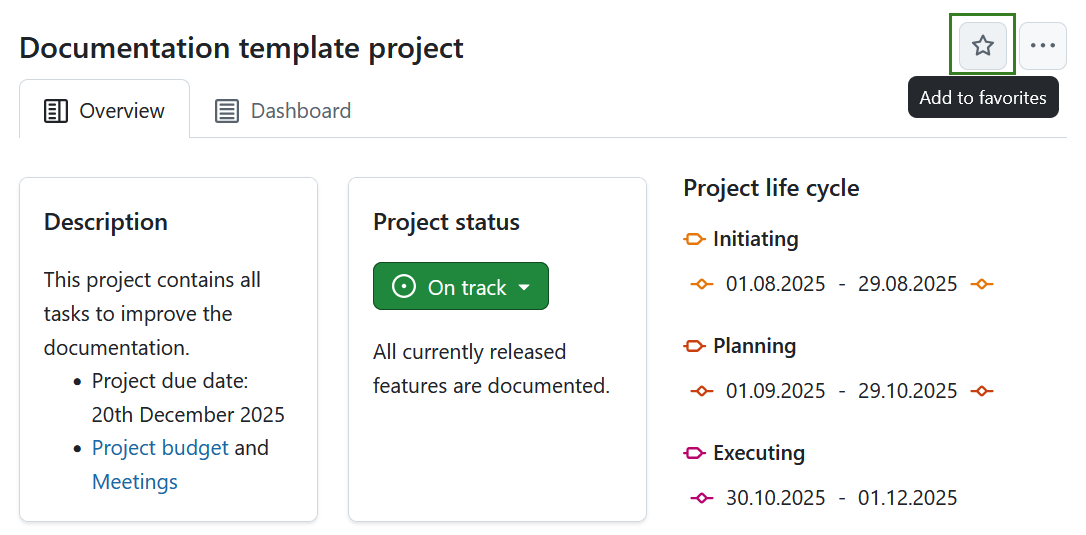
Pour supprimer un projet des favoris, cliquez à nouveau sur l’icône Favoris.
Archiver un projet
You can archive a project directly from the project home page. Pour ce faire, cliquez sur l’icône Plus (trois points) et sélectionnez Archiver le projet.
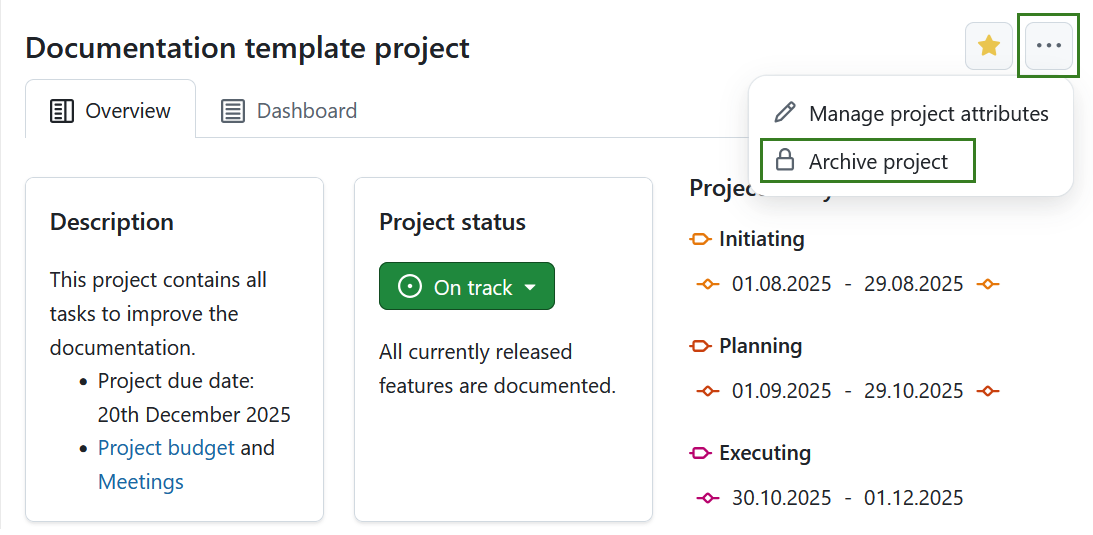
Remarque
Cette option est toujours disponible pour les administrateurs d’instances et de projets. Elle peut également être activée pour des rôles spécifiques en activant l’autorisation archive_project pour ce rôle via la page Rôles et autorisations dans les paramètres de l’administrateur.
Vous pouvez également archiver un projet sous paramètres du projet ou dans une liste de projets.